New article
Recently updated
Bill a Communicable Disease Test

This video explains how to charge a follow up communicable disease test as a quick charge.
1. Introduction
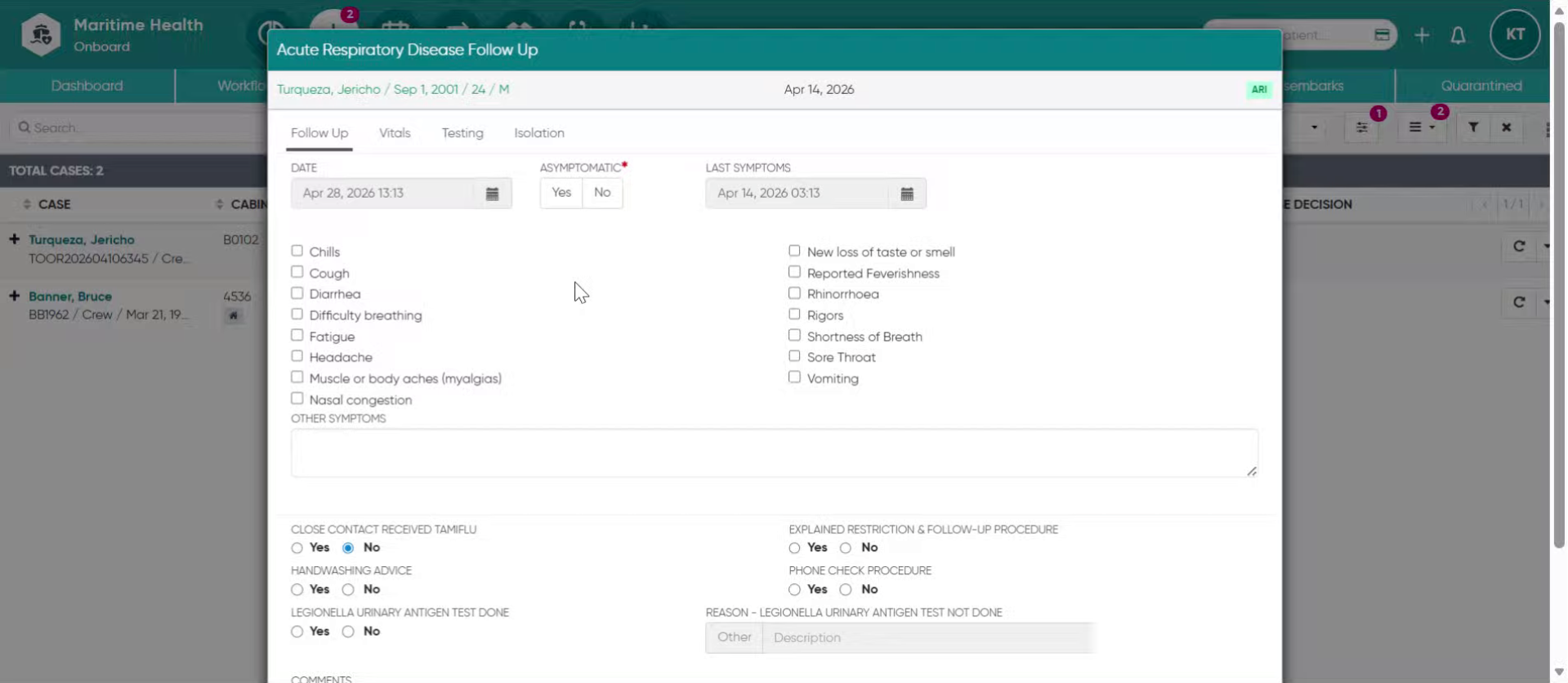
Learn to complete quick charge processes for communicable disease tests in the clinic. Start in the Clinic under Public Health, selecting the follow-up button for your patient.
2. Access Testing Section
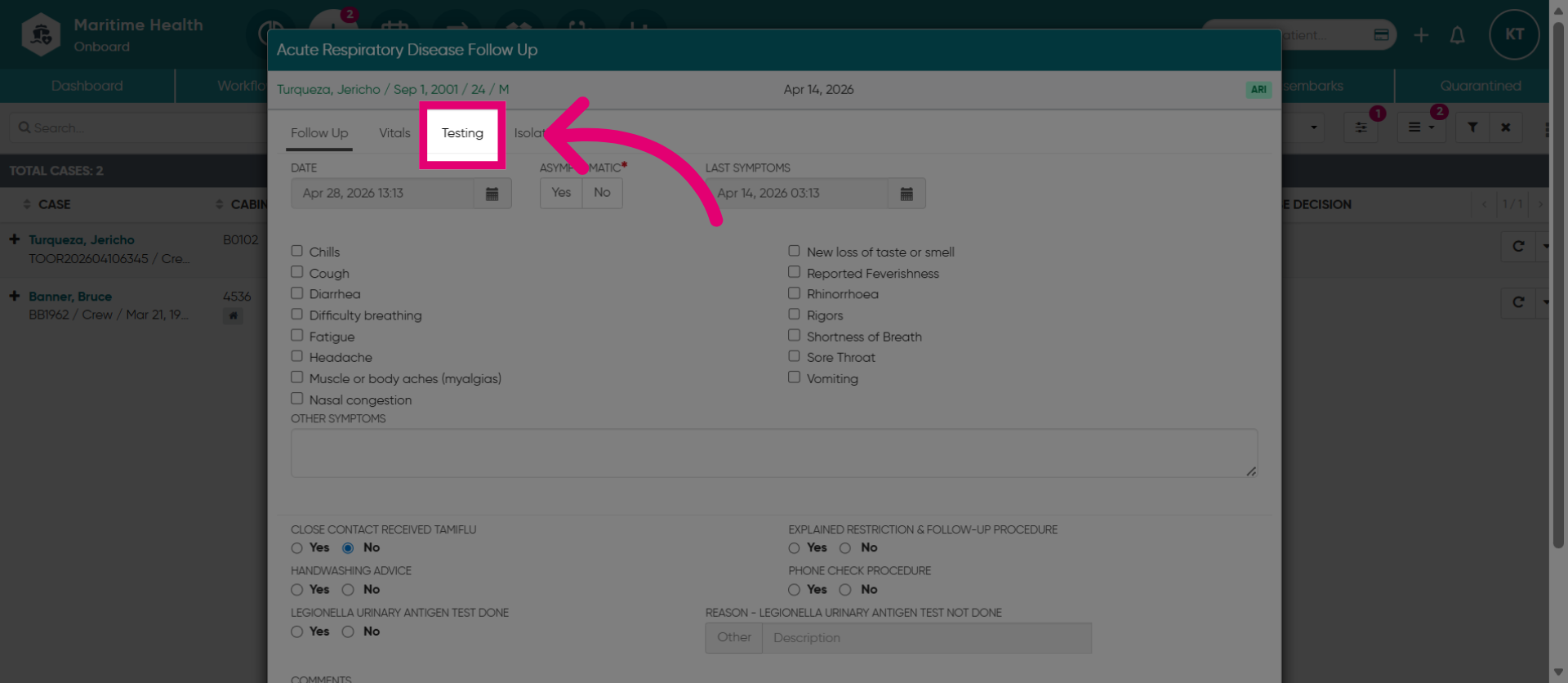
Then, select "Testing" to open the testing tab.
3. Select an existing test
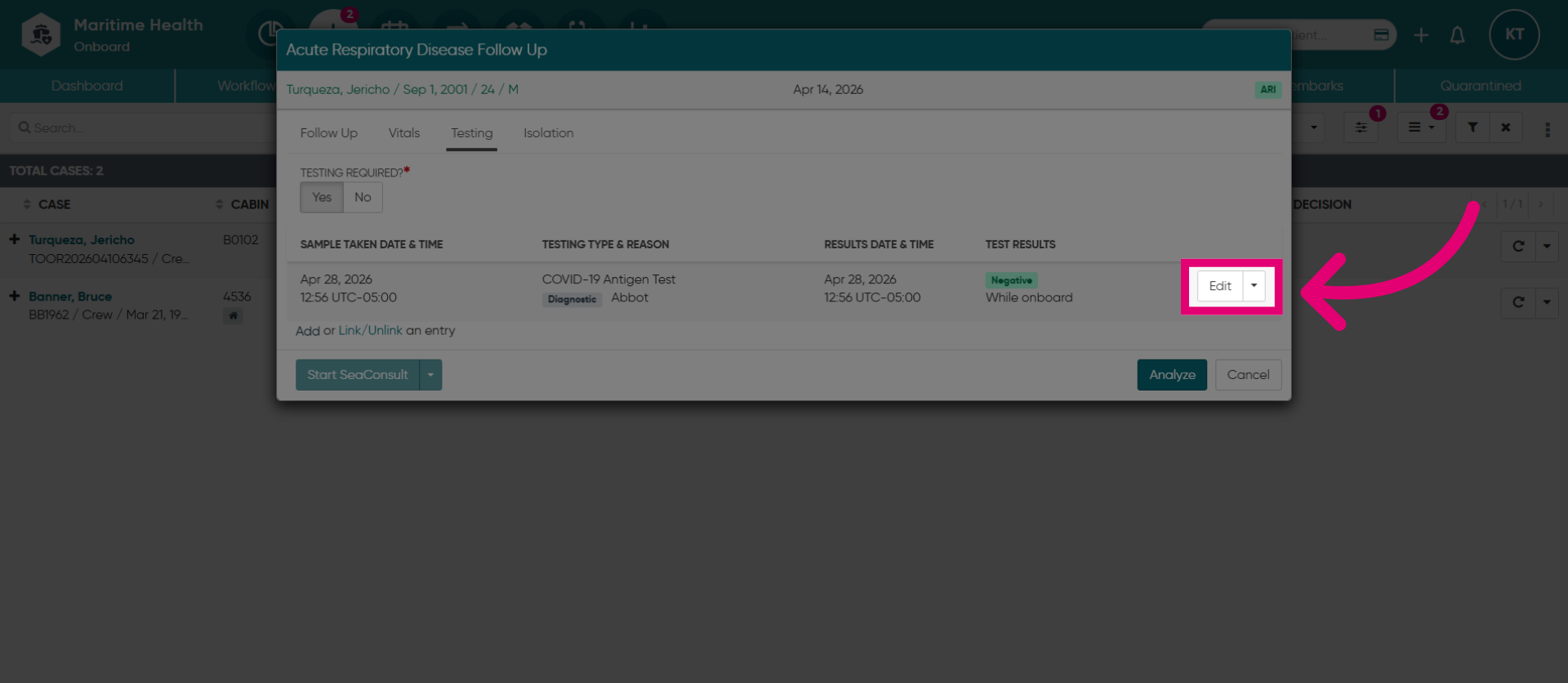
When you are ready to charge for an existing test, click "Edit".
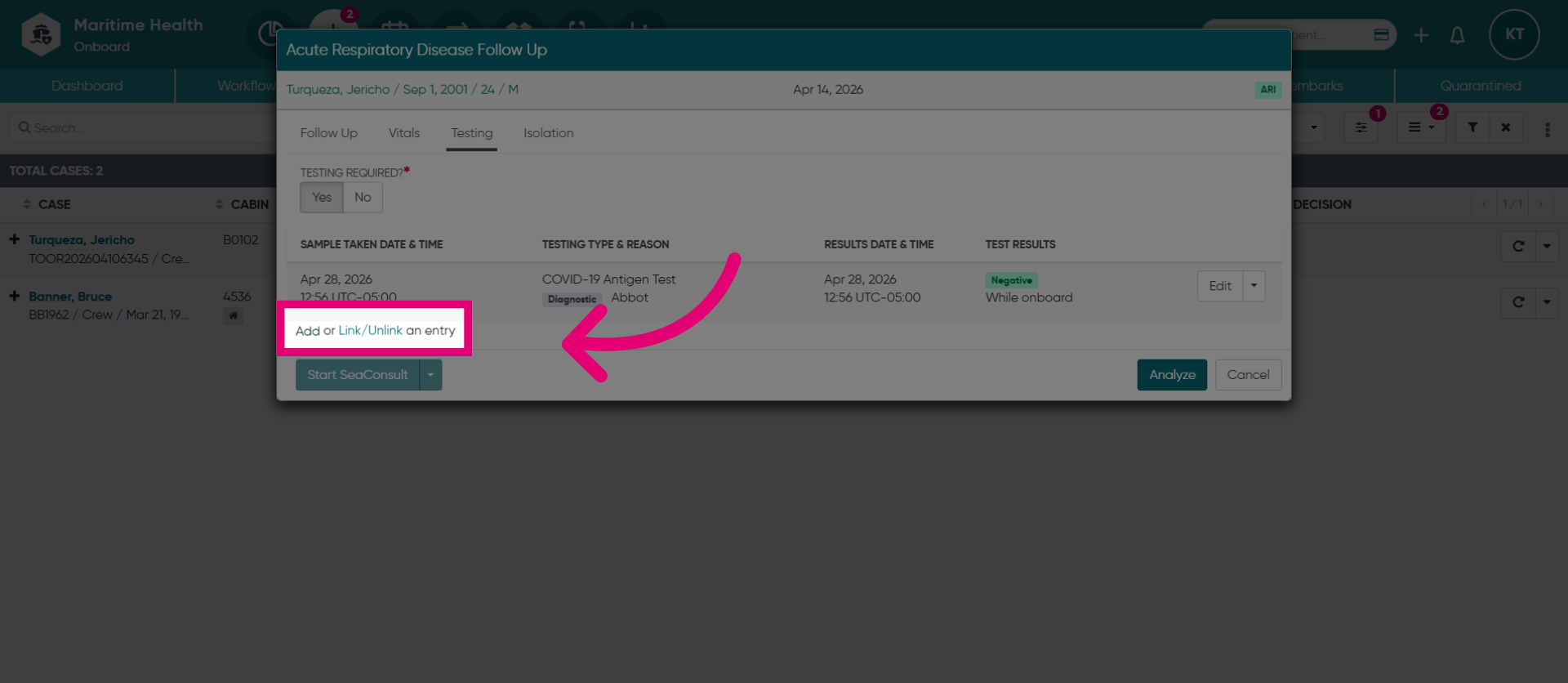
4. Add New Entry or Link a Test
Or, if you are adding a new or linking an existing test from another location. Click "Add" to create a new testing entry in the system.
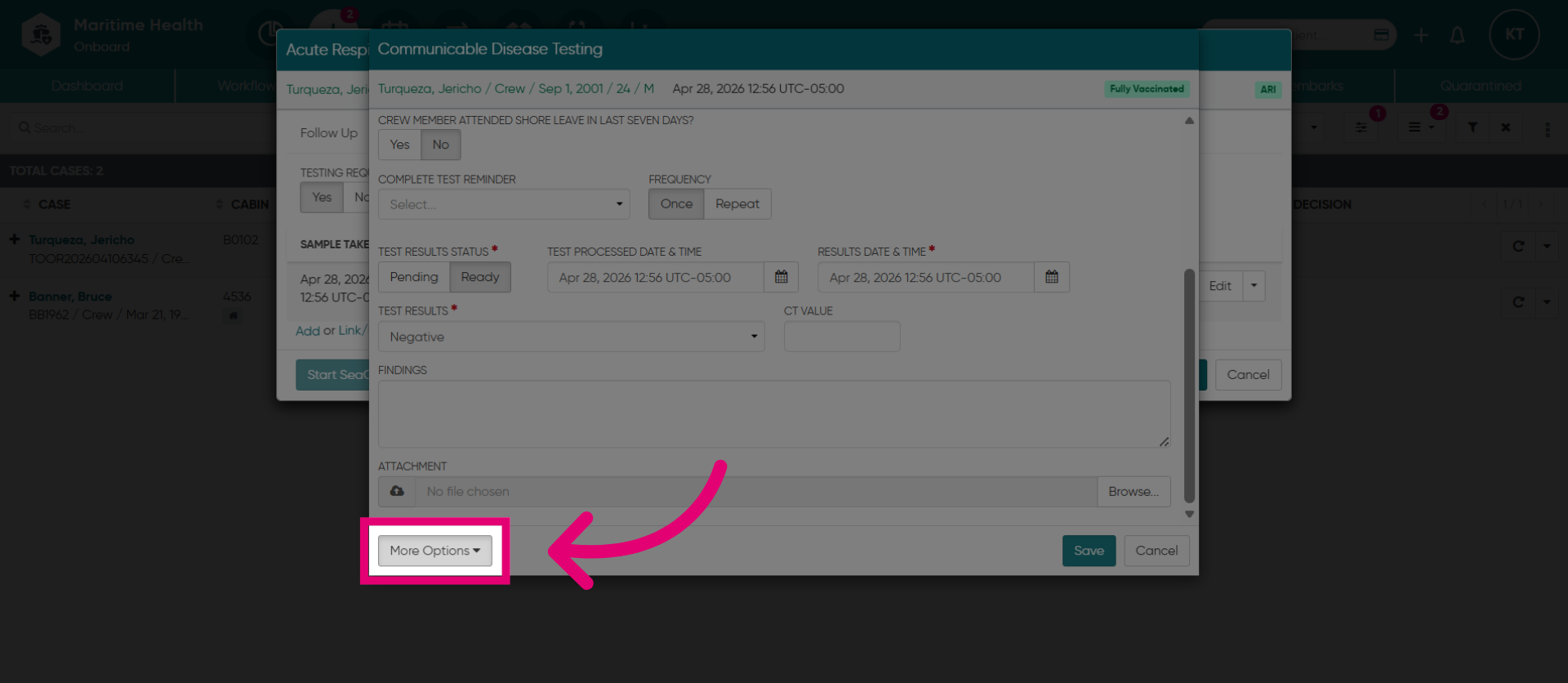
5. Open More Options
Once you open the test. Click "More Options" to access the billing options.
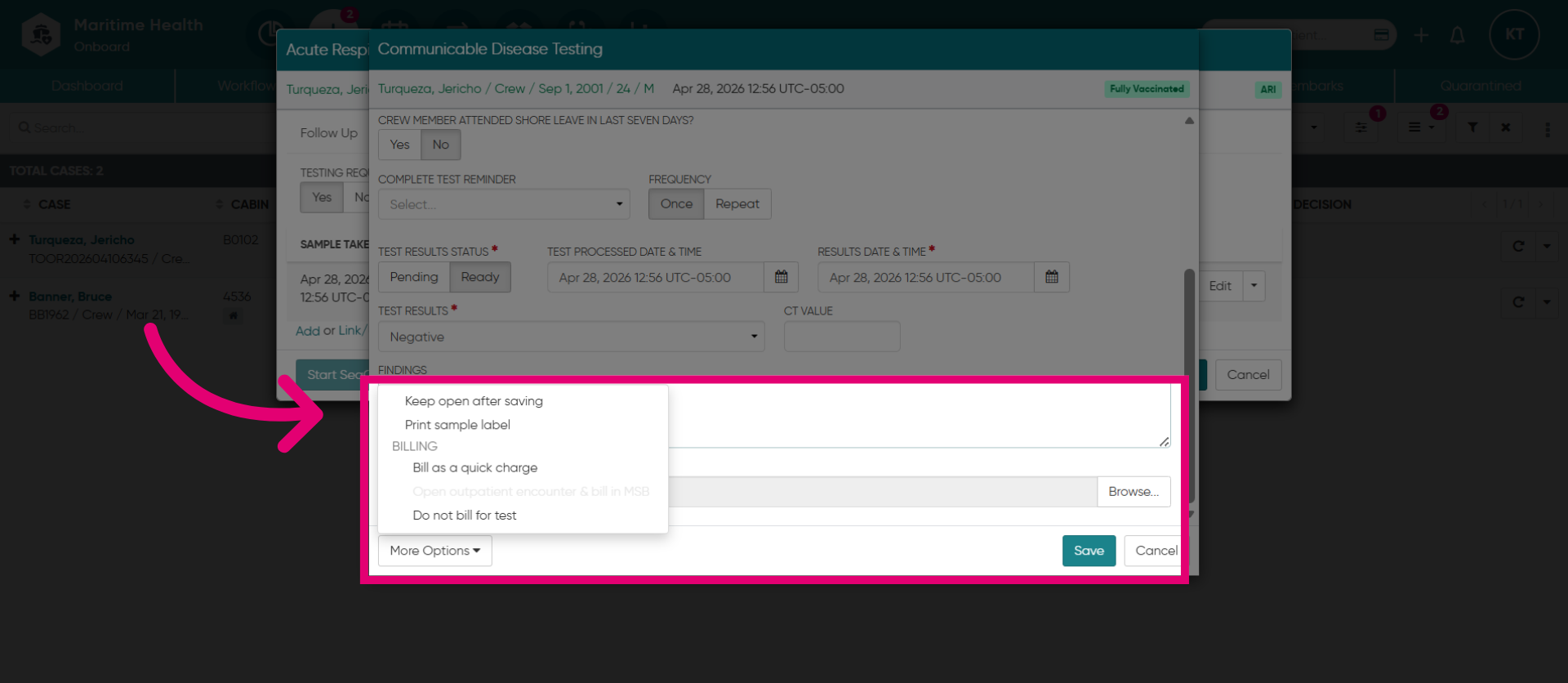
6. Select "Bill as a quick charge"
Then, select "Bill as a quick charge".
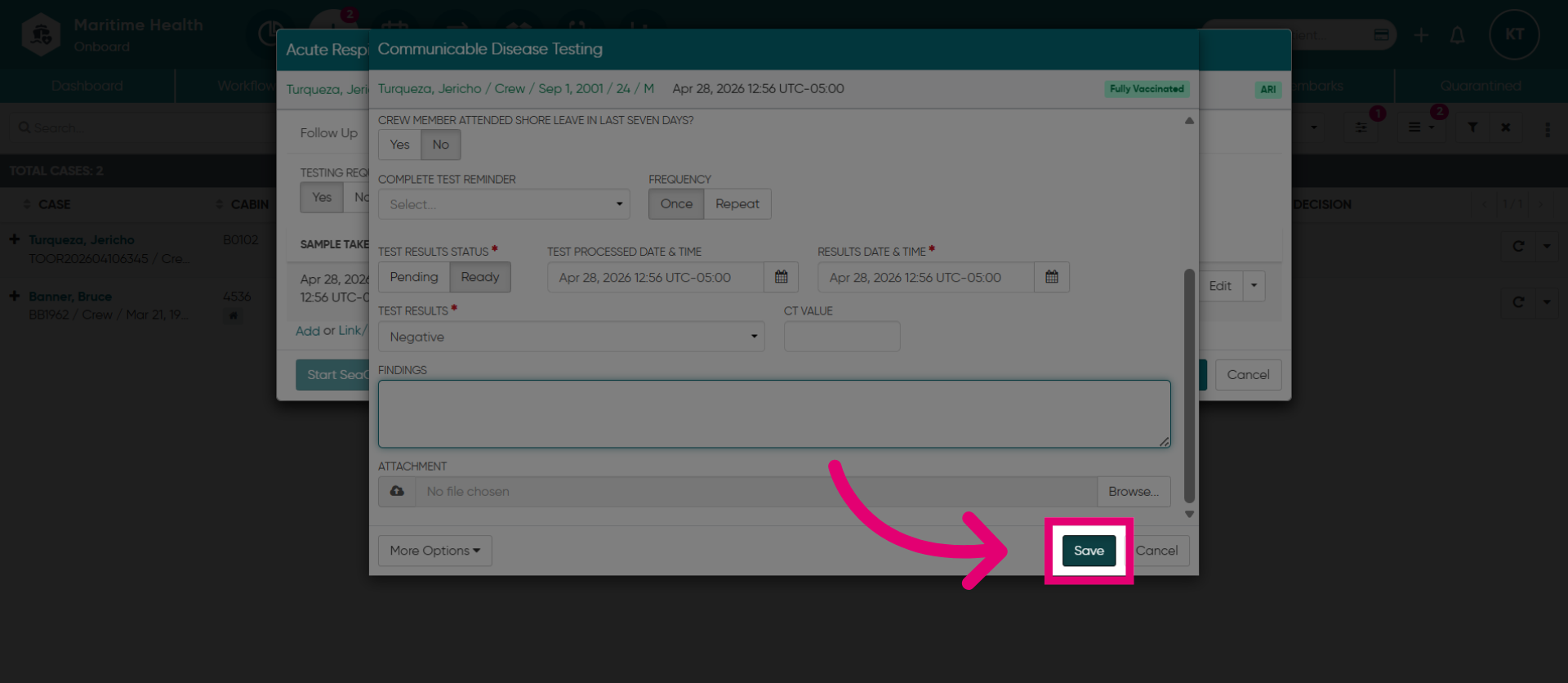
7. Save Changes
Click "Save" to open the billing section
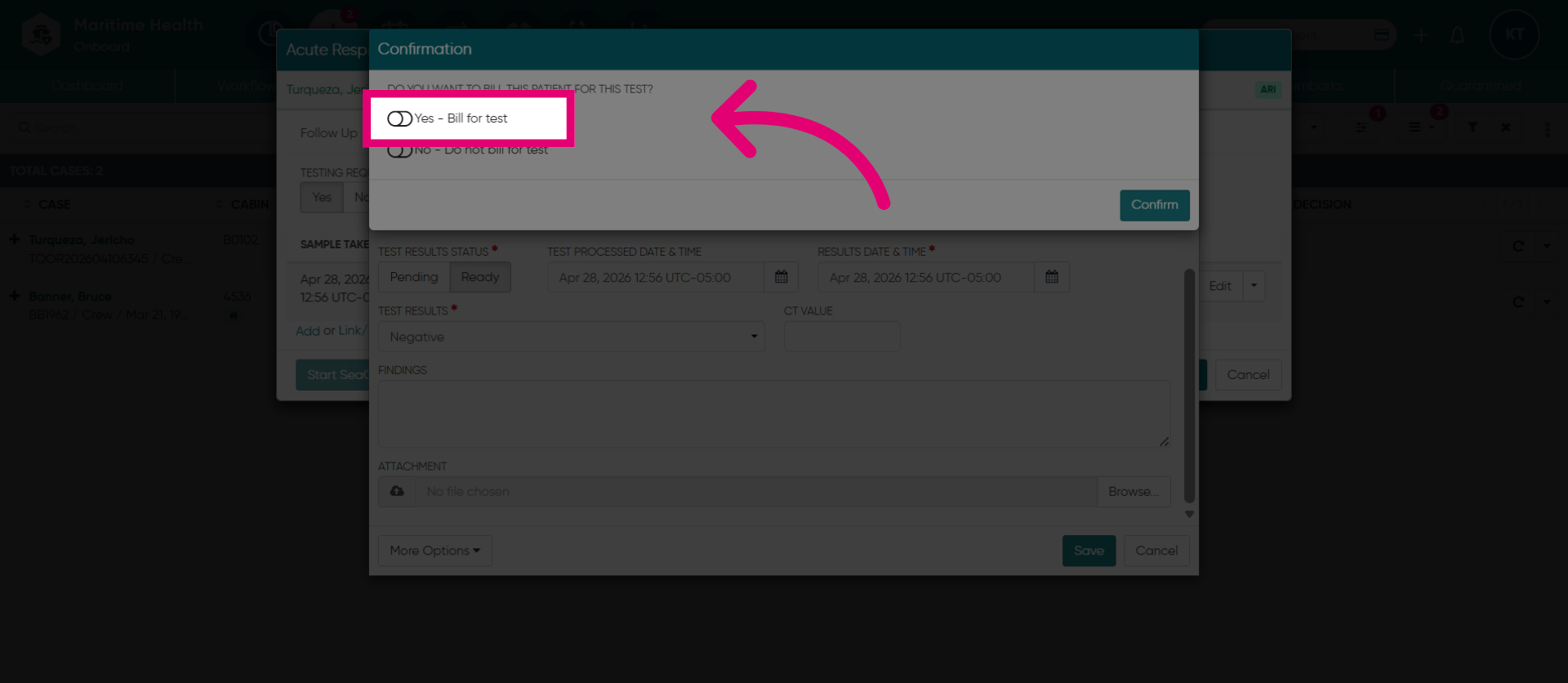
8. Toggle on "Yes"
Toggle "Yes" to enable billing.
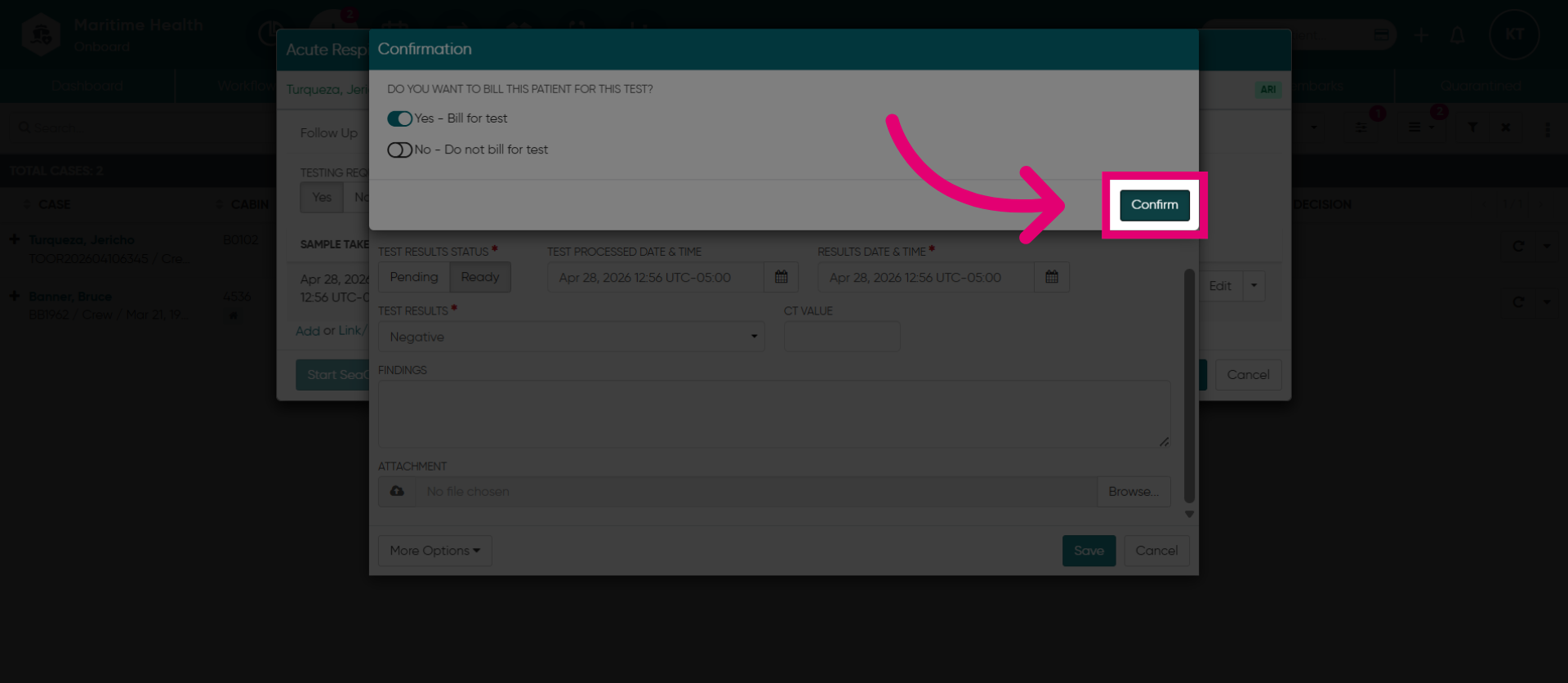
9. Confirm Action
Then, click "Confirm".
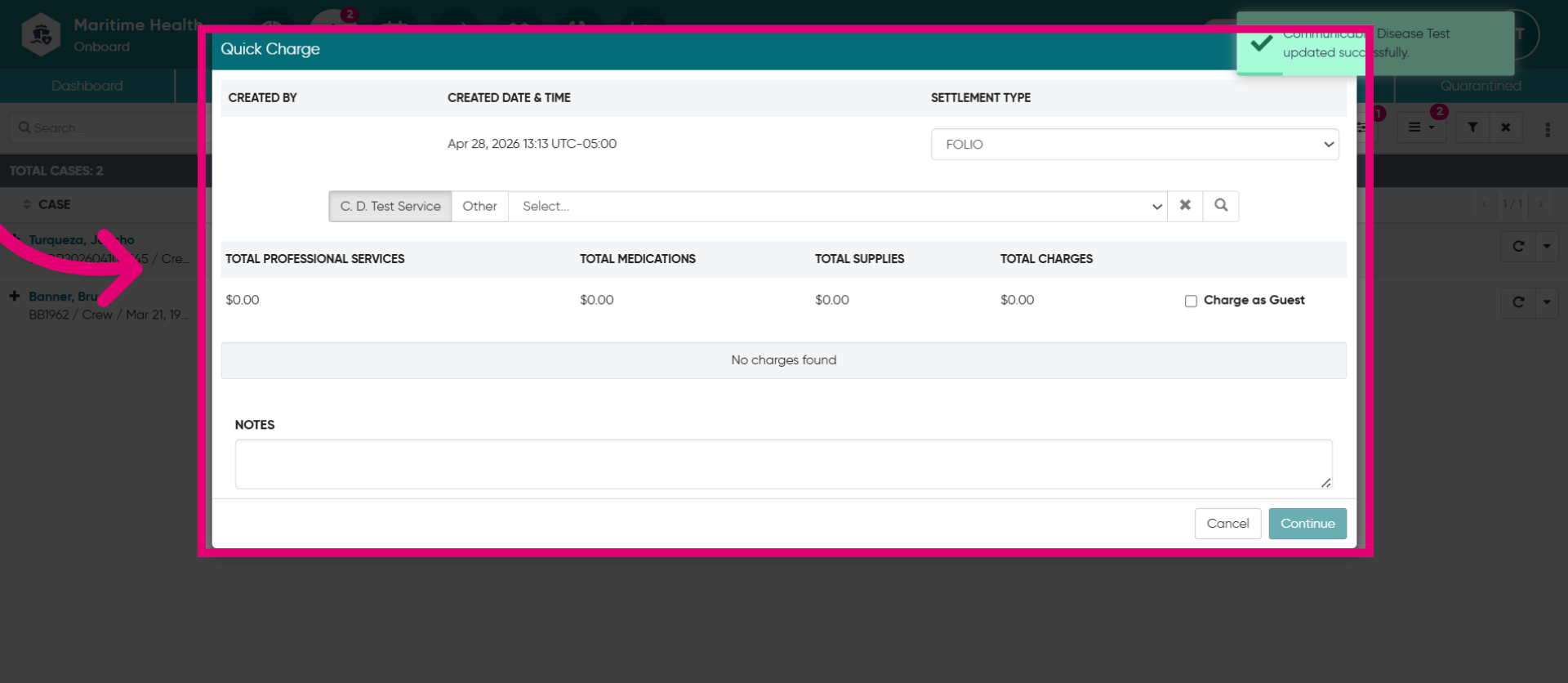
10. Complete the Billing Details as a "Quick Charge"
Complete the billing details as a quick charge.