New article
Recently updated
Bill an Order as a Quick Charge

This article explains how to bill an order.
1. Introduction
You will learn how to process an order as a quick charge upon completion. Start in the order module
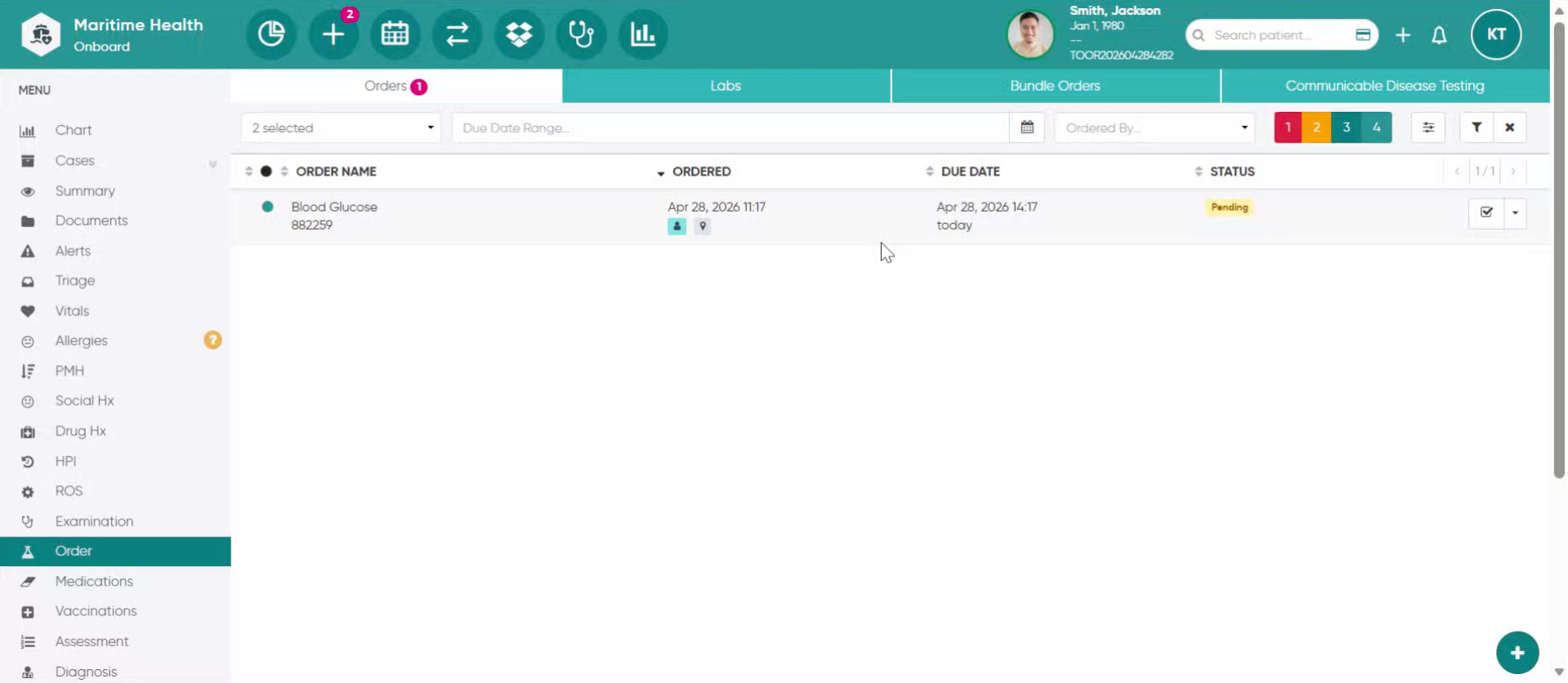
2. Access Order Options
Click here to open the order options menu in the Maritime Health system.
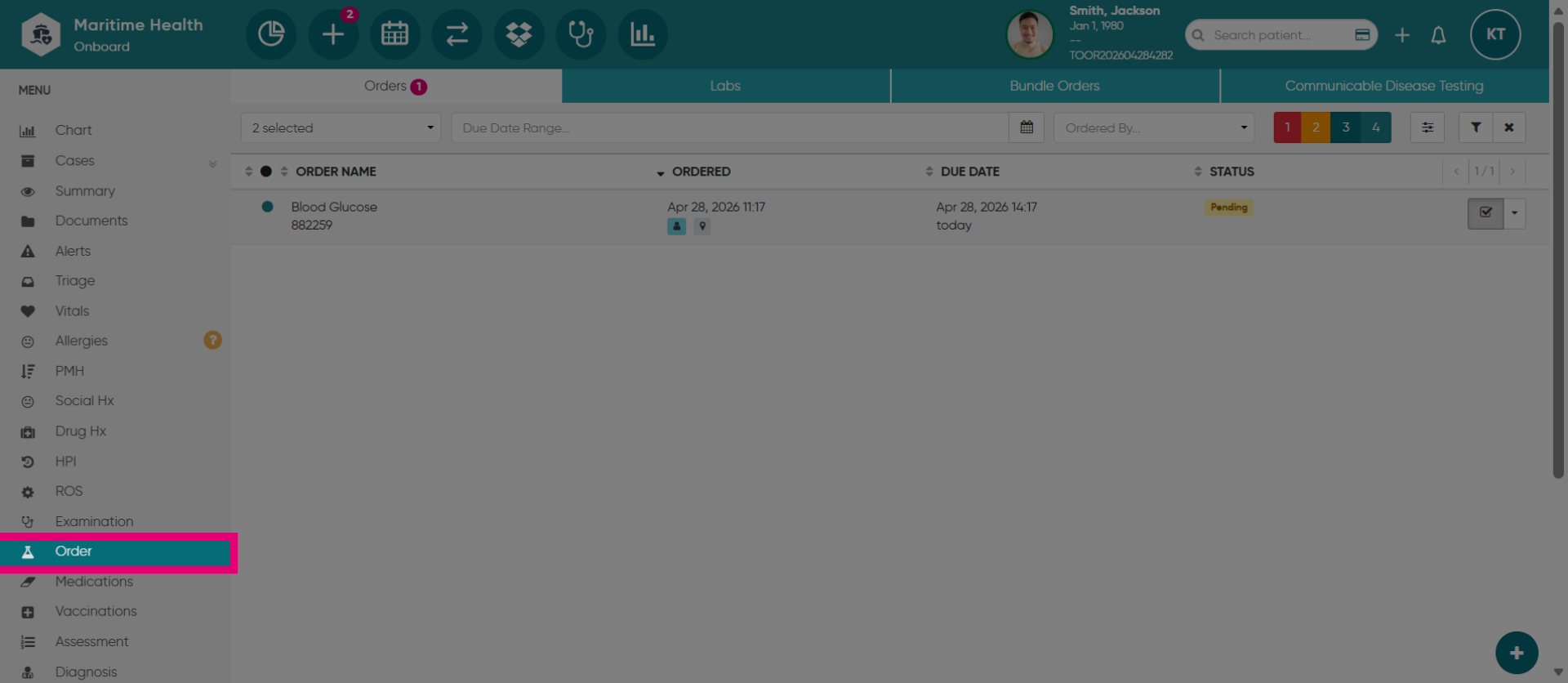
3. Fill out the order details
Please provide the order details to finalize your order.
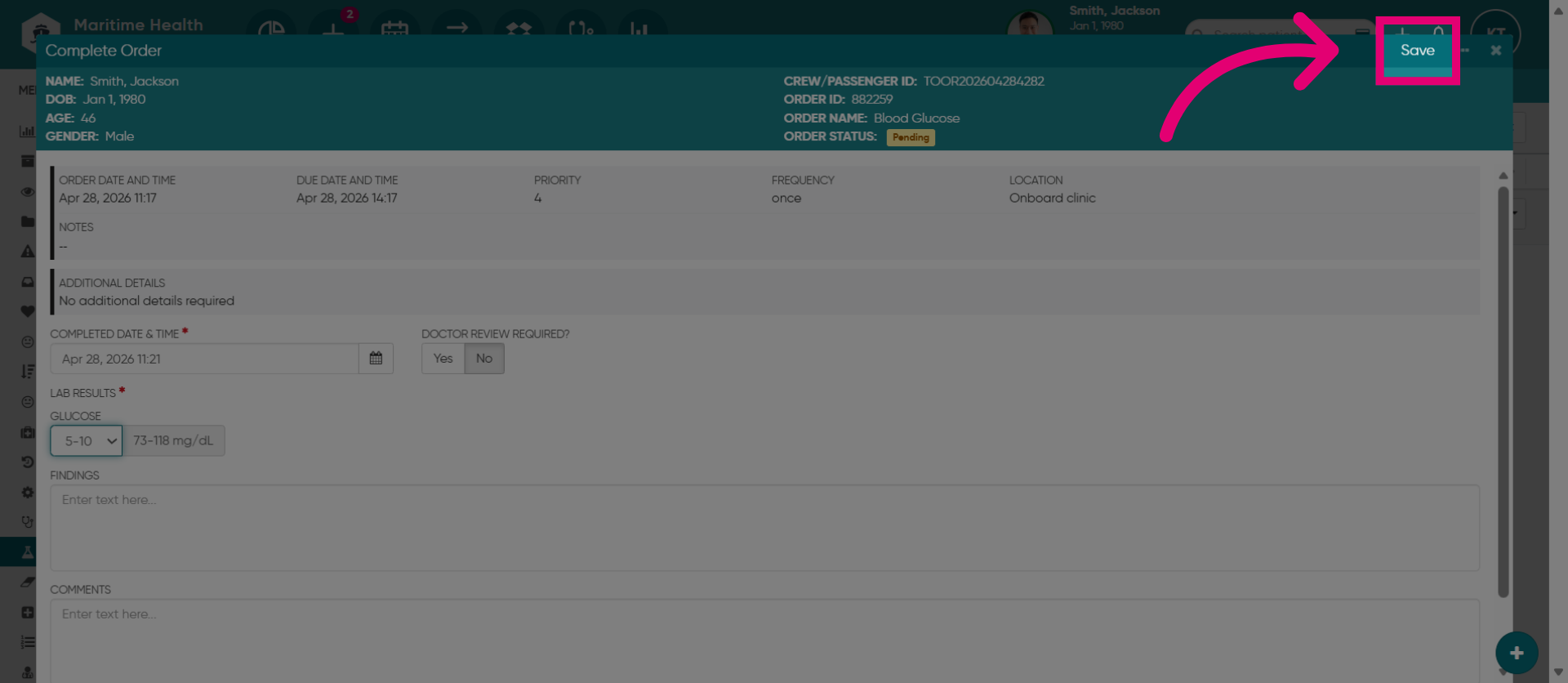
4. Save your changes
Click the Save button.
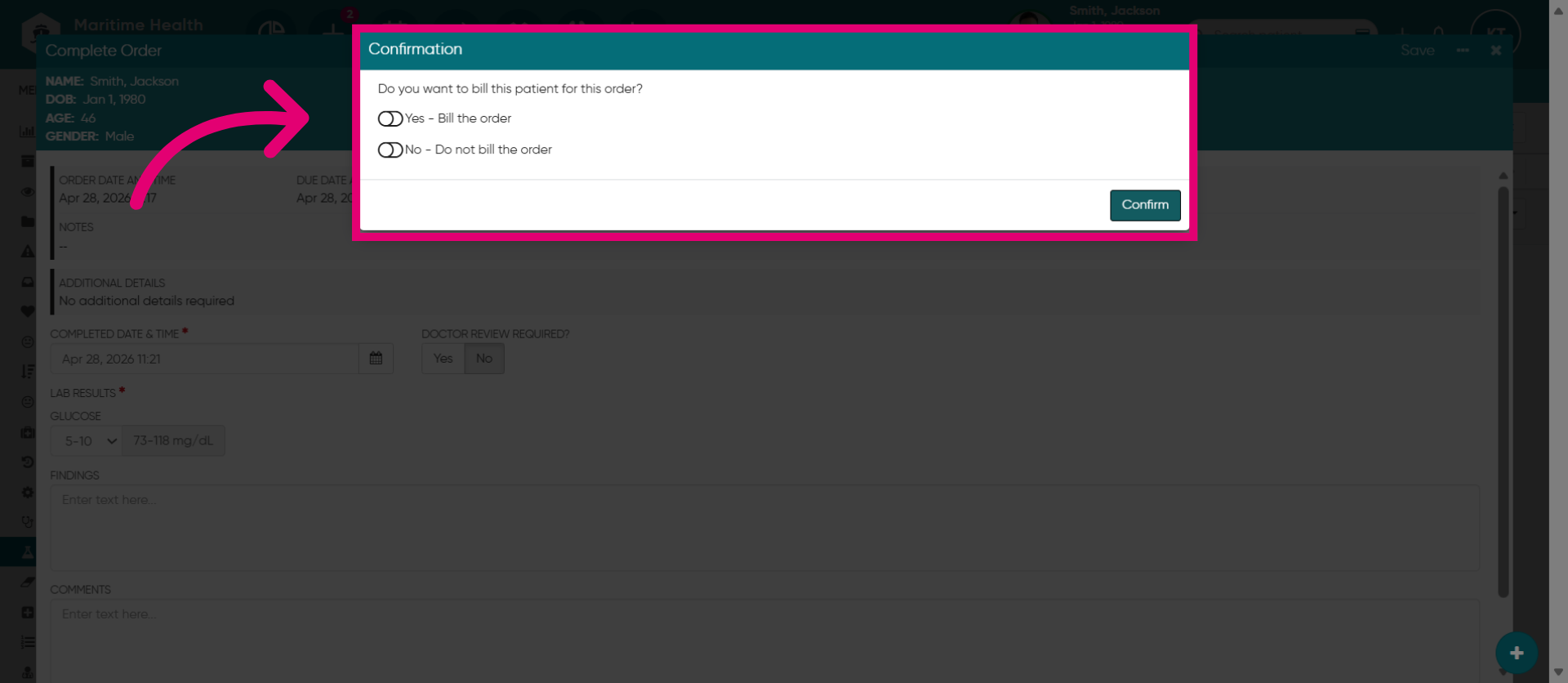
5. Toggle on "Yes"
Toggle on "Yes" to bill for the order.
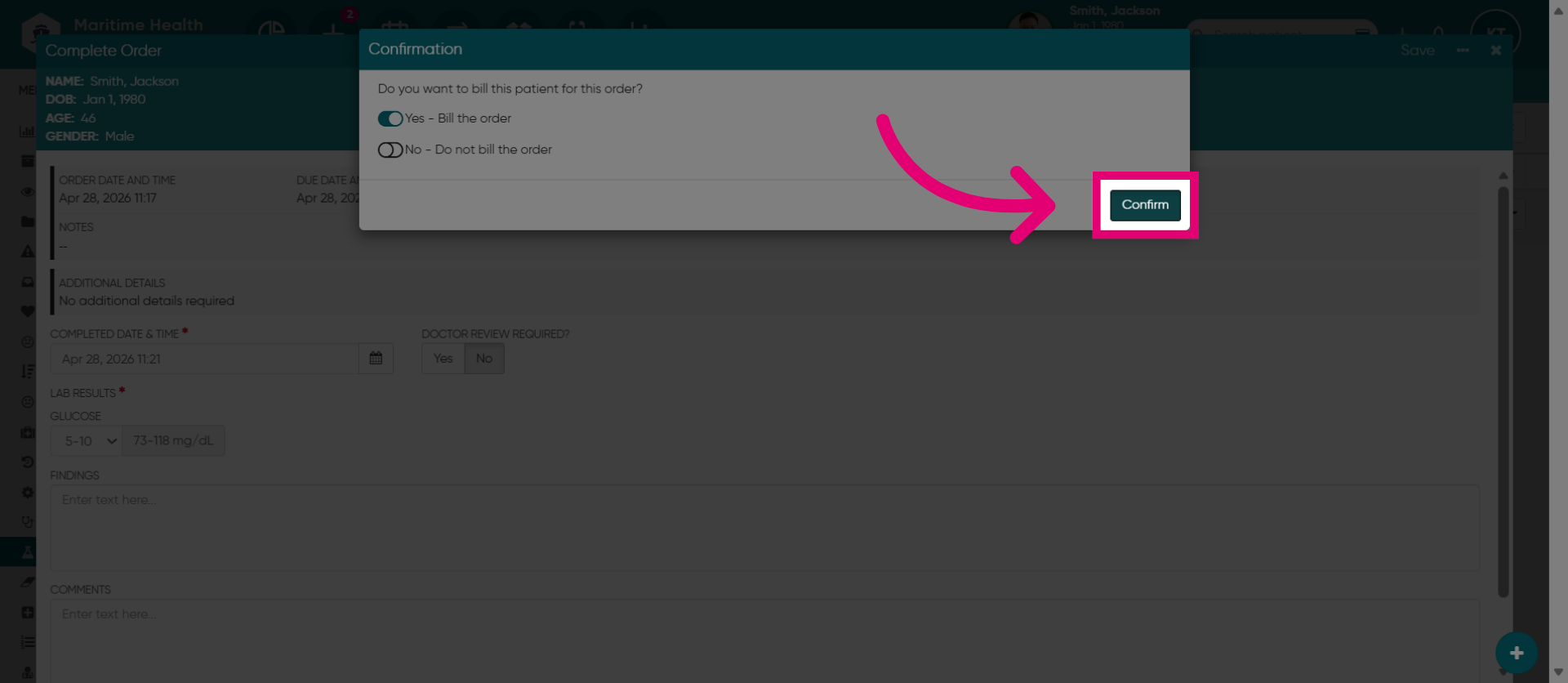
6. Confirm Order
Click the Confirm button.
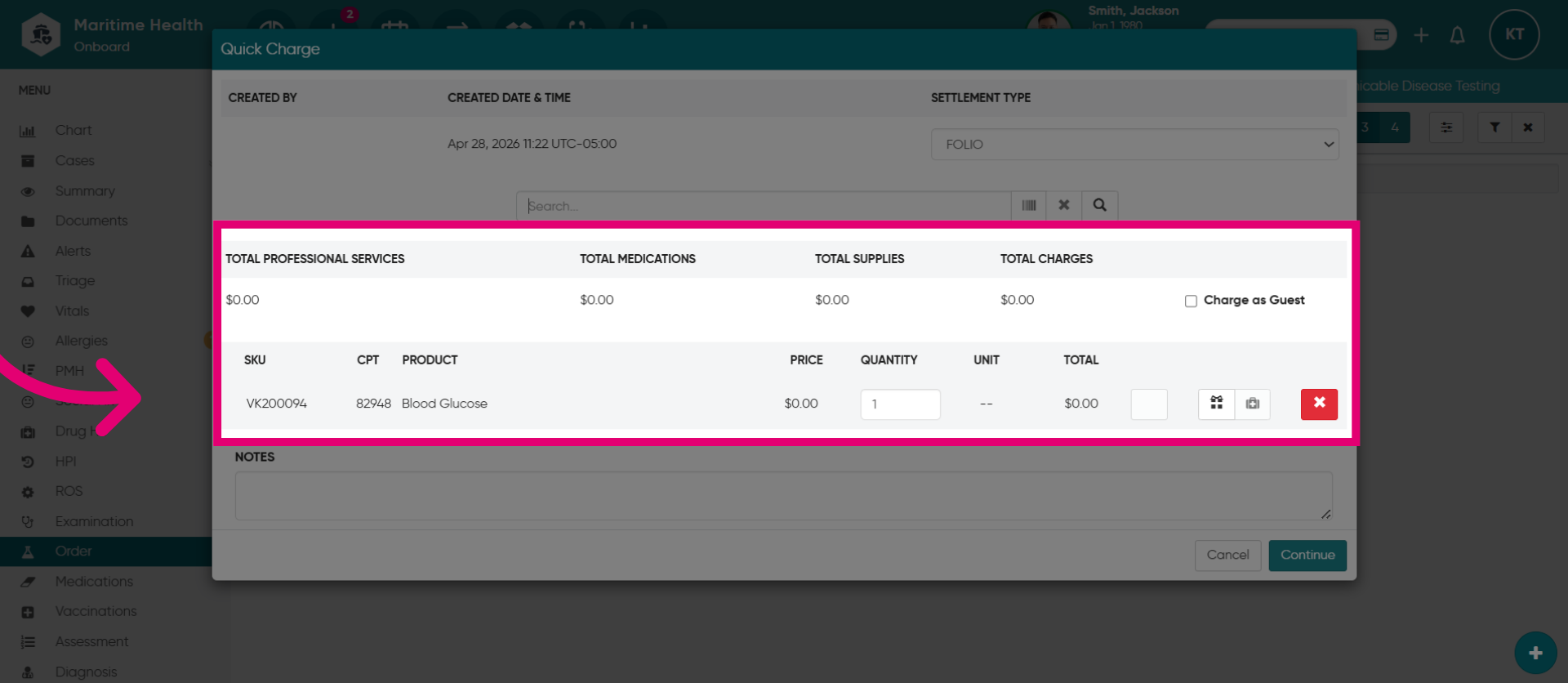
7. Complete the Quick Charge
This opens the quick charge view to then complete the quick charge for the order.
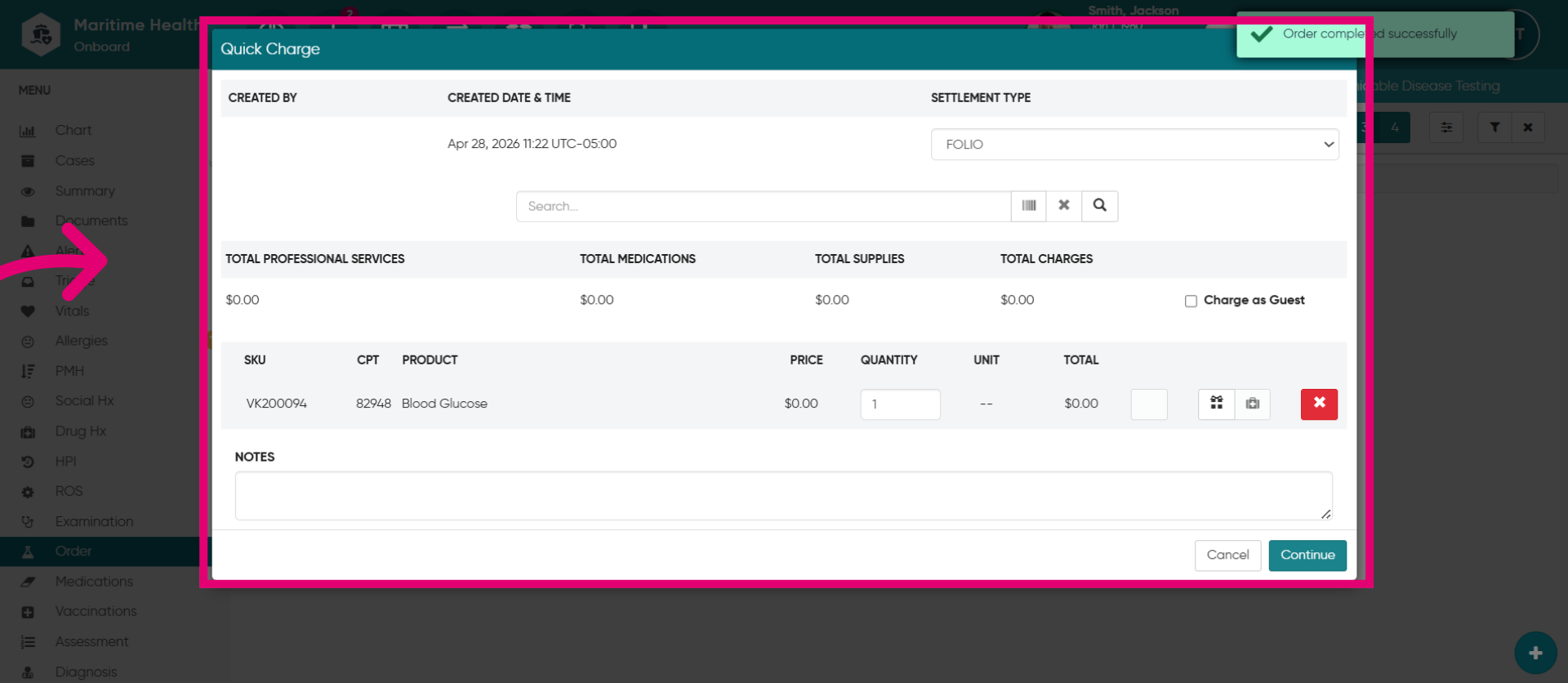
8. Complete the bill
Ensure that the item from the order is listed. You can then process this as a standard quick charge and add or remove additional items such as services, medications, or supplies to the bill.