New article
Recently updated
Create a New Work Permit Records

This walkthrough provides a comprehensive guide to creating a new work permit. It outlines each step of the process, ensuring users can effectively manage and authorize work activities.
1. Defining a Work Permit
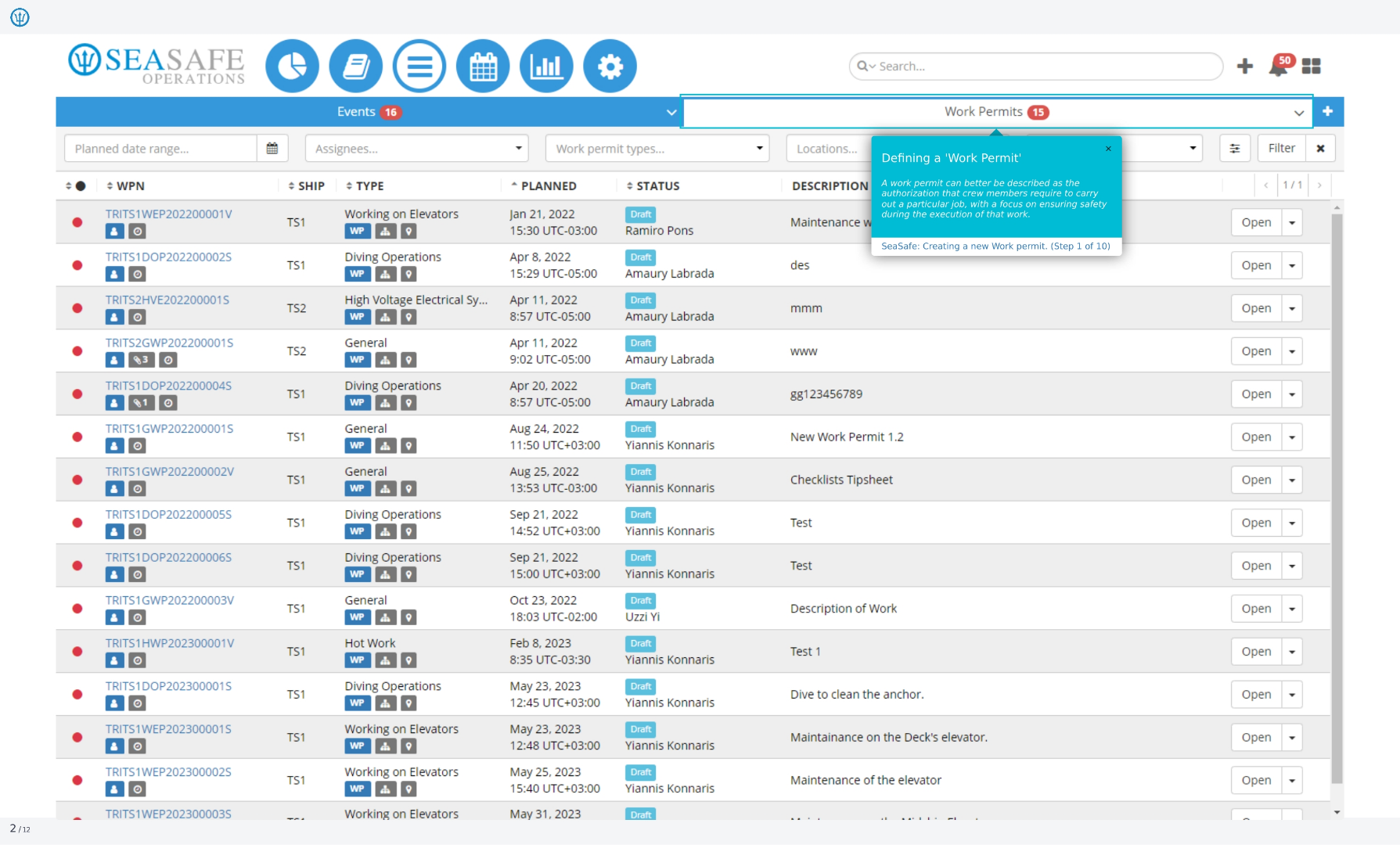
You will review the process of creating a new work permit. We'll cover each step, from initial access to final submission, ensuring a smooth and efficient workflow. A work permit is essentially an authorization required by crew members to perform a specific job. The primary focus is to ensure safety throughout the execution of that work.
2. Initiating a New Work Permit
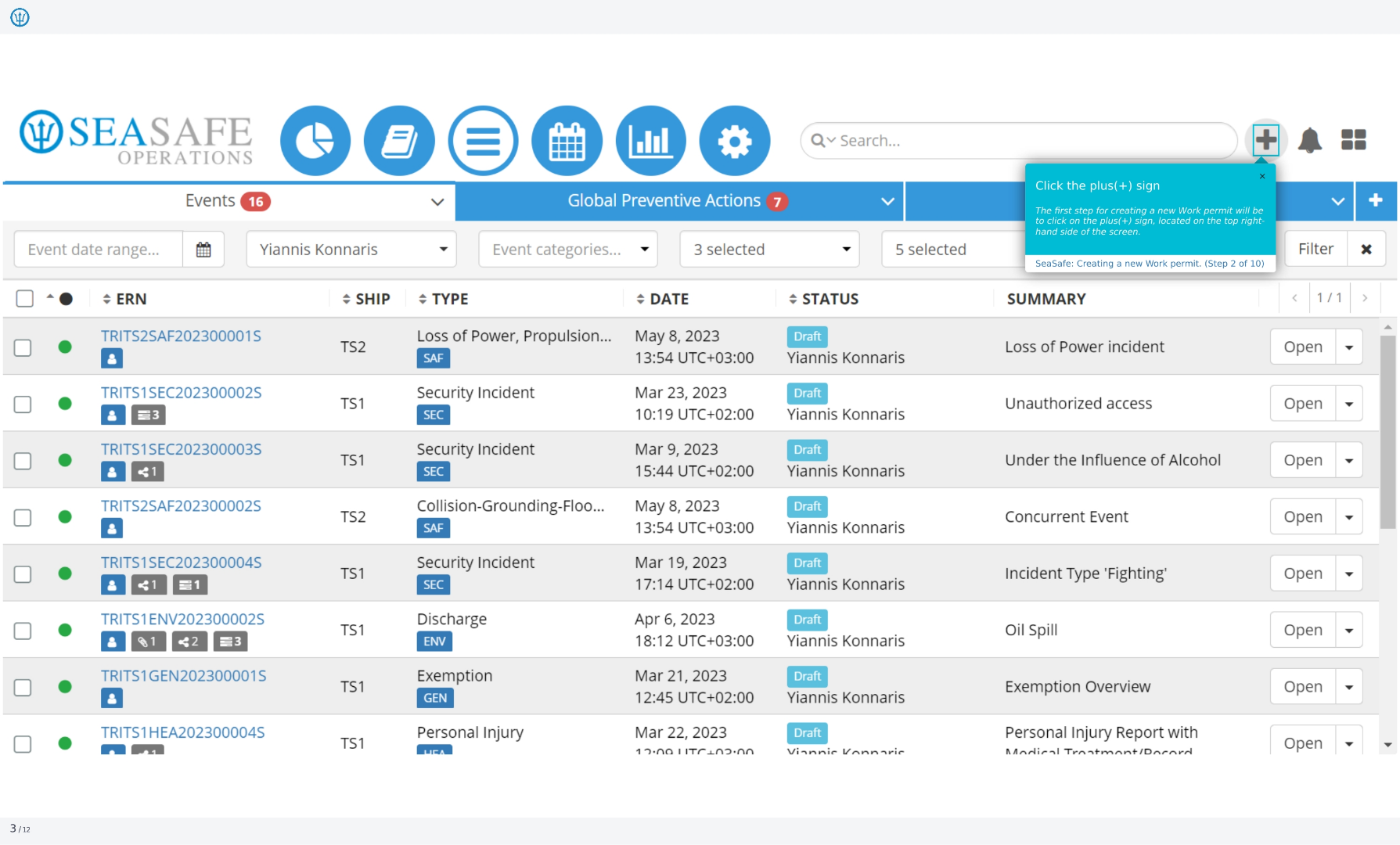
To begin creating a new work permit, the first step is to click on the plus sign, which is located on the top right-hand side of the screen. This action will initiate the work permit creation process.
3. Selecting Work Permit Option
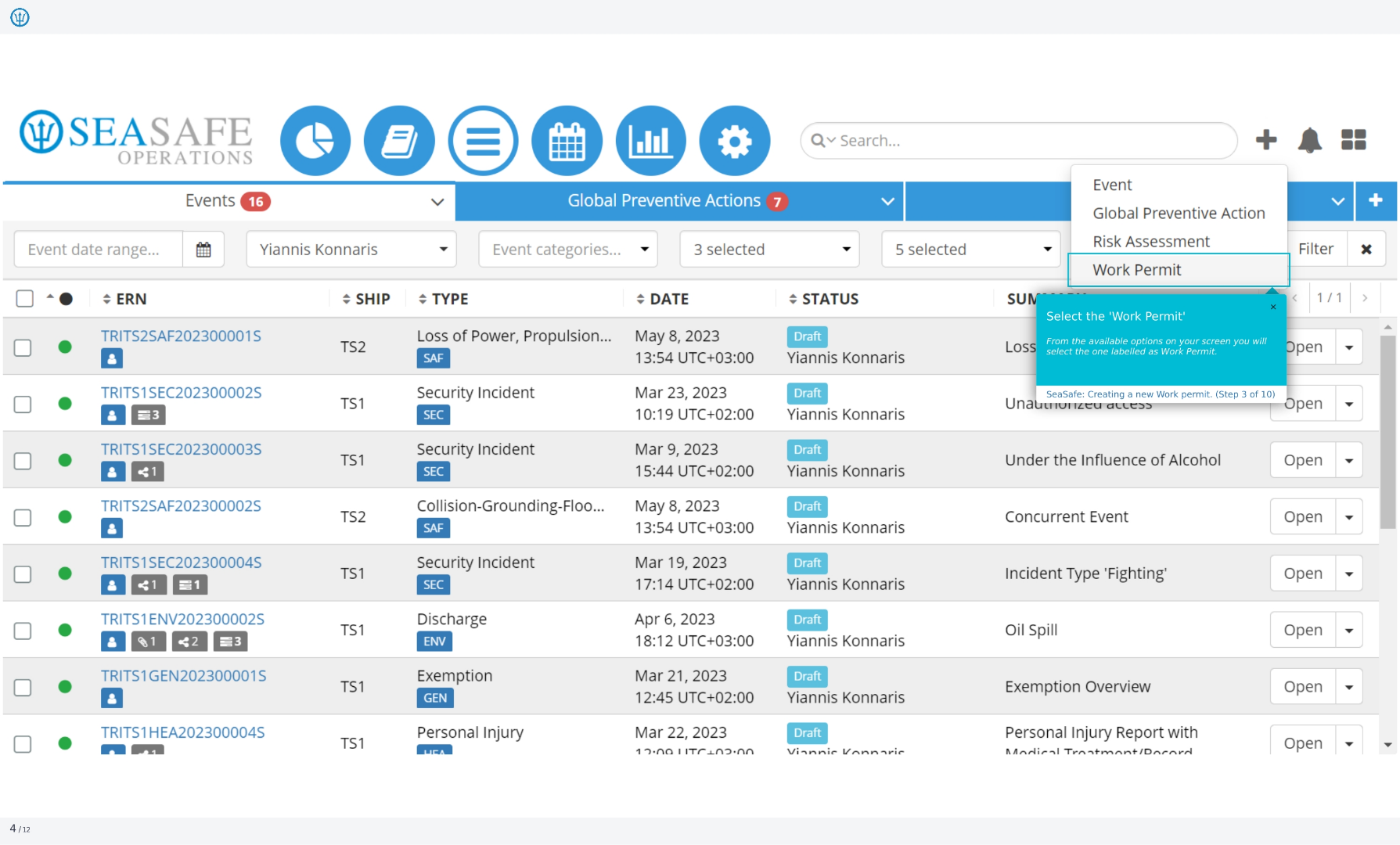
From the available options on your screen, you will need to select the one labeled as 'Work Permit'. This selection is crucial for proceeding with the correct type of permit.
4. Choosing the Work Permit Type
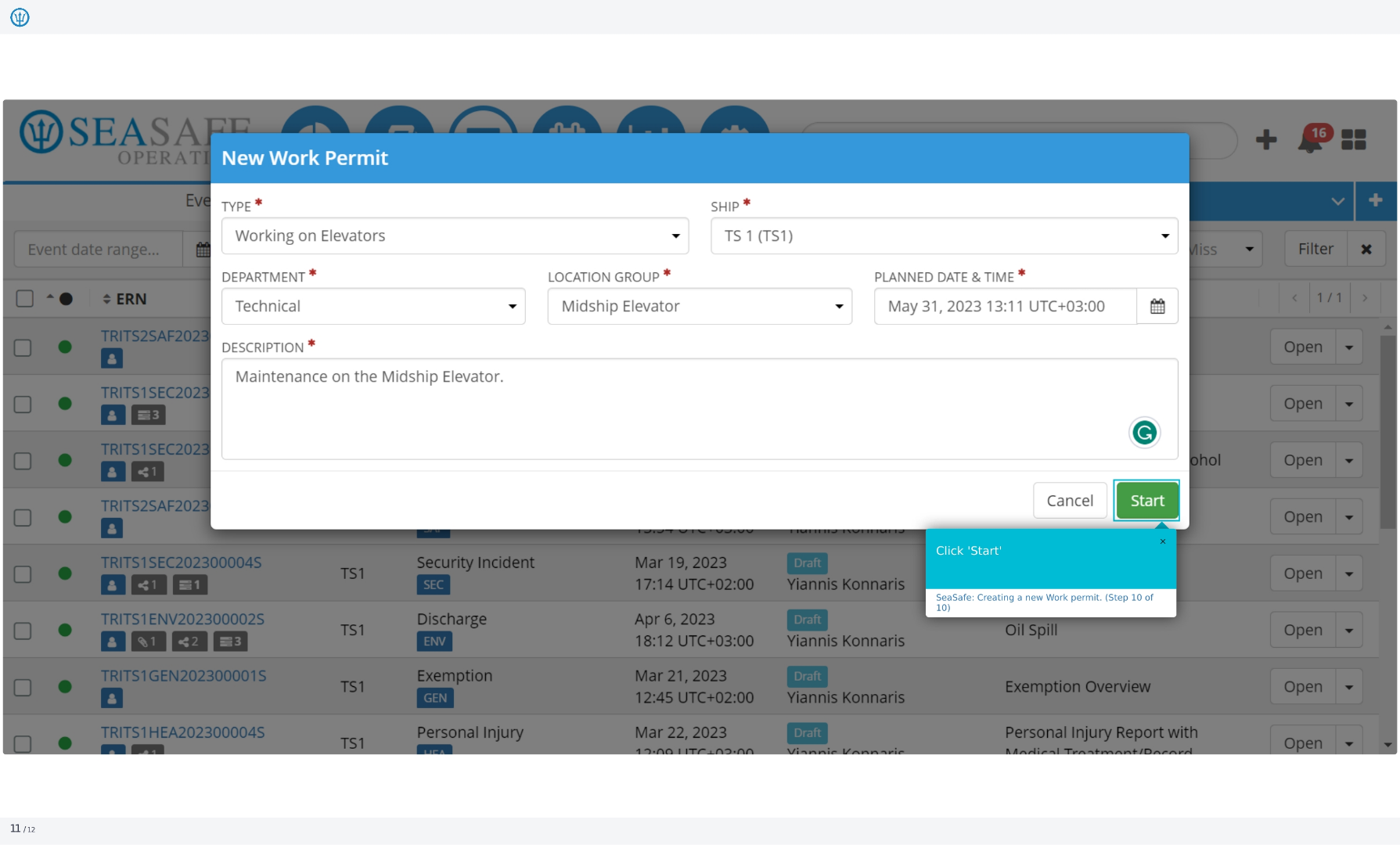
In the 'New Work Permit' window, you'll first need to select the 'Type' of work permit you are creating. This selection determines the specific requirements and procedures for the task.
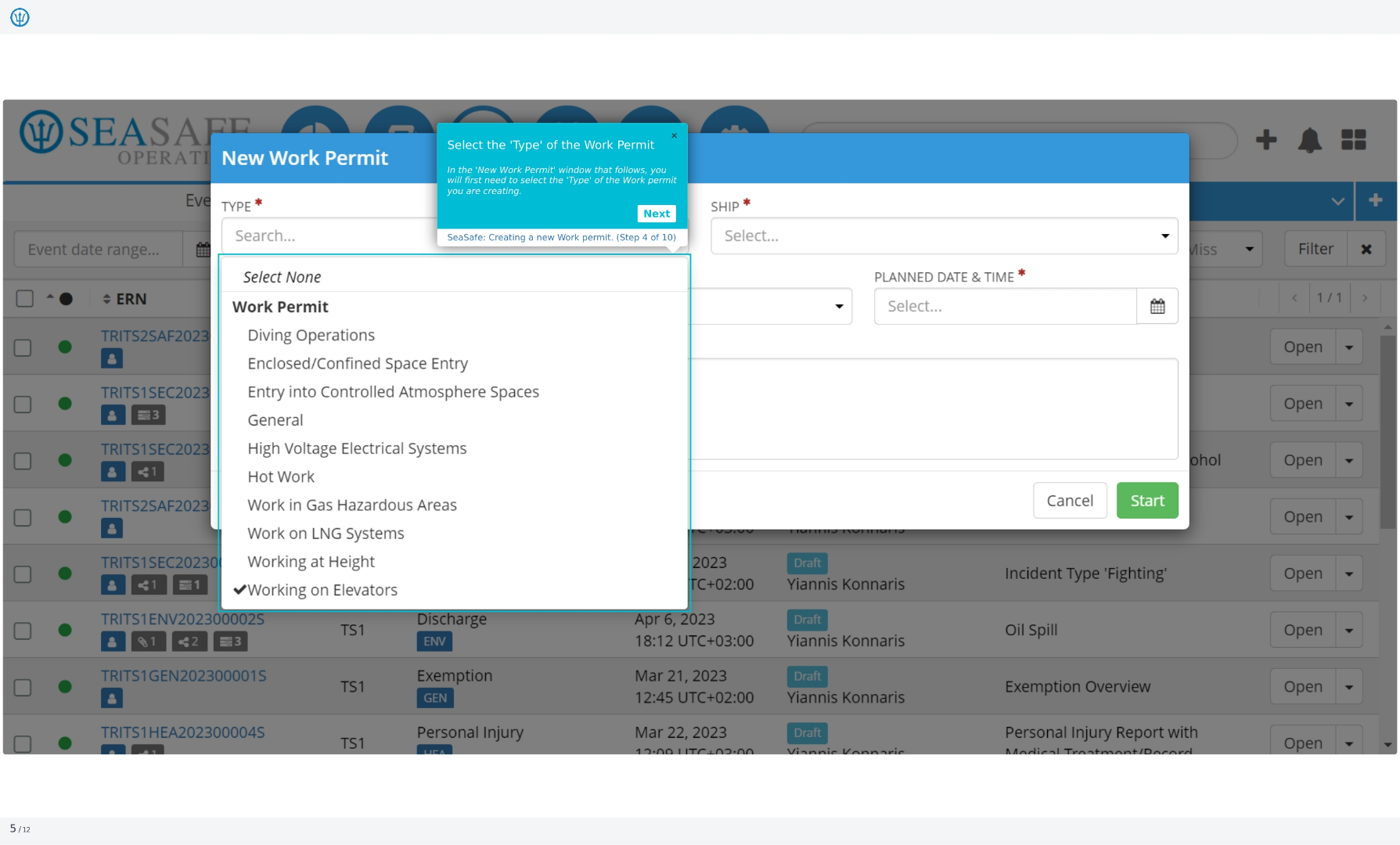
5. Specifying Work Permit Details
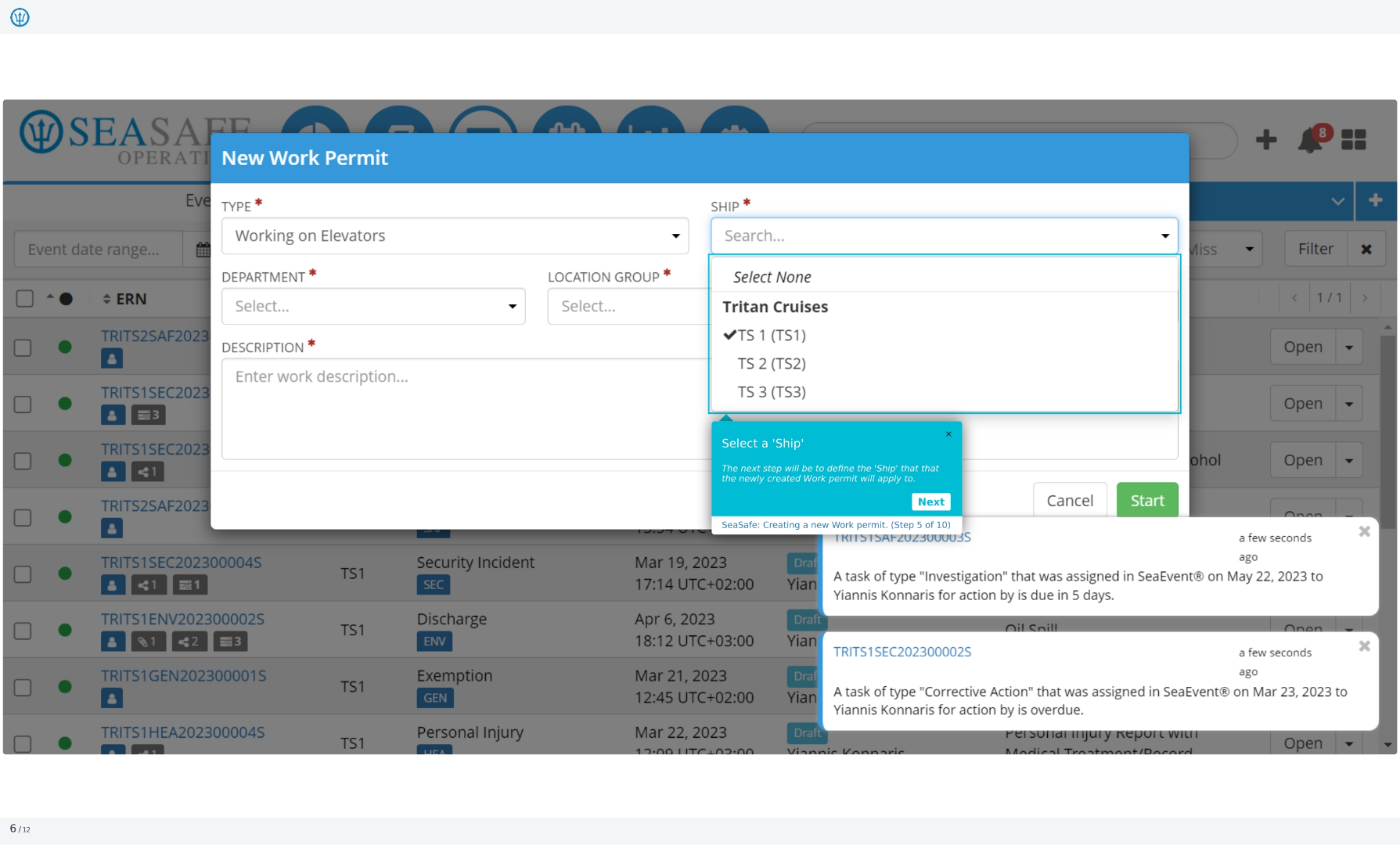
Next, define the 'Ship' that the newly created work permit will apply to. You'll also need to specify the department and enter a brief description of the work to be performed.
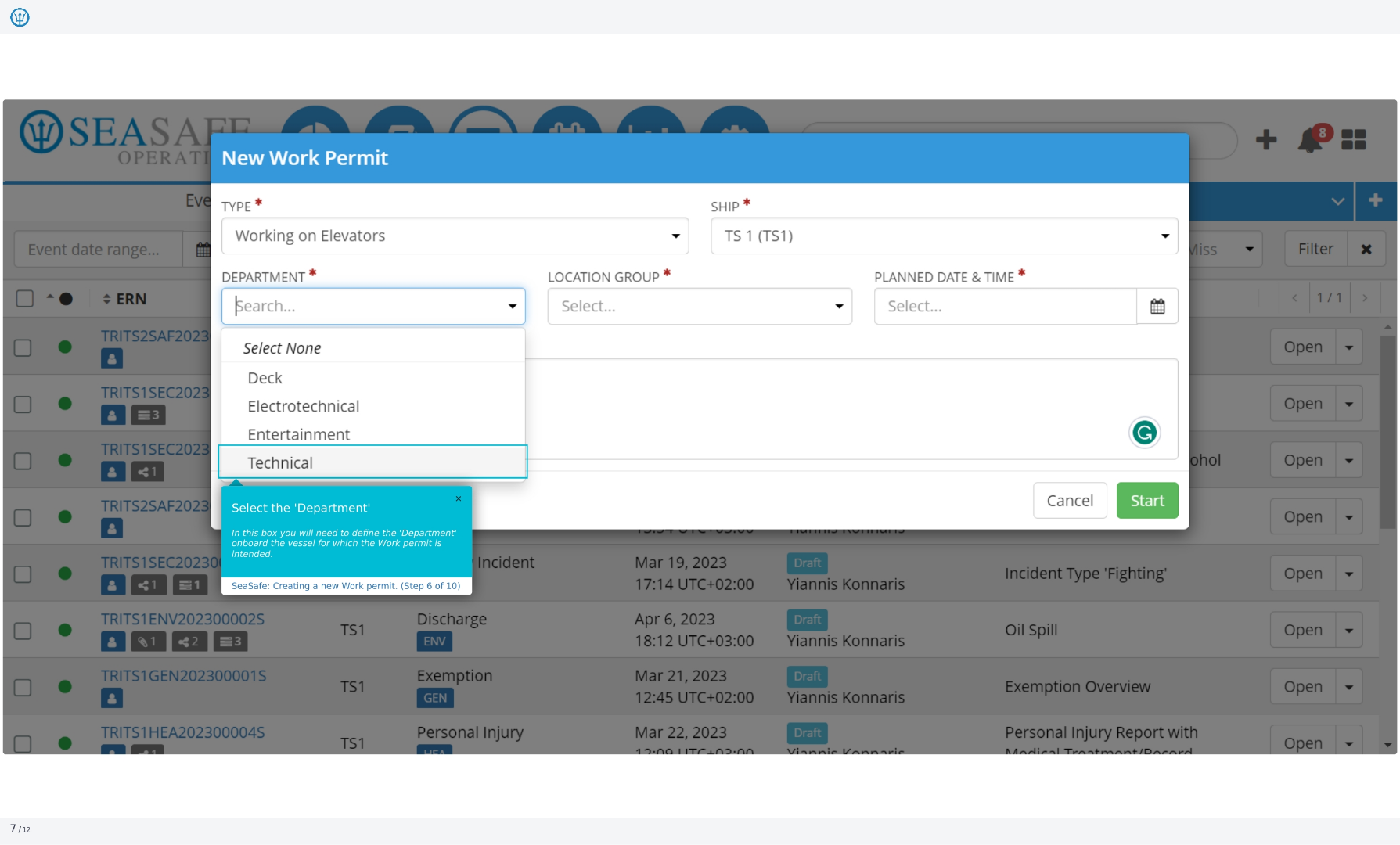
6. Defining the Department
In this box, you'll need to define the department onboard the vessel for which the work permit is intended. This helps to categorize and manage permits effectively.
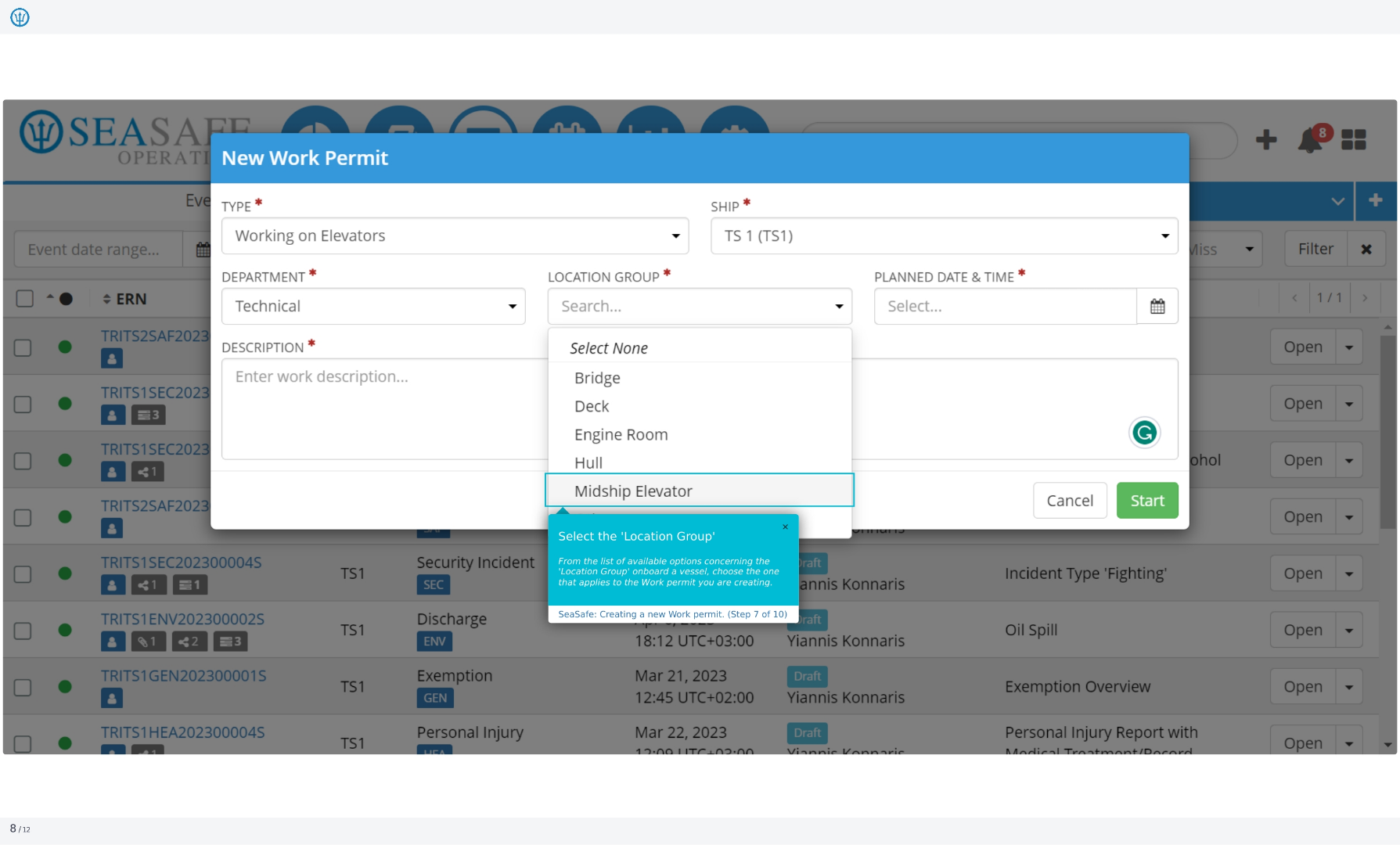
7. Selecting the Location Group
From the list of available options concerning the 'Location Group' onboard a vessel, choose the one that applies to the work permit you are creating. This specifies where the work will be carried out.
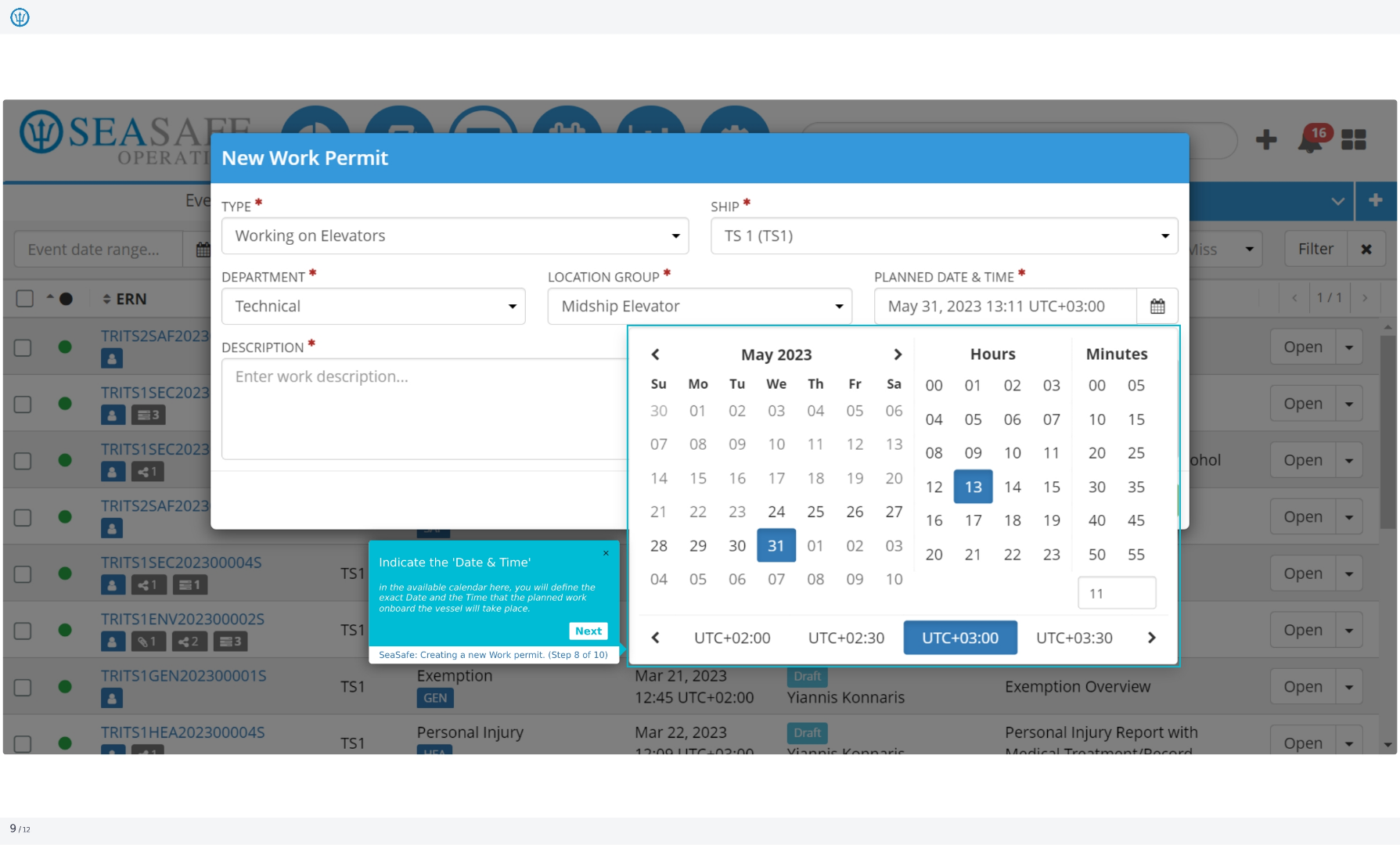
8. Indicating Date and Time
In the available calendar, define the exact date and time that the planned work onboard the vessel will take place. Accurate scheduling is essential for safety and coordination.
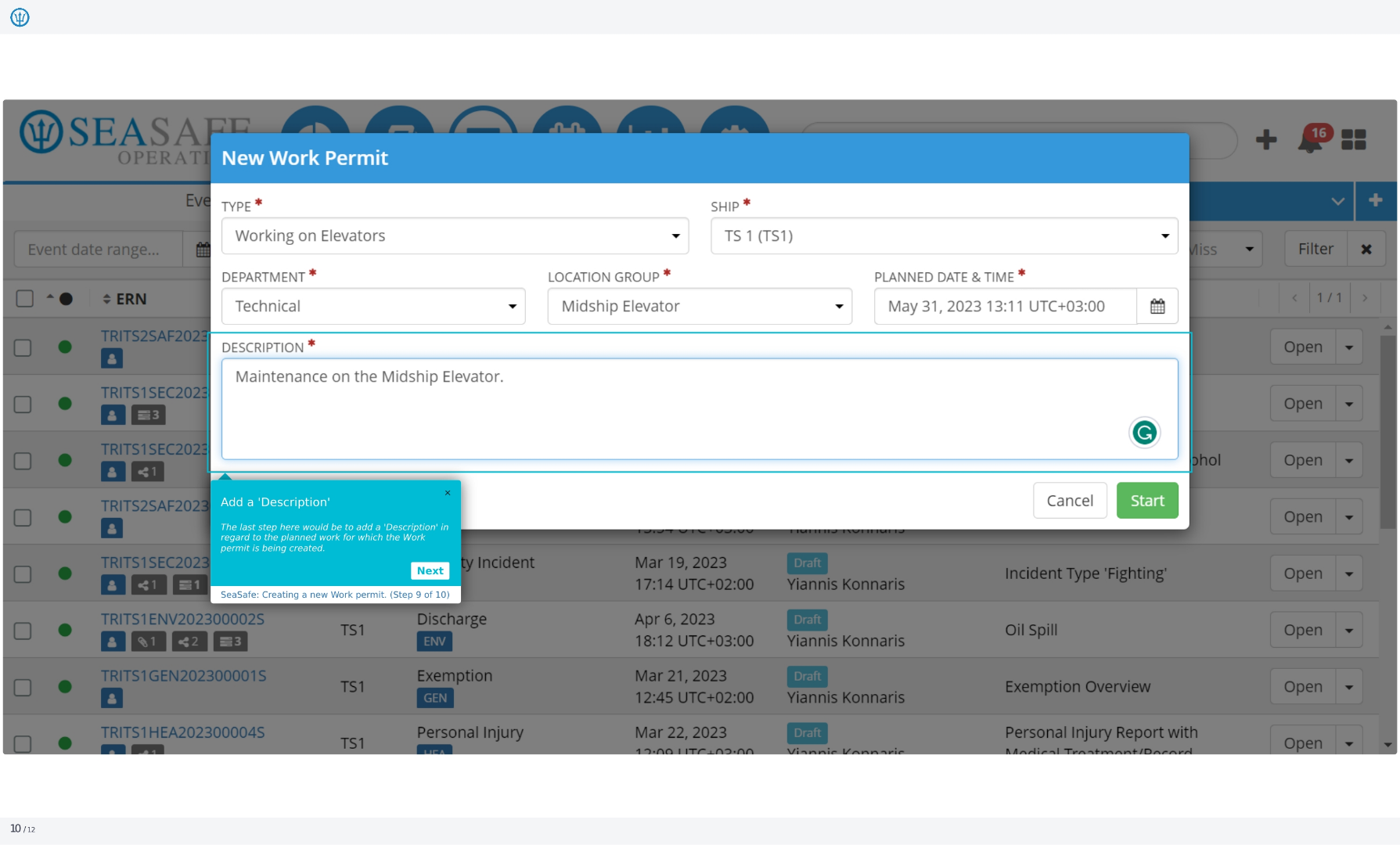
9. Adding a Description
The last step here would be to add a 'Description' in regard to the planned work for which the work permit is being created. This provides essential context for the permit.
10. Click Start
Clicking 'Start' will finalize the work permit creation process, initiating the necessary approvals and notifications. This concludes the process of creating a new work permit. By following these steps, you can ensure that all work is properly authorized and conducted safely.