New article
Recently updated
Adding Forms in Report Workflows in Ideagen Maritime Management Onboard

This walkthrough provides a step-by-step guide on how to add forms to events within the Ideagen Maritime Management platform. It will cover accessing the Forms Library, filling out forms, and attaching them to event reports.
1. Adding a Form
The following steps will guide you through adding a form to an event within Ideagen Maritime Management. Forms can be accessed from the Forms Library and conveniently filled with details gathered from the event report. Once completed, these forms can be attached, shared, or saved for future use.
2. Locate the Event Report
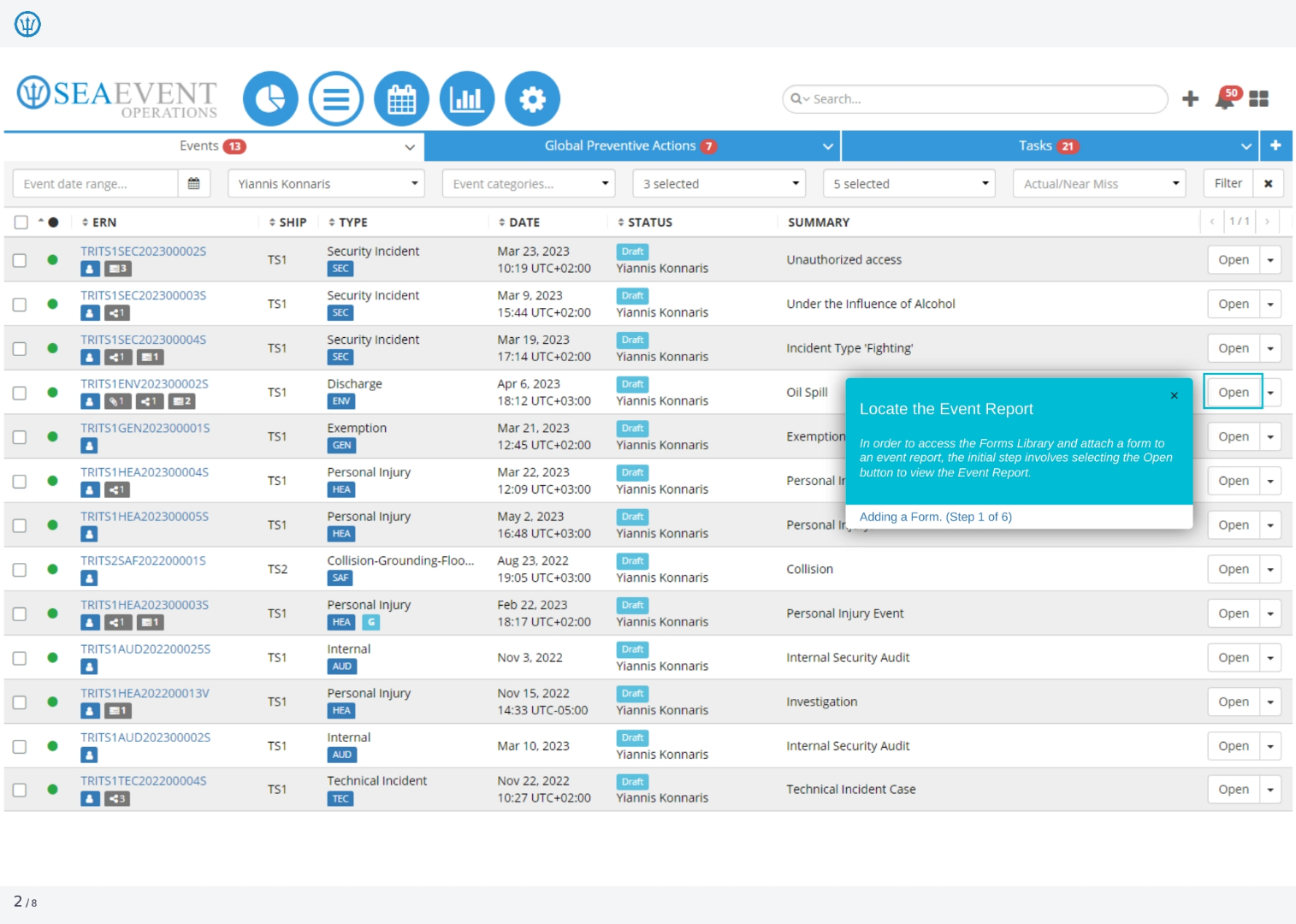
To access the Forms Library and attach a form to an event report, the initial step involves selecting the 'Open' button to view the event report. This action will allow you to proceed with adding the necessary documentation.
3. Click Edit
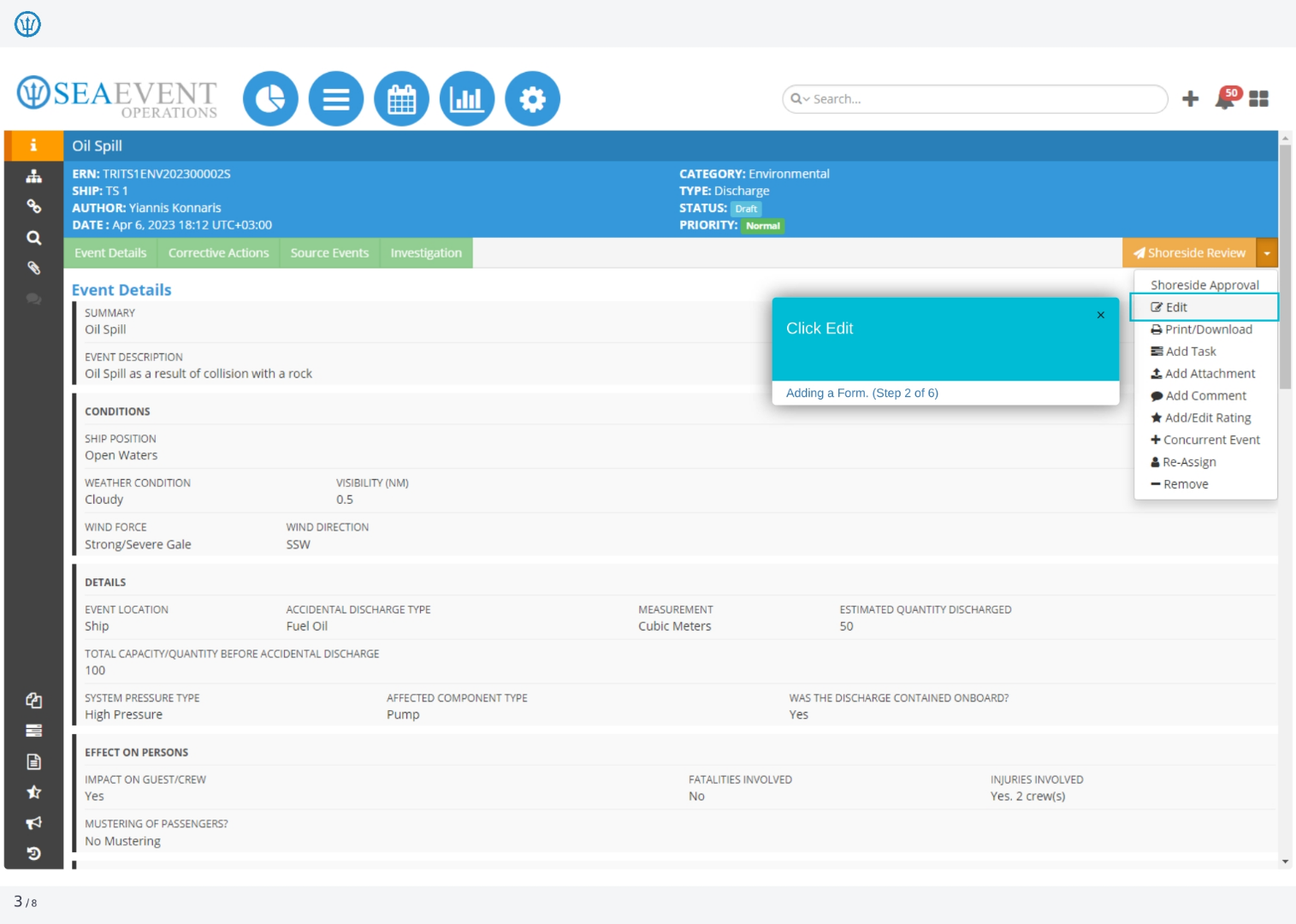
To begin adding a form, click the 'Edit' option. This will allow you to modify the event details and access the functionality needed to attach relevant forms and documentation to the event report.
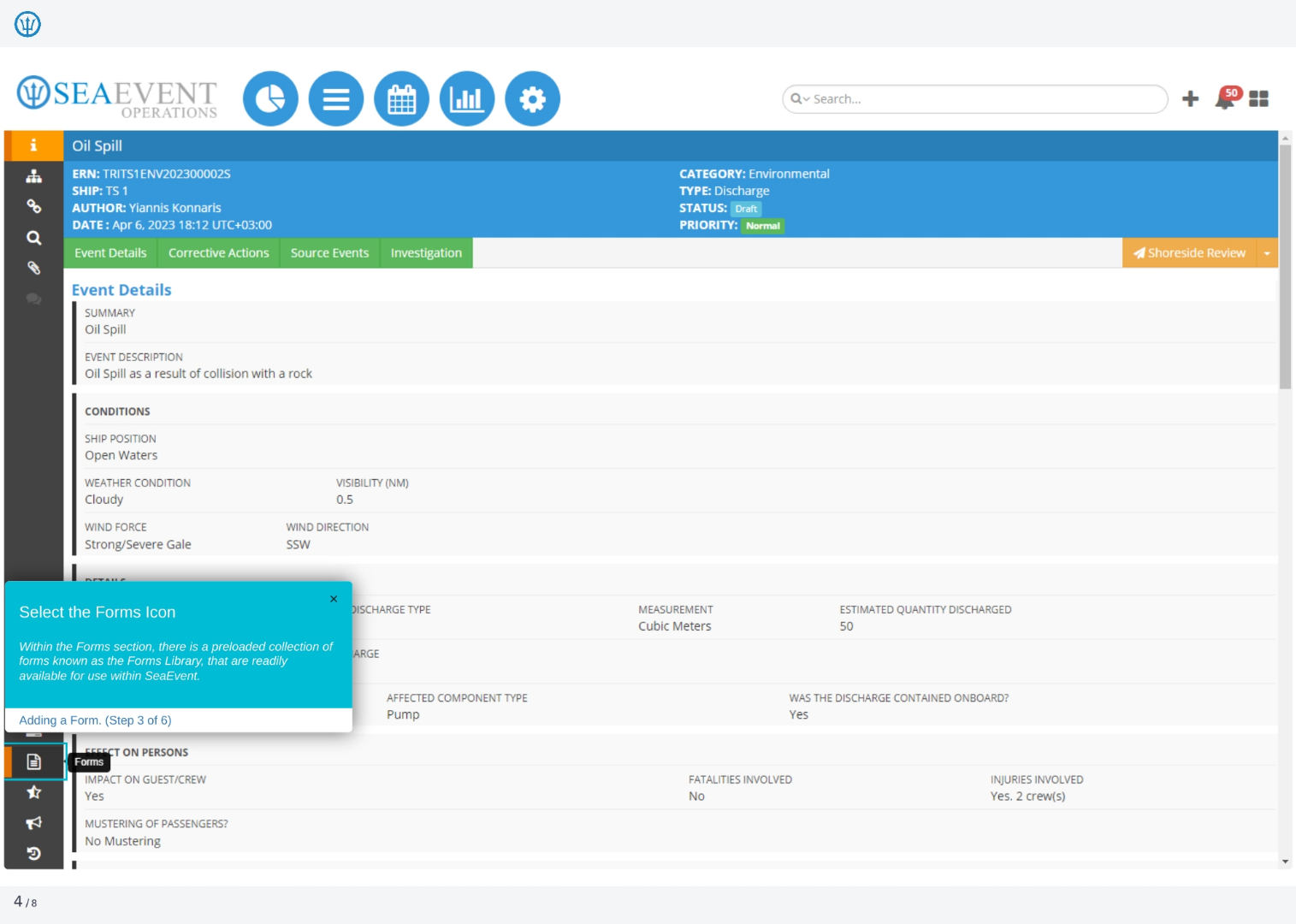
4. Select the Forms Icon
Within the Forms section, you'll find a preloaded collection of forms known as the Forms Library. These forms are readily available for use within Ideagen Maritime Management, streamlining the process of attaching necessary documentation to your event reports.
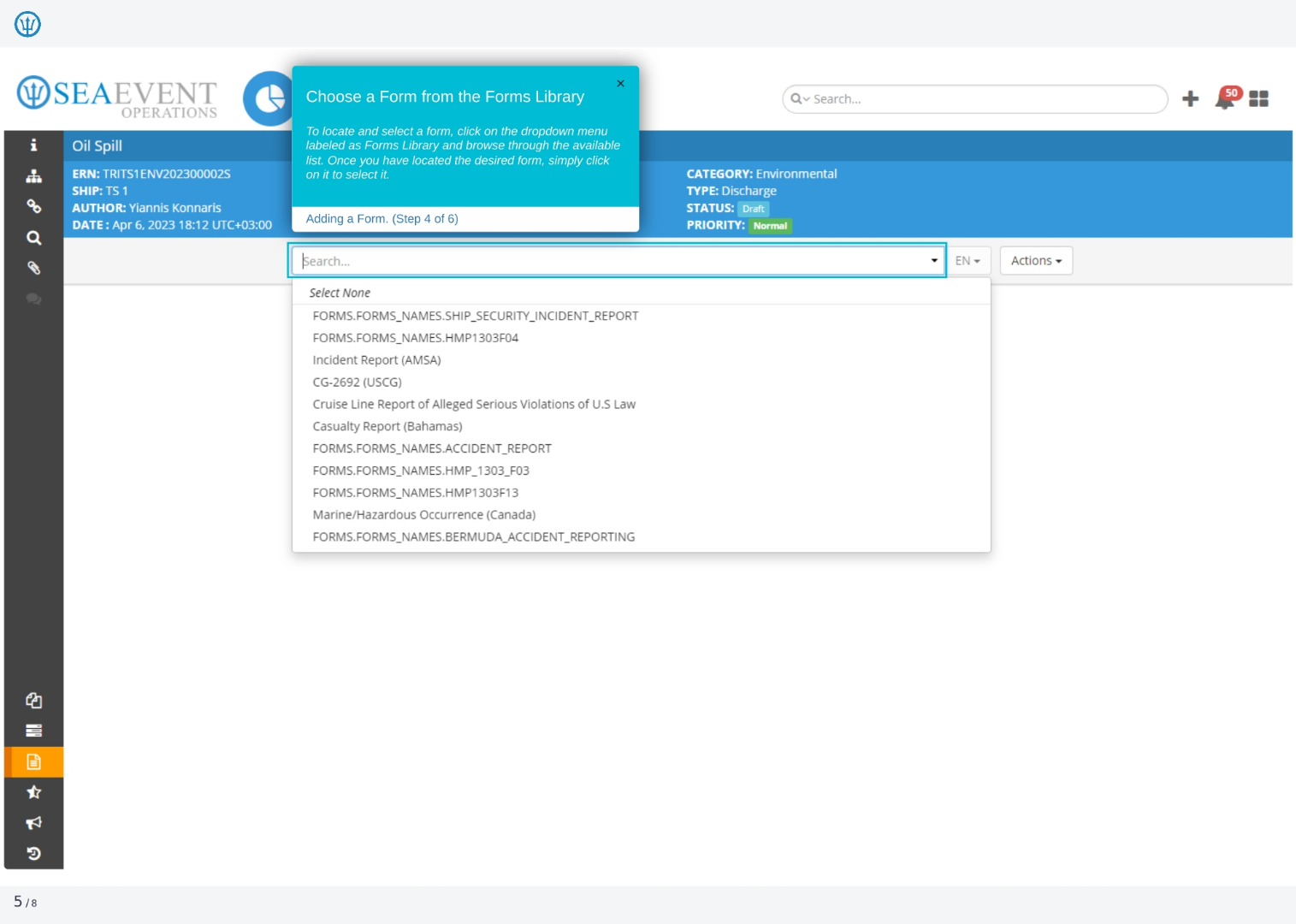
5. Choose a Form from the Forms Library
To locate and select a form, click on the dropdown menu labeled 'Forms Library' and browse through the available list. Once you have located the desired form, simply click on it to select it for your event report.
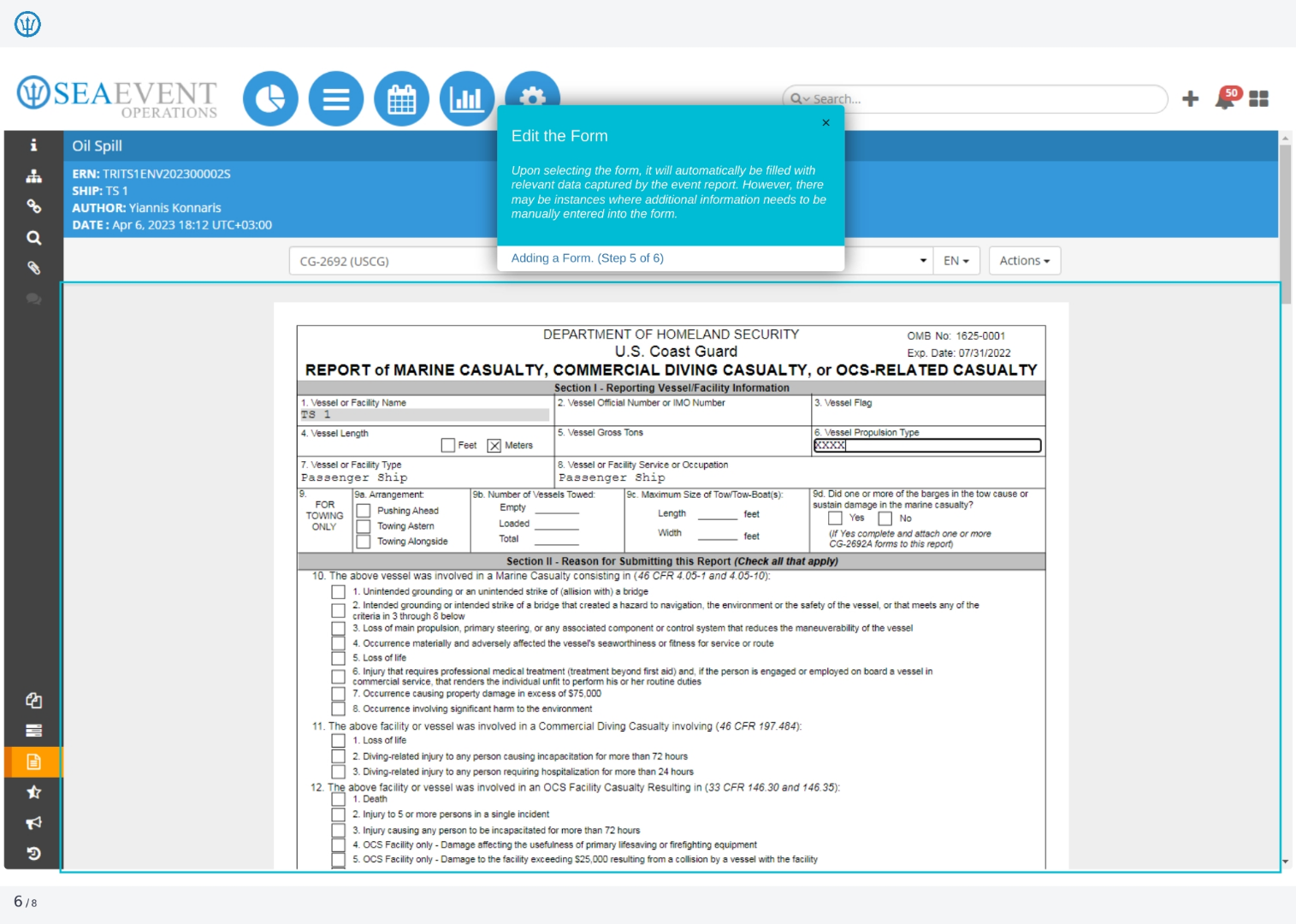
6. Edit the Form
Upon selecting the form, it will automatically be filled with relevant data captured by the event report. However, there may be instances where additional information needs to be manually entered into the form to ensure completeness.
7. Select Actions
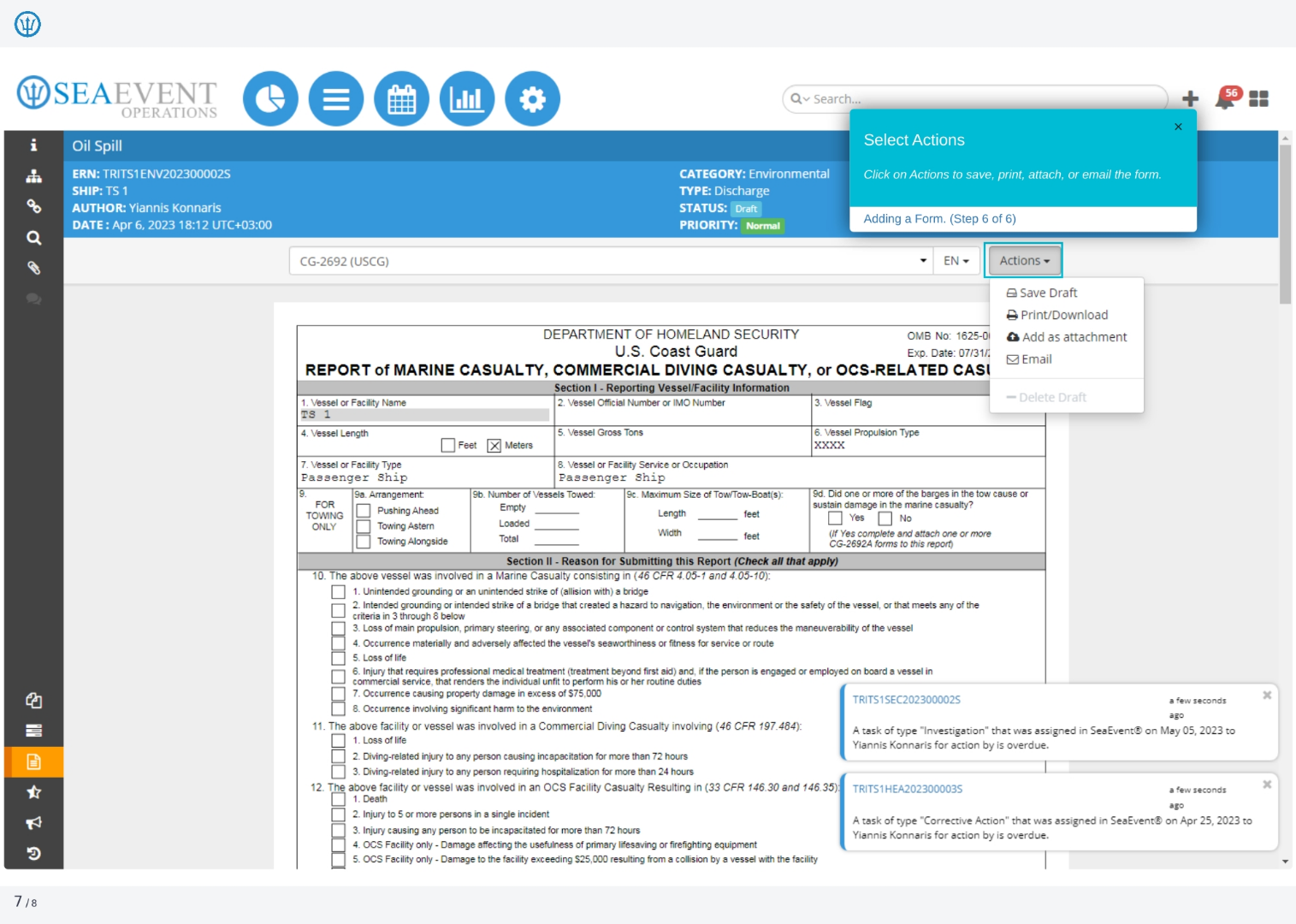
Click on 'Actions' to save, print, attach, or email the form. This step allows you to finalize the form and integrate it with the event report, ensuring all necessary documentation is properly managed.