


New article
Recently updated
Introduction to Program Codes

Who is this article for?Administrators configuring the encounter process.
No elevated permissions are required.
This guide provides step-by-step instructions for entering a unique program code when creating or editing a wellness program in SeaCare. This requirement, available through the Shoreside Crew Wellness module under the Programs section via the Program Wizard, ensures that each program is uniquely identifiable. Enforcing this field helps maintain data integrity and supports consistent program tracking across the platform.
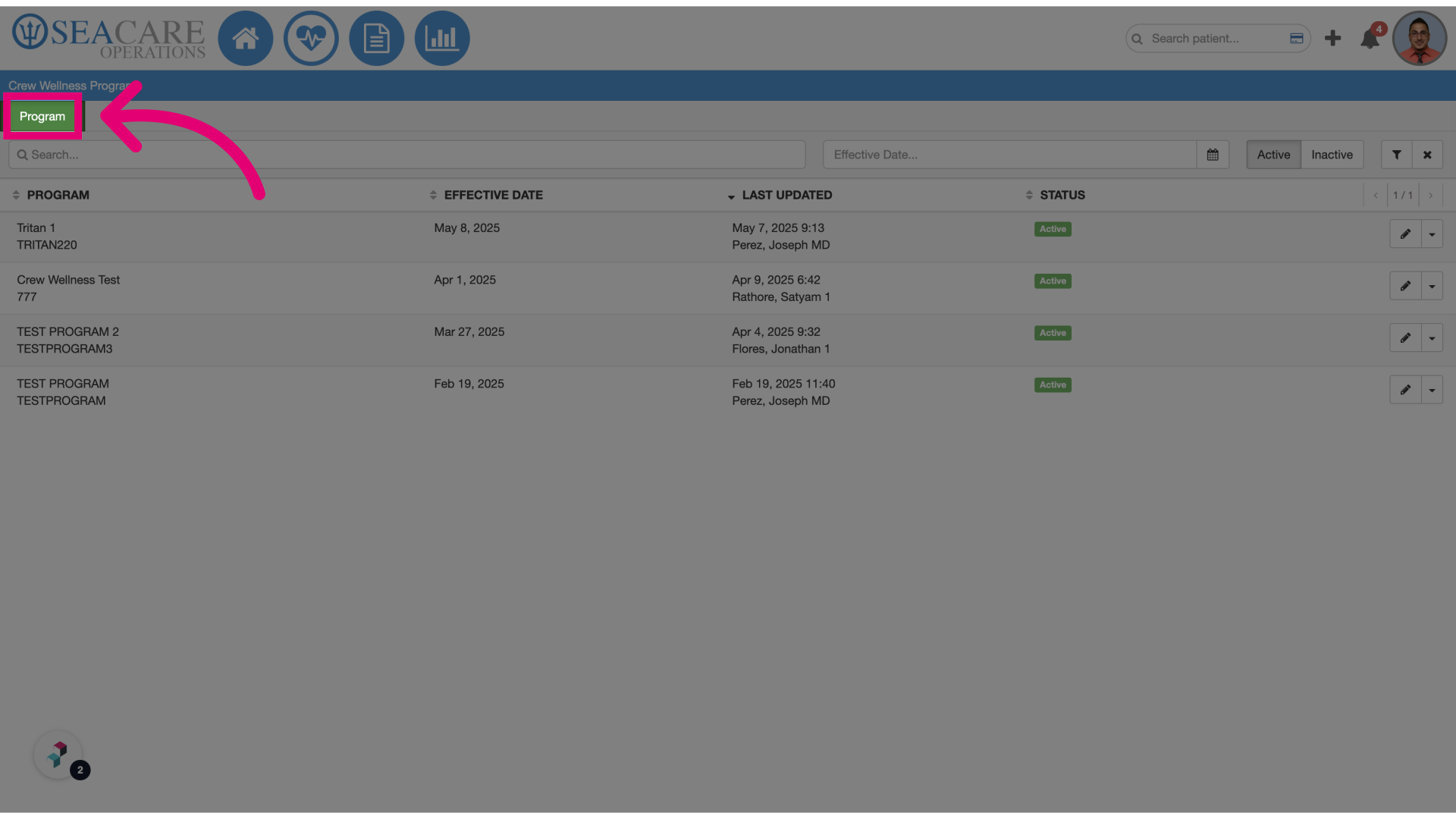
- Click Program: Navigate to the Shoreside Crew Wellness module, then access the Programs section using the Program Wizard. The system will now prompt you to enter a unique program code when creating or editing a program.
- Add a unique program code: Enter a distinct identifier for the new program. This code must be unique to avoid duplication.
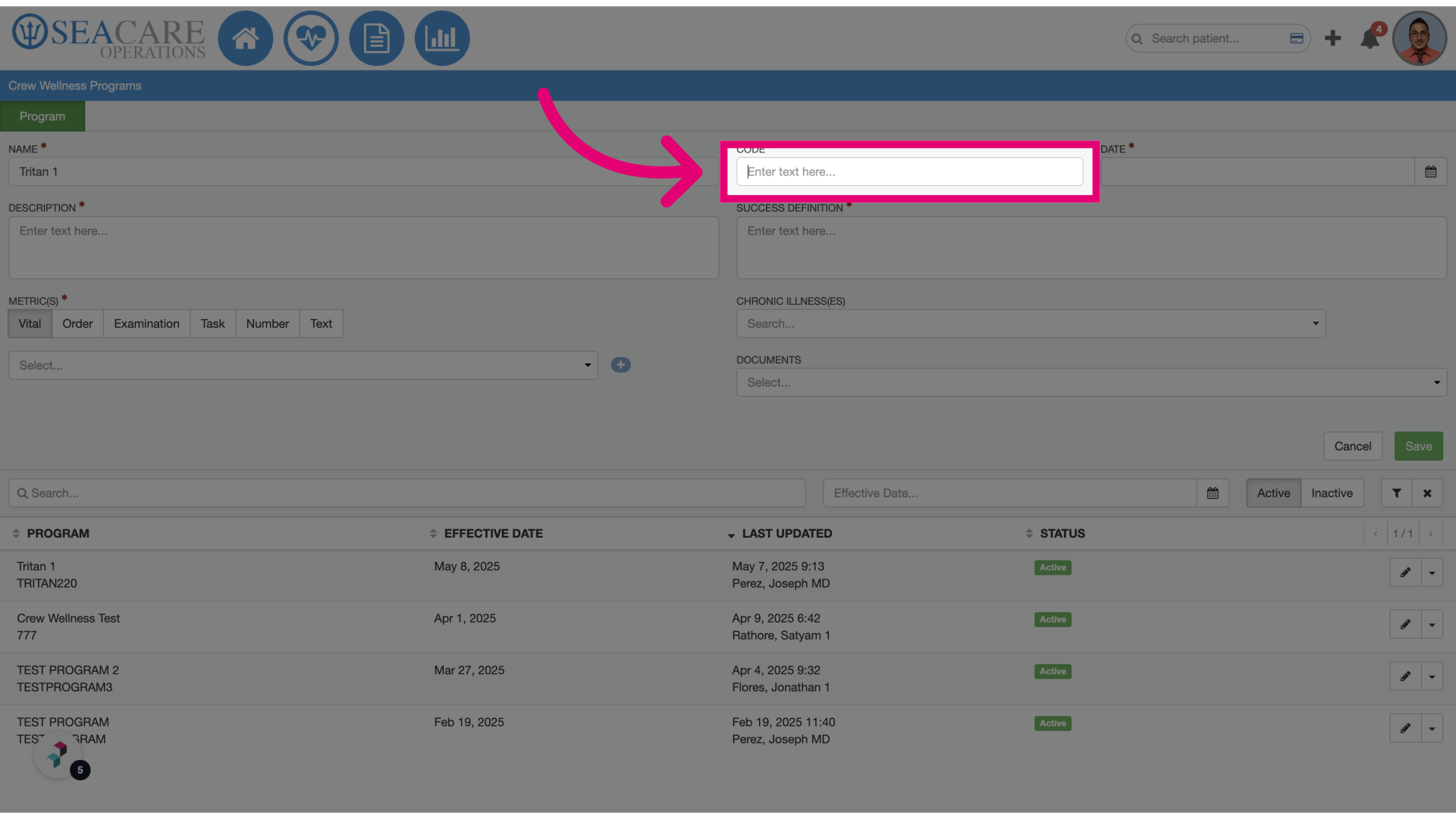
- Fill in the unique code: Enter the code in the designated field. It must be alphanumeric and should not contain spaces or special characters.
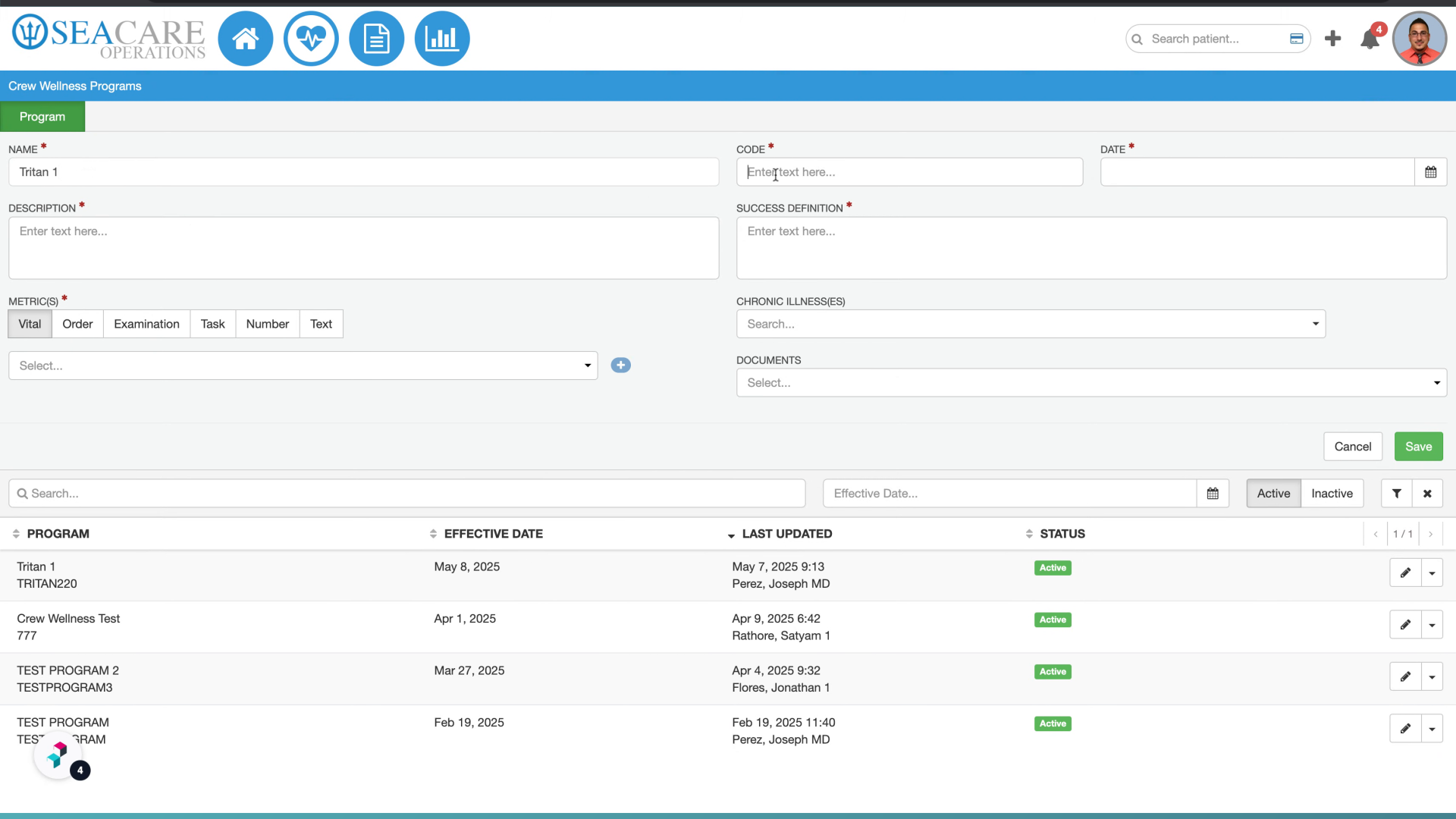
- Click Save: Finalize your entry by