New article
Recently updated
Submitting documents in Crew Health

Who is this article for?
Users who want to learn how to submit documents in the Crew Health portal.
No elevated permissions are required.
This guide will help you submit documents for the Ideagen Maritime Health Crew Health application. Follow these steps to securely share pre-employment documents that need review before you can work on a ship.
1. Submitting documents in Crew Health
- Log into the Crew Health portal.
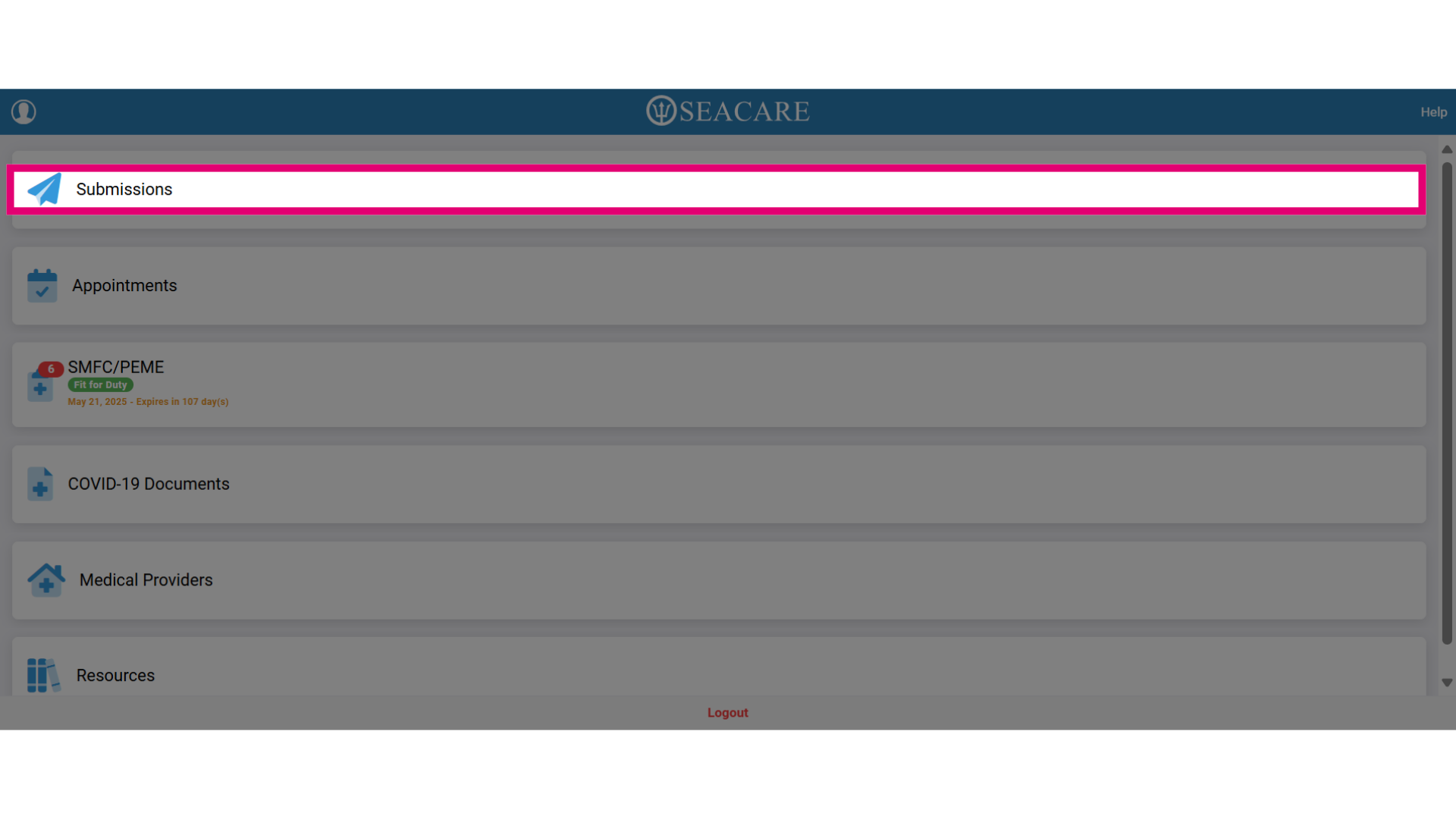
- Select the Submissions tab.
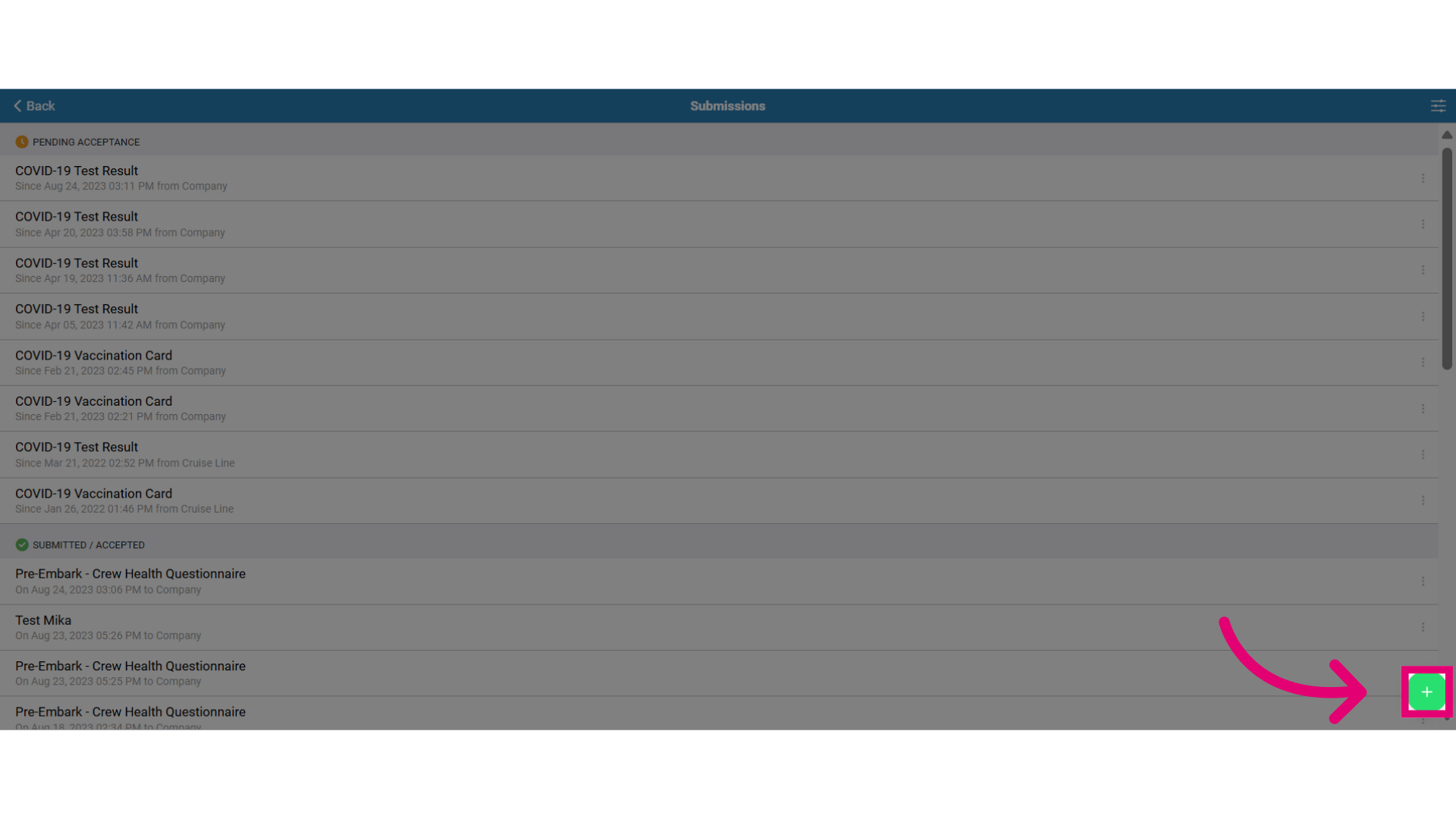
- Click the green plus (+) button to begin a new document submission.
- Two submission options are available:
- Upload Document: Submit files like COVID-19 Test Results, Vaccination Cards, or Serology Evidence.
- Complete Form: Fill out a questionnaire directly.
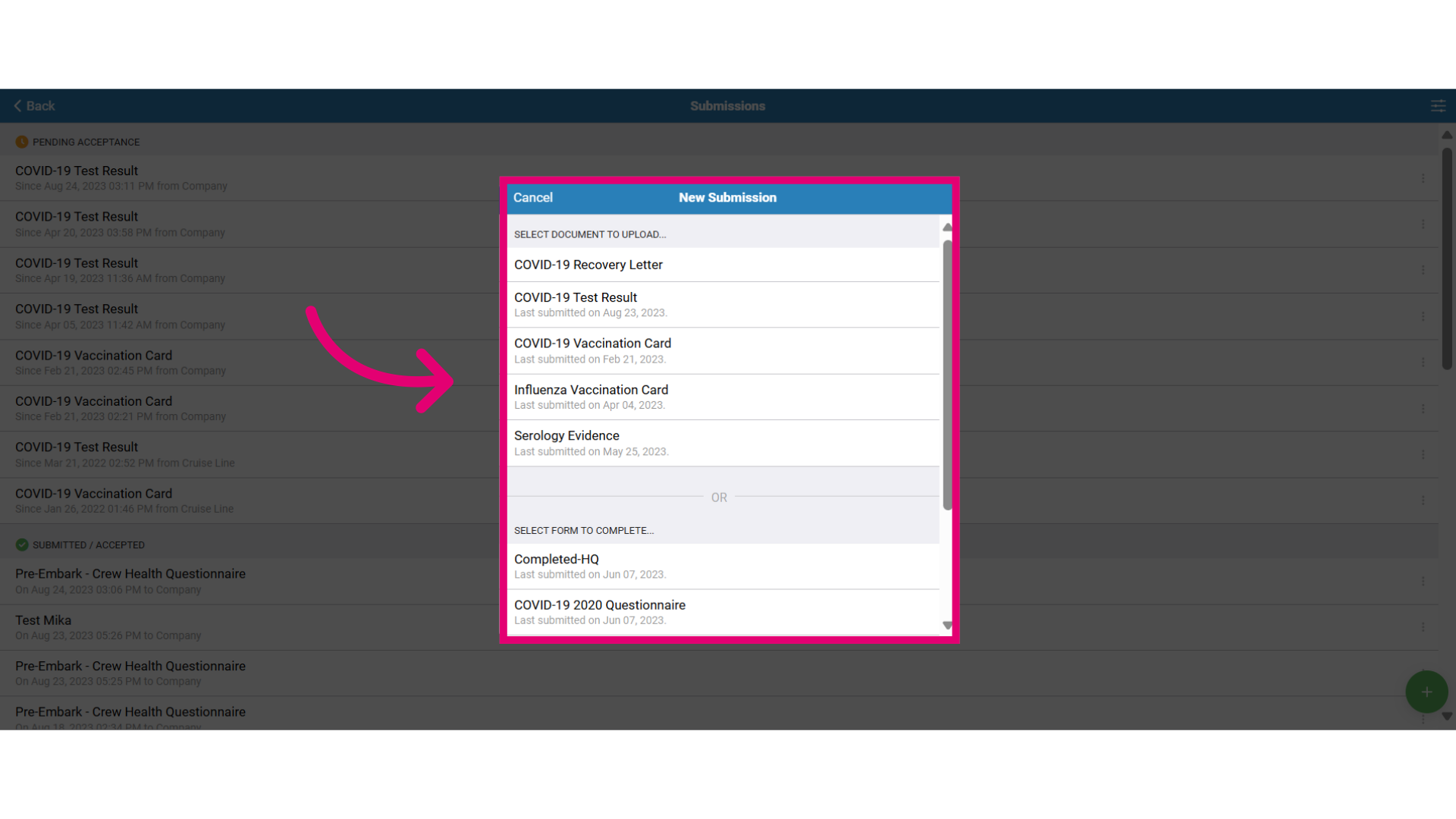
- For the Document to Upload option, follow these steps:
- Select the document type, e.g. COVID-19 Recovery Letter, Test Result, Vaccination Card, or Serology Evidence.
- Choose the file to upload.
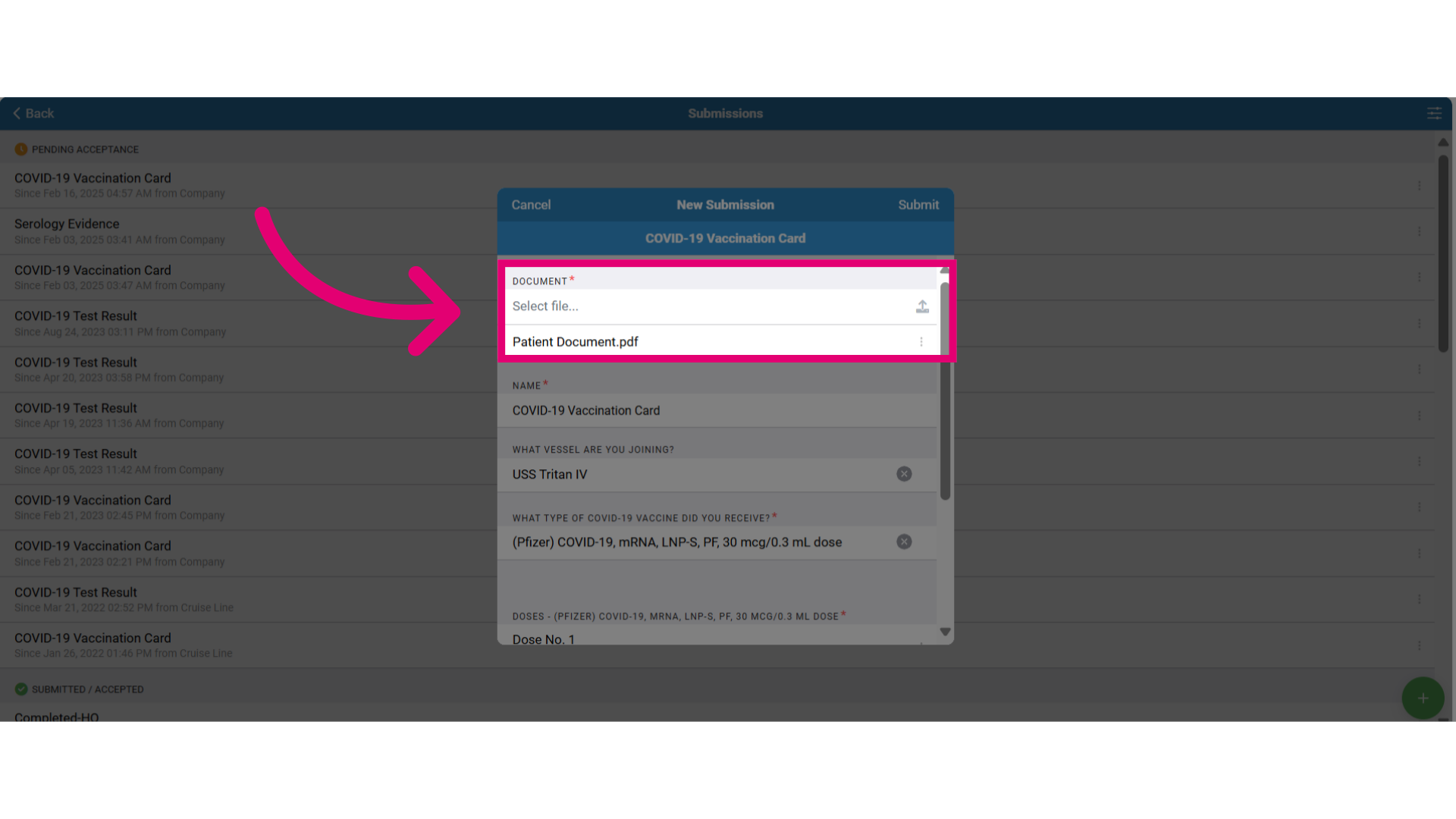
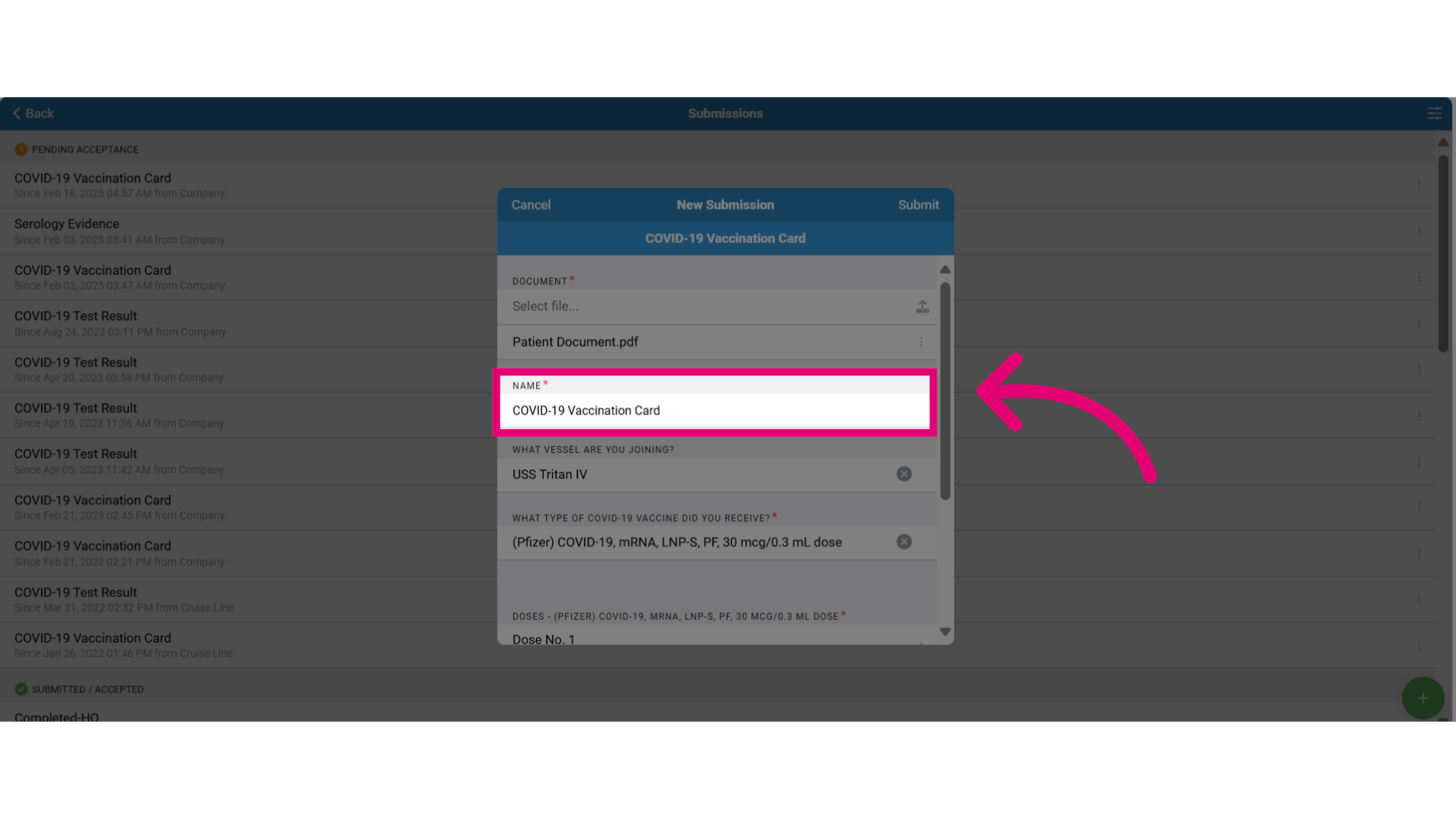
- If you need to edit the name, select the text to make the updates.
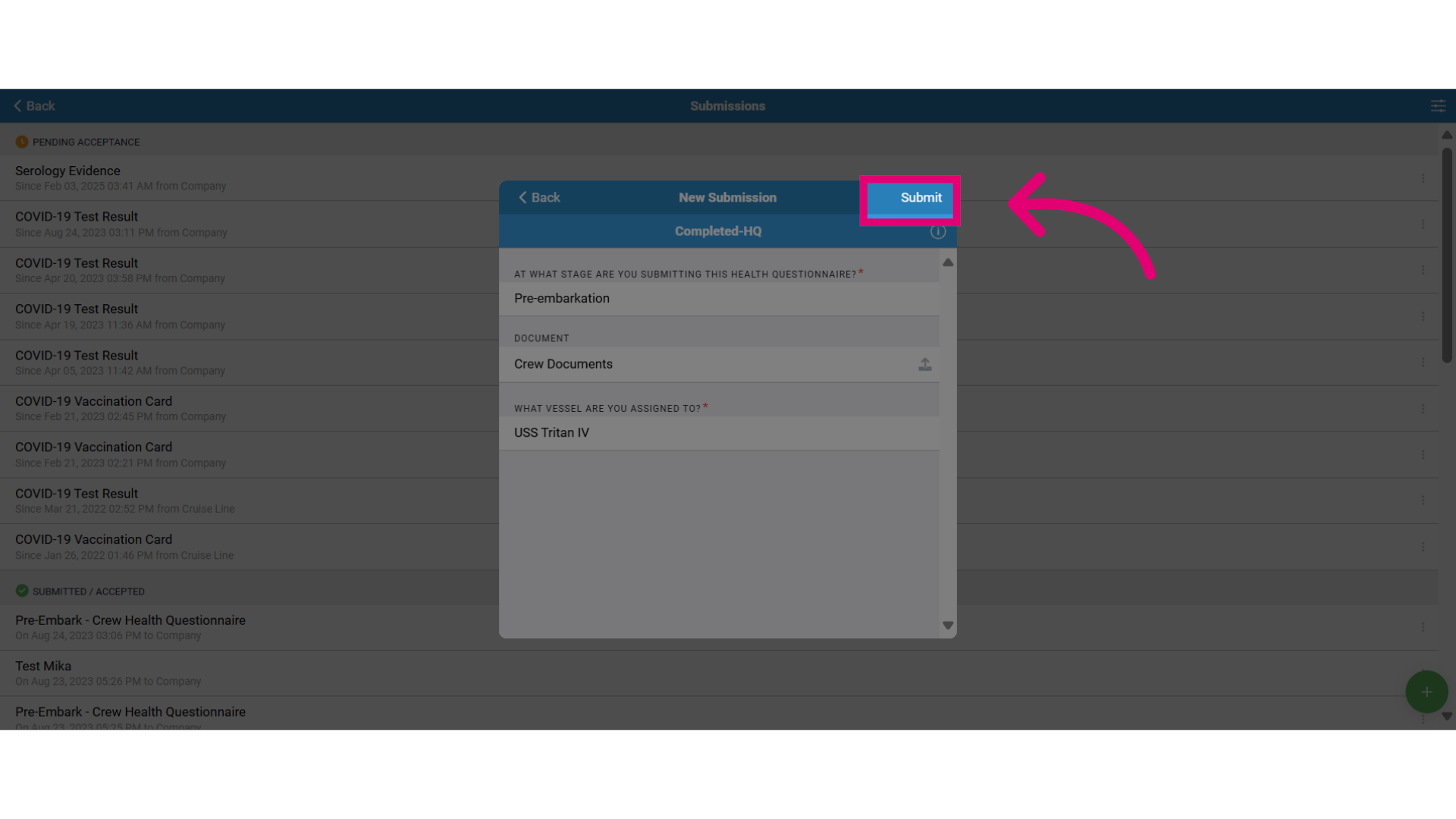
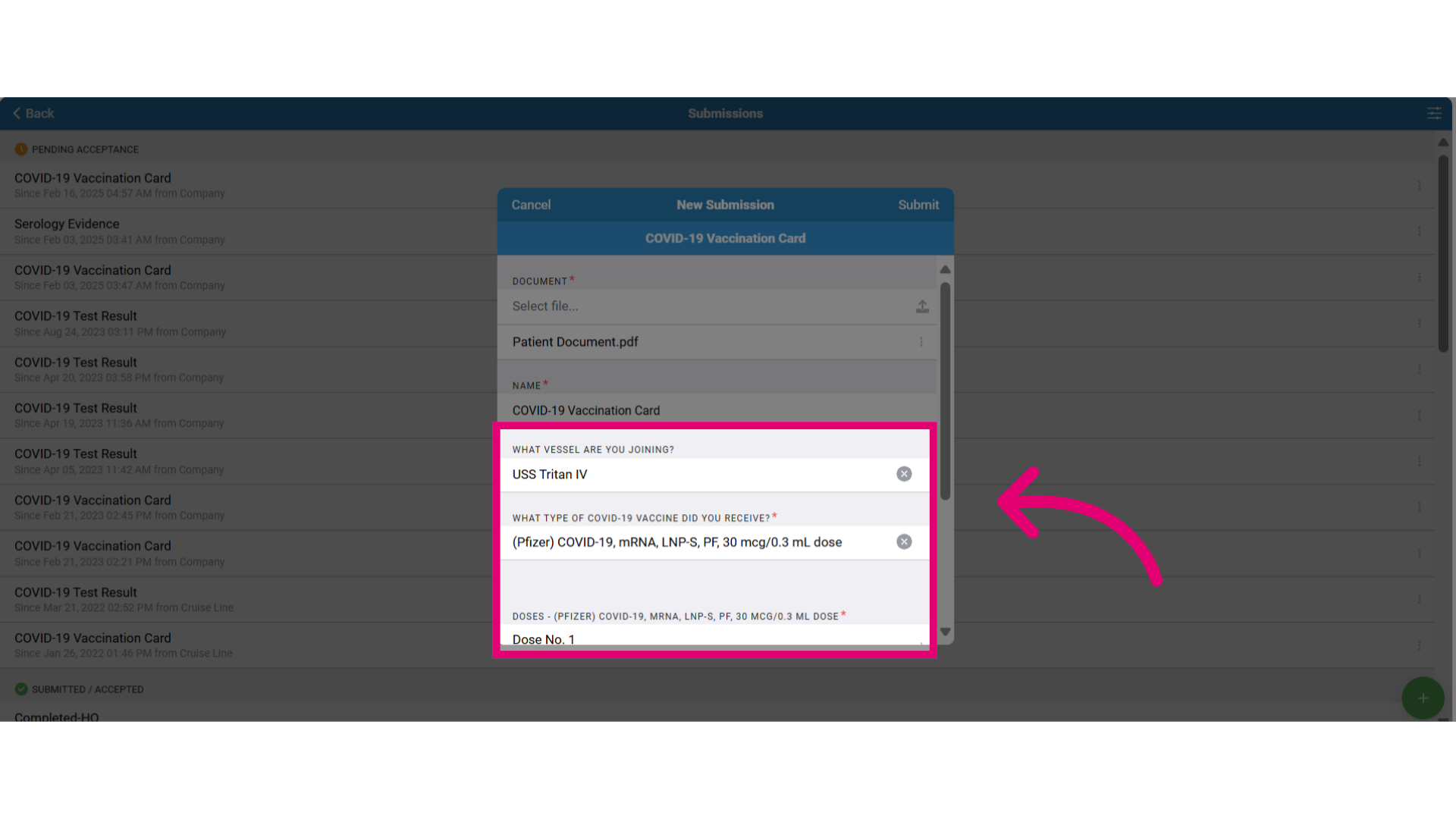
- Then, answer all required questions (marked with red asterisks) and select your assigned vessel for document submission.
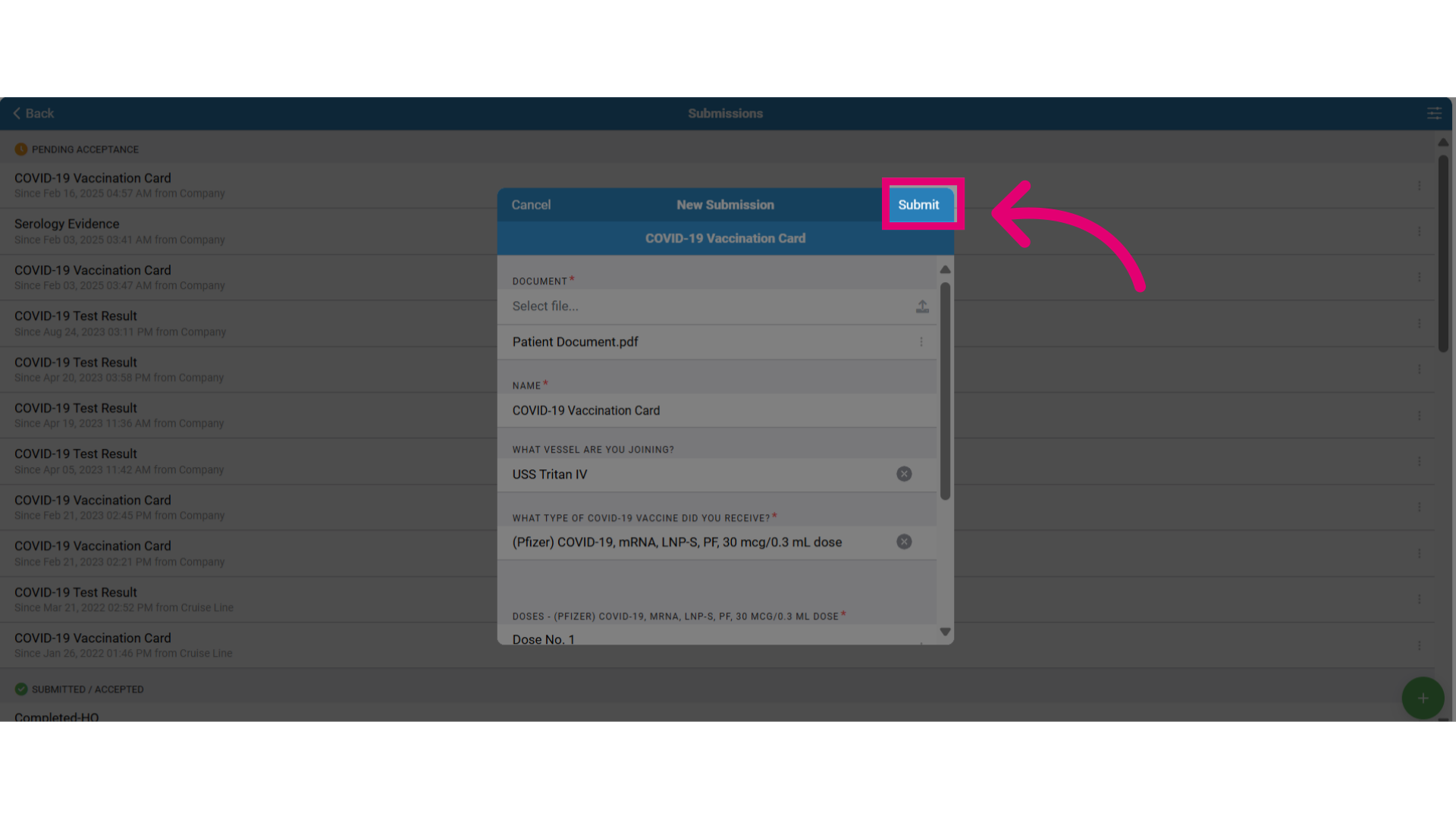
- Once your document is uploaded, click Submit to send it for review.
- Visit the Submissions tab to check your submission status:
- Pending Acceptance – Your employer or healthcare provider has received the submission but not yet approved it.
- Rejected – The document has errors or missing information and needs correction.
- Submitted/Accepted – The document has been reviewed and approved.
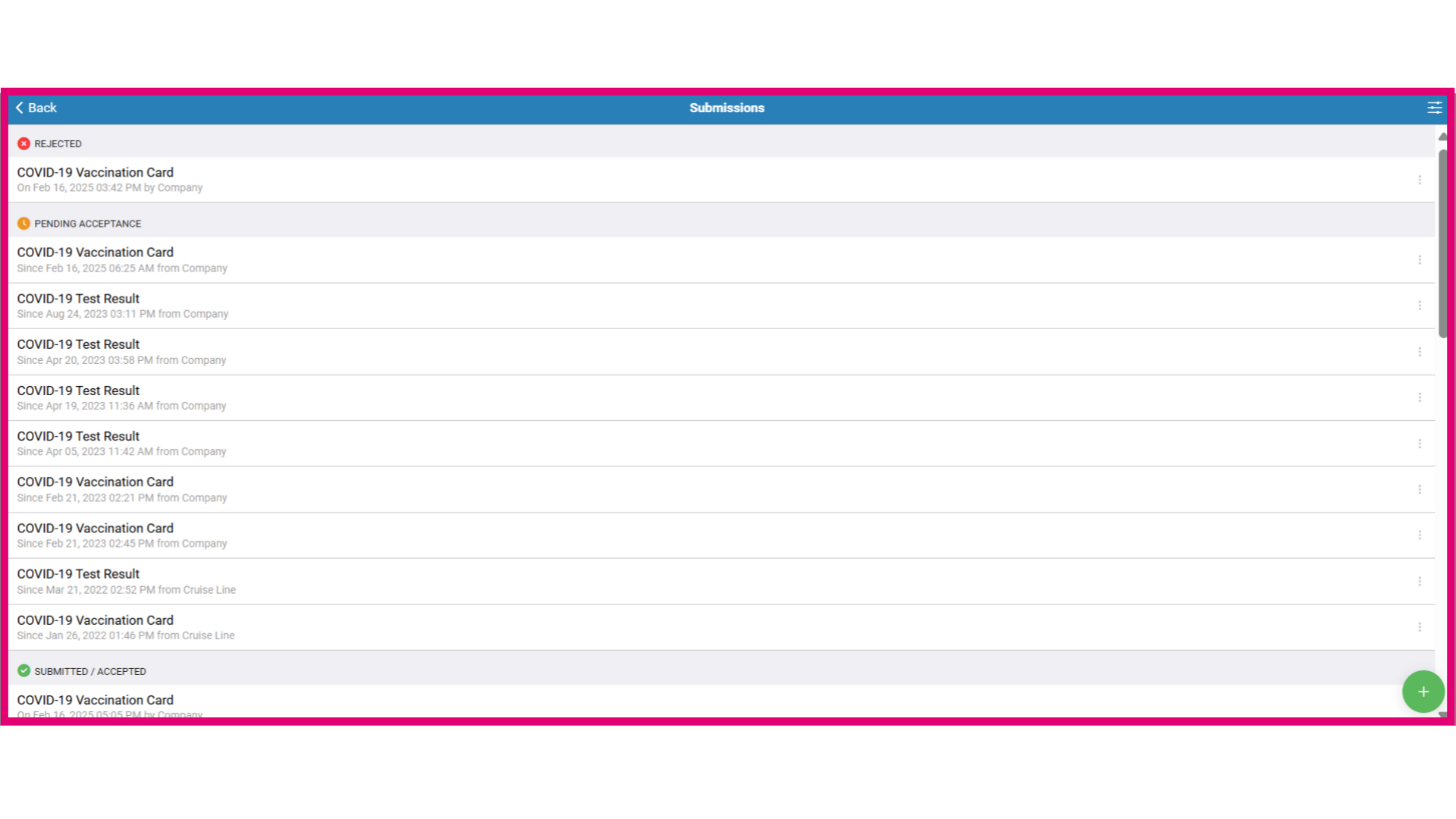
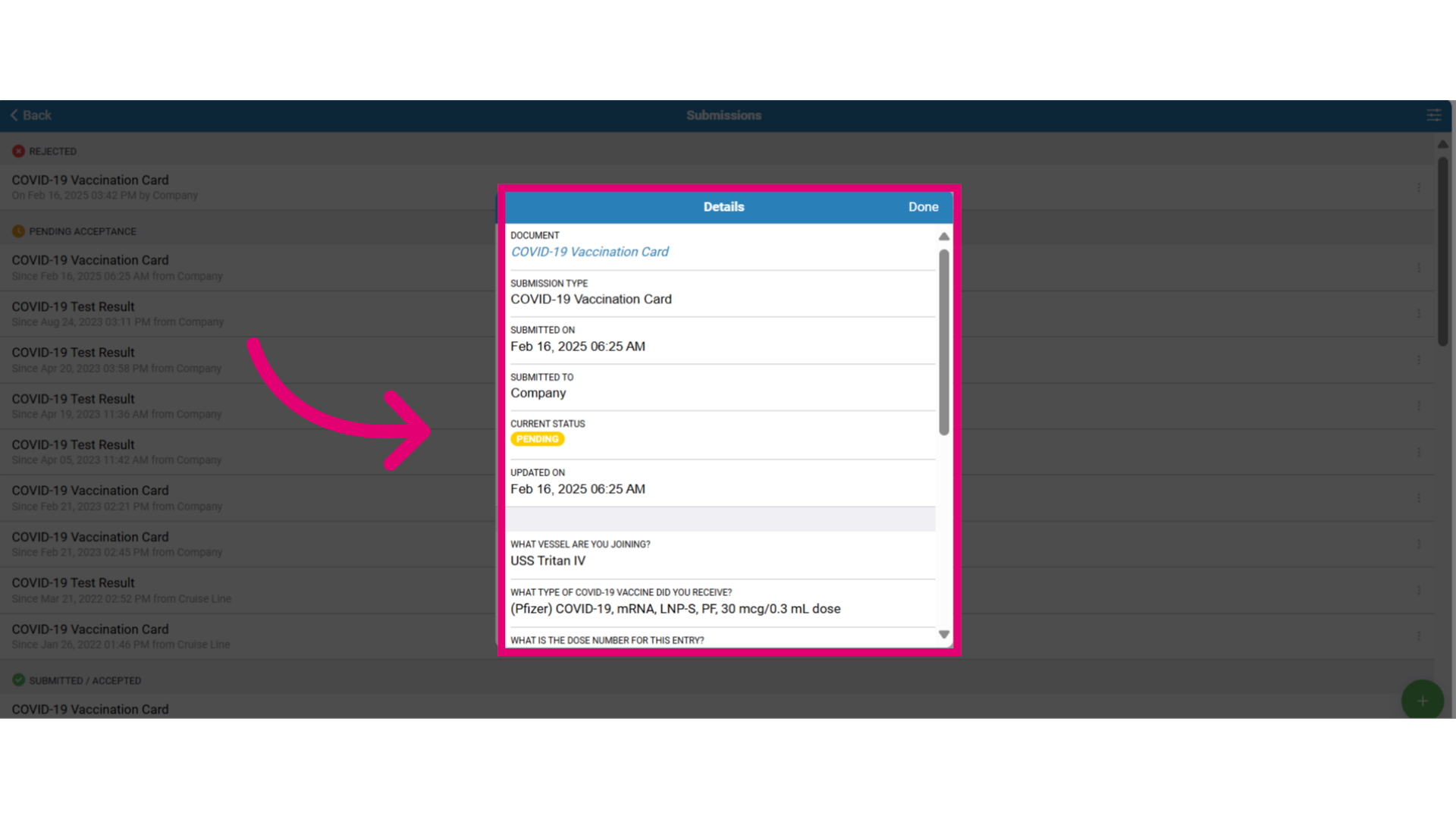
- Click the three dots next to the submission to view more details, including:
- Submission history
- Attachments
- Submission status
- Timestamps
- Comments
- Company information
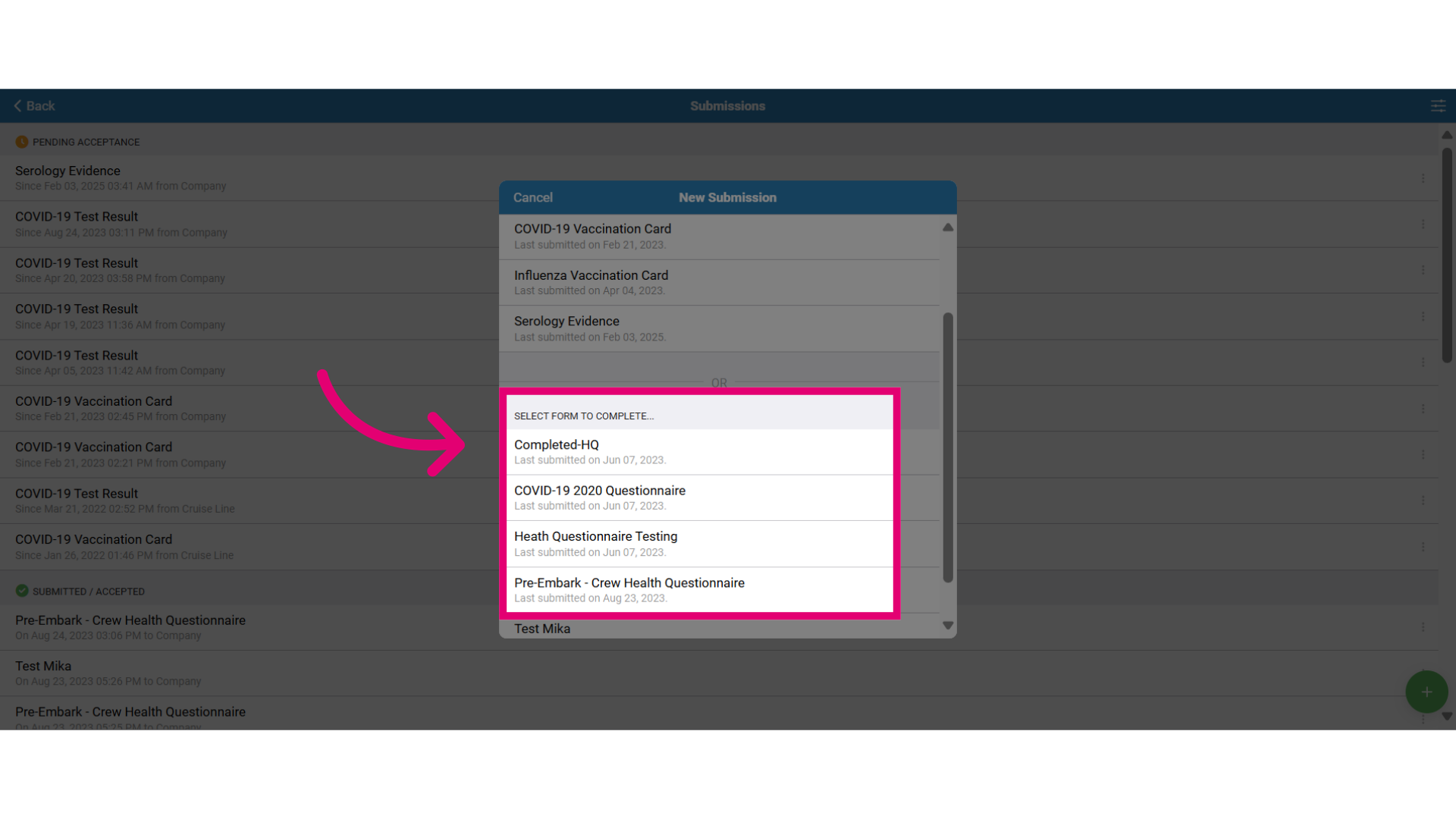
- For the Complete a Form option, choose the pre-configured form to report your medical conditions before boarding or leaving the ship.
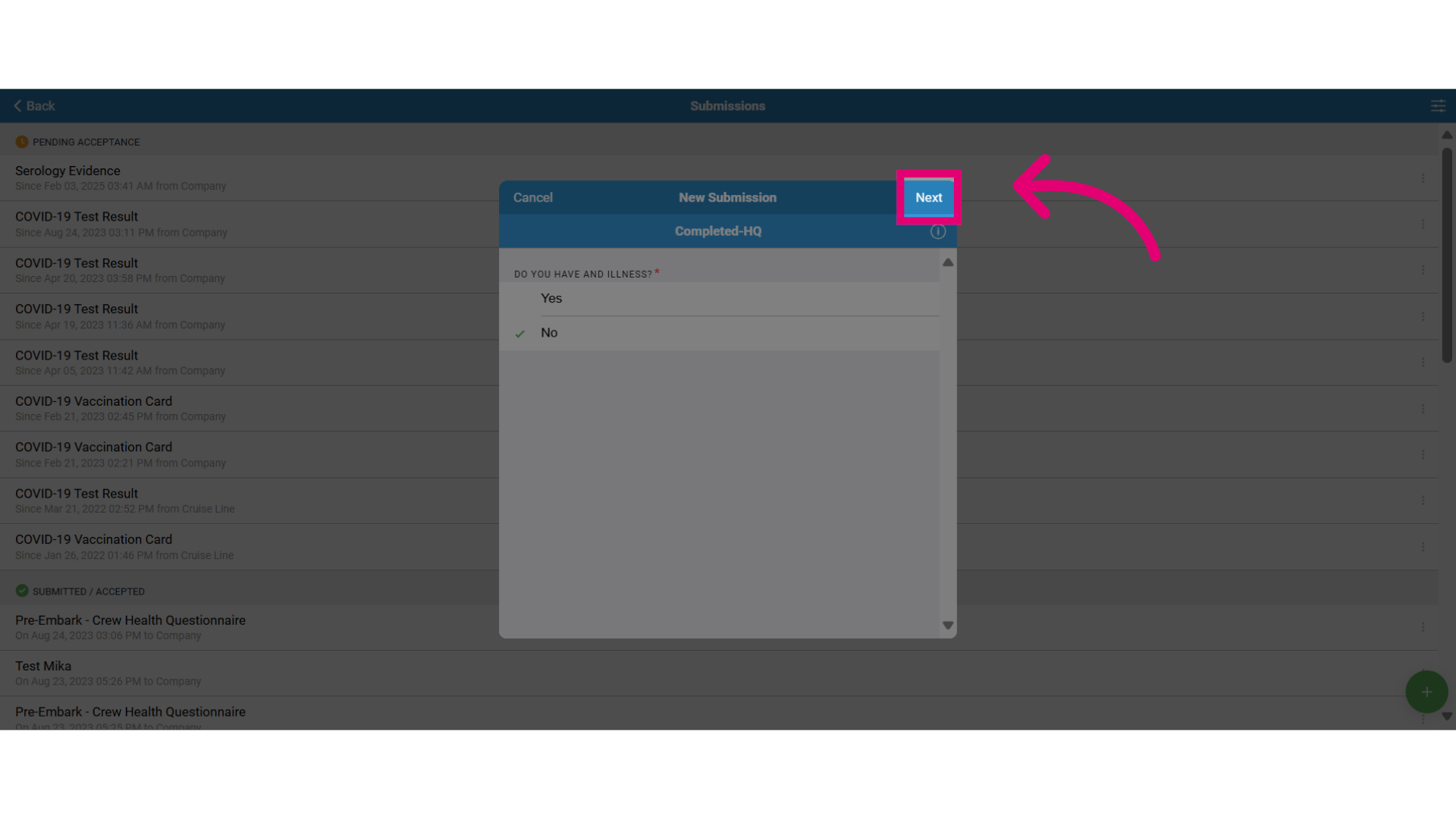
- Answer the questions directly on the form as shown here by selecting the correct answer.
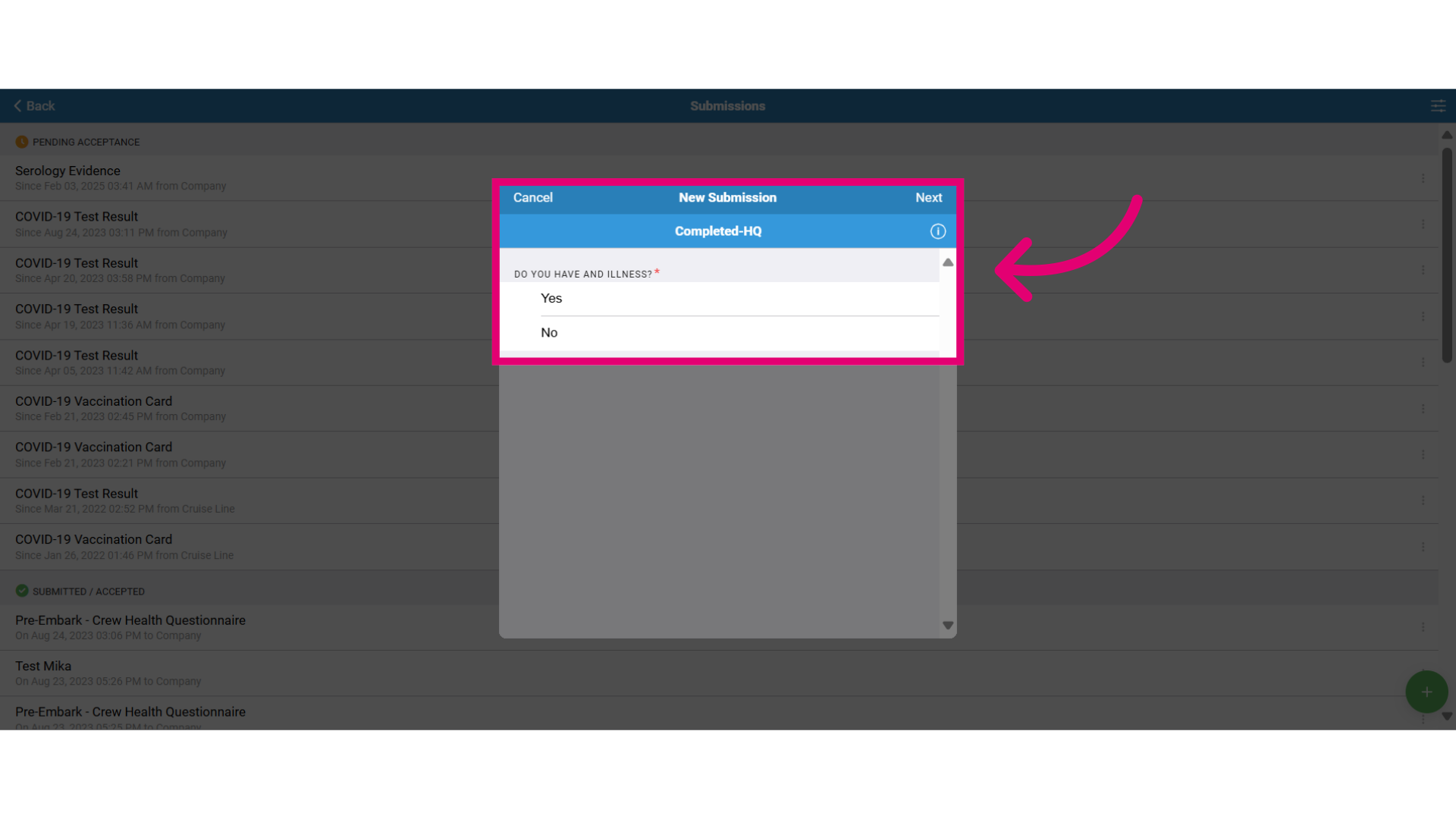
- Select Next to continue.
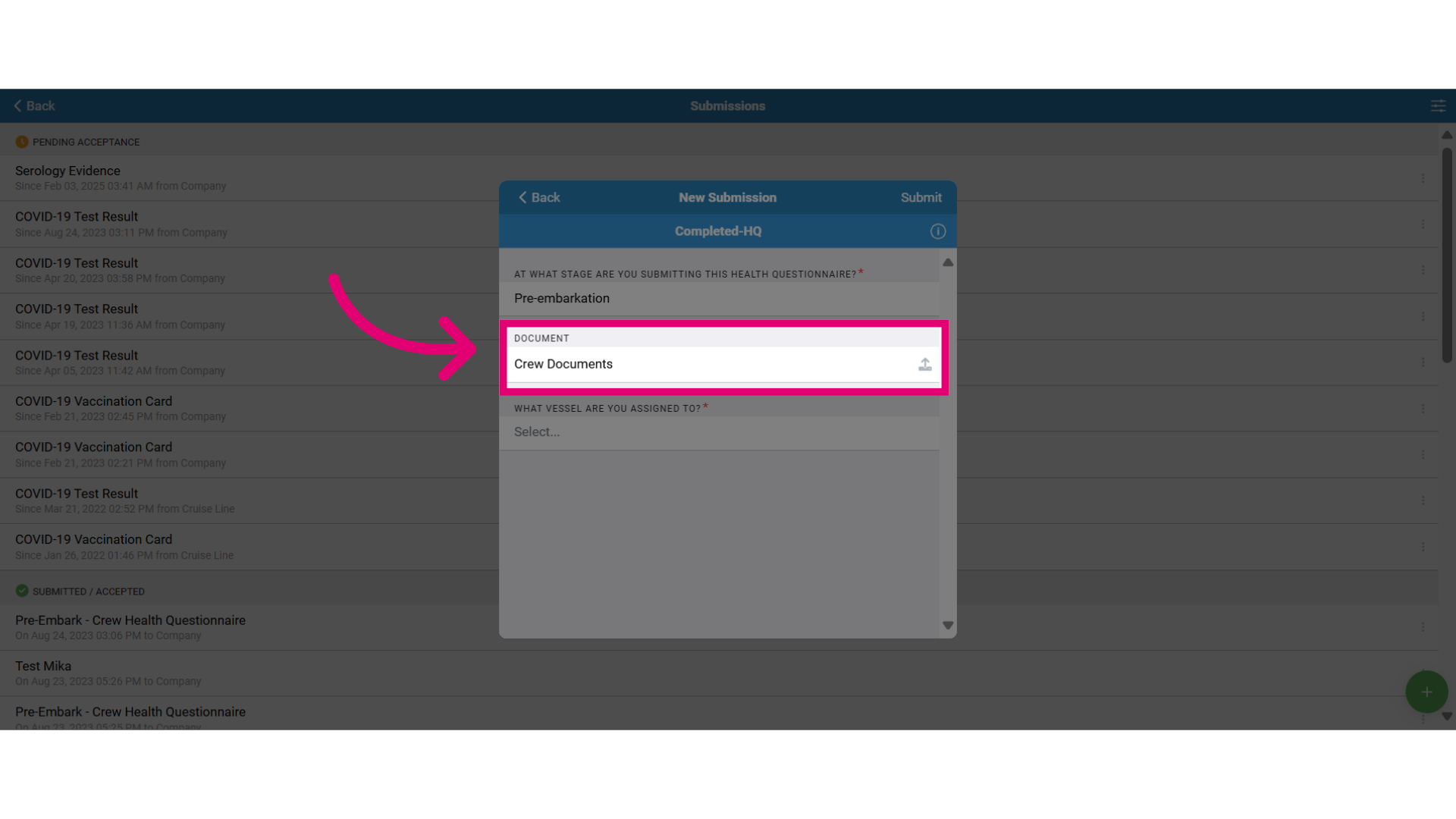
- Upload relevant documents related to the form.
- Verify the correct vessel you are boarding.
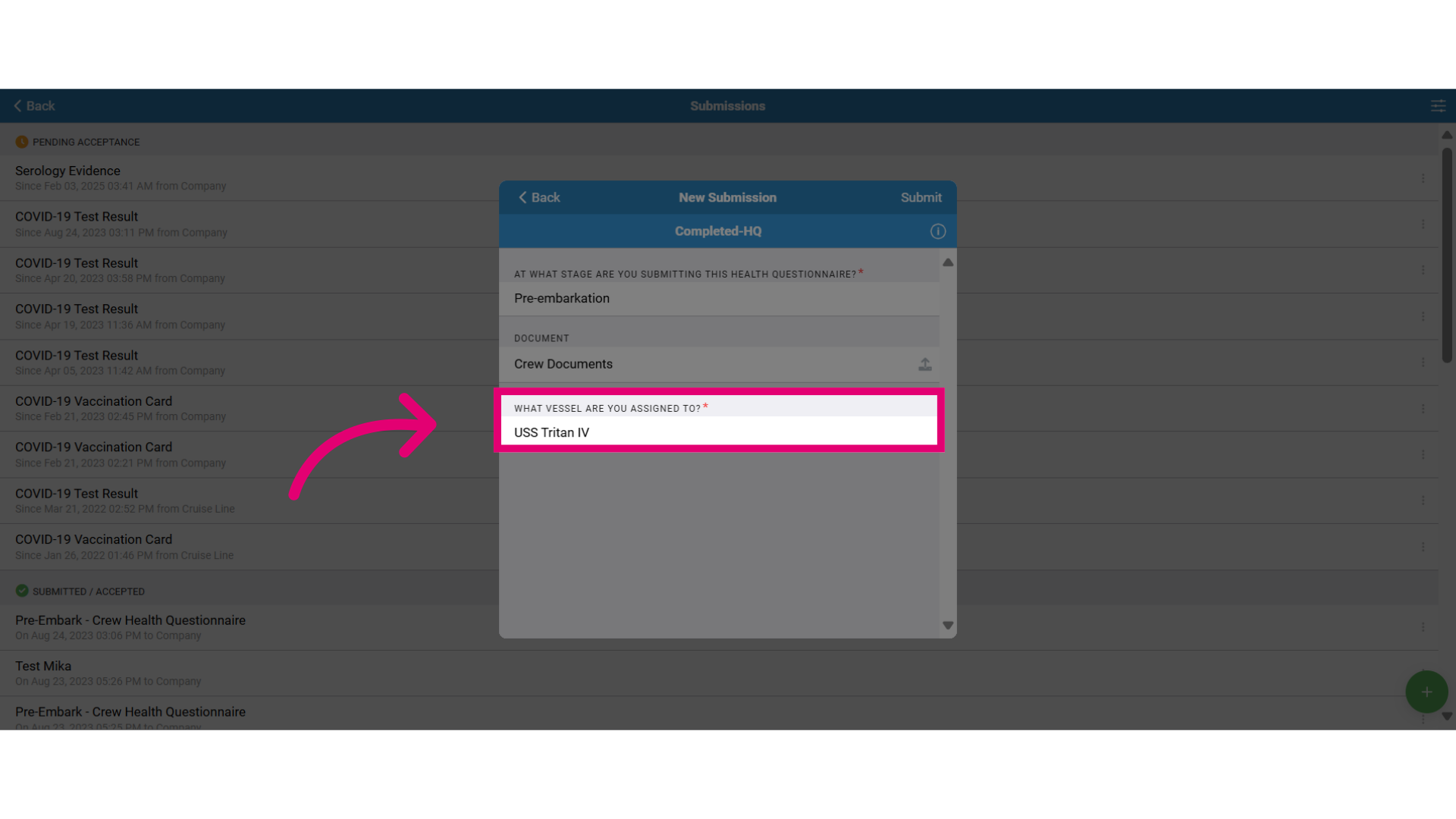
- Select submit to send the form. Then, track the form submission status under the Submissions tab.