New article
Recently updated
Adding a user's assistance company in the admin menu

Who is this article for?Users who want to learn how to assign a user's assistance company in the Admin Menu.
No elevated permissions are required.
This guide offers an overview of how to incorporate a user's Assistance Company in the Ideagen Maritime Health Operations Admin Menu, allowing you to assign and manage their affiliated assistance companies.
1. Adding a user's assistance company in the admin menu
1.1. Video
1.2. Steps
- Start in the Admin Menu in the Users section.
- Locate your user in the search bar.
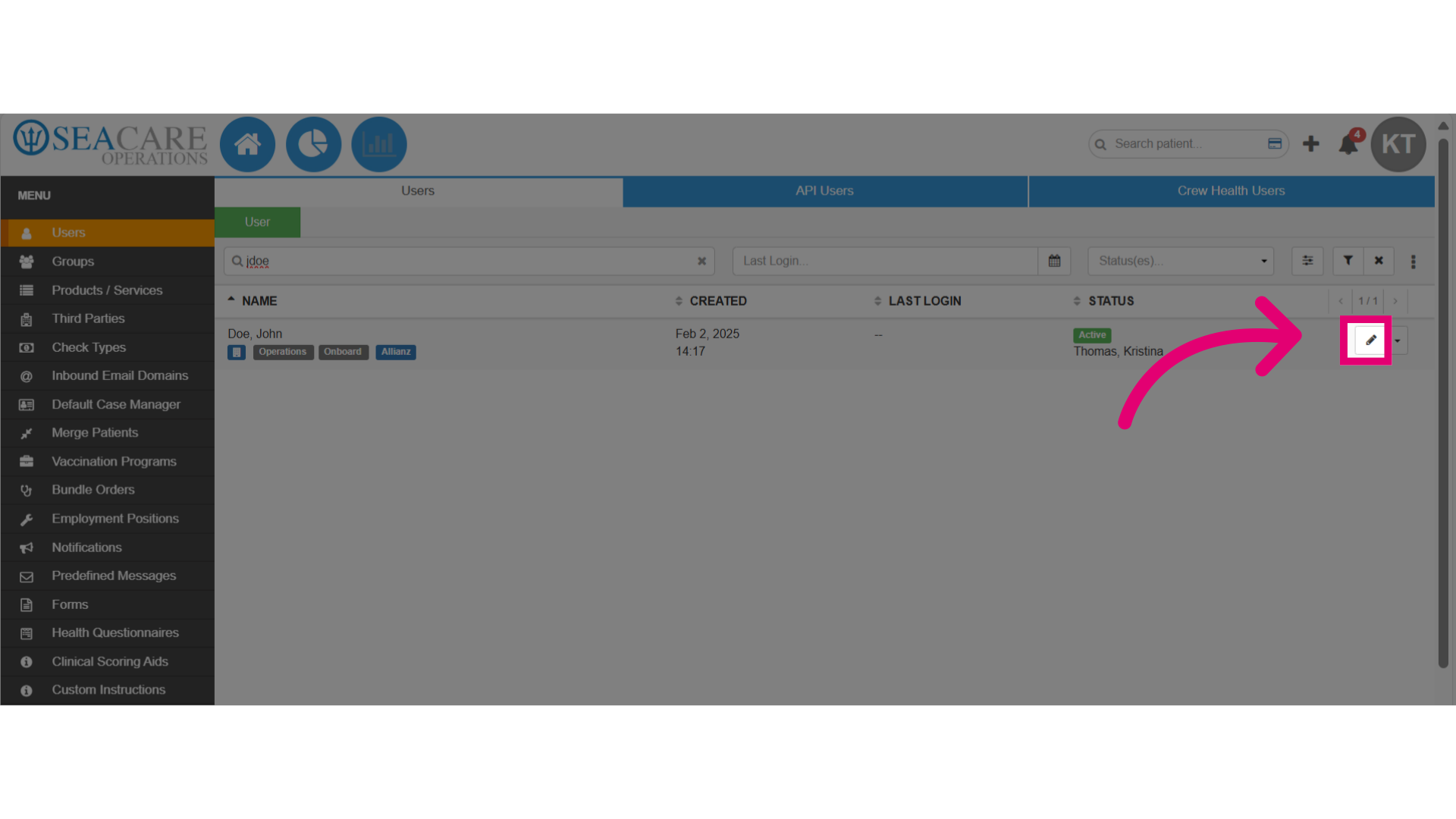
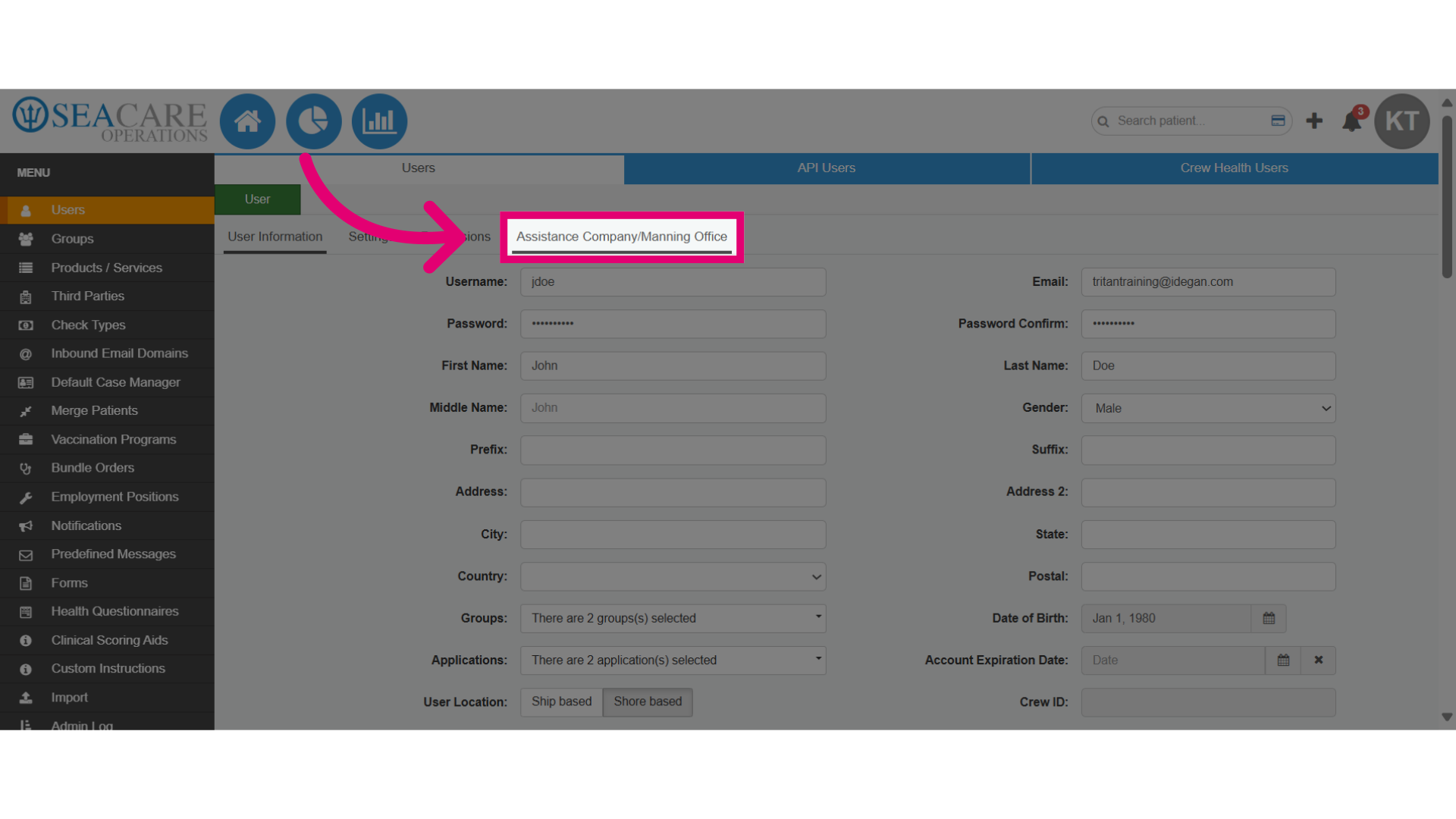
- Click on the Assistance Company/Manning Office tab.
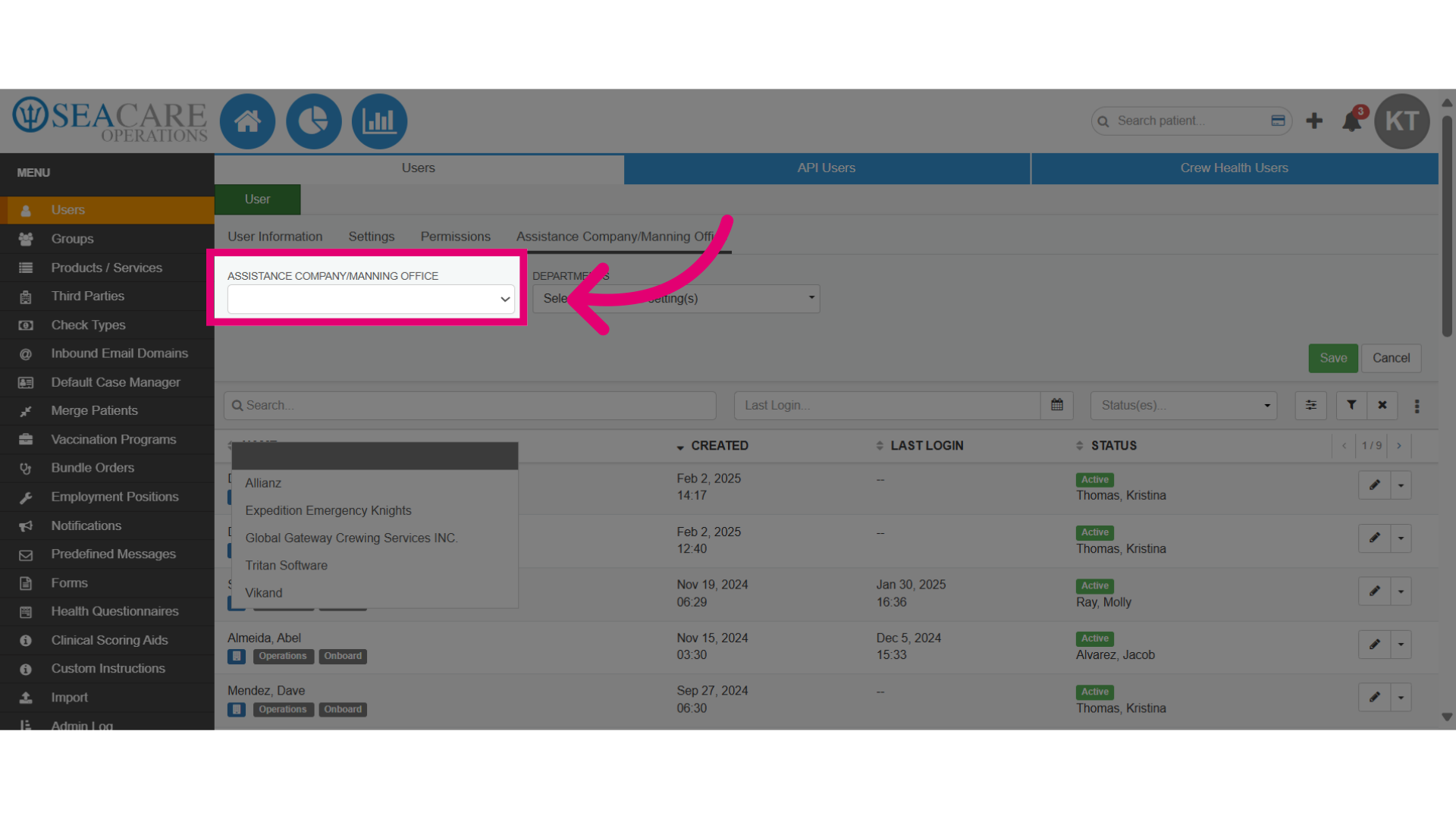
- Select Assistance Company/Manning Office dropdown menu.
- Choose the assistance company for the user from the list.
- Select the Department(s) the user will manage.
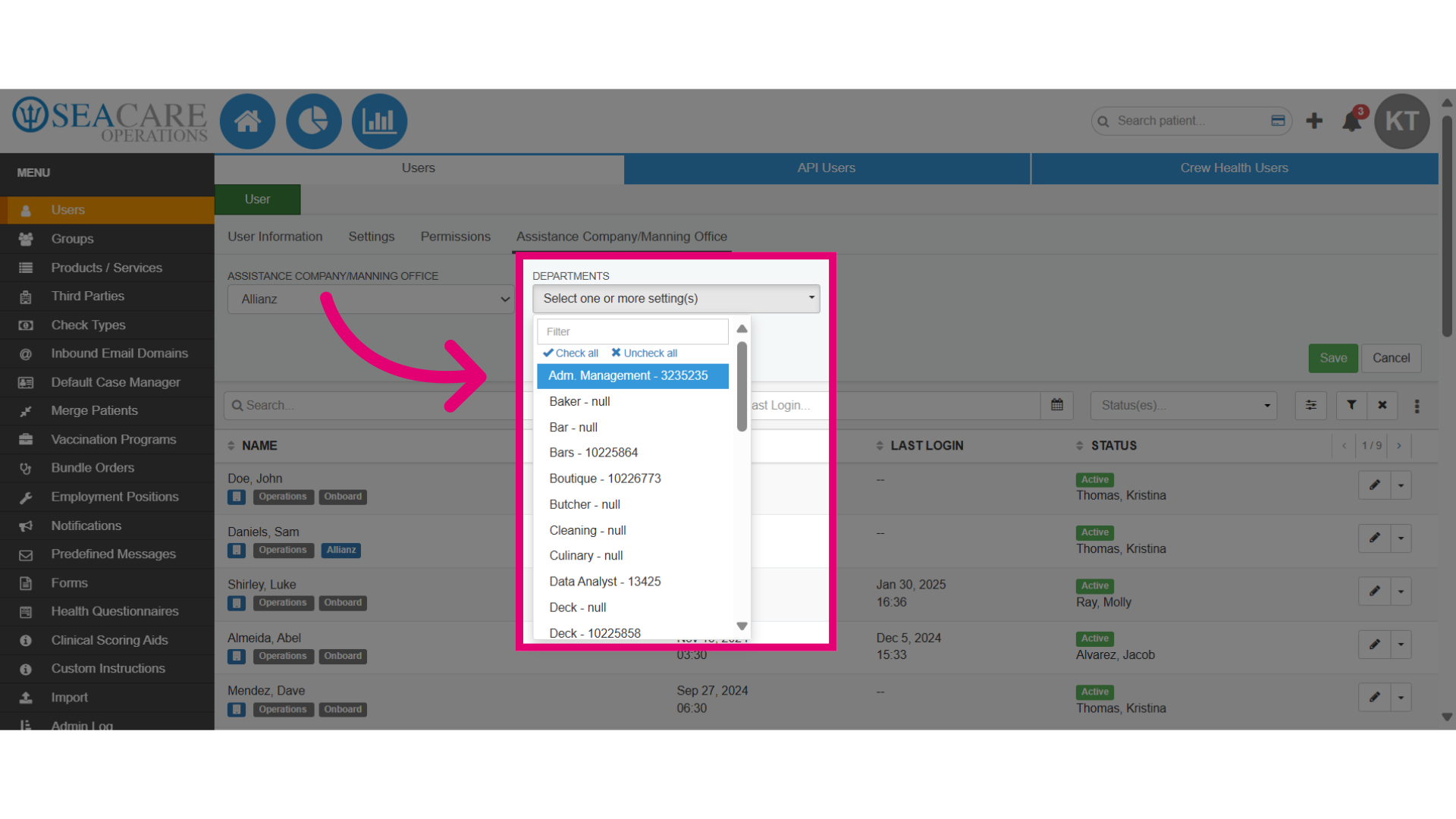
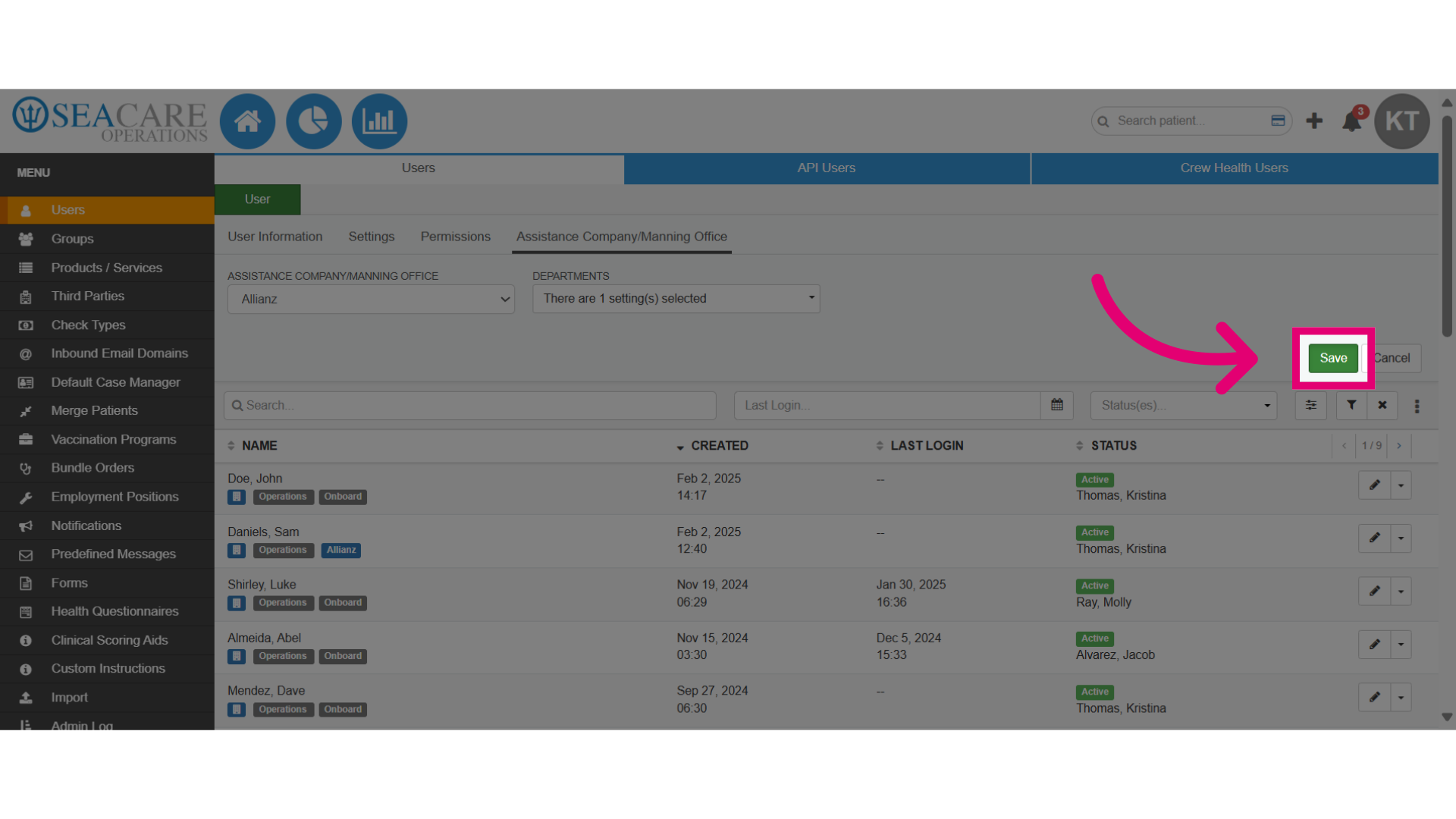
- Save the changes that were made.