New article
Recently updated
Rejecting Documents in the Health Information Exchange

Who is this article for?Users who want to reject documents in the Health Information Exchange.
No elevated permissions are required.
Rejecting documents in the Health Information Exchange is essential when information is missing or incorrect. This guide outlines the steps to reject documents and communicate the reasons clearly, ensuring accurate record-keeping and compliance.
1. Reviewing Documents in the Health Information Exchange
1.1. Video
1.2. Steps
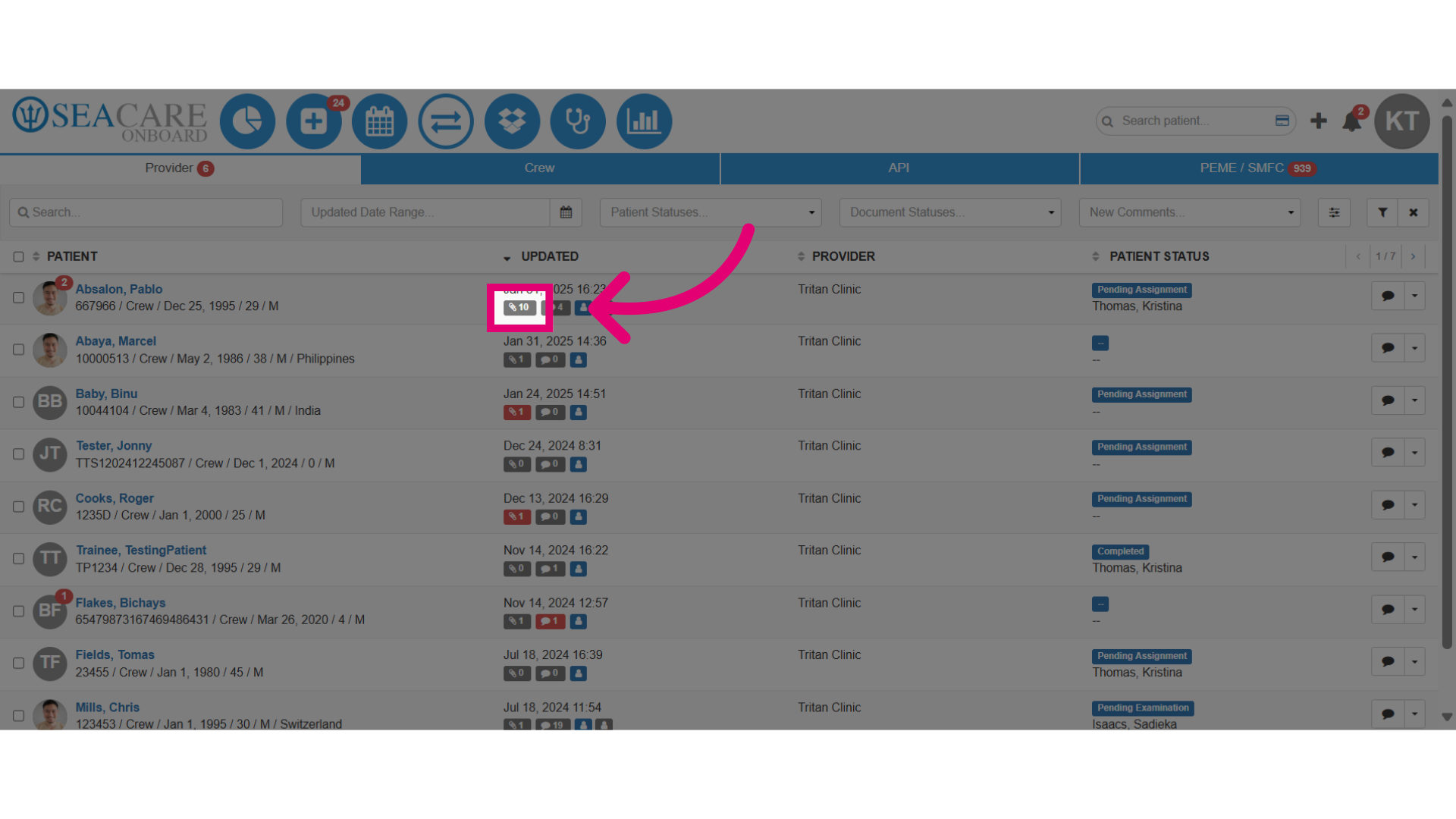
- Click on the paperclip icon to open the document.
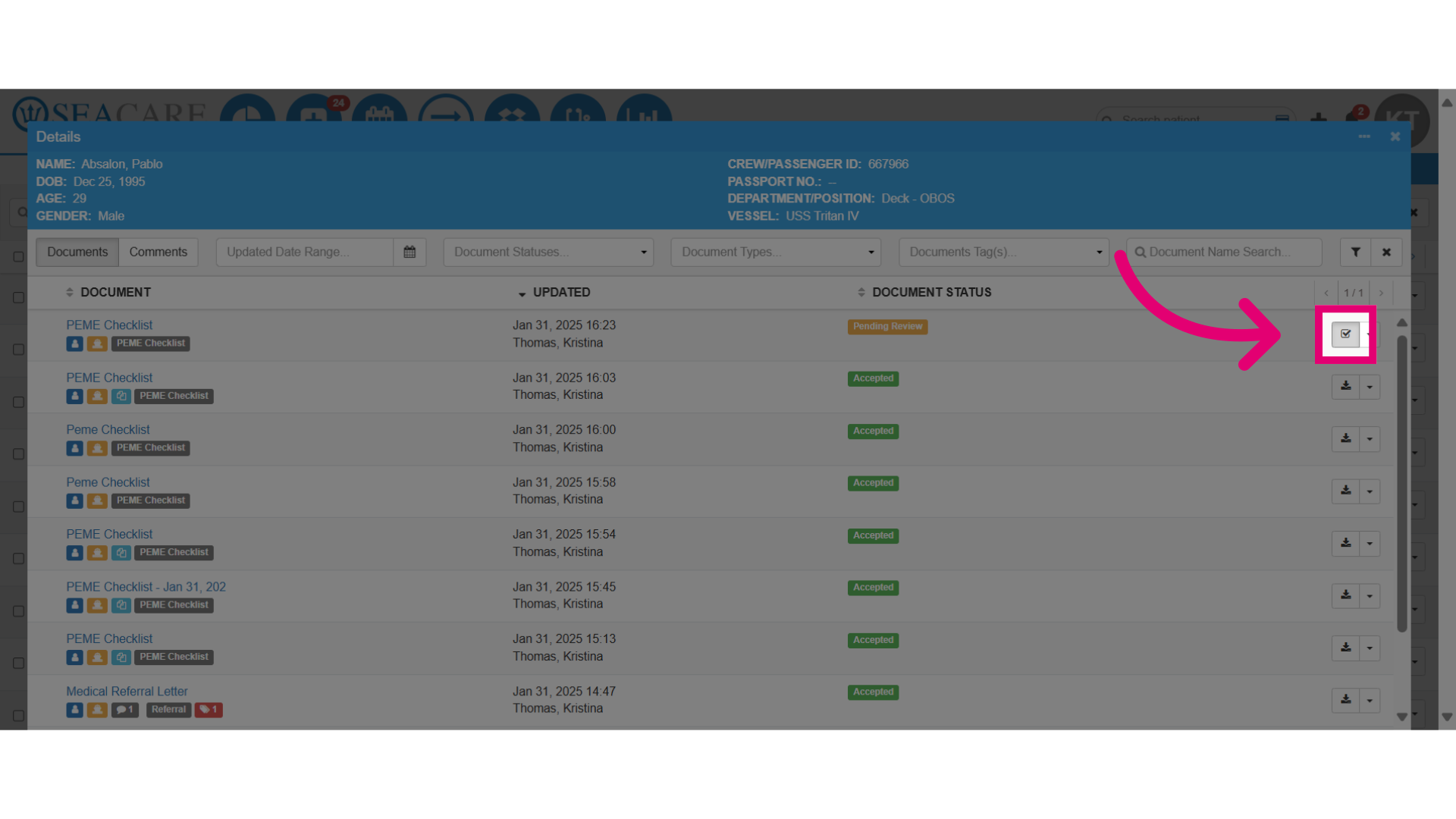
- Select the document you are reviewing, from the list and then select the Review button.
- Check the document details; if any information is missing or incorrect, reject it so the sender can correct and resend it for patient chart acceptance.
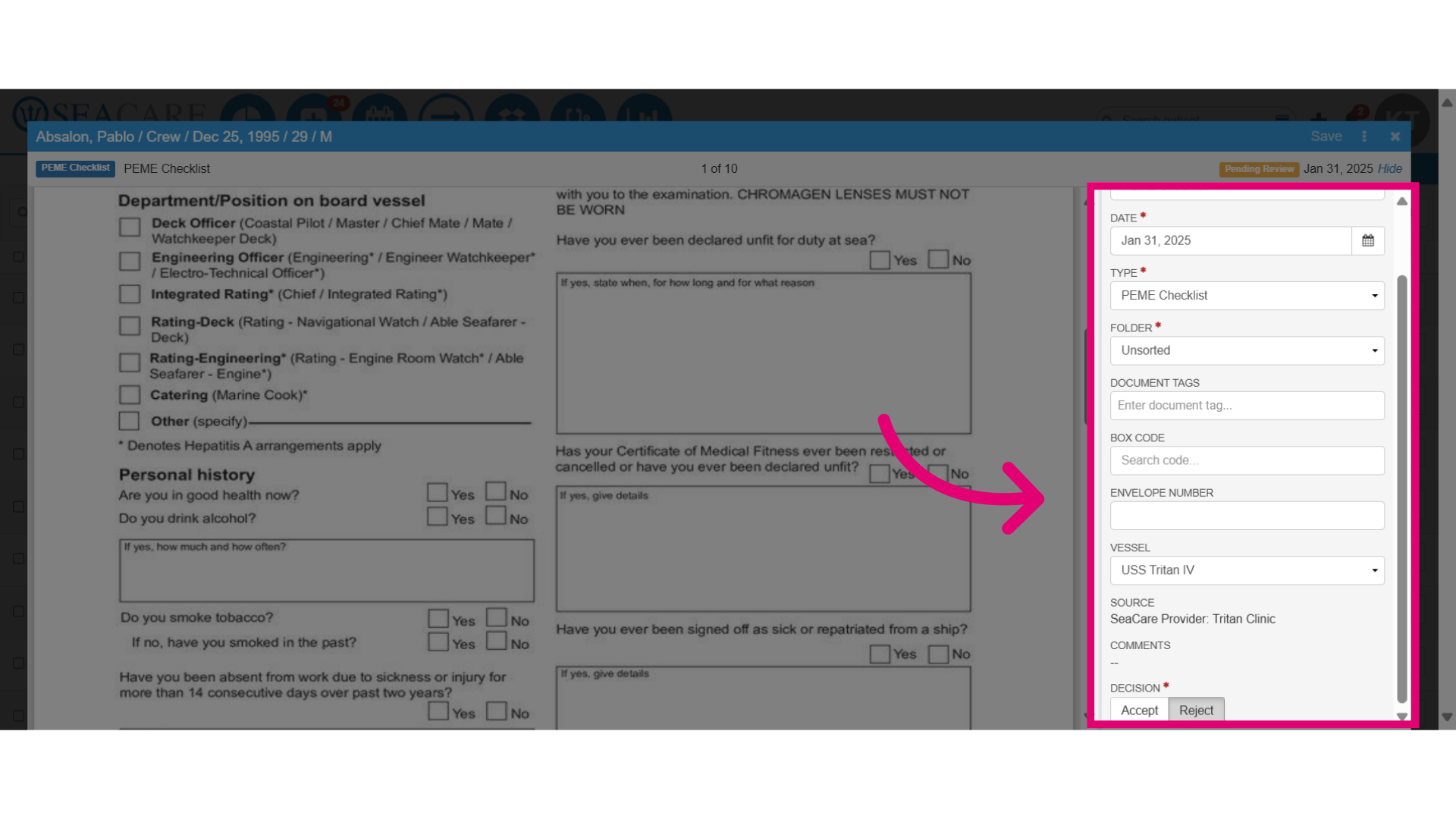
- Select Reject in the Decision field.
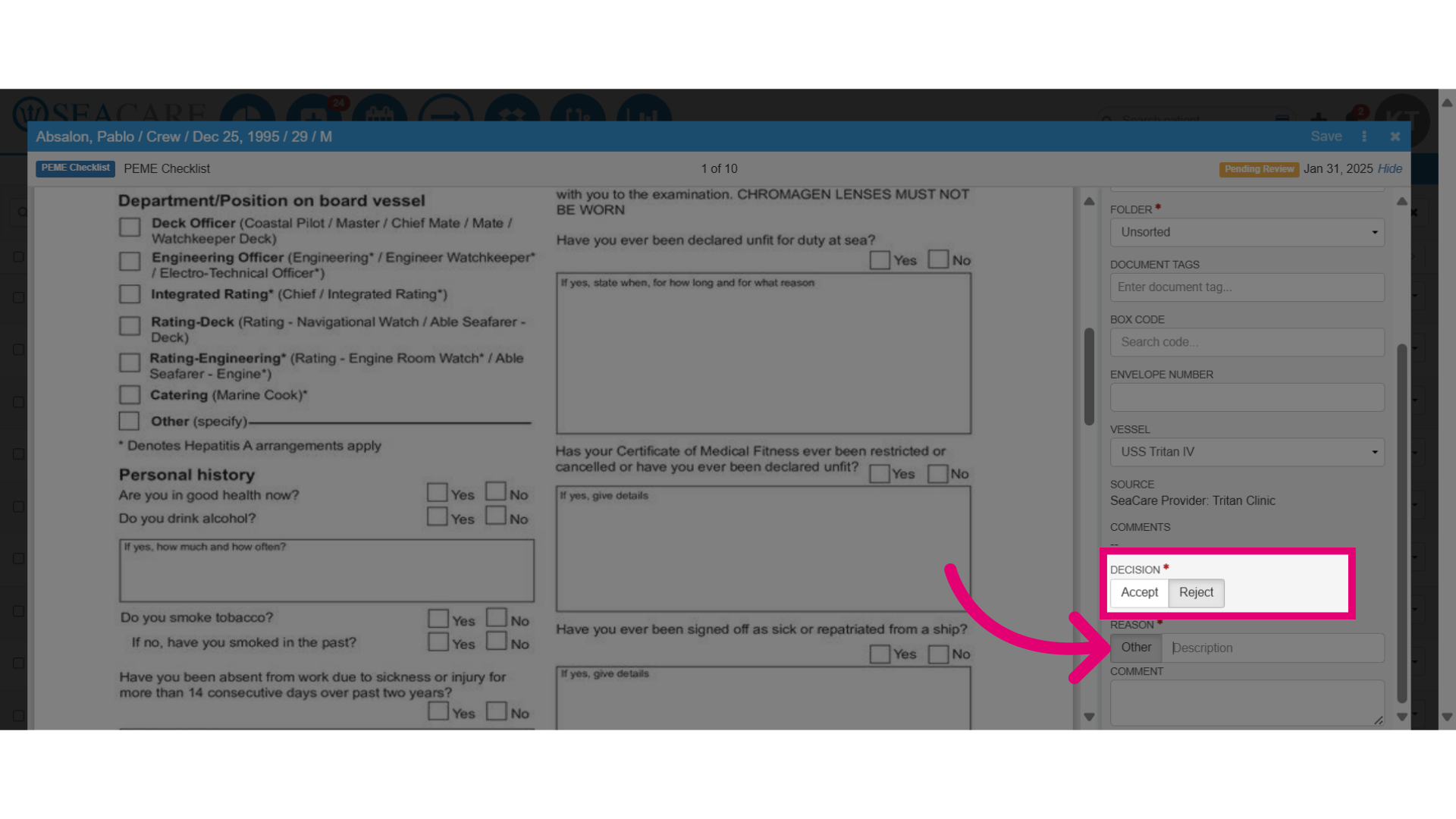
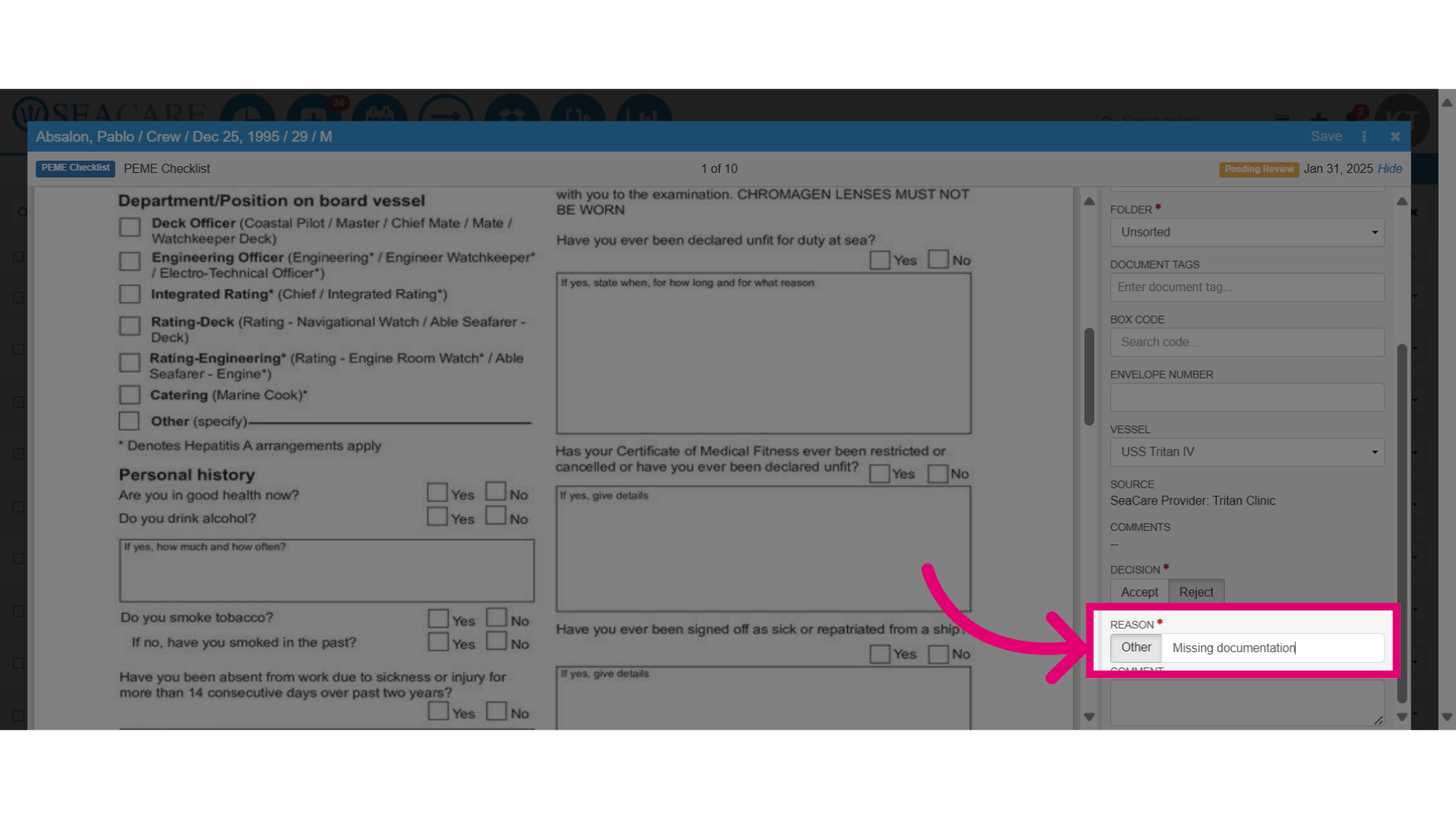
- Select a reason from the dropdown of common rejection options, or choose Other to enter a reason manually.
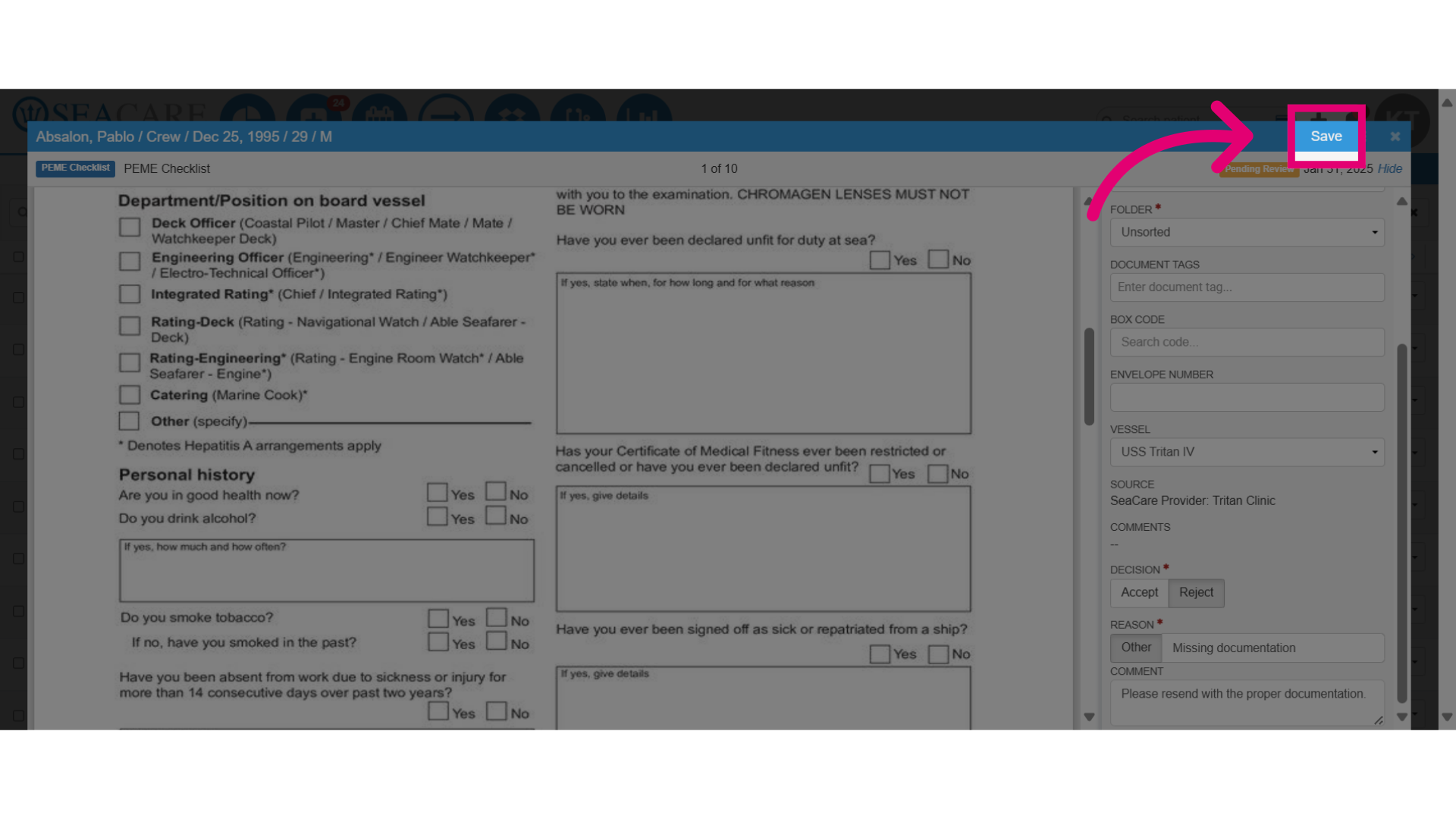
- When done, select the Save button.
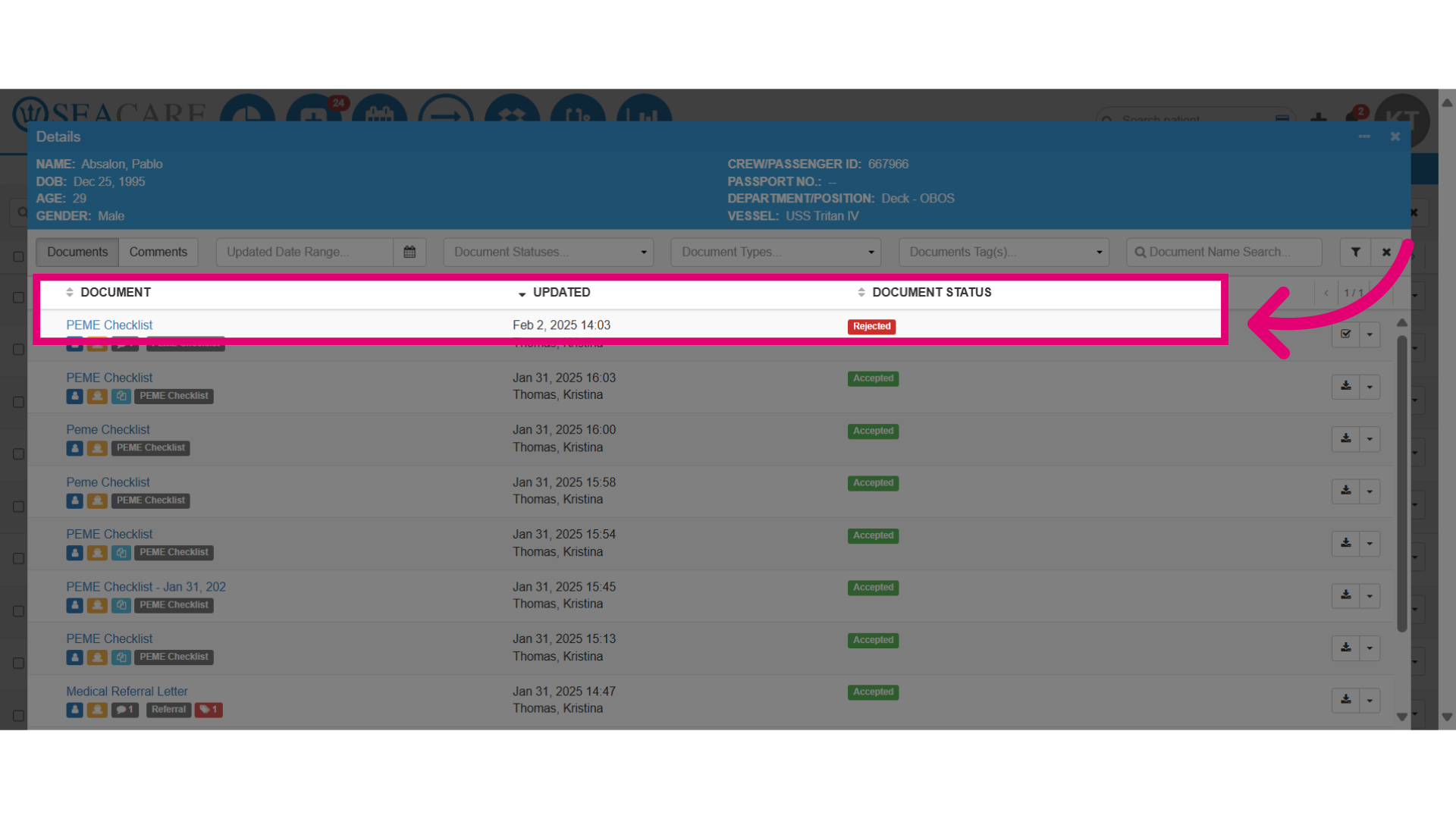
- Verify the updated document status as rejected in the document list.