New article
Recently updated
Closing a SeaConsult Call

Who is this article for?Users who want to learn how to close a SeaConsult call.
No elevated permissions are required.
During the SeaConsult call, once it's nearing its end, it's important to close the call effectively and these simple steps will demonstrate how. This brief demonstration walks you through the steps for closing a SeaConsult call.
1. Closing a SeaConsult Call
1.1. Video
1.2. Steps
- During the SeaConsult call, once it's nearing its end, it's important to close the call effectively and these simple steps will demonstrate how.
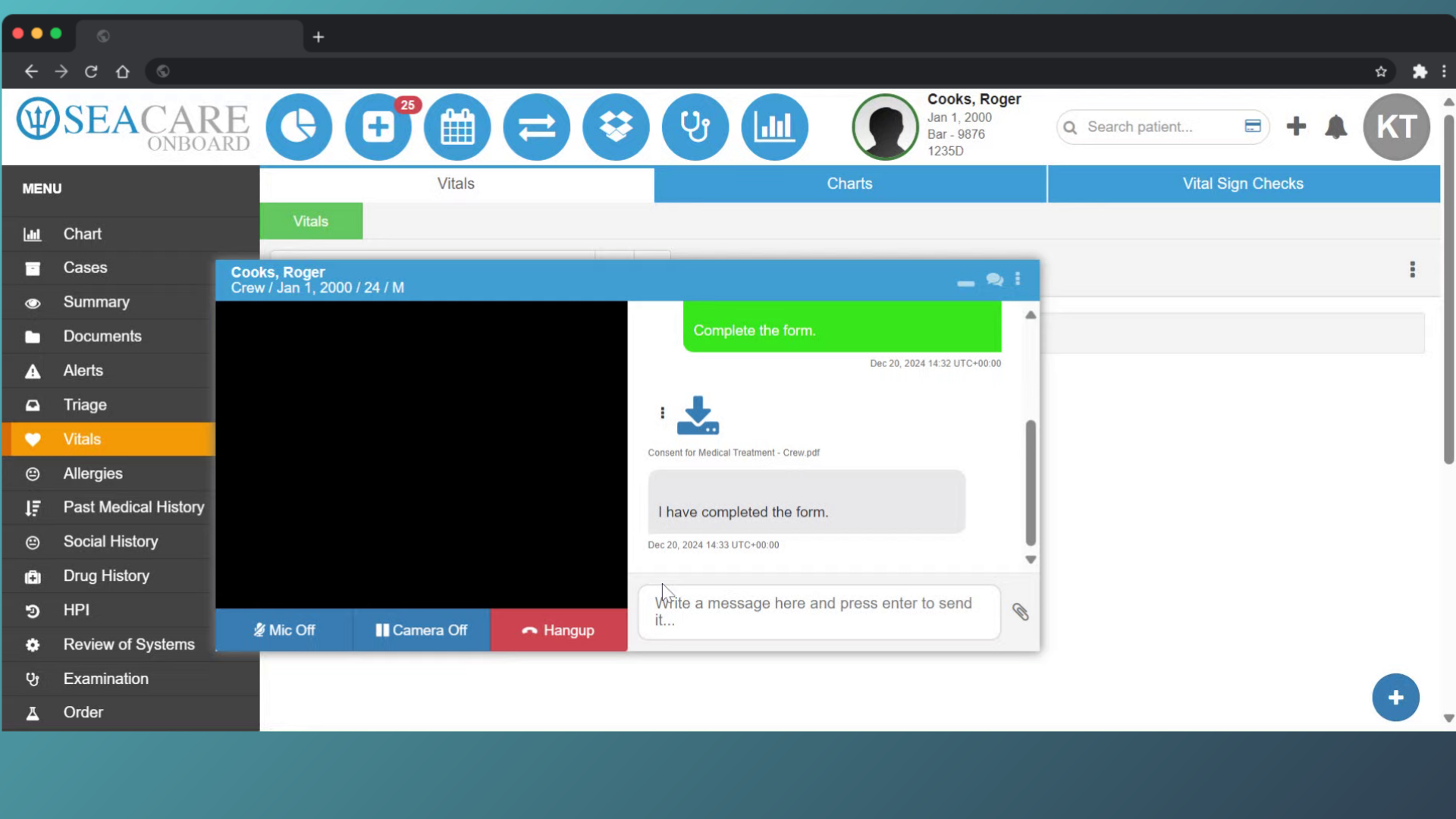
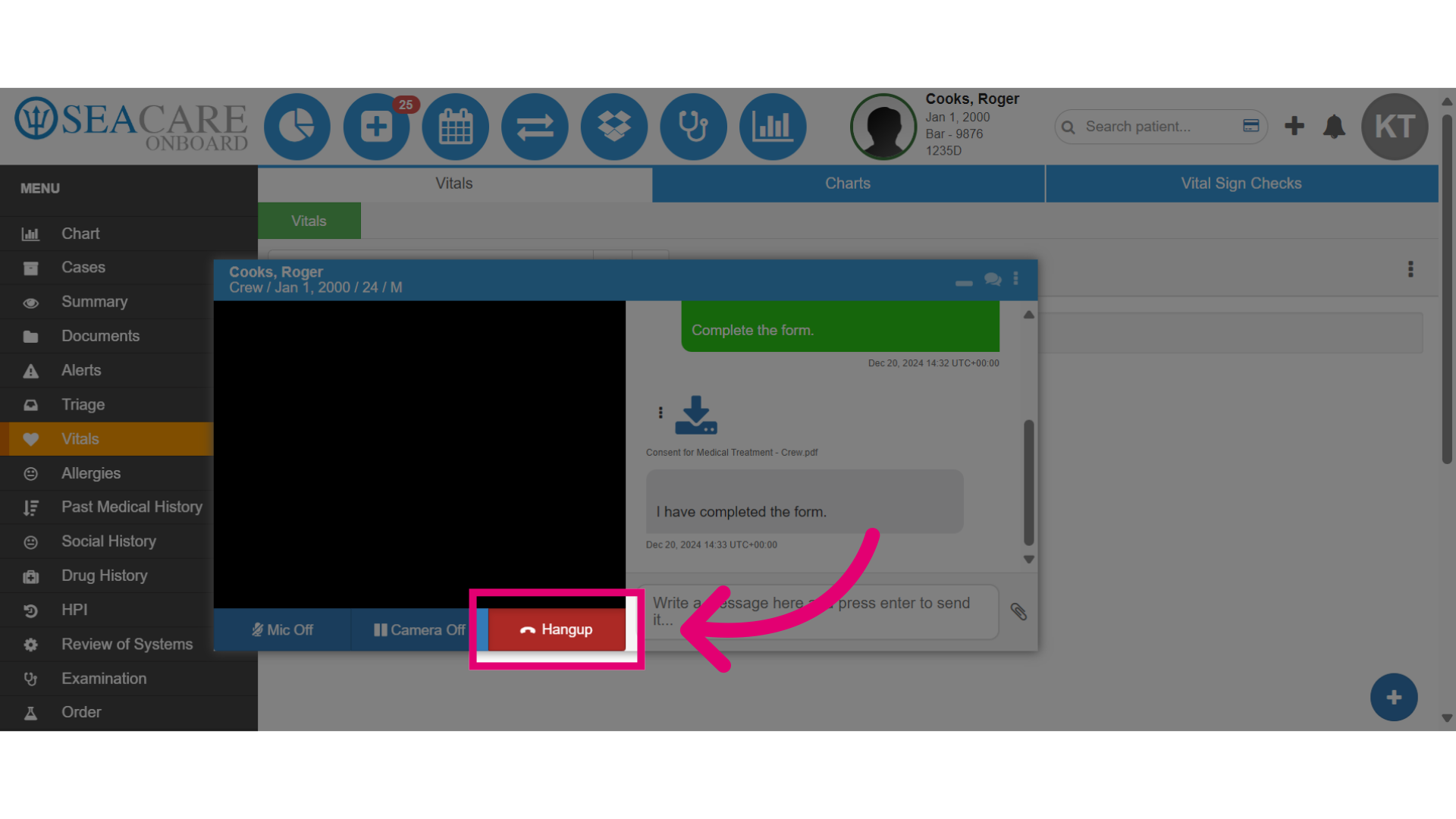
2. First, select the red Hangup option within the SeaConsult call window.
3. If an encounter was started for the SeaConsult call, complete all of the necessary tasks for the encounter then add the Diagnosis and Disposition to begin closing it.

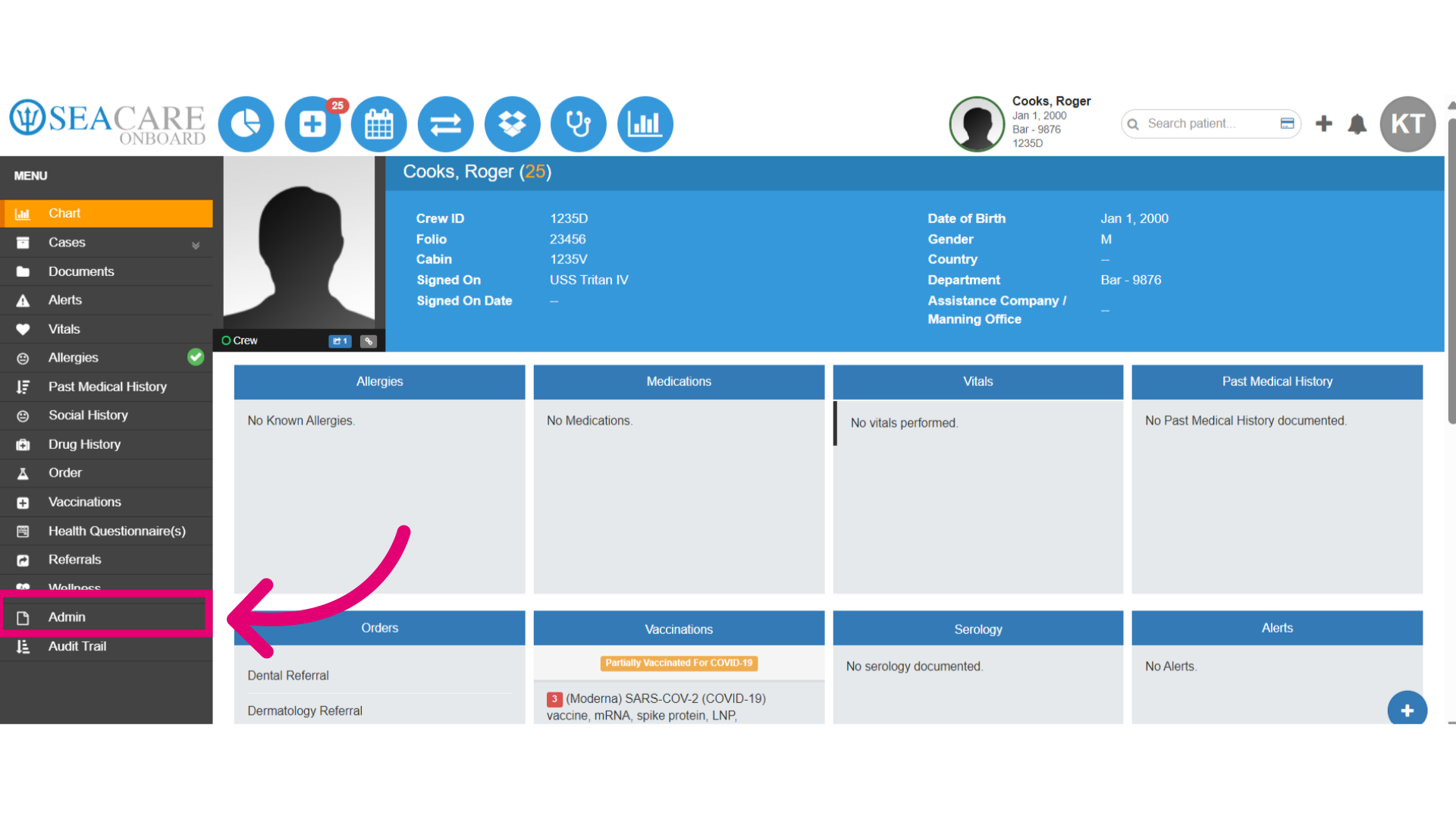
4. Then, click on the Admin section to post the MSB.
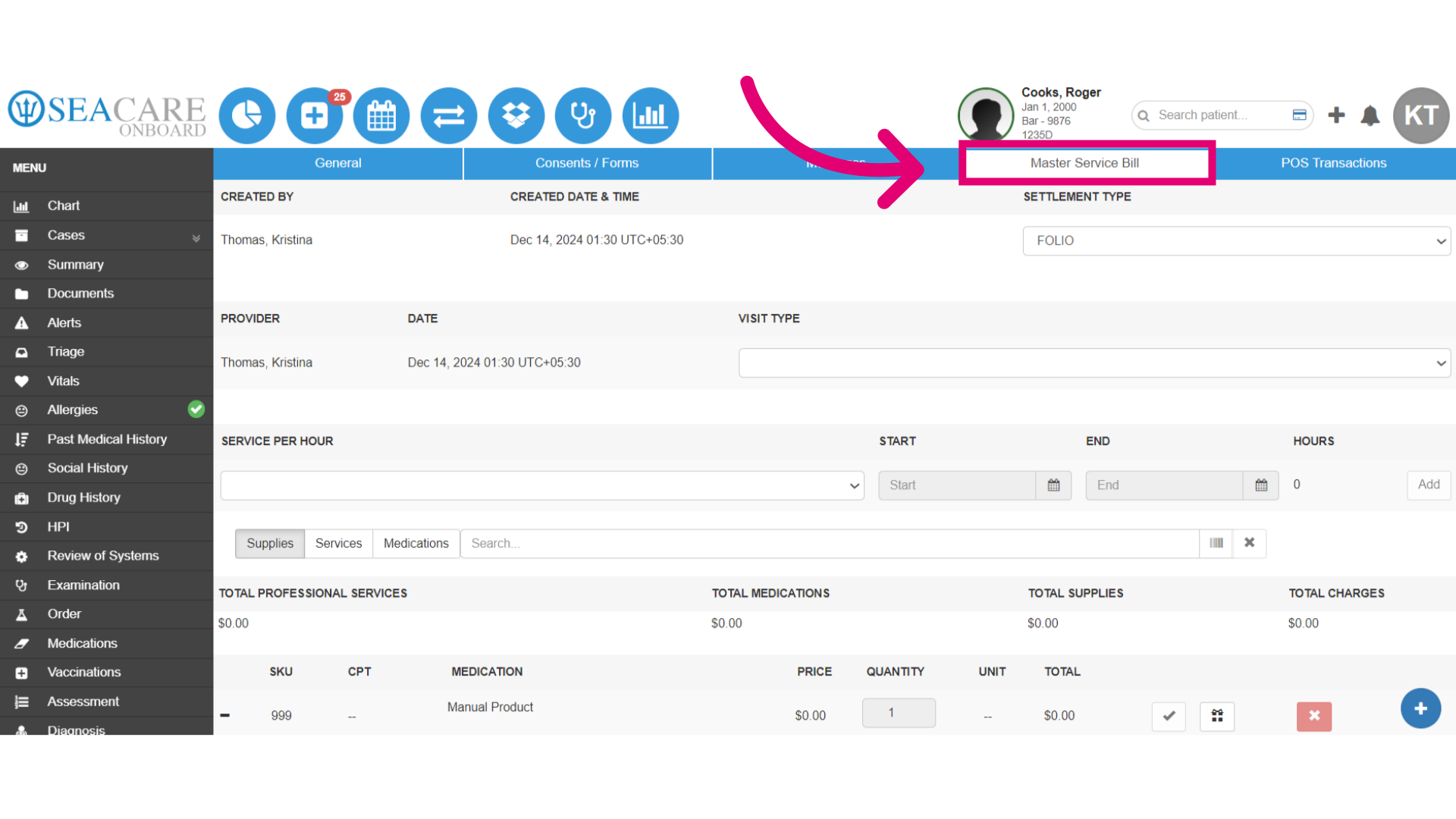
5. Select the Master Service Bill tab and post the MSB to close the encounter.