New article
Recently updated
Starting a Mass Casualty Encounter

Who is this article for?Users who want to learn how to start a mass casualty encounter.
No elevated permissions are required.
This comprehensive walkthrough will demonstrate how to start a mass casualty encounter from an existing mass casualty quick entry.
1. Starting a Mass Casualty Encounter
- Start in the Inpatient tab in the Clinic Module.
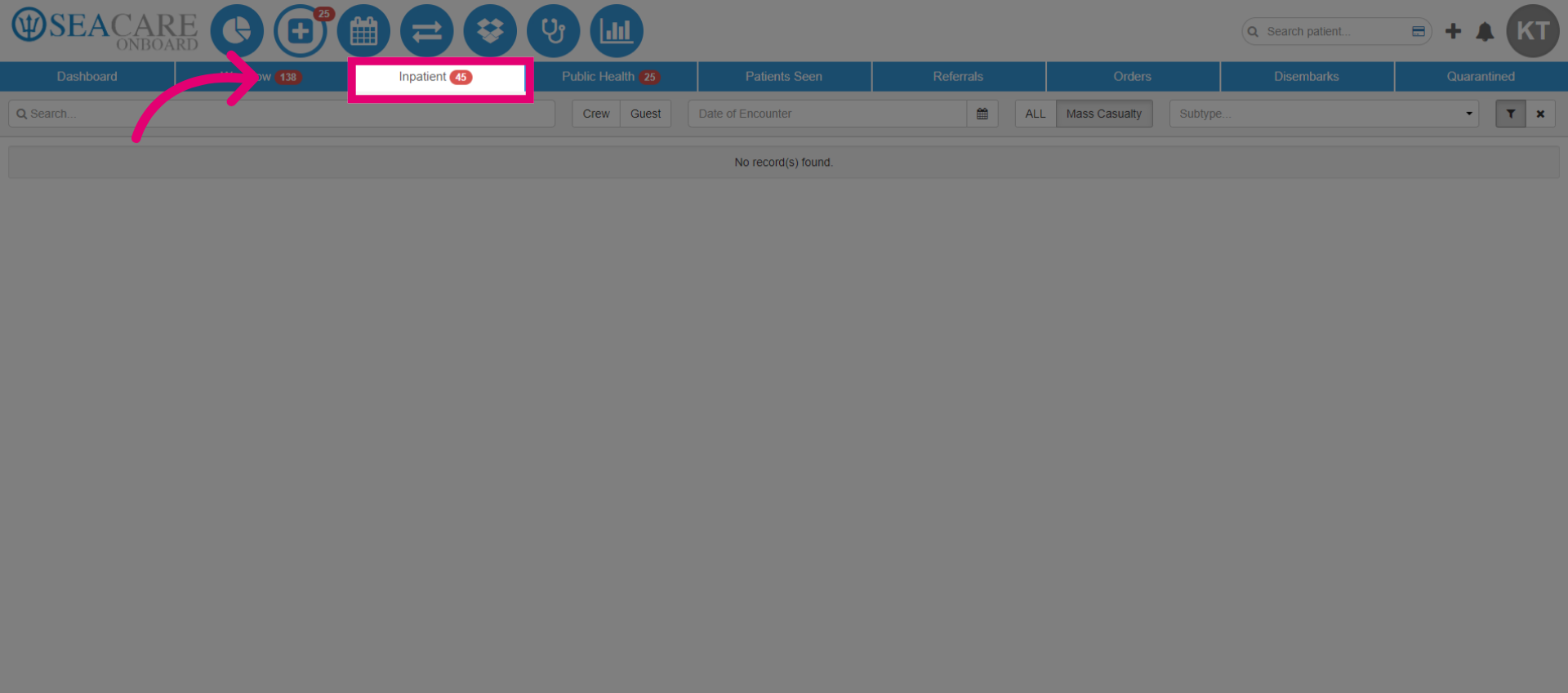
2. Select the Mass Casualty filter, this will generate the mass casualty patient encounters.
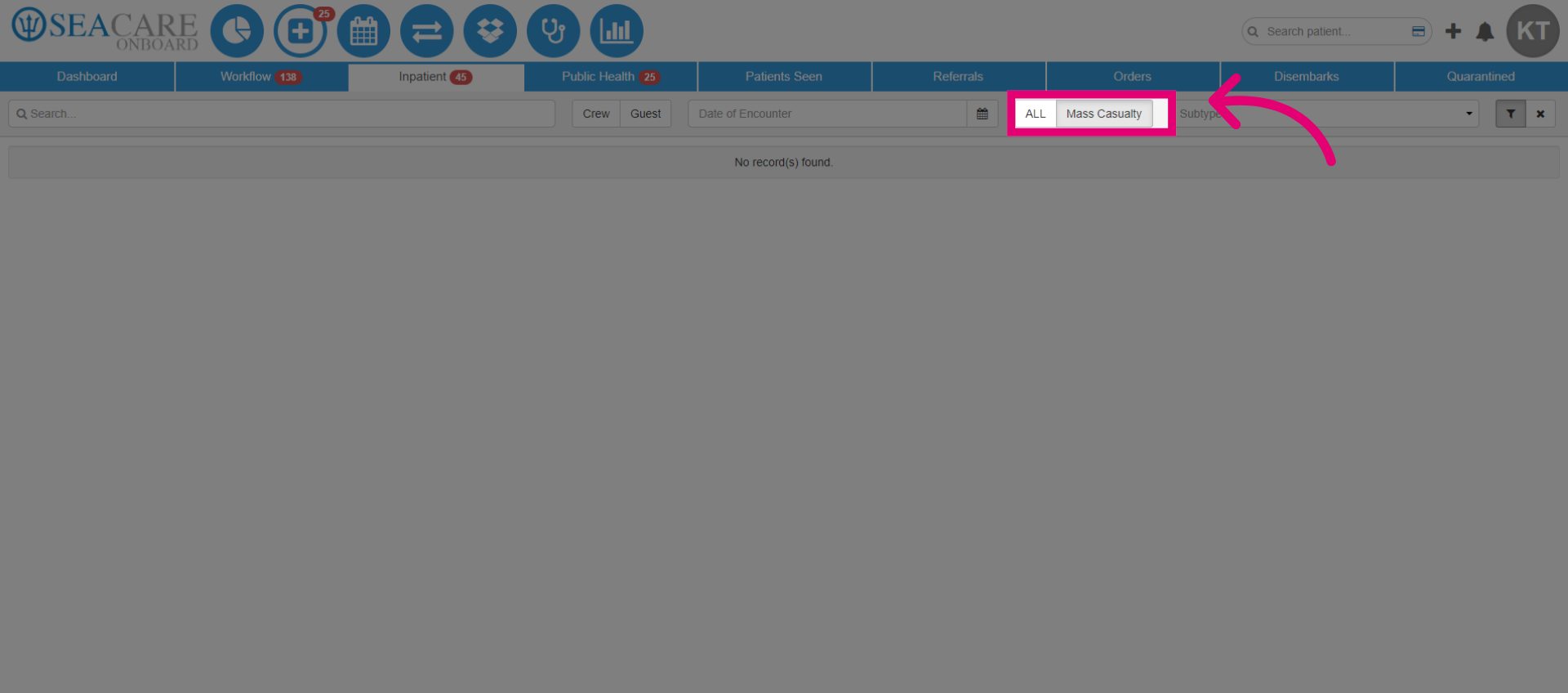
3. View the entry on Mass Casualty Encounters page.
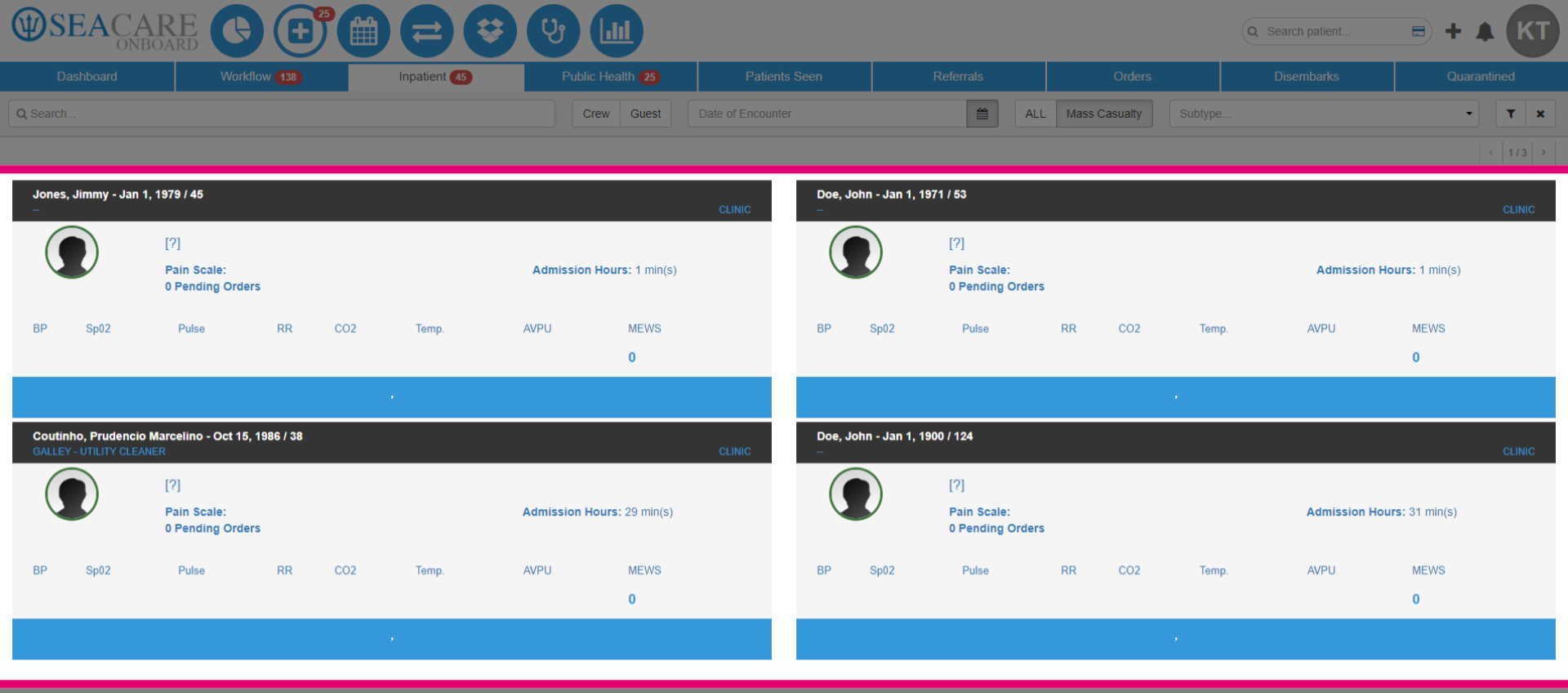
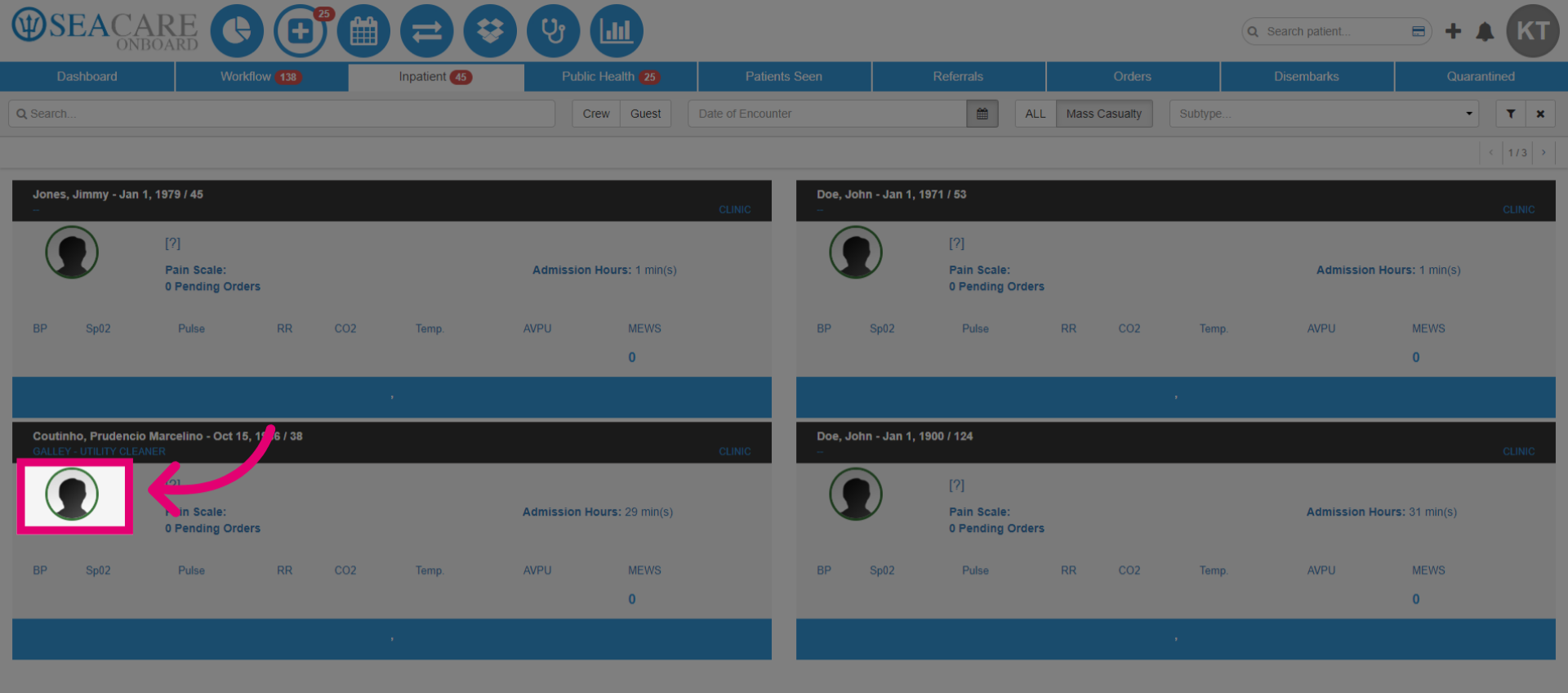
4. Then, select the patient's avatar and choose Start an Encounter to continue documenting the case. This feature allows you to return and add more details at a later time.
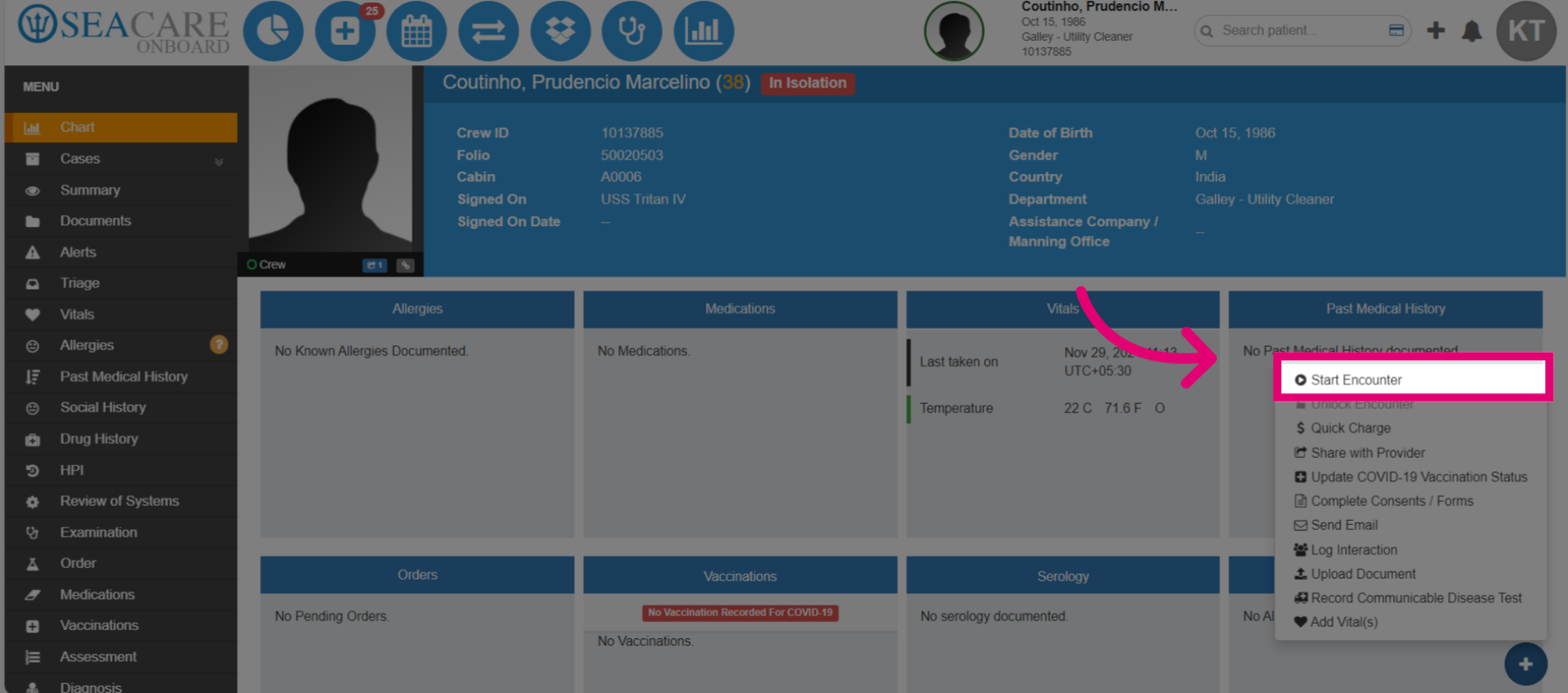
5. Next, click Start Encounter.
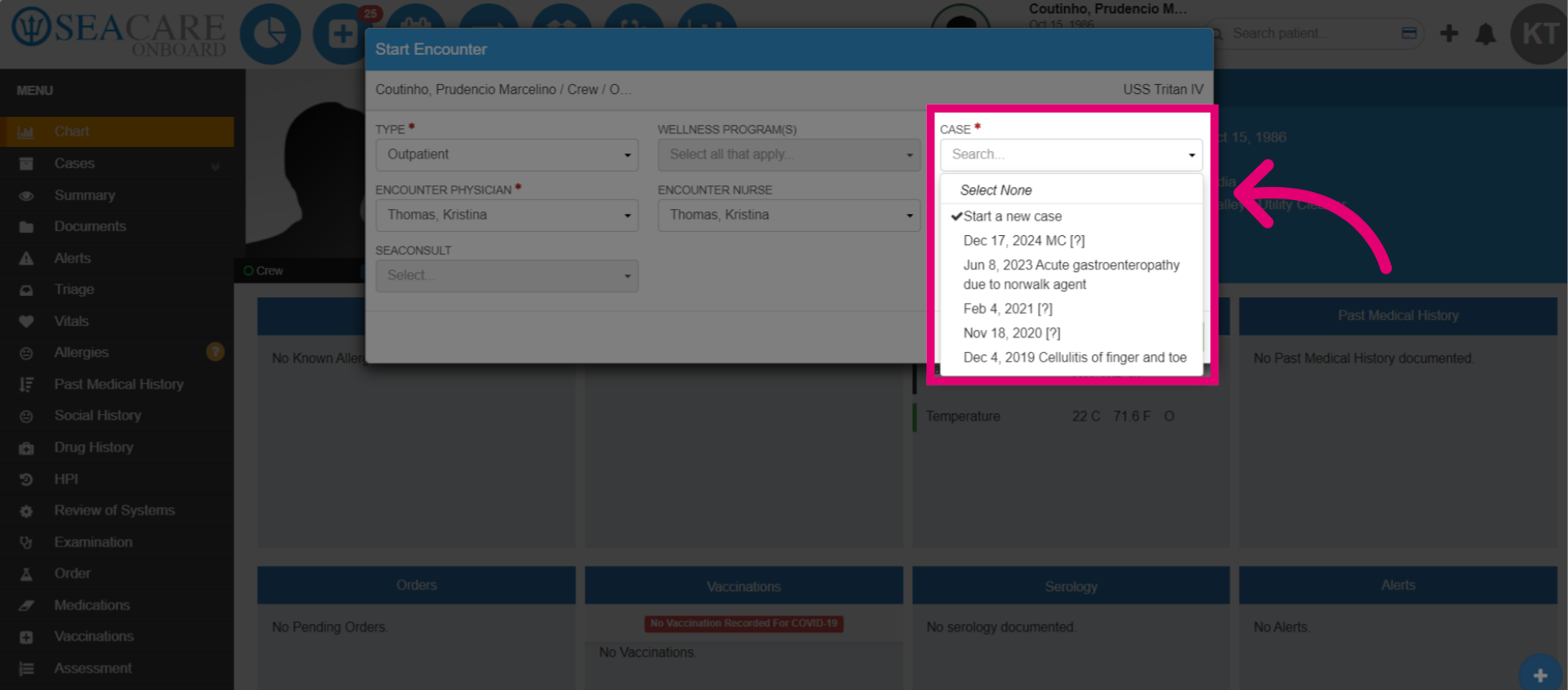
6. Select the mass casualty case on the date labeled with on Dec 17, 2024 MC. This is indicative of when the mass casualty entry was created.
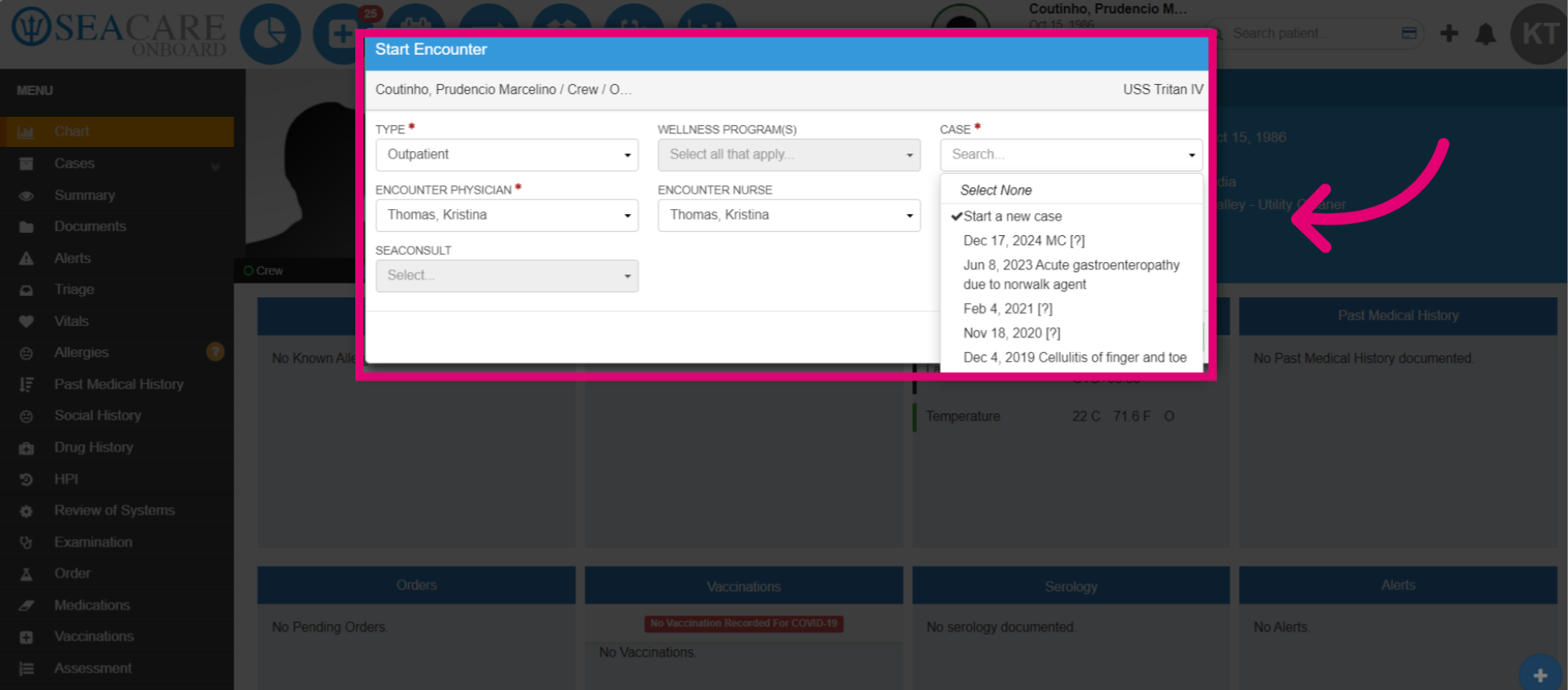
7. Confirm the encounter type as either Inpatient (for admission) or Outpatient. Then, confirm the Physician and Nurse.
8. Once it has started, you can enter the encounter details as usual such as:
-
- Triage
- Vitals
- Investigations
- Treatment
- Post the MSB
- Disembarkation(if necessary)