New article
Recently updated
Assigning Patients in Ideagen Maritime Health Provider

Who is this article for?Users who want to learn to assign patients to users in Ideagen Maritime Health Provider.
No elevated permissions are required.
Use this comprehensive guide to effectively assign patients to users within the Ideagen Maritime Health Provider application. By adhering to the instructions outlined herein, you can optimise your workflow and enhance the management of patient assignments, ensuring that each user is appropriately matched with their respective patients. This streamlined approach will not only improve efficiency but also contribute to a more organised and productive environment for both healthcare providers and patients alike.
1. Assigning Patients in Ideagen Maritime Health Provider
1.1. Video
1.2. Steps
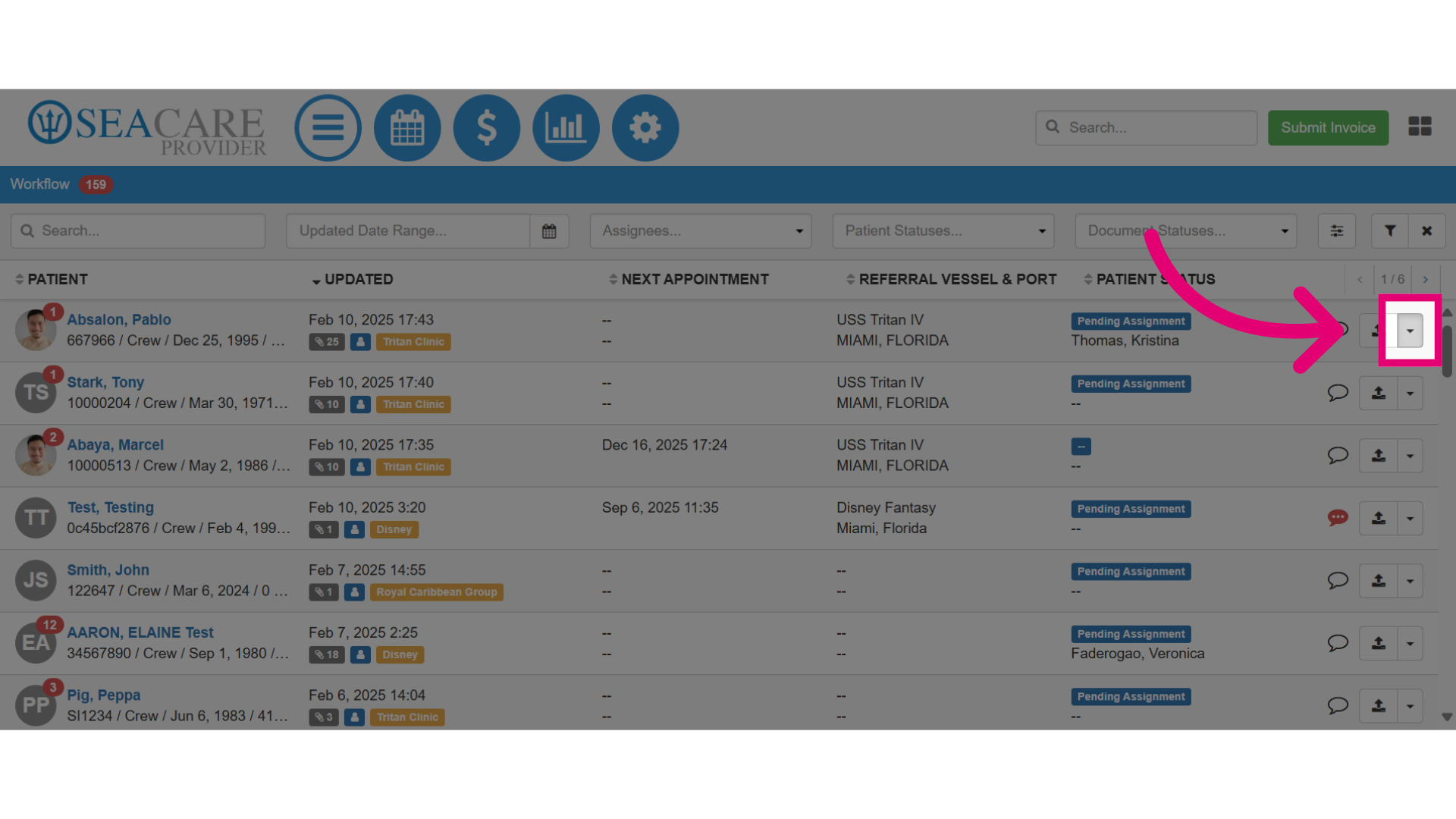
- Locate your patient from the list, then select the Actions menu.
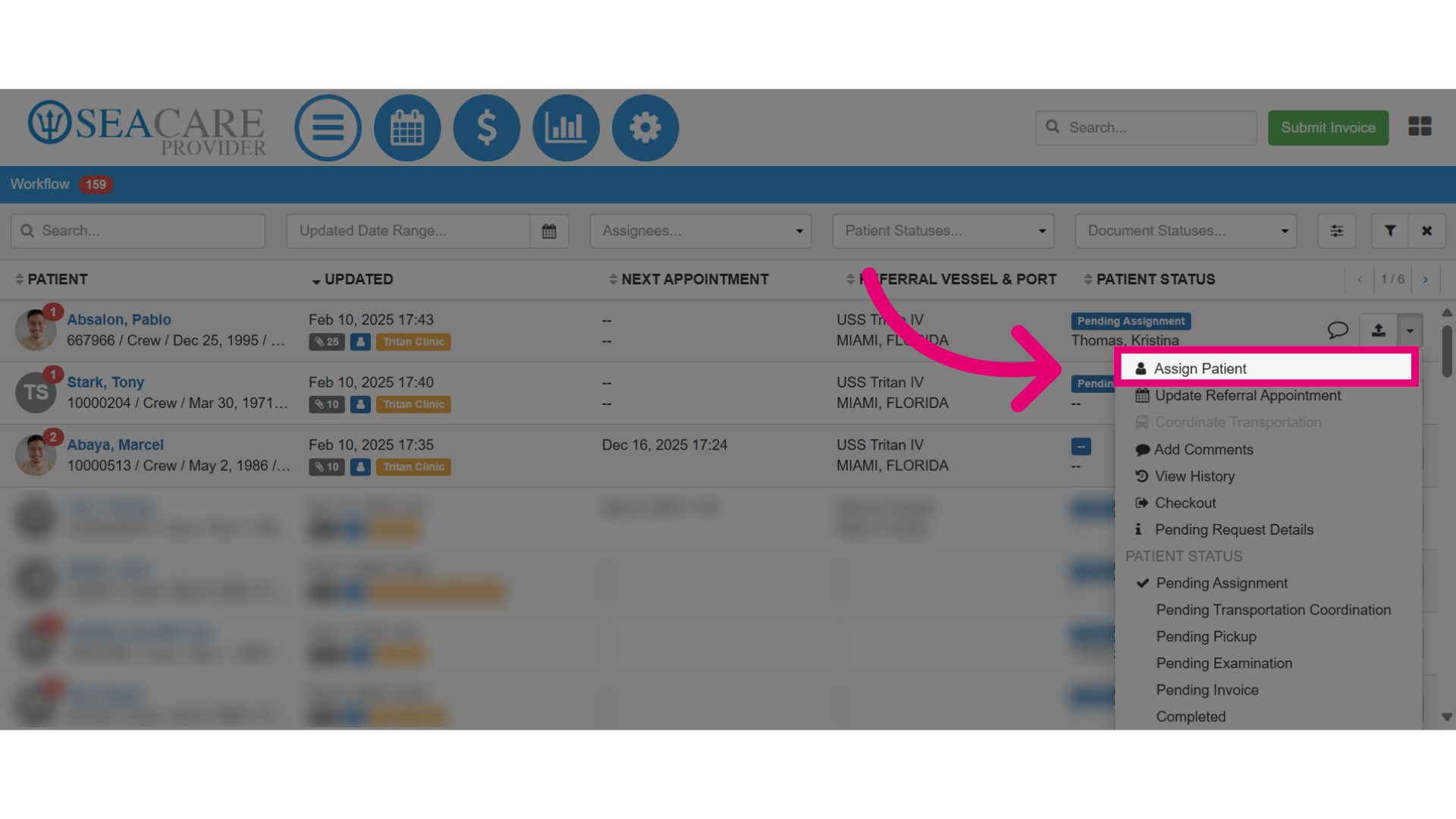
- Then, select the Assign Patient option.
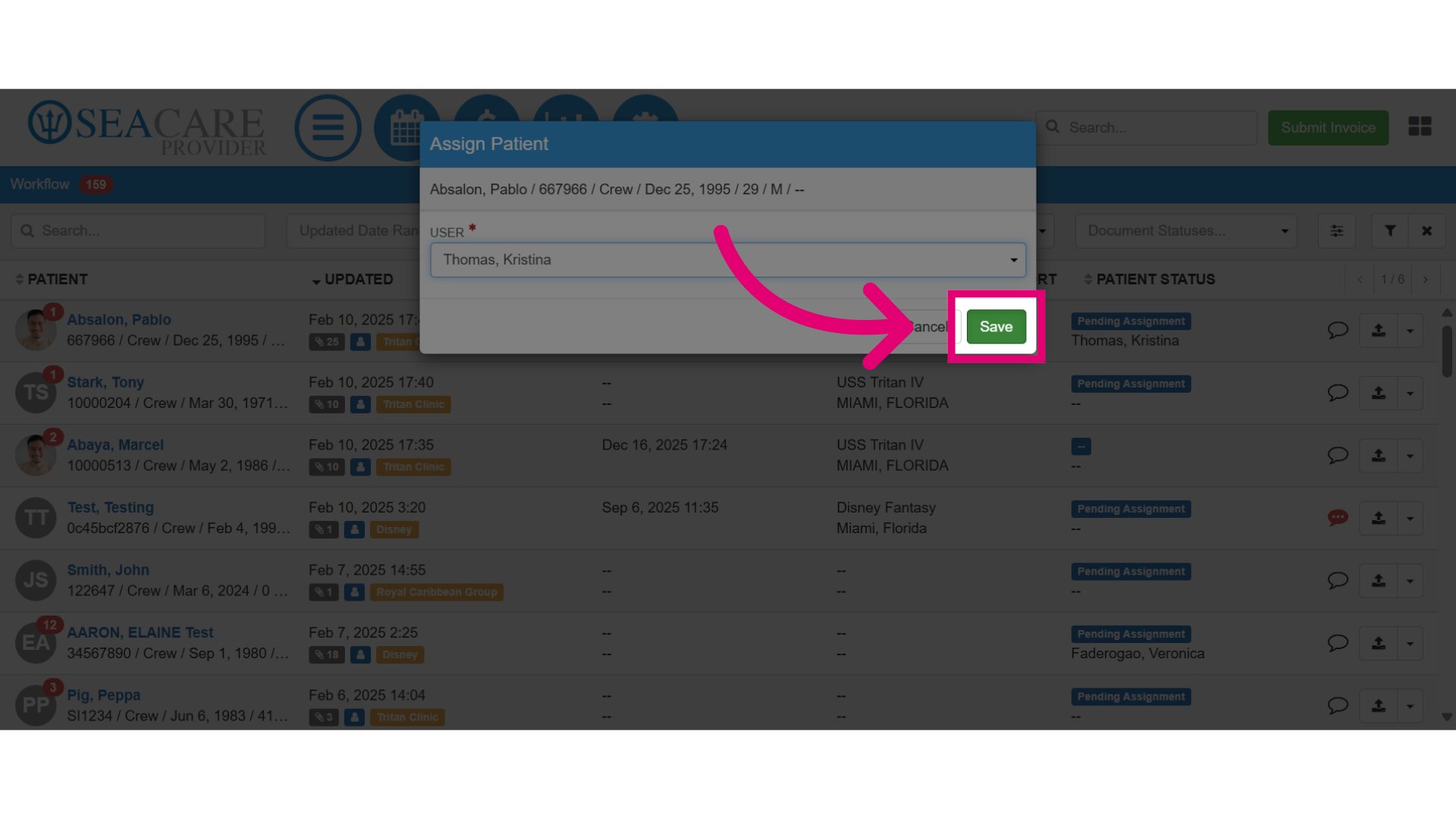
- Select the user from the dropdown list who will manage this patient.
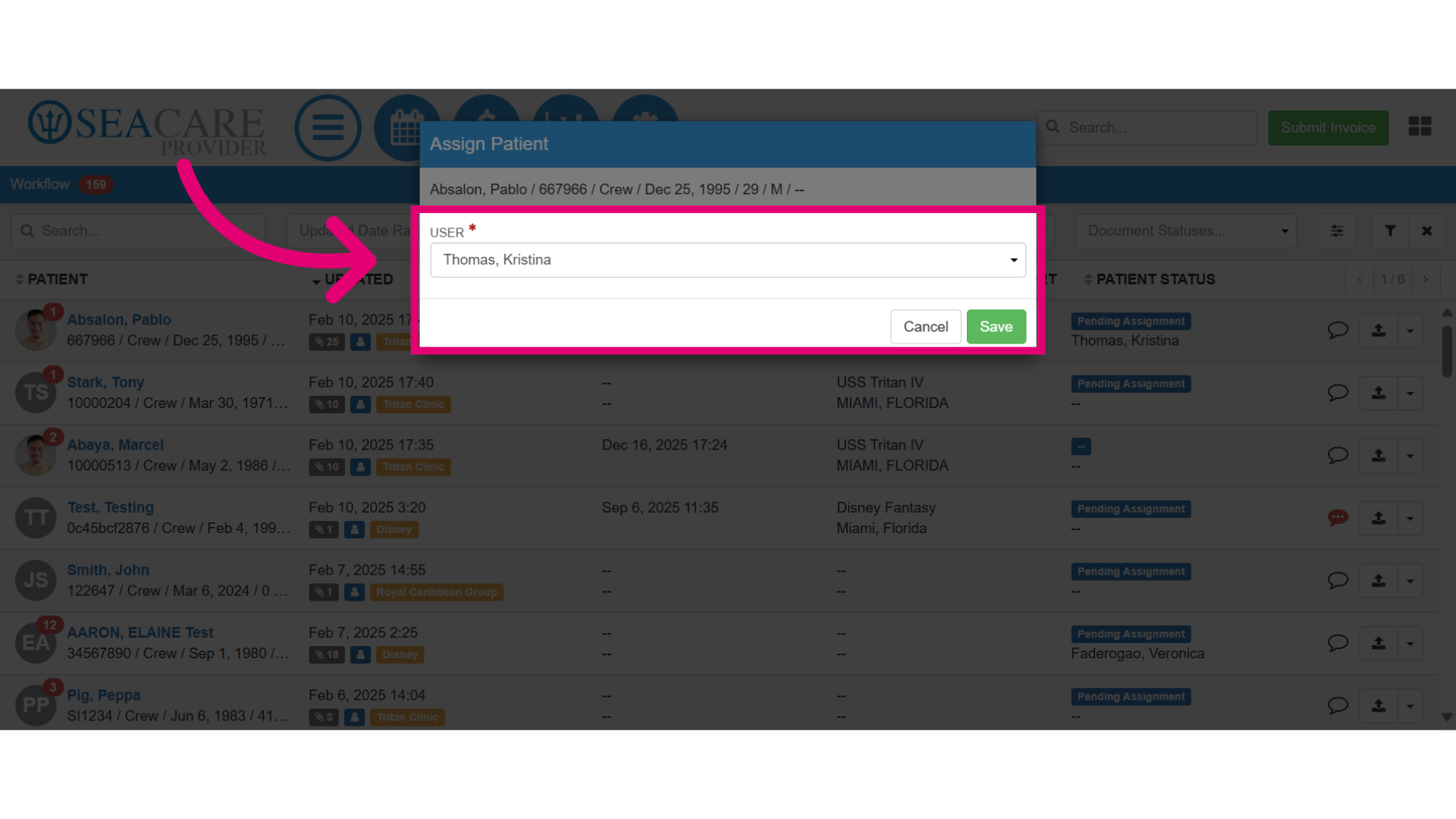
- Then, select Save to save the assigned patient to the selected user.
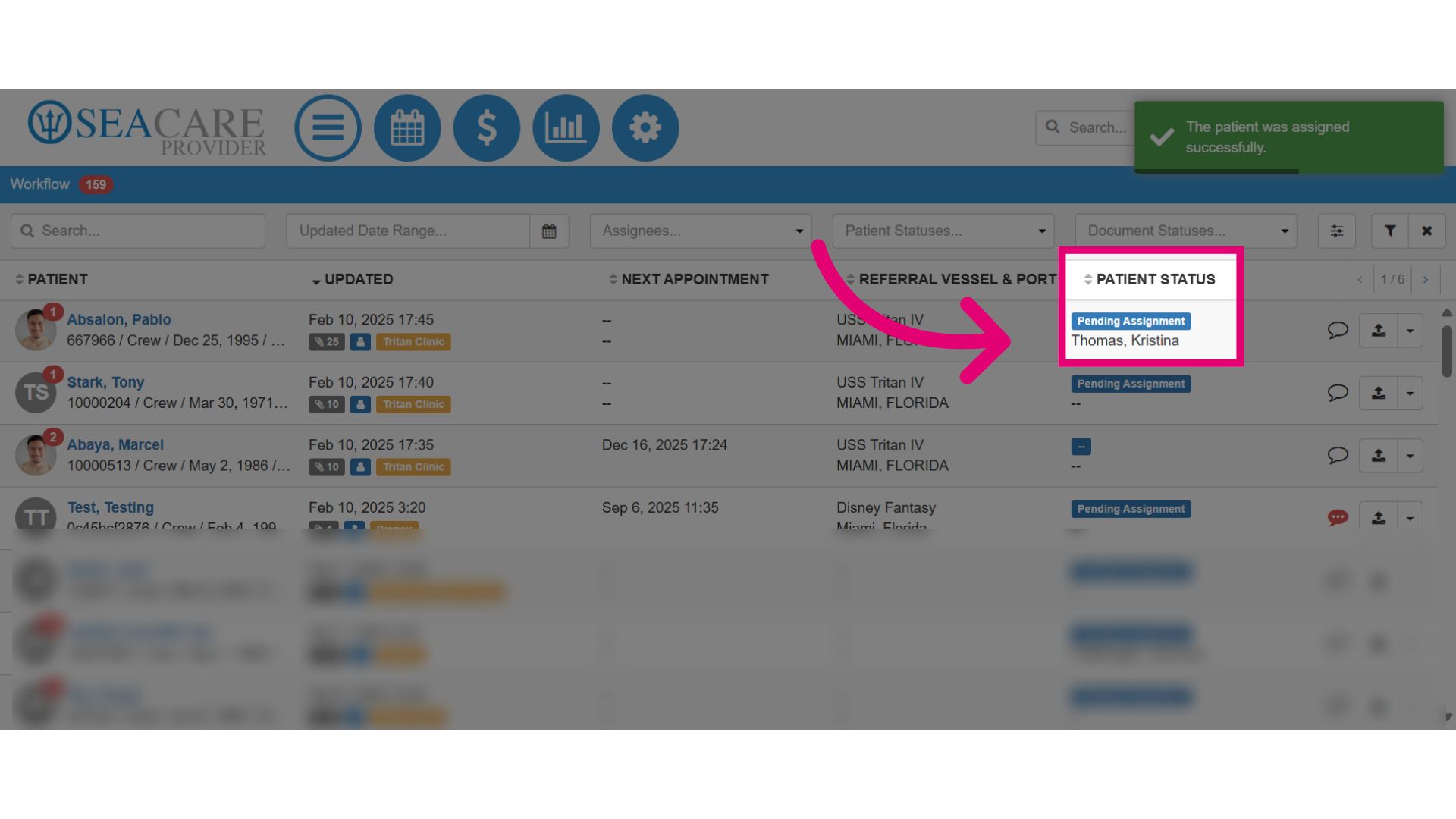
- You can view the assigned user under the Patient Status column.