New article
Recently updated
Adding Close Contacts to index case communicable disease follow ups

Who is this article for?Users who want to learn to add Close Contacts to index case communicable disease follow ups.
No elevated permissions are required.
Learn to add a Close Contact to an Index Case for Communicable Disease follow-ups in Ideagen Maritime Health Onboard. This guide covers the steps to input and save details for organized record-keeping.
1. Adding Close Contacts to index case communicable disease follow ups
1.1. Video
1.2. Steps
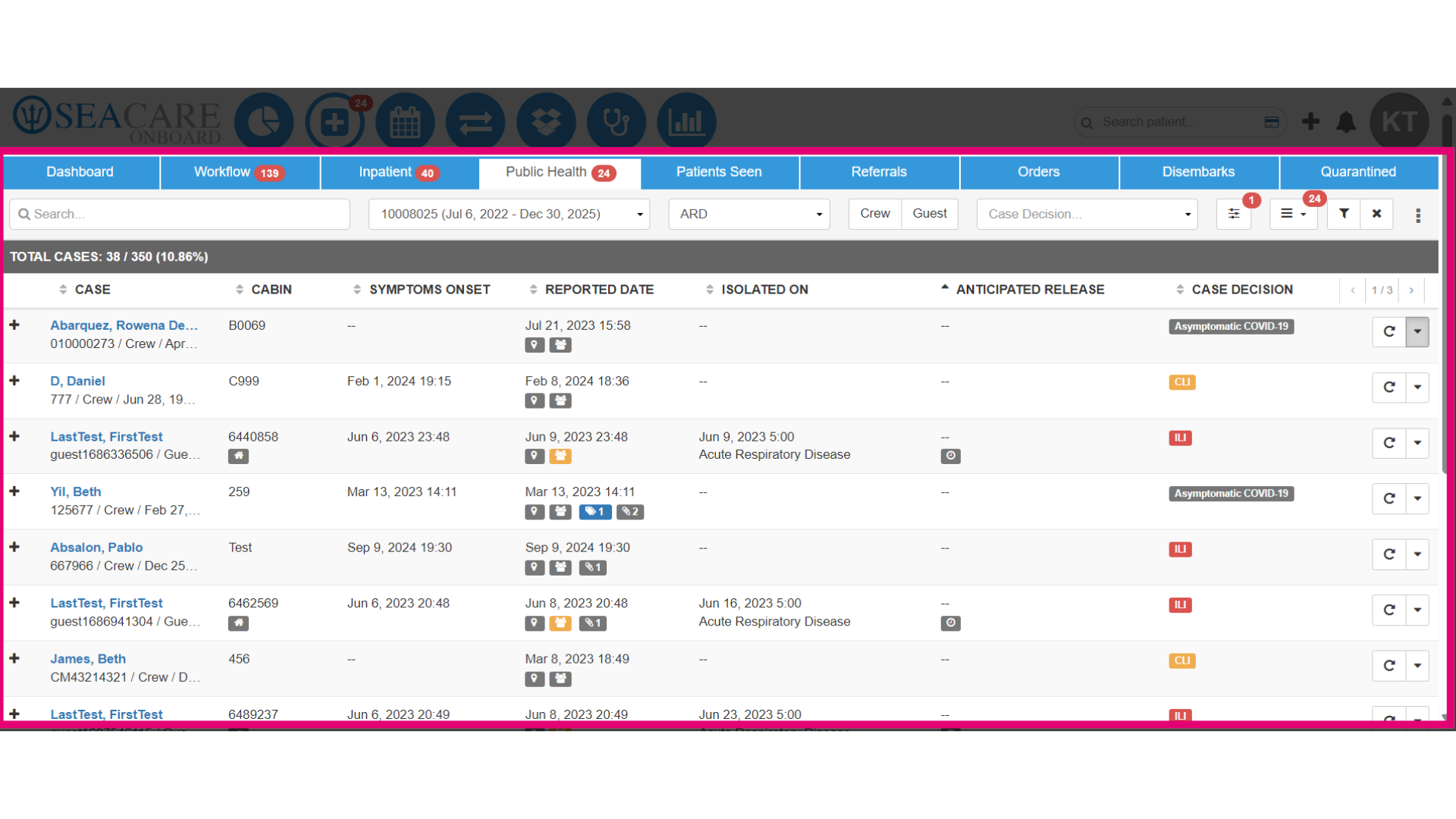
- In the Index Case view of the Clinic Module's Public Health tab, enter the patient's name in the search field, use filters, or scan the index case list to find your patient.
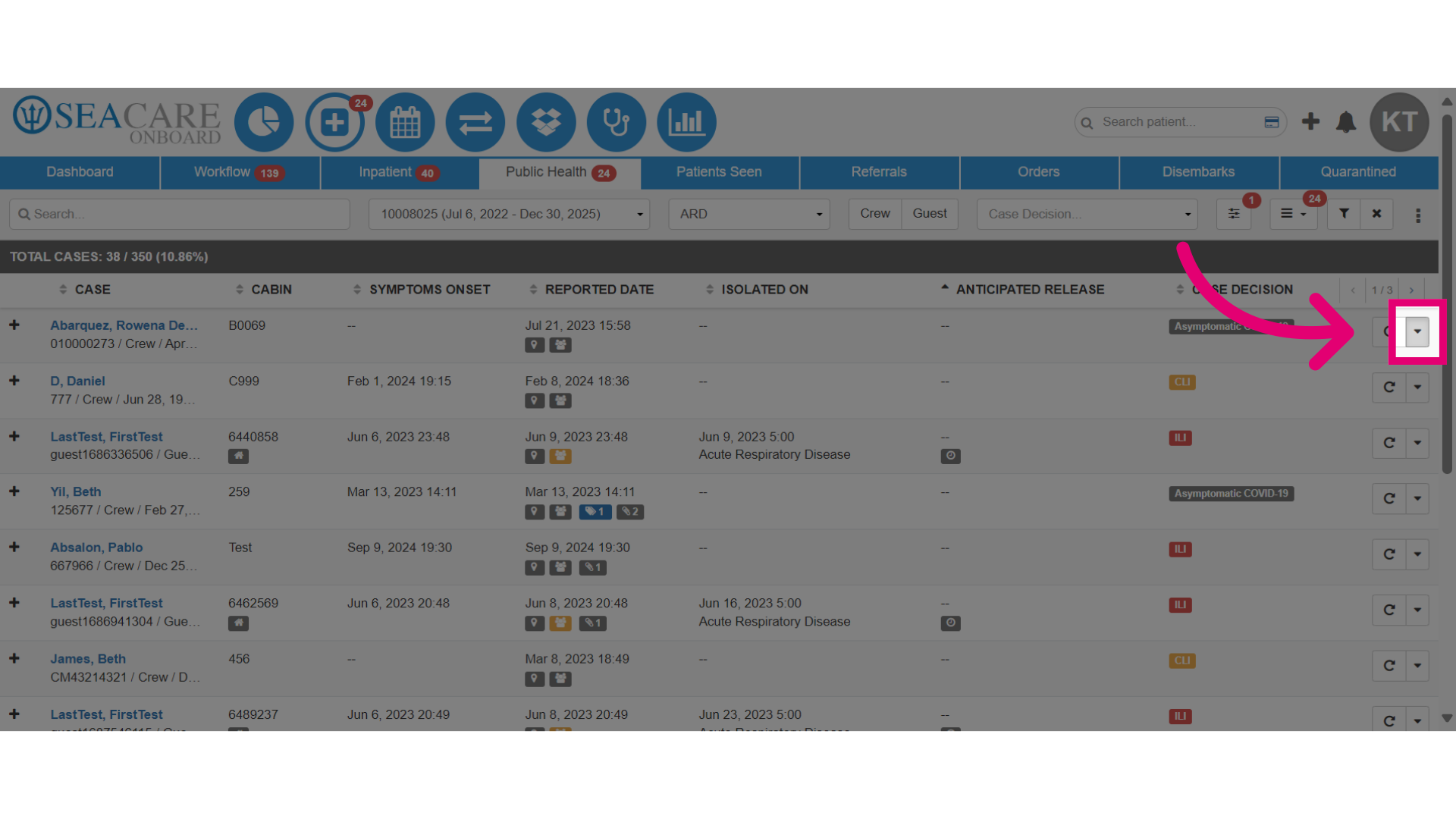
- Then, navigate to the Actions Menu and click on the arrow to expand it.
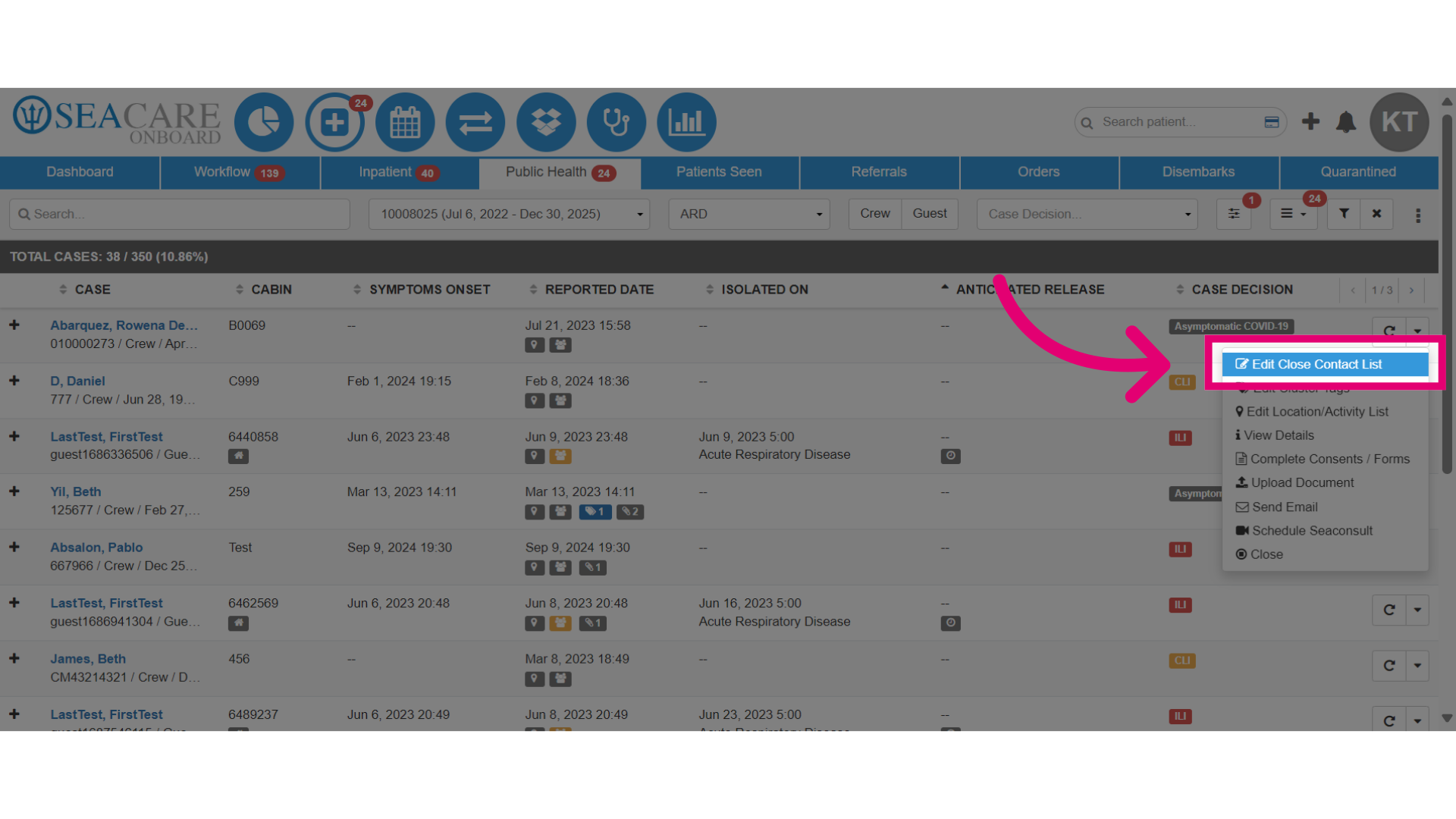
- Click Edit Close Contact List to modify the close contacts.
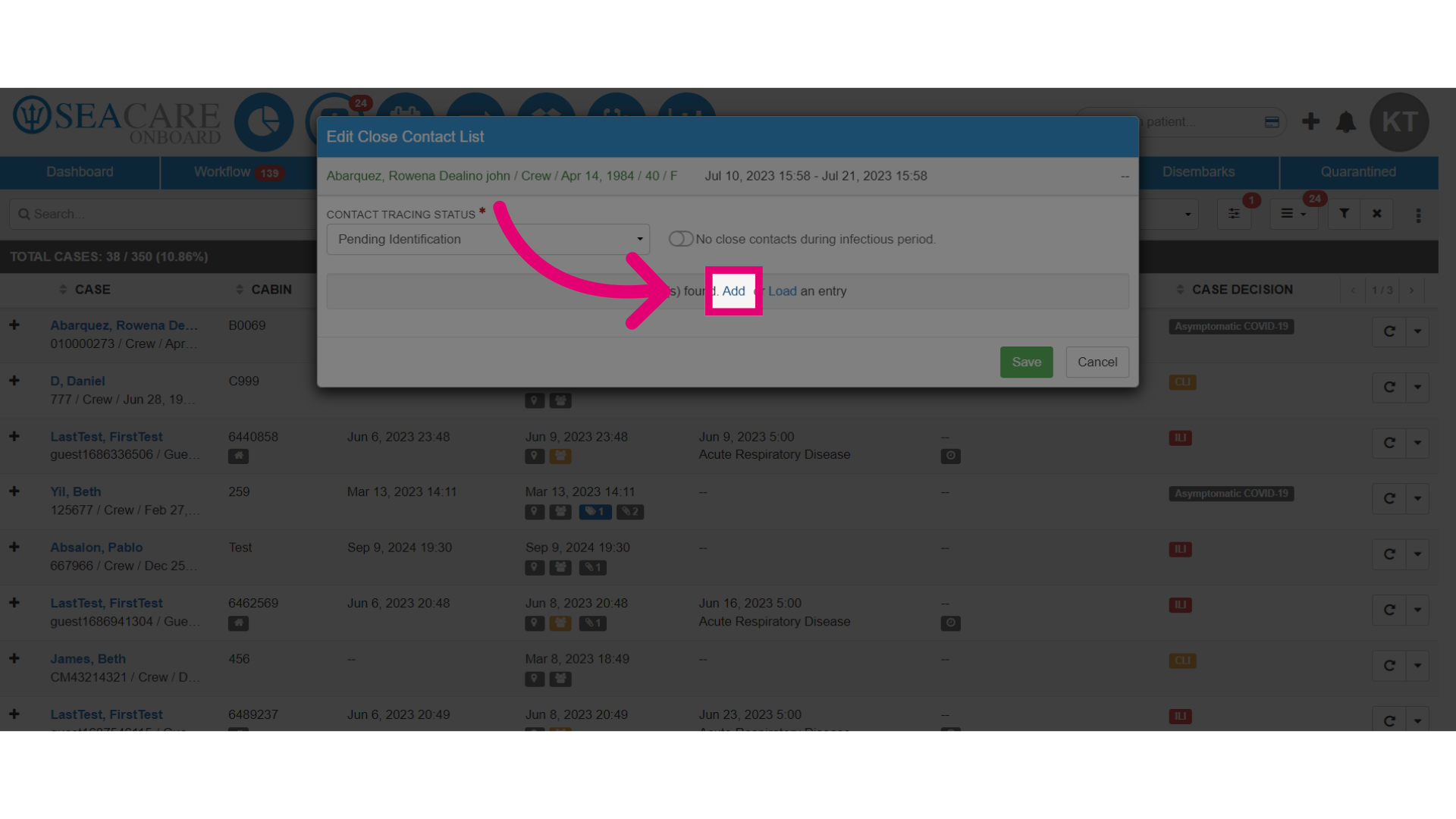
- Select Add to initiate the process of adding a new close contact.
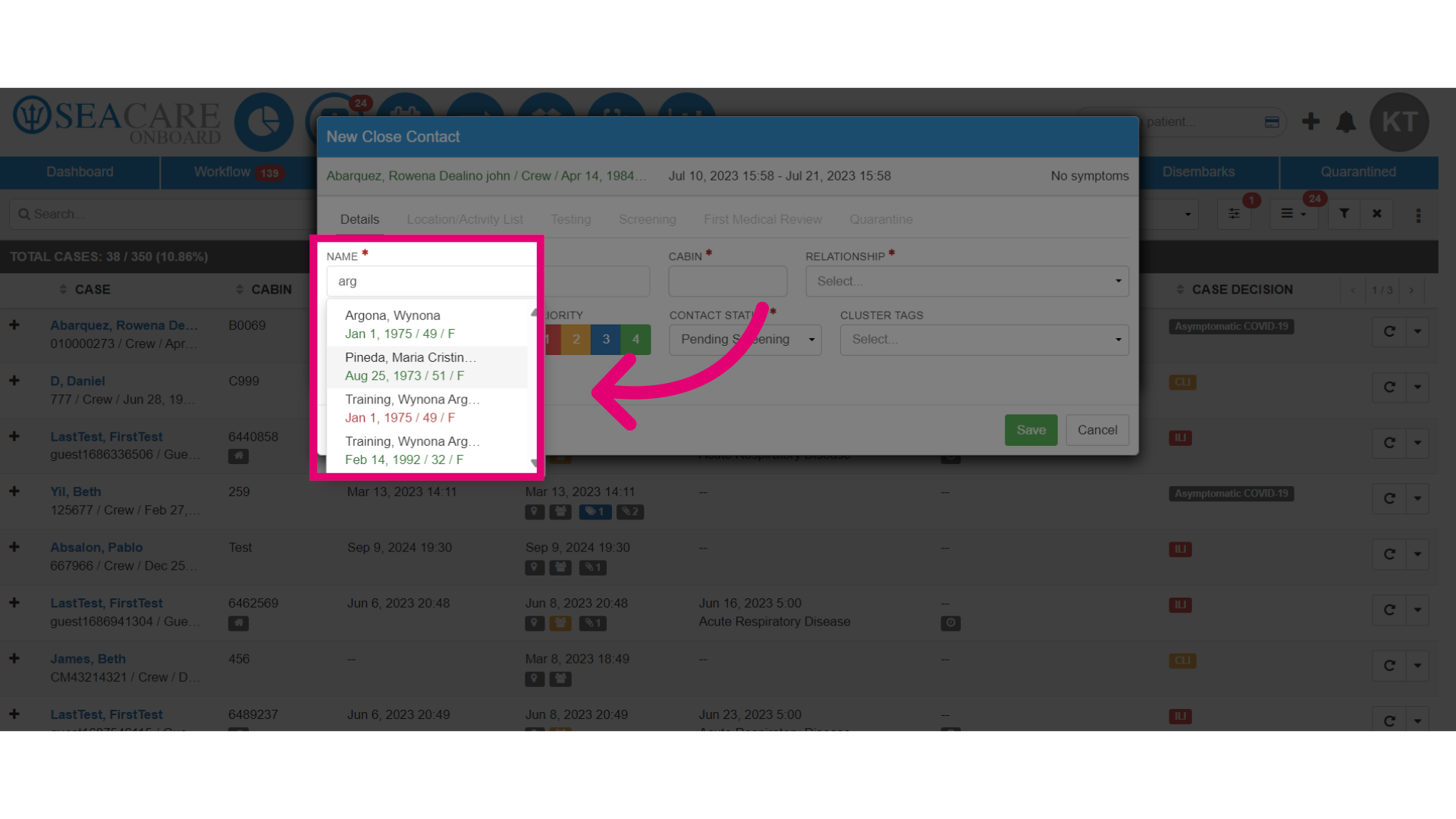
- Enter the close contact's name into the smart search and select the contact from the results.
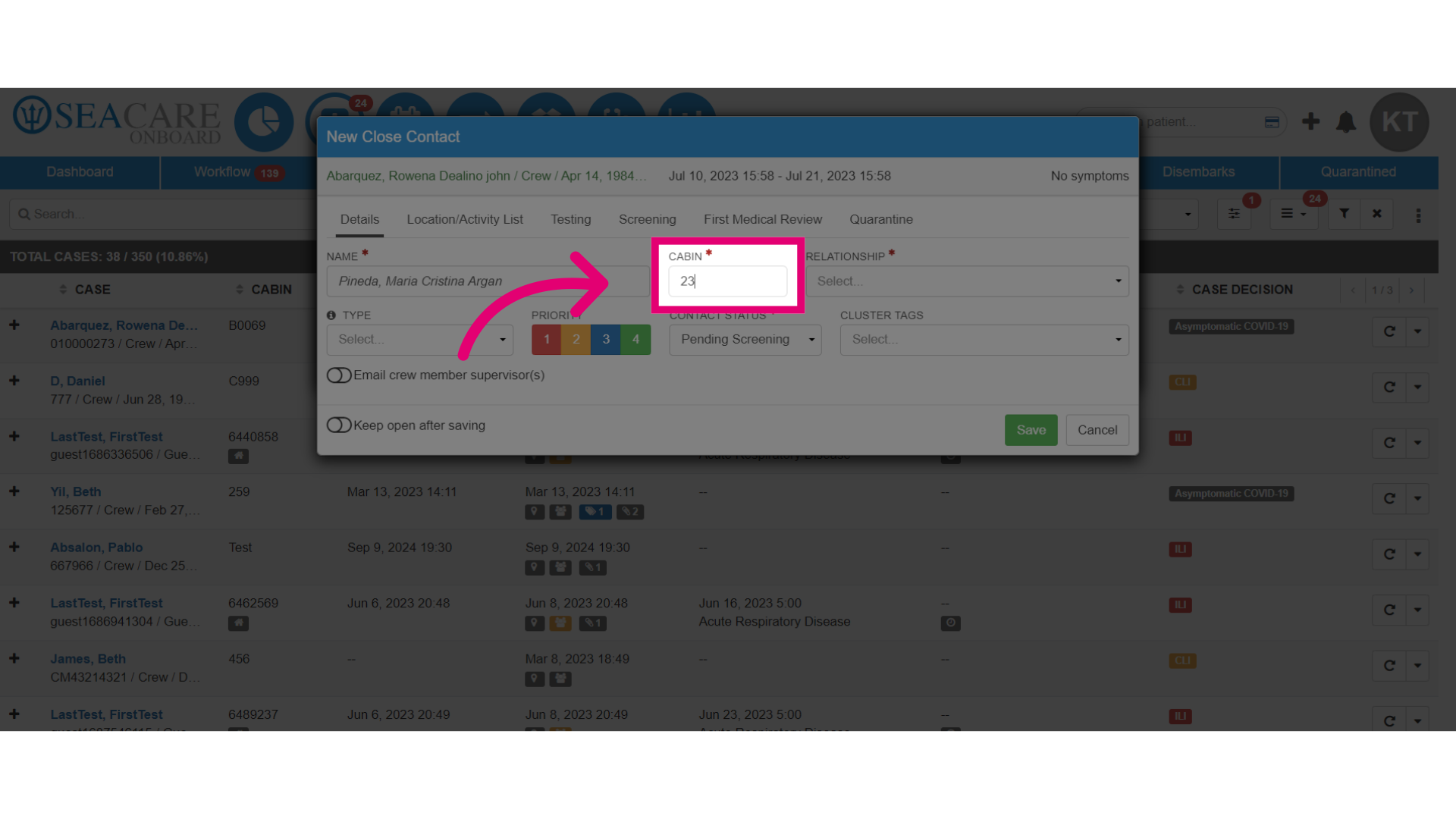
- Enter the cabin number for the close contact.
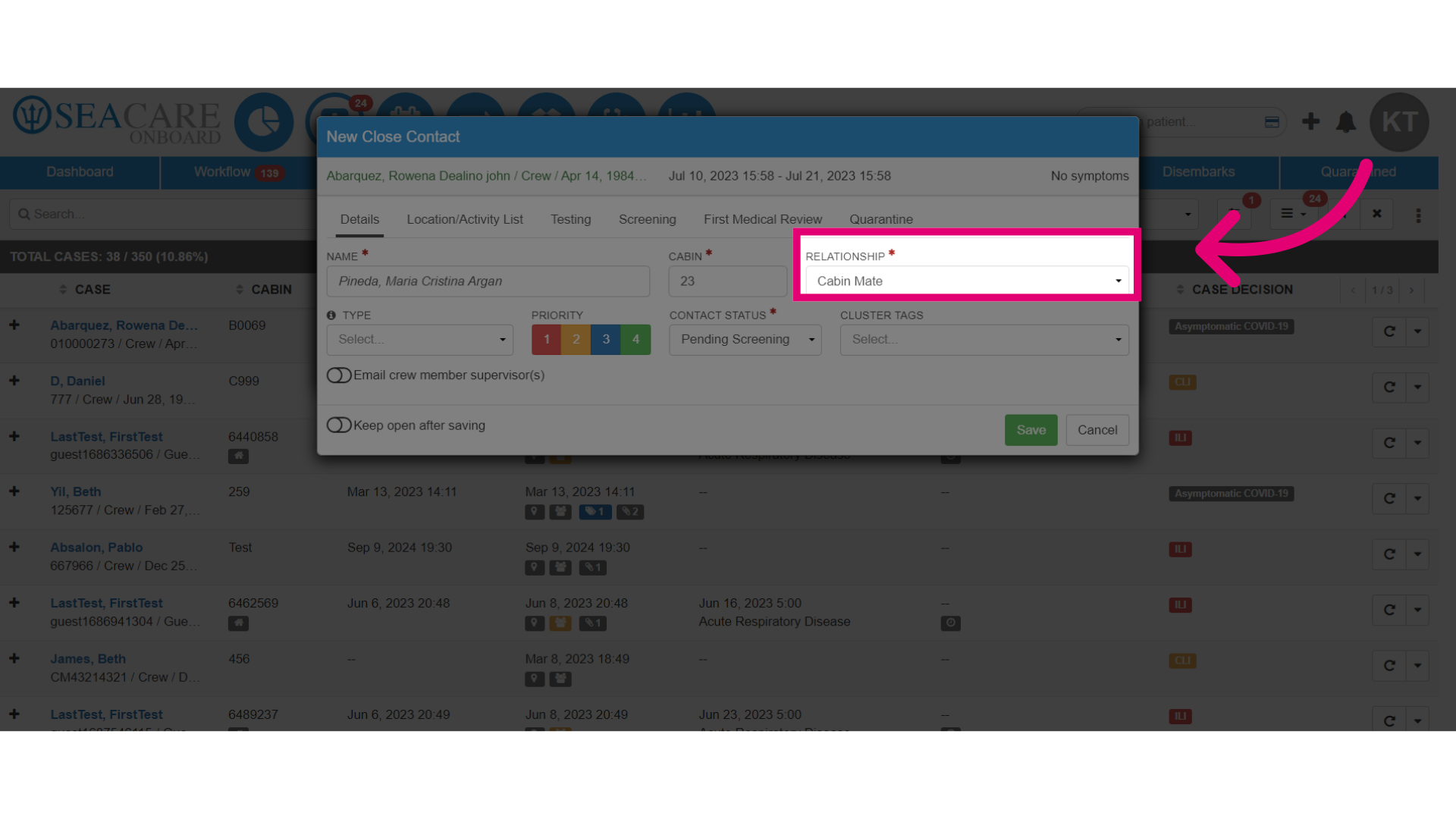
- Assign the relationship for the Close Contact, such as cabin mates, to the index case.
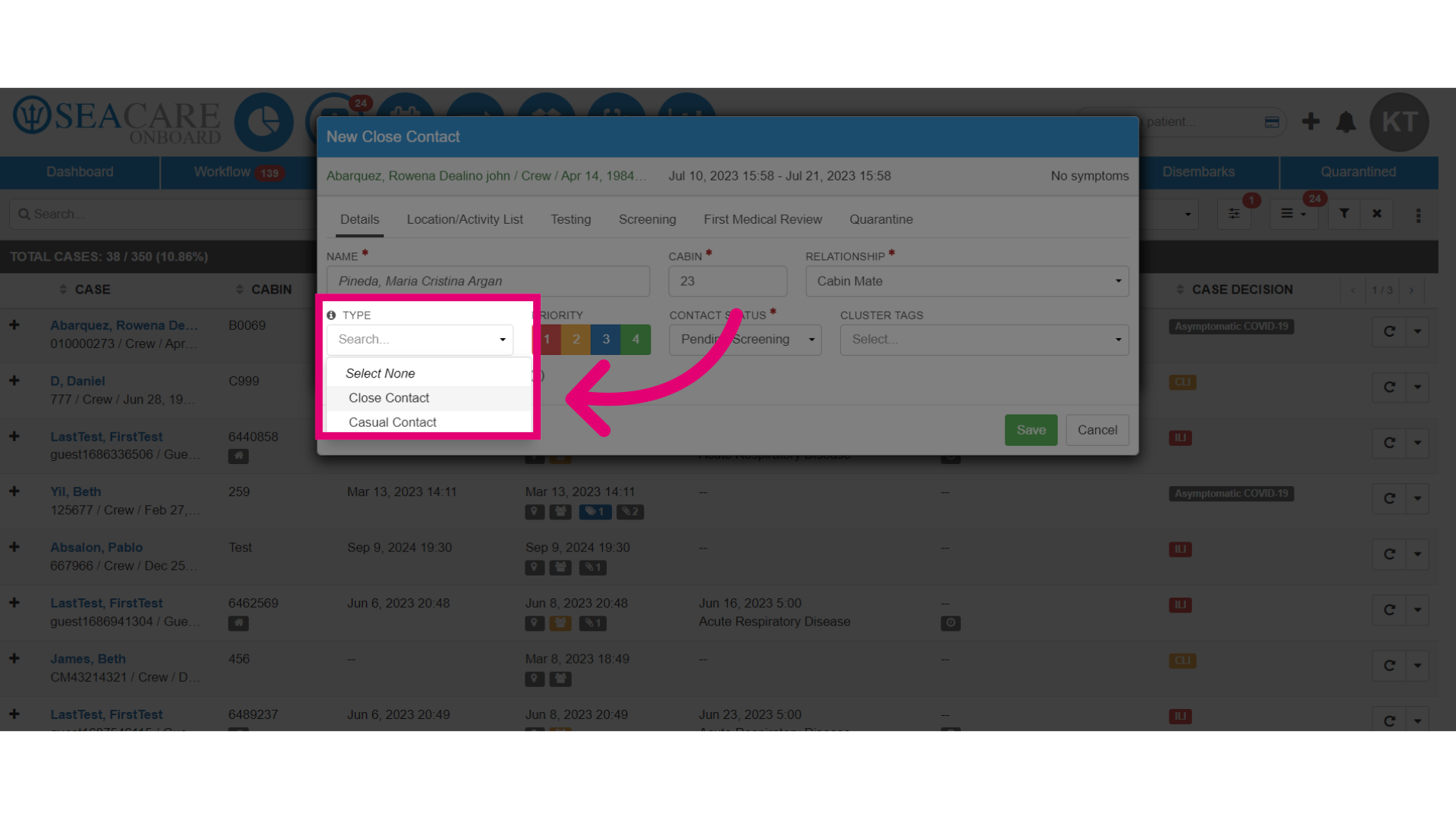
- Specify the Type of contact.
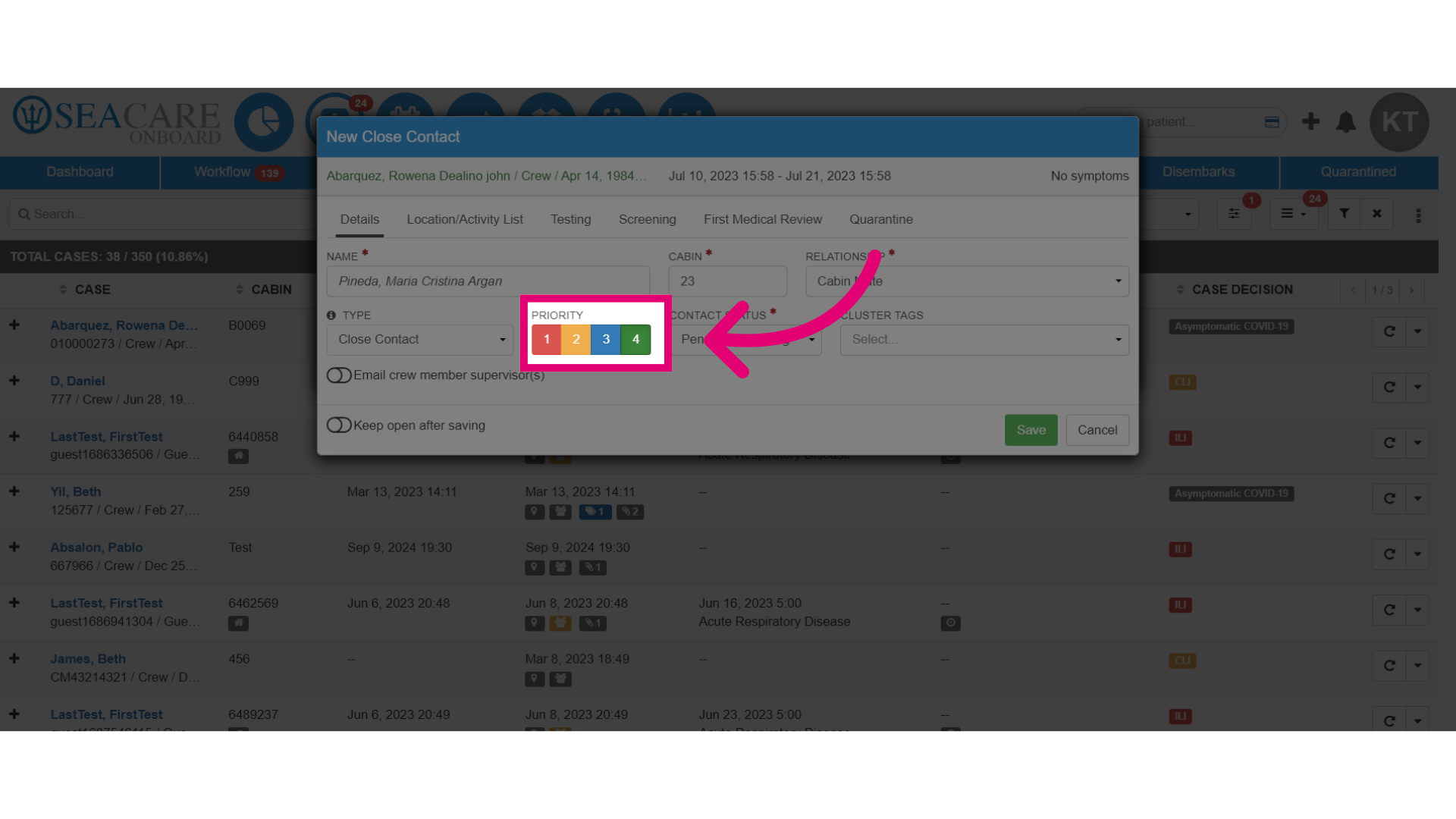
- Assign the close contact a priority level from 1 to 4 for contracting a communicable disease, with 1 being high risk and 4 being low risk.
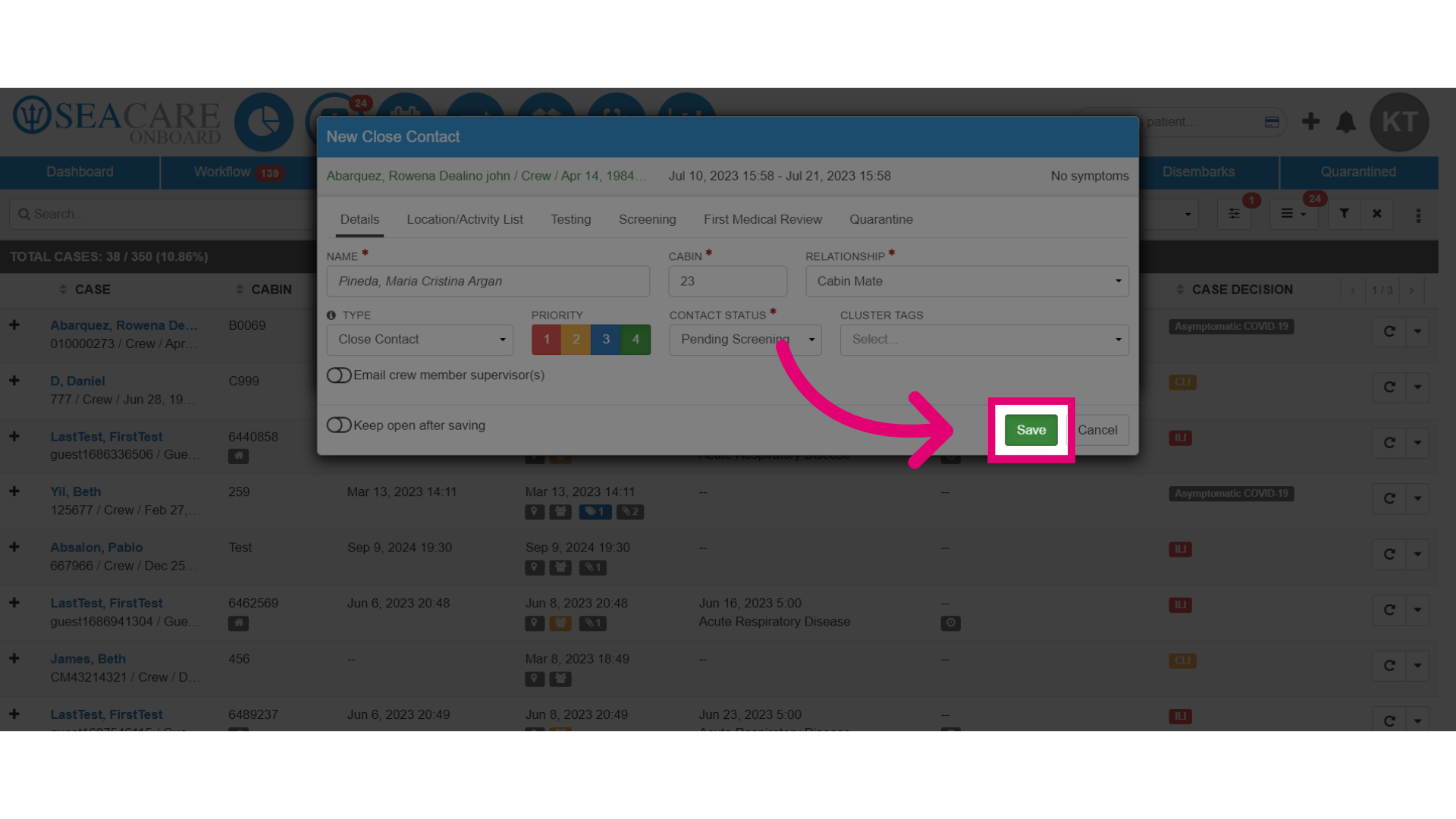
- Save the changes made to the close contact information. Then, the close contact will be added to the index case.
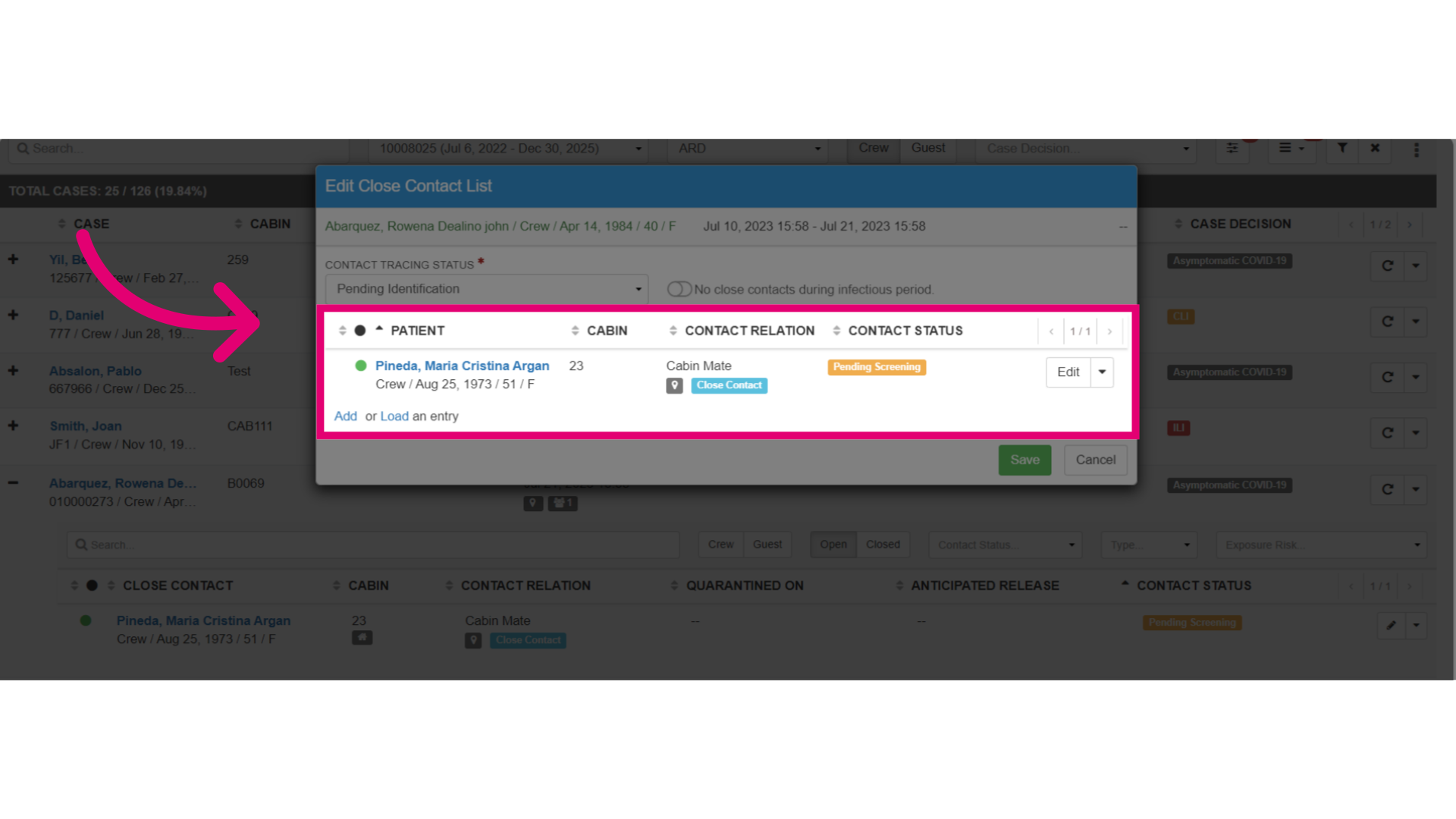
- View the index case and expand it to see the updated close contact information.
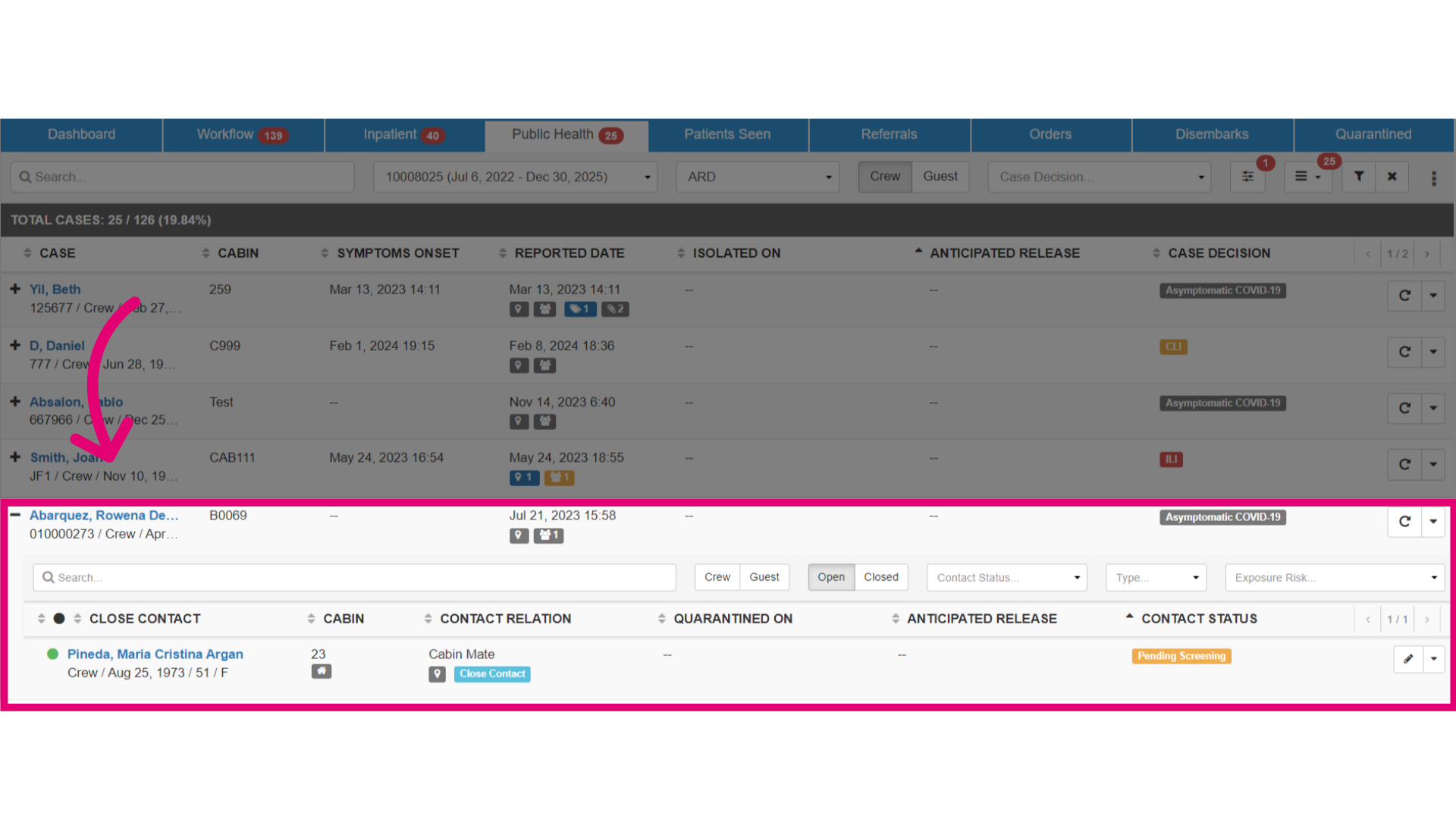
- You can also view the updated Edit Close Contact List.