New article
Recently updated
Exploring the vaccination dashboard overview

Who is this article for?Users who want to learn about vaccination dashboards in Ideagen Maritime Health Onboard.
No elevated permissions are required.
This guide helps you navigate the Vaccination Dashboard in Ideagen Maritime Health Onboard to access real-time vaccination data for crew and guests. Follow the instructions to effectively use the app's features for employee training.
1. Exploring the vaccination dashboards overview
1.1 Video
1.2 Steps
- Start in Ideagen Maritime Health Onboard.
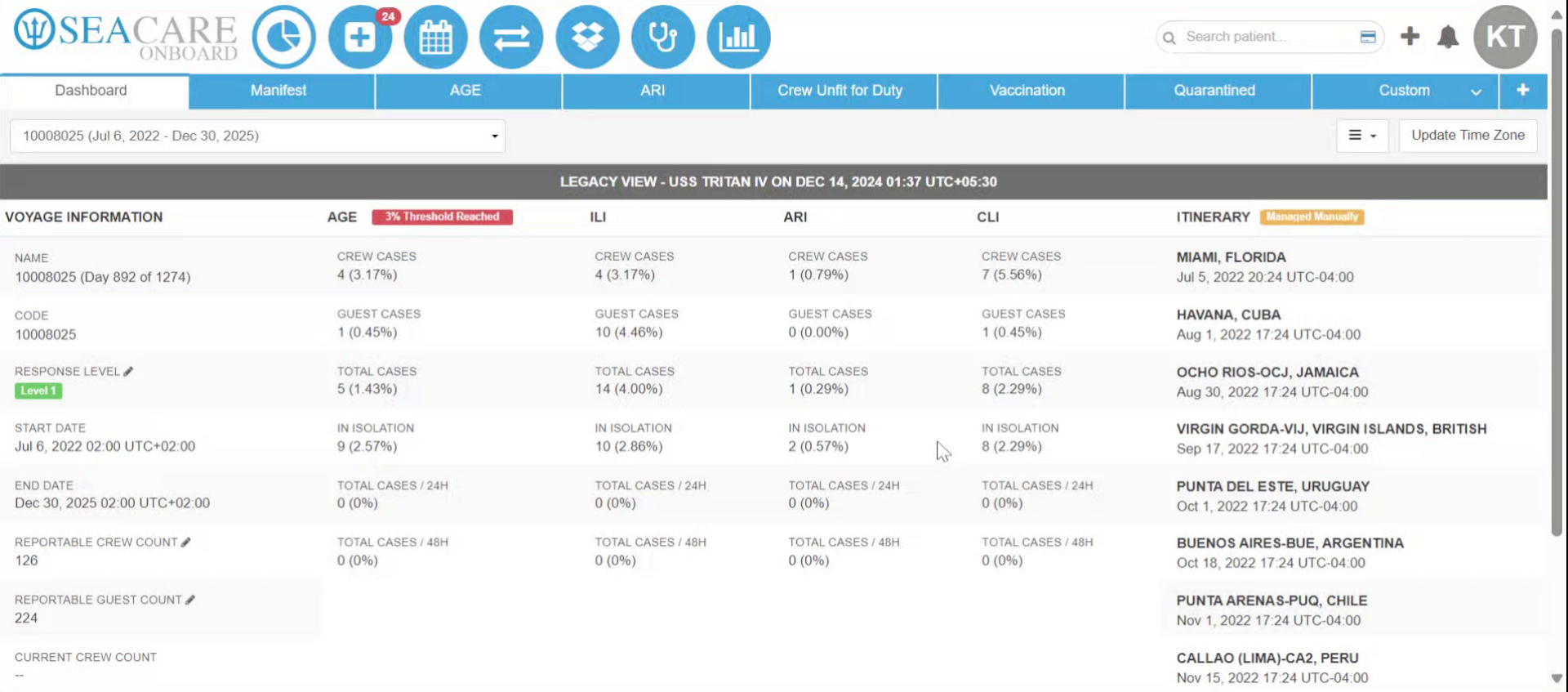
- Click Vaccination to access the Vaccination section.
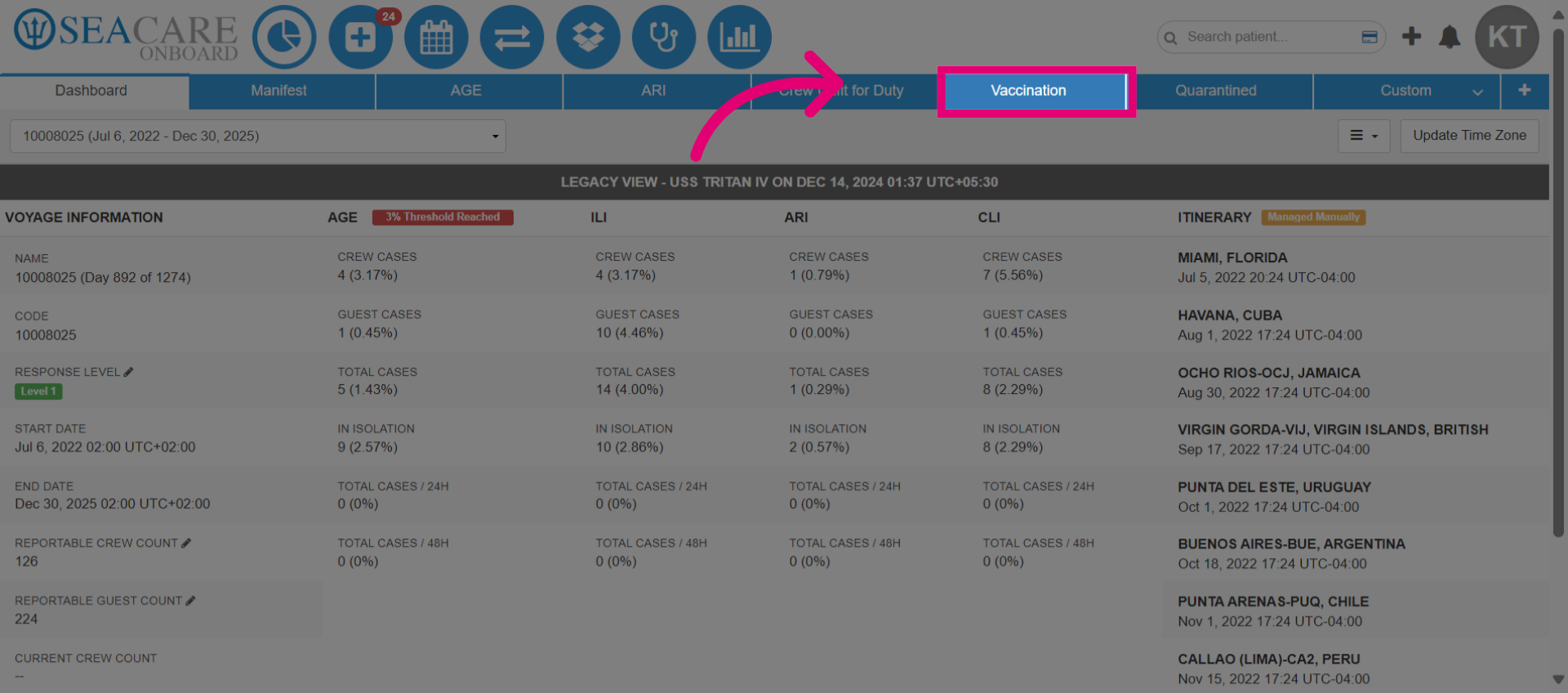
- Click Vaccination Program to access the vaccination dashboards, offering real-time insights into vaccination data for crew members and COVID-19 status for both crew and guests.
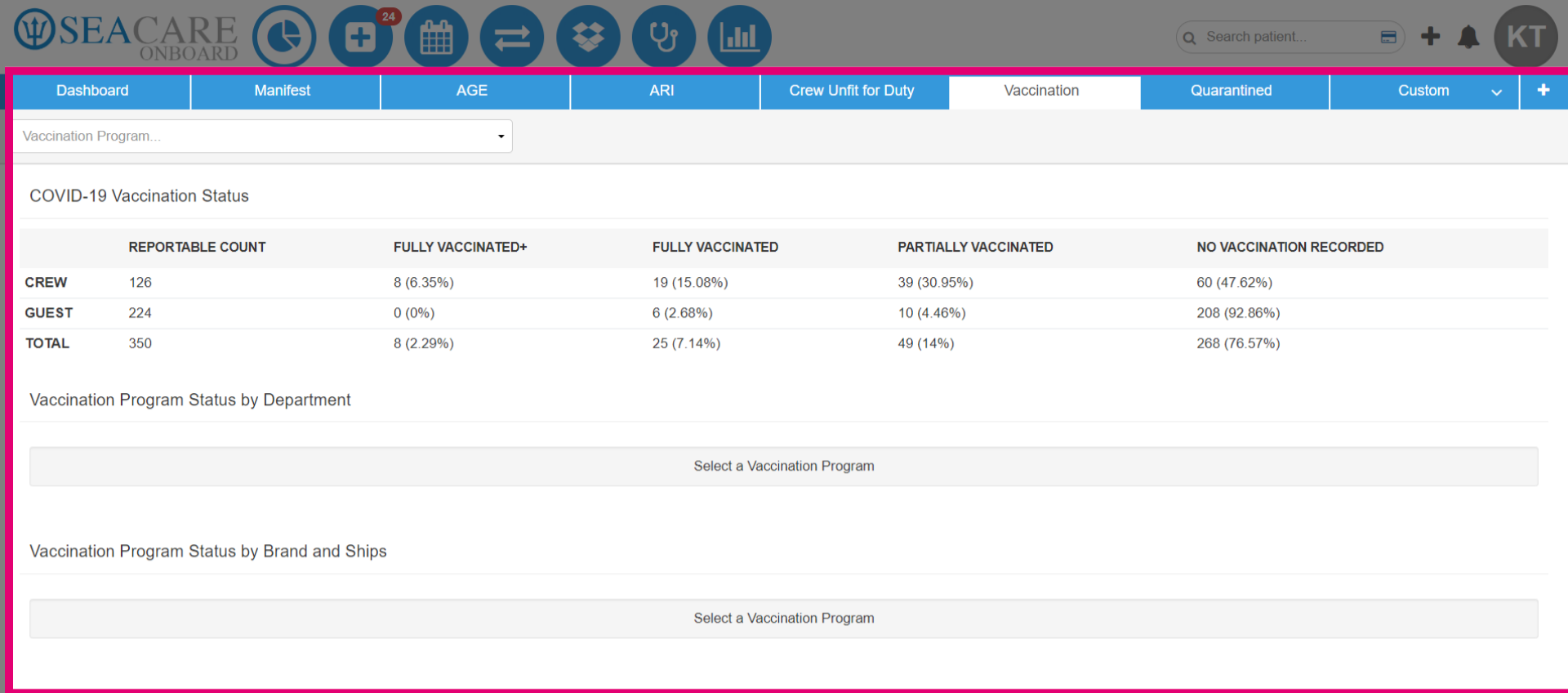
- Go to the Vaccination Module from Ideagen Maritime Health Onboard to access the dashboard.
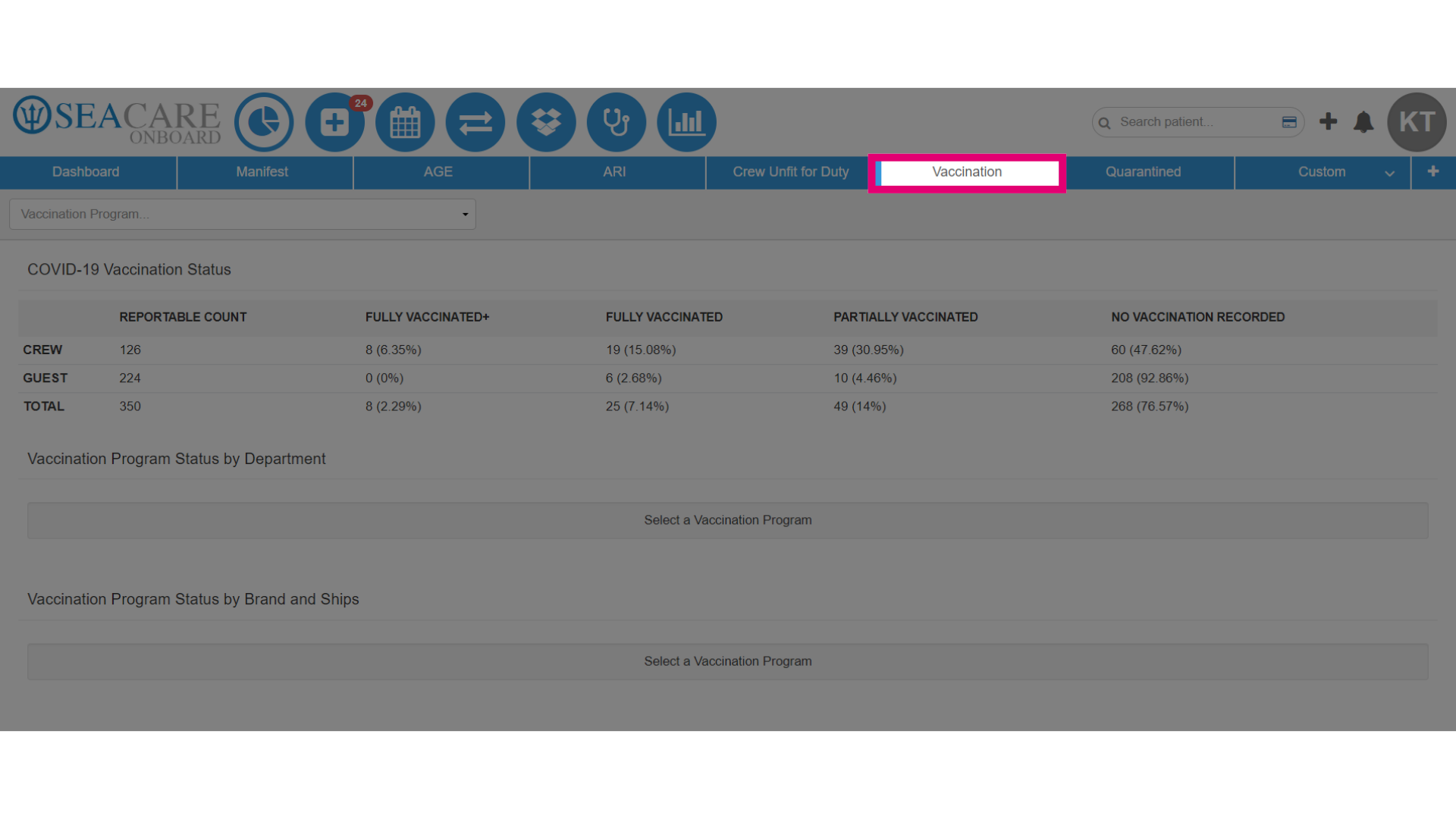
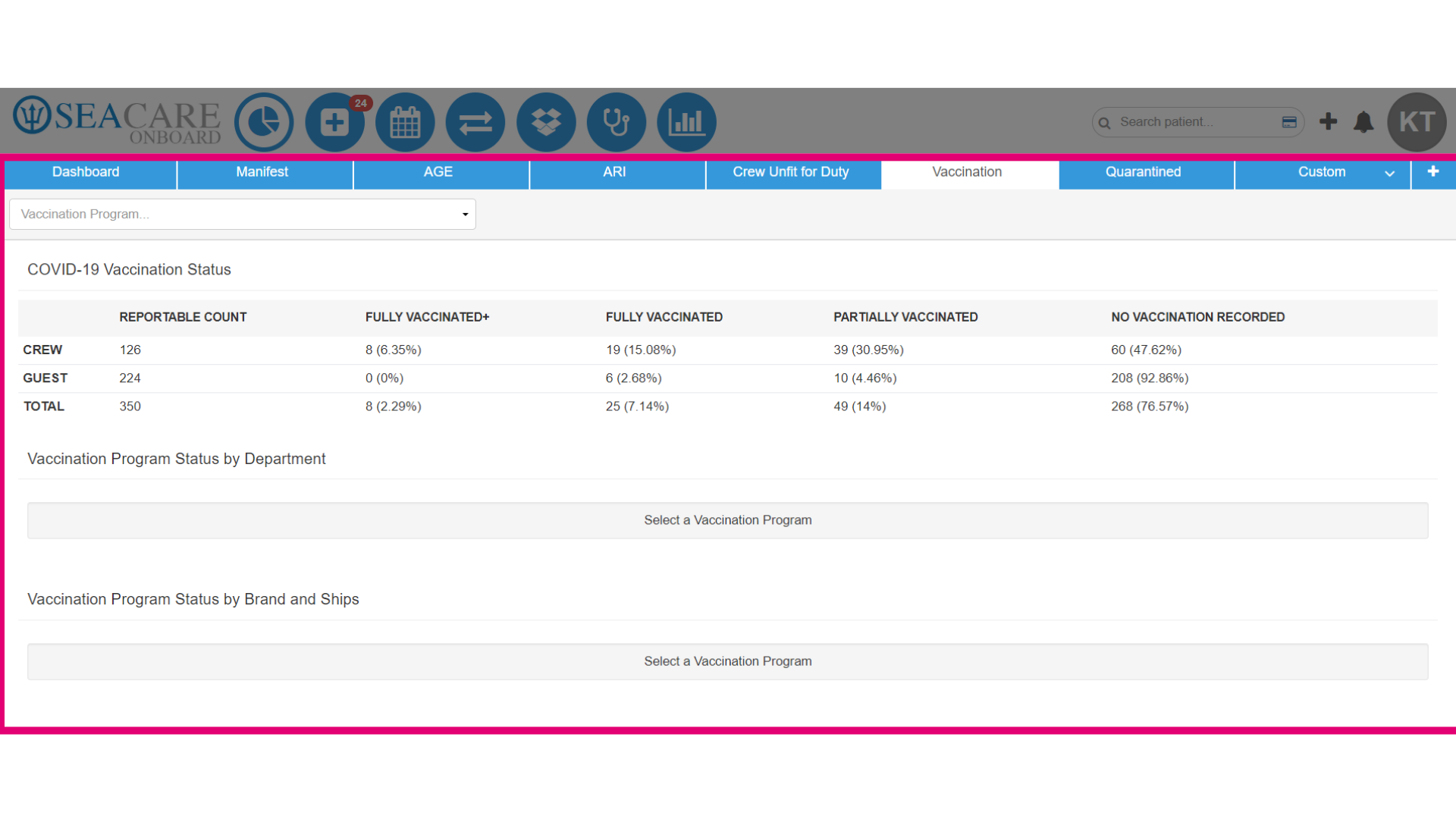
- View the vaccination data at a glance, including the COVID-19 vaccination status for crew and guests, plus details on current vaccination programs.
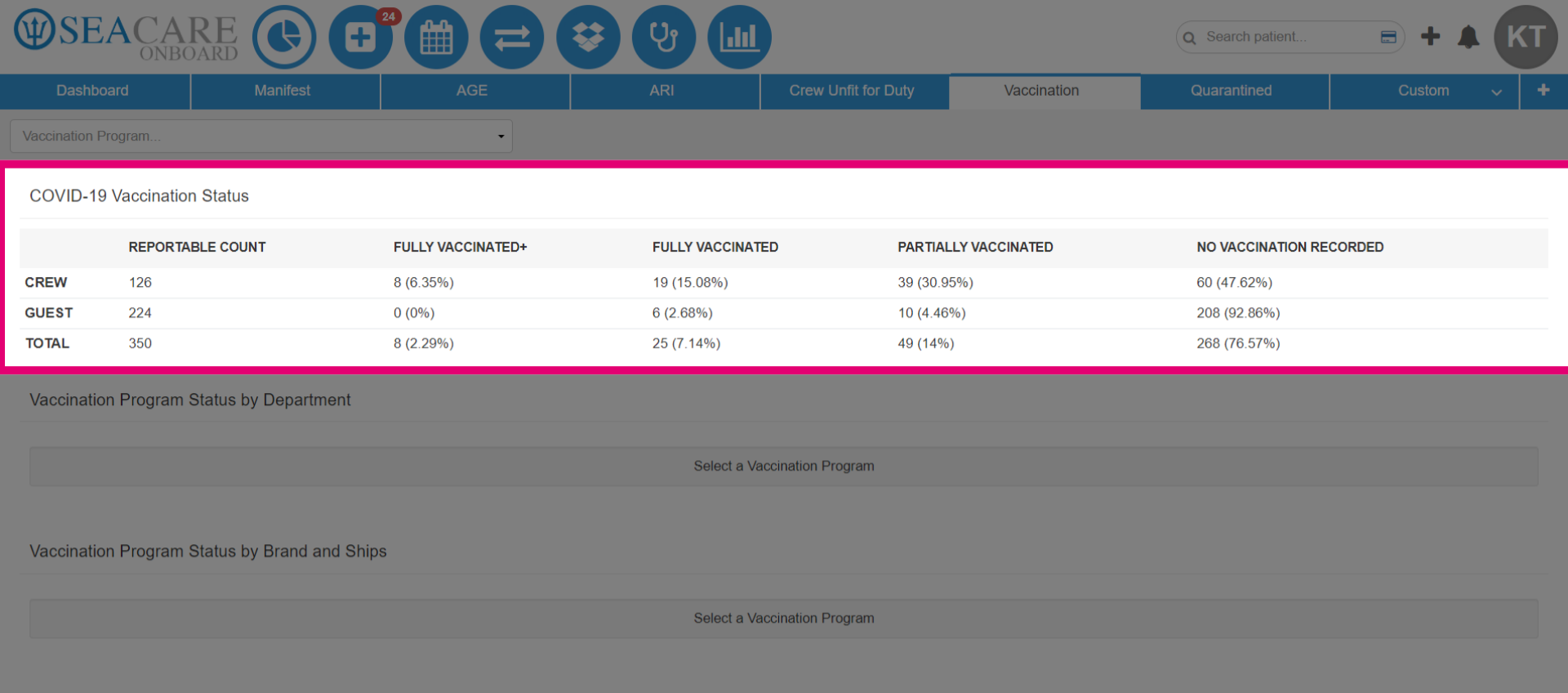
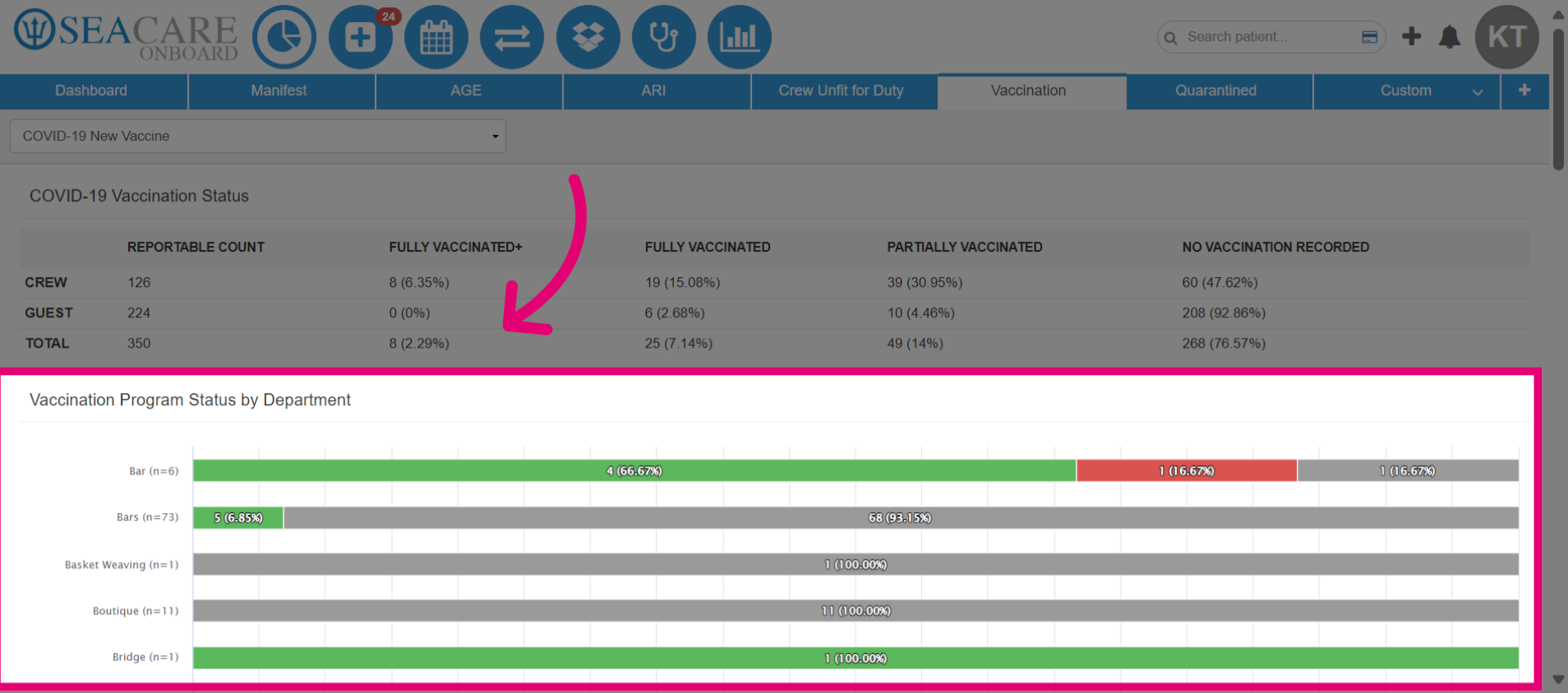
- View COVID-19 Vaccination Status for reportable crew and guest counts, including percentages fully vaccinated, partially vaccinated, and unvaccinated.
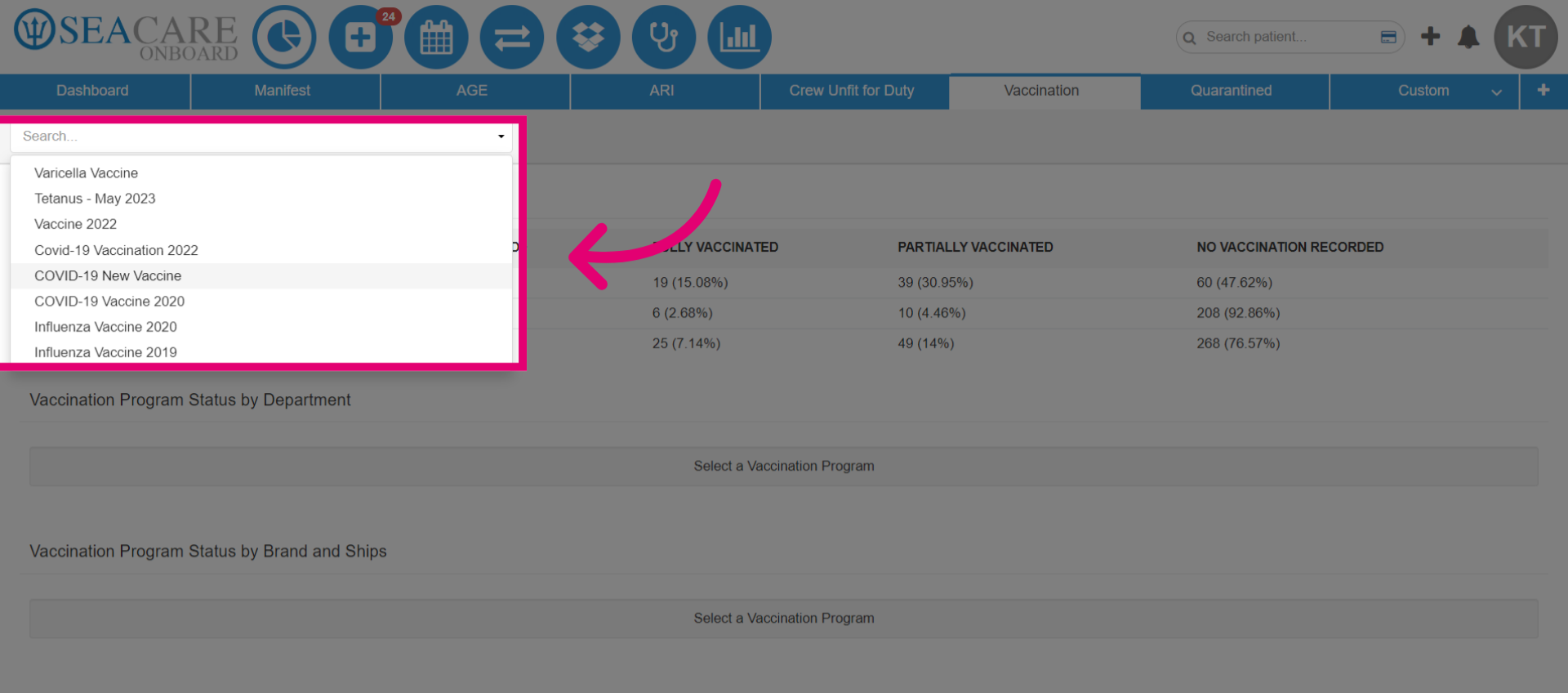
- Select Vaccination Program from the dropdown to filter and view data for a specific program.
- Check Vaccination Program Status by Department to view the number of vaccinated crew members per ship for each programme.
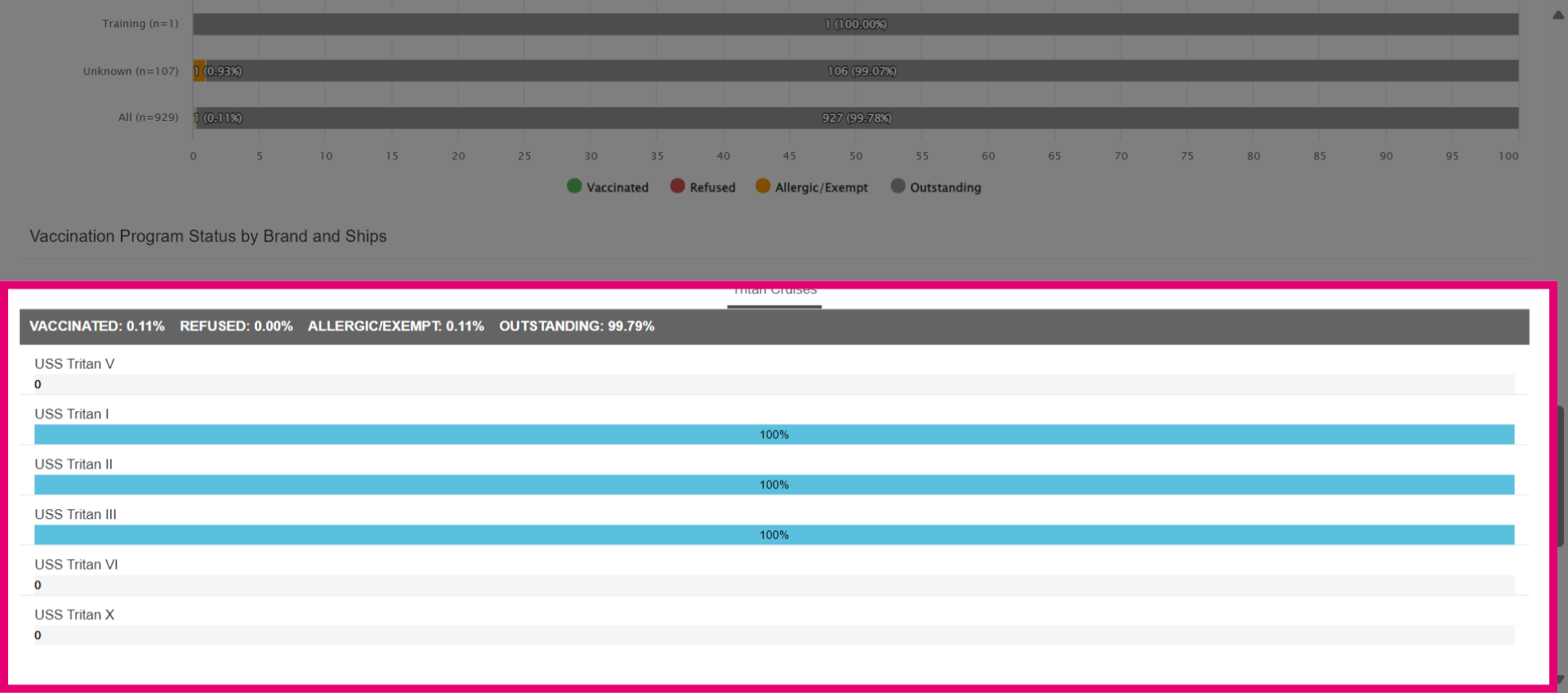
- Check the vaccination status legend: Green = vaccinated, Red = refused, Orange = allergic/exempt, Gray = outstanding (not vaccinated yet).
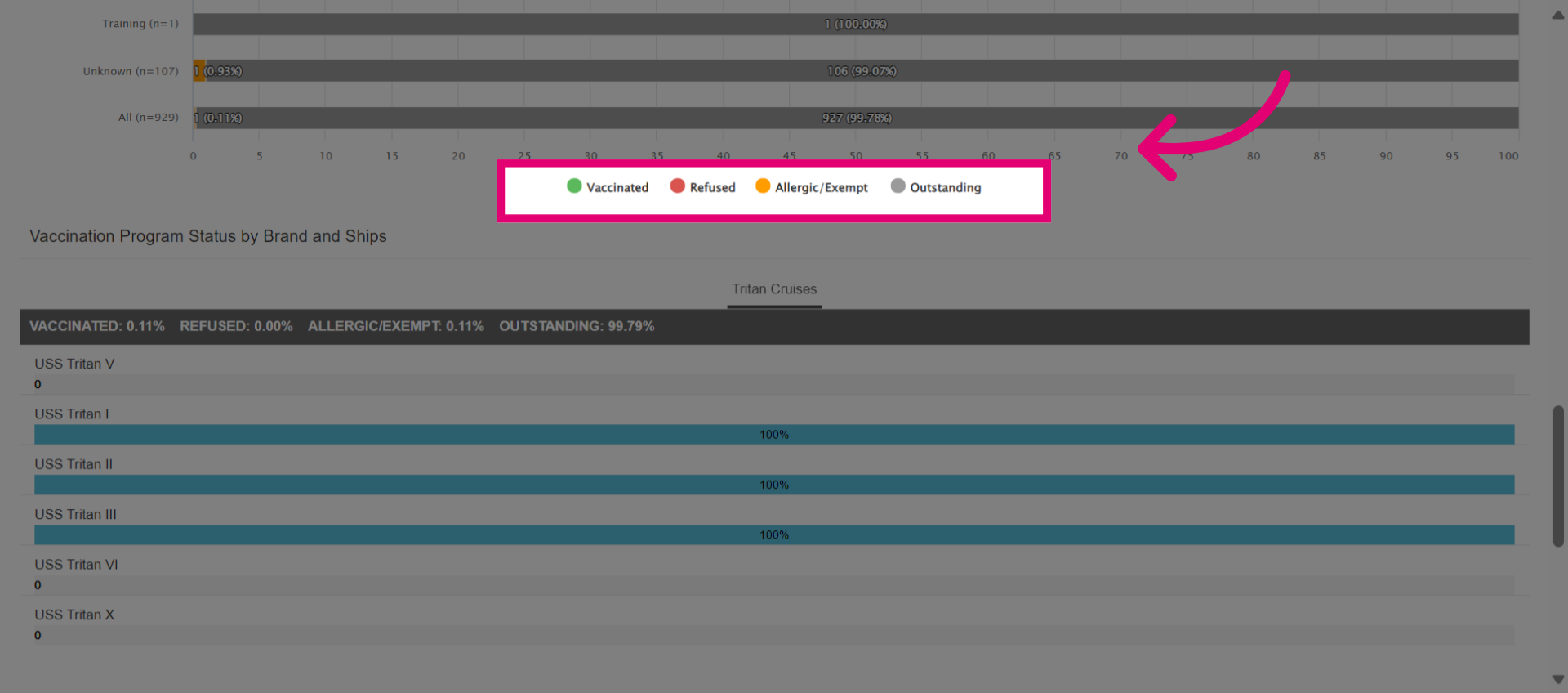
- View Vaccination Program Status by Brand and Ships for overall vaccination percentages across the fleet.