New article
Recently updated
Closing a communicable disease close contact case

Who is this article for?Users who want to learn to close a communicable disease close contact case.
No elevated permissions are required.
This guide provides a clear pathway to close a communicable disease close contact case.
1. Closing a communicable disease close contact case
1.1. Video
1.2. Steps
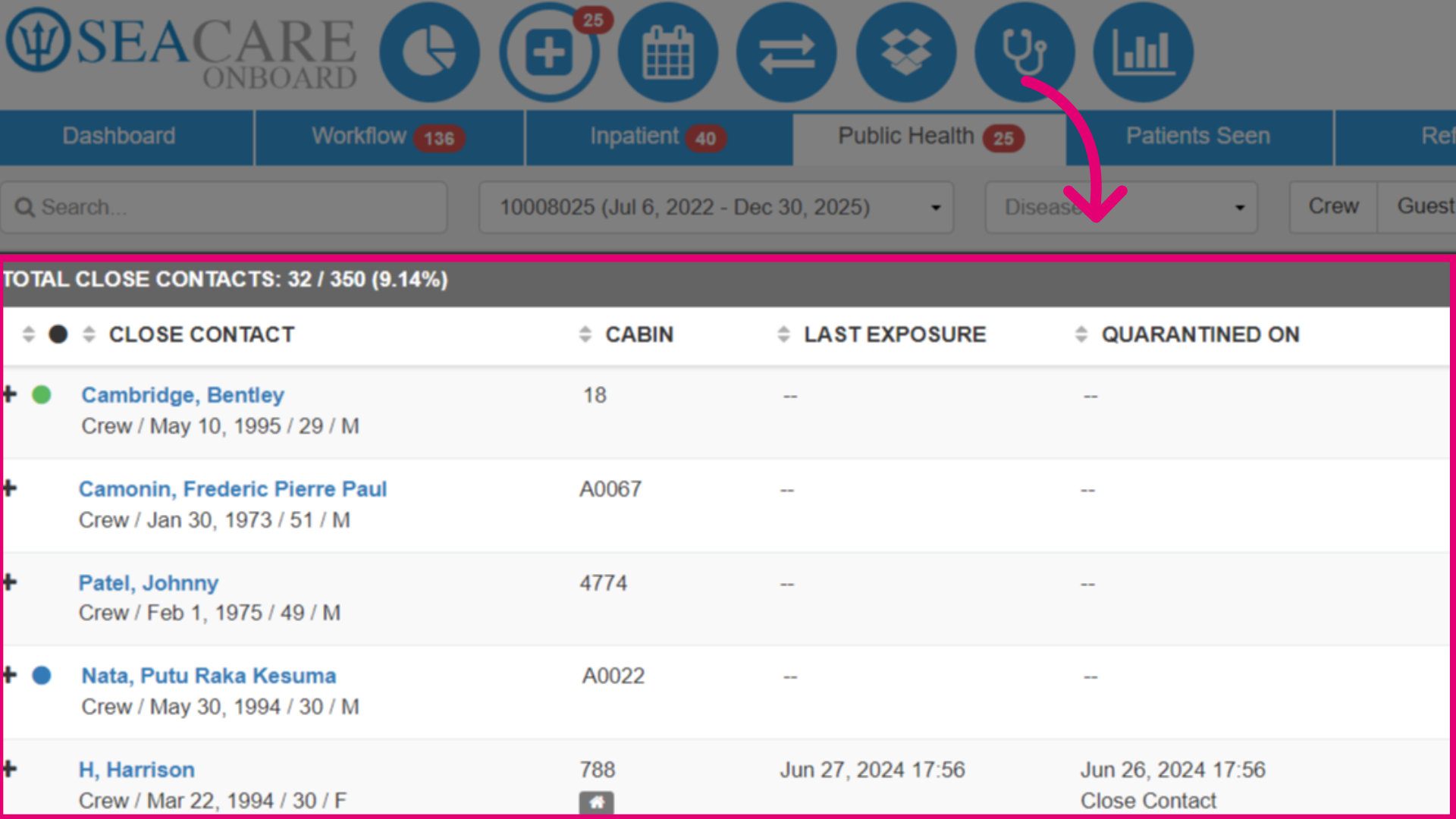
- To close the close contact case, start in the Clinic module under the Public Health tab, within the Close Contacts view.
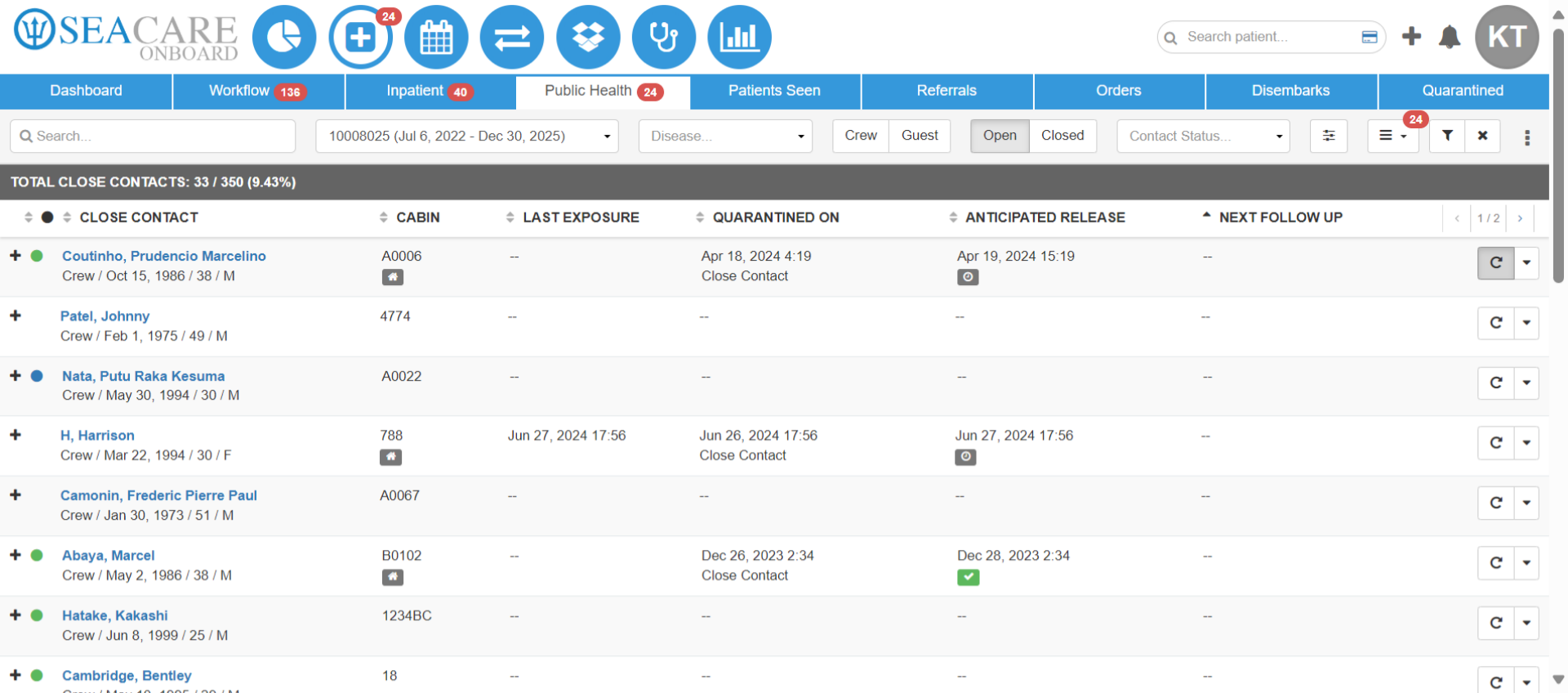
- Before you can close a case, you must conduct the follow up and end any quarantine or unfit for duty statuses. Select the Follow up button.
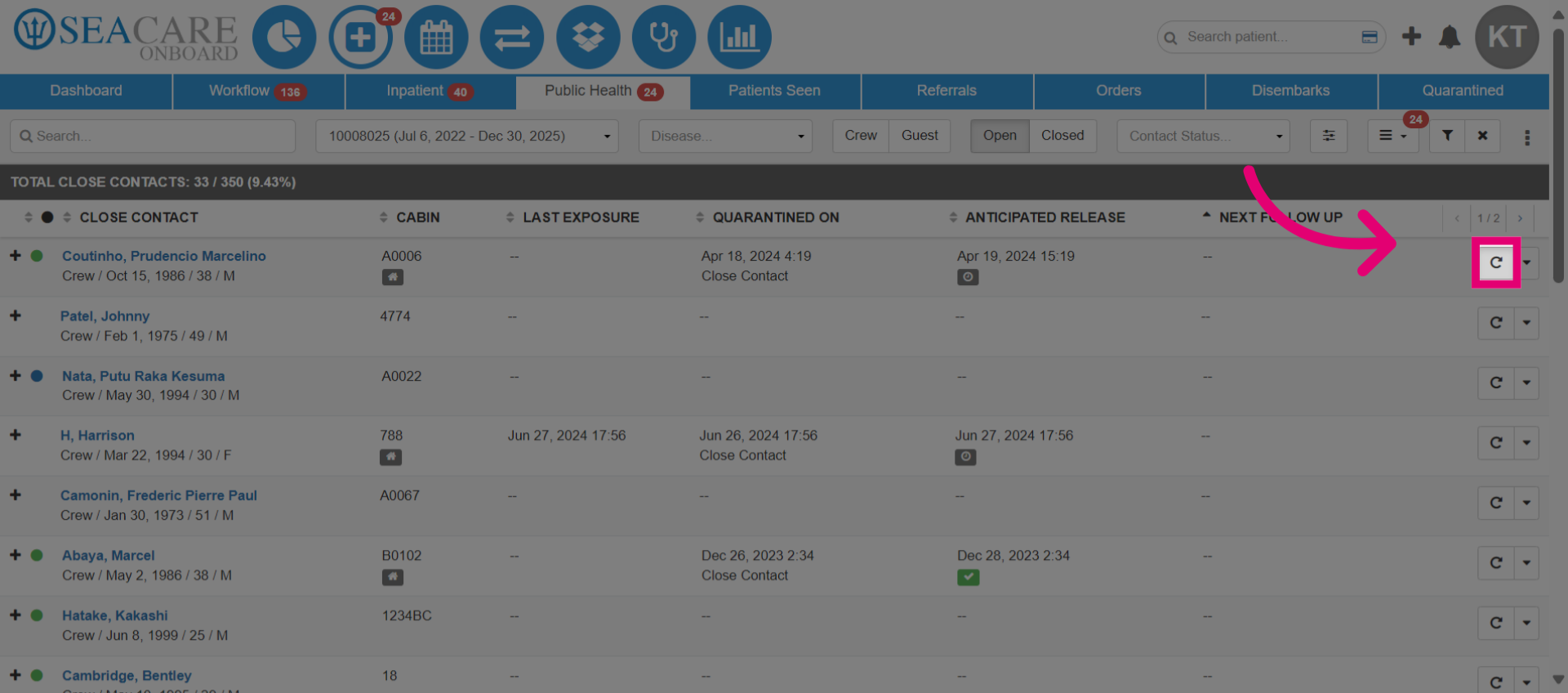
- In the Follow up tab, enter the development of symptoms by selecting an option from the dropdown menu.
- Go to the Quarantine tab.
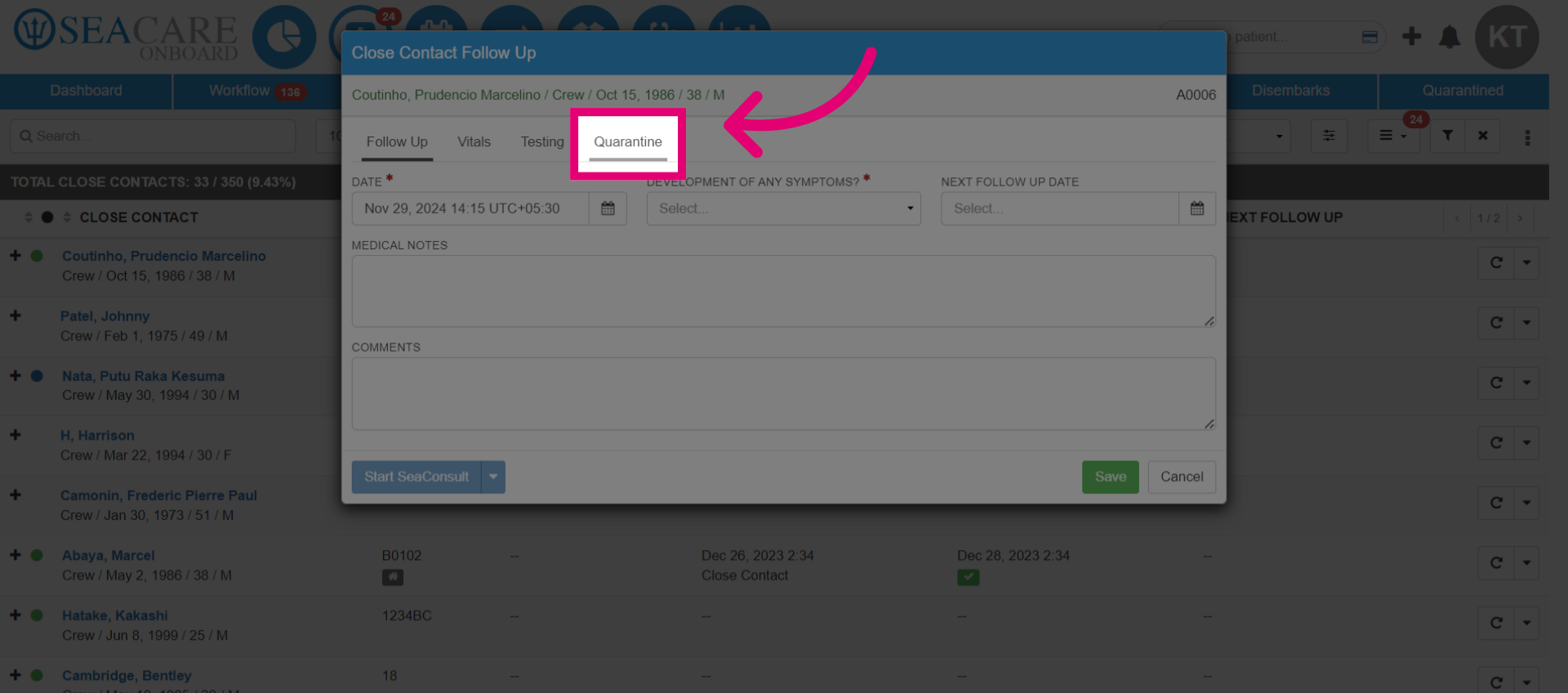
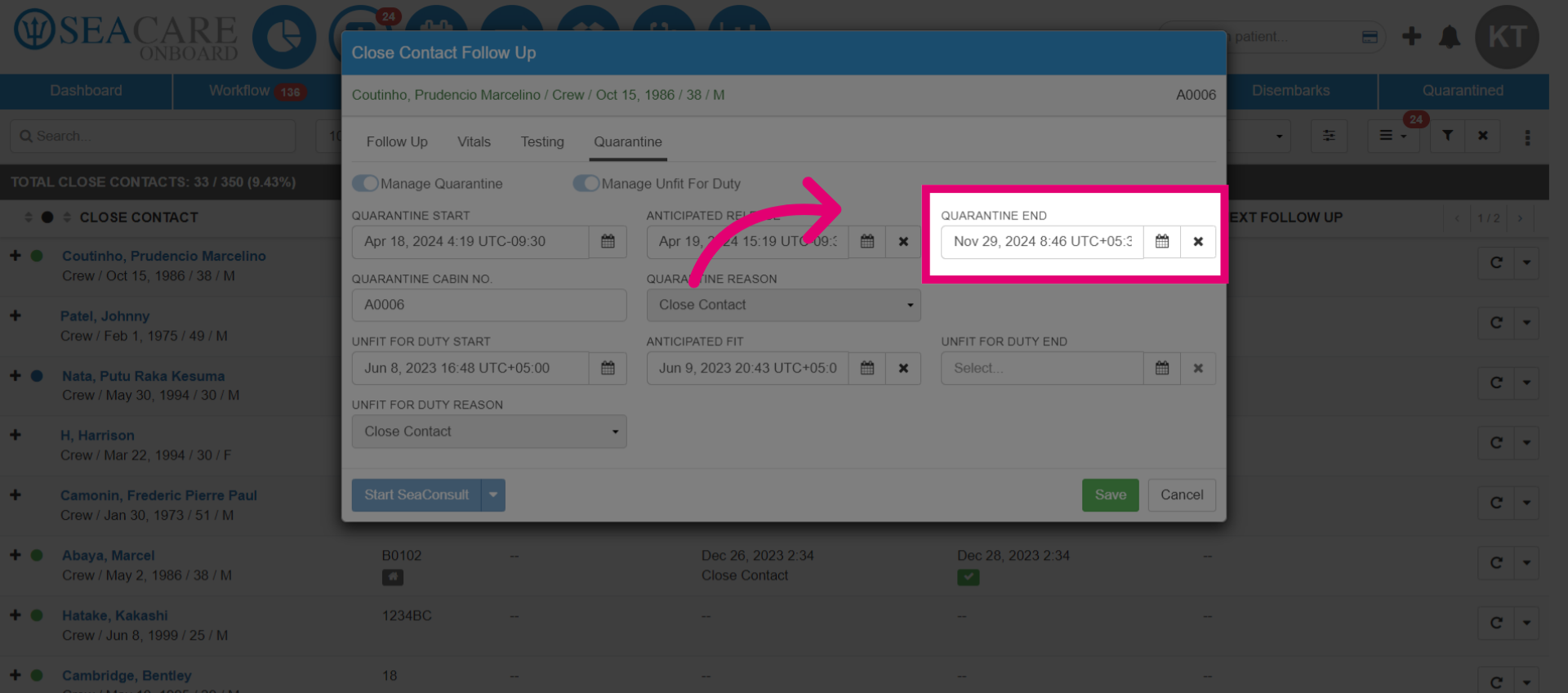
- In the Quarantine End section, enter the end date.
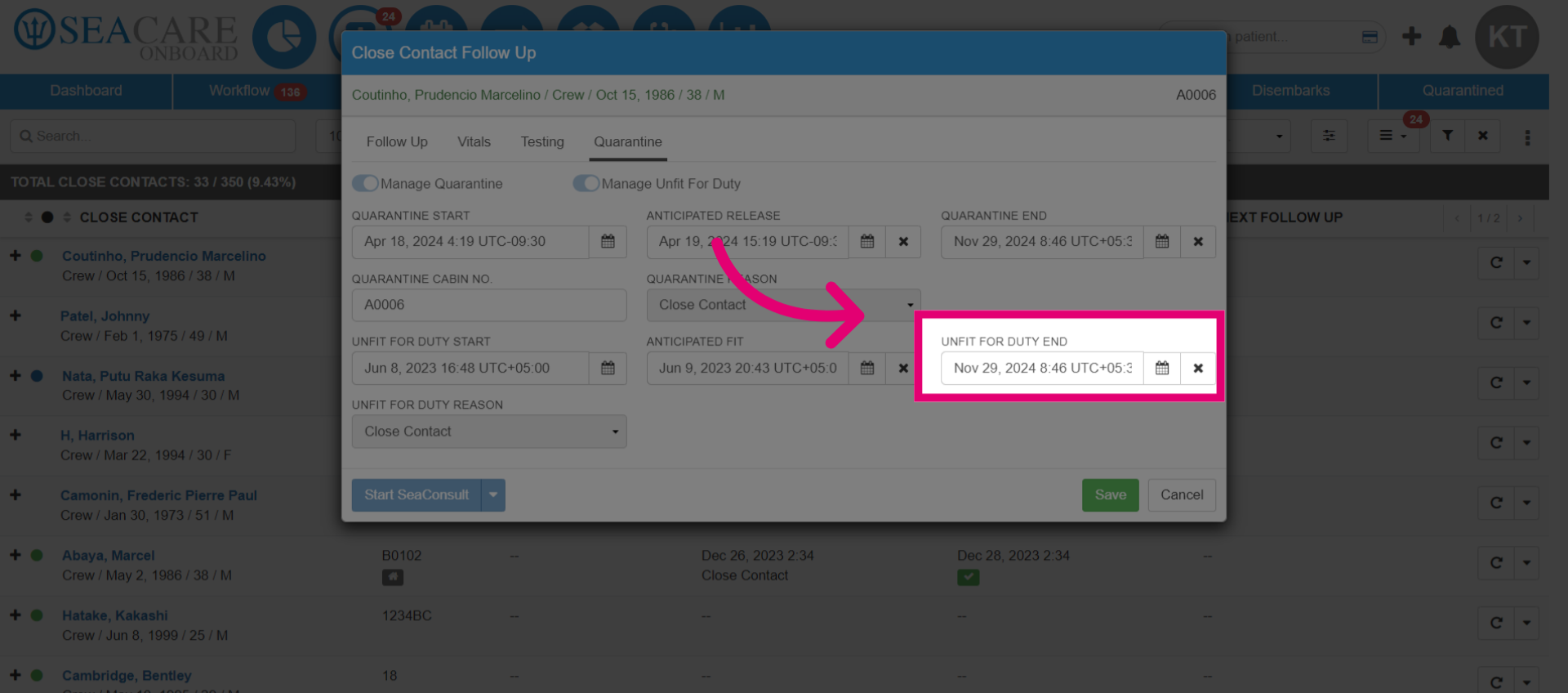
- In the Unfit for Duty End section, enter the end date.
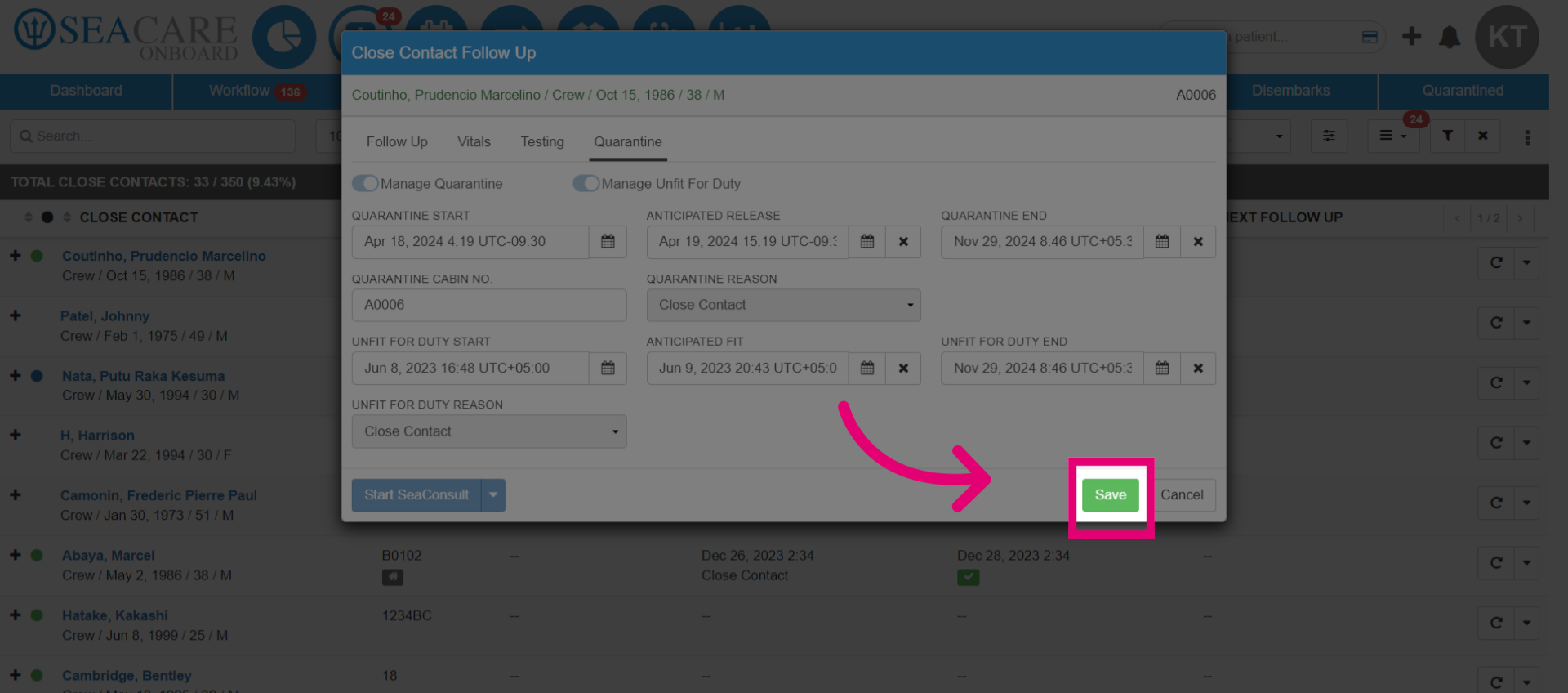
- Click Save.
- Go to the Actions menu.
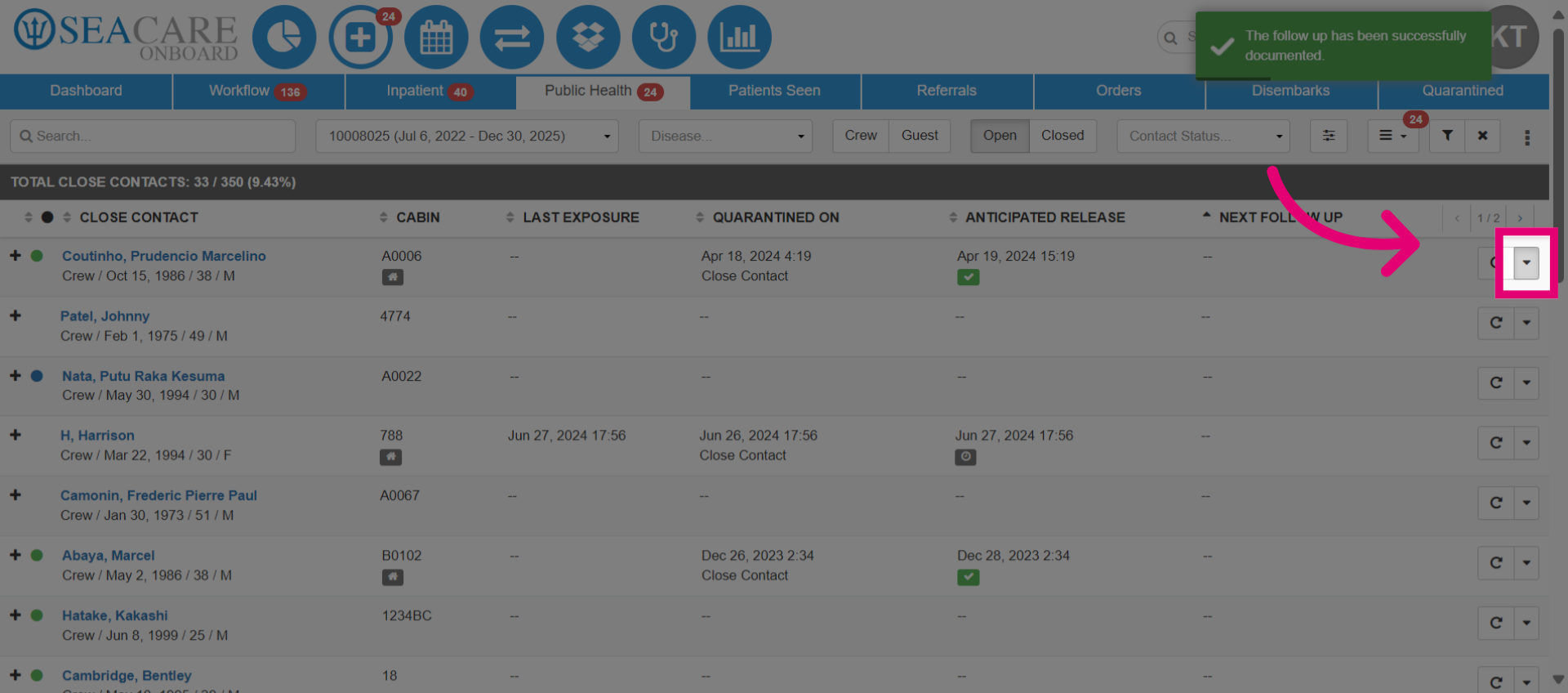
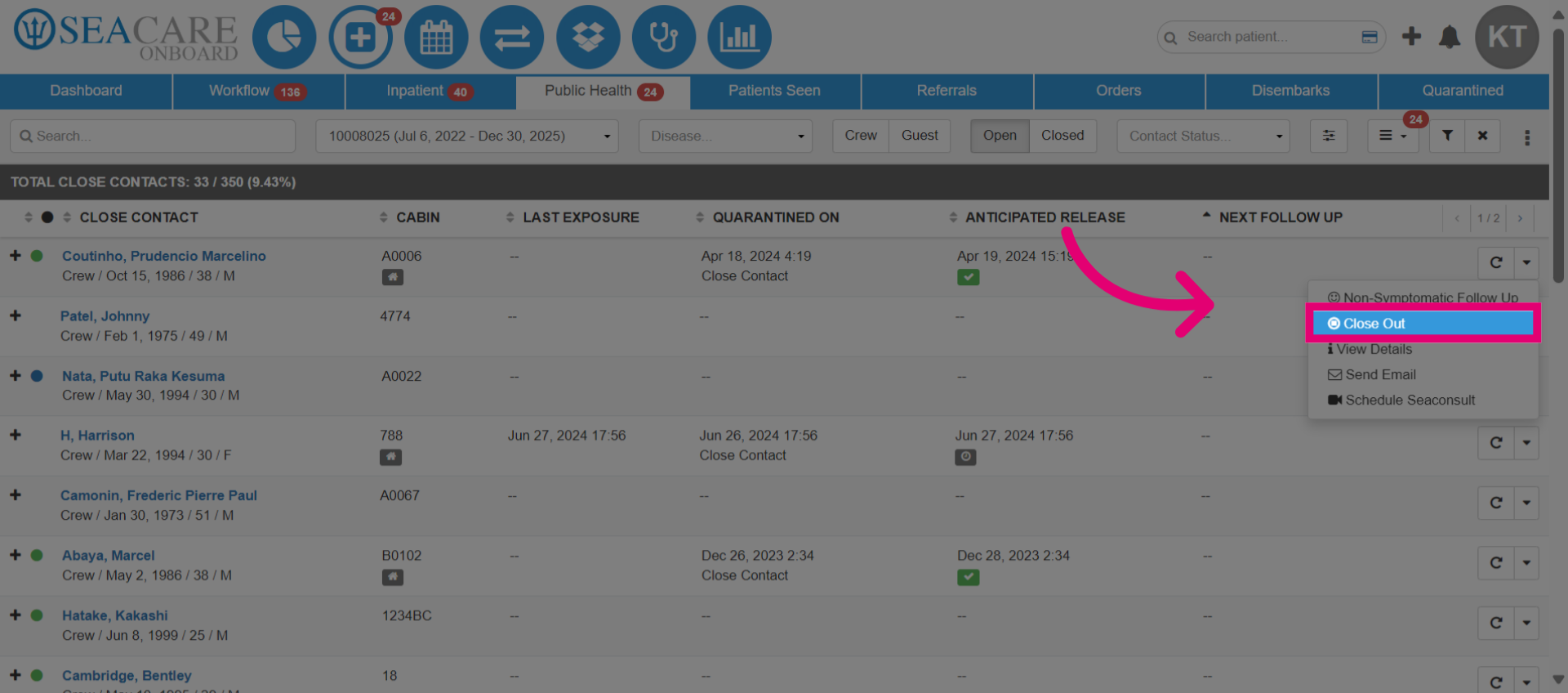
- Select the Close Out option, to close the close contact case.
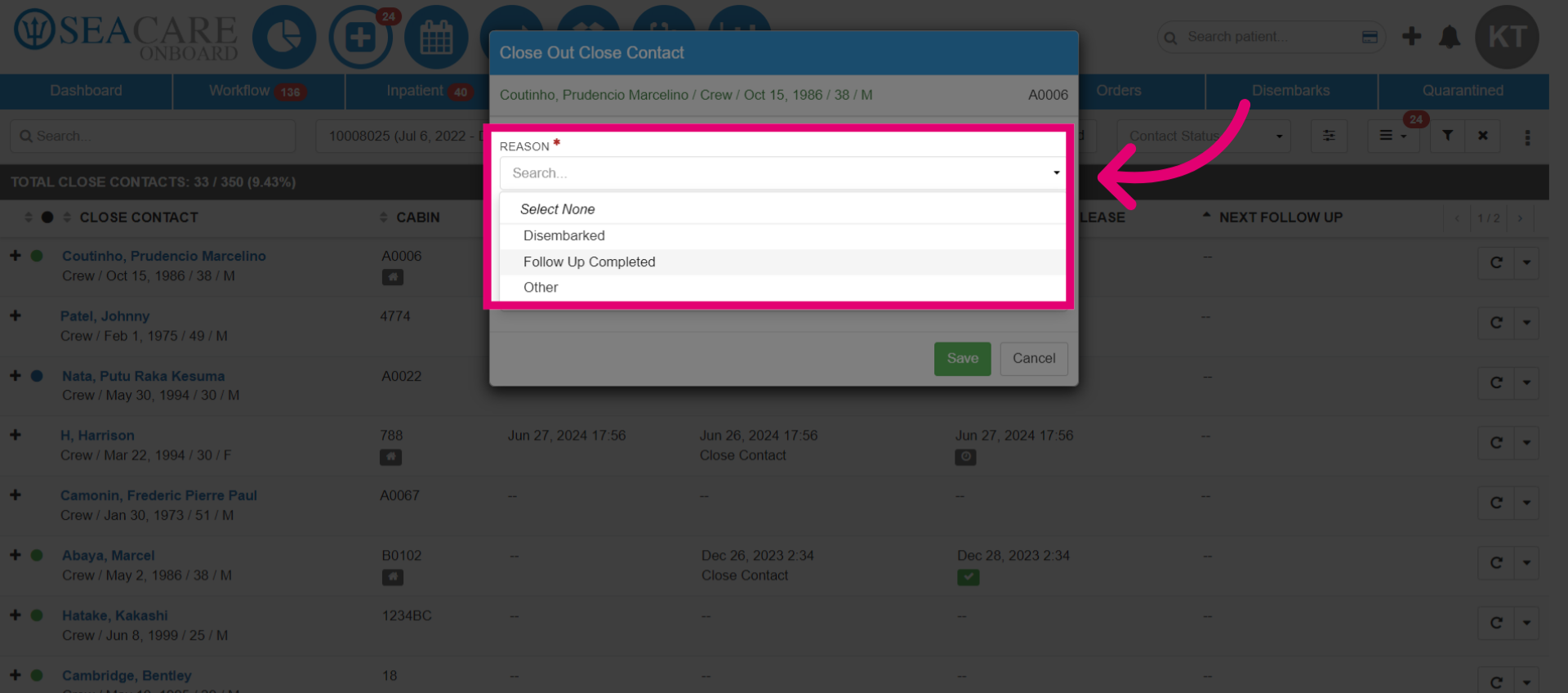
- In the Close Out window, choose the reason for closing the case.
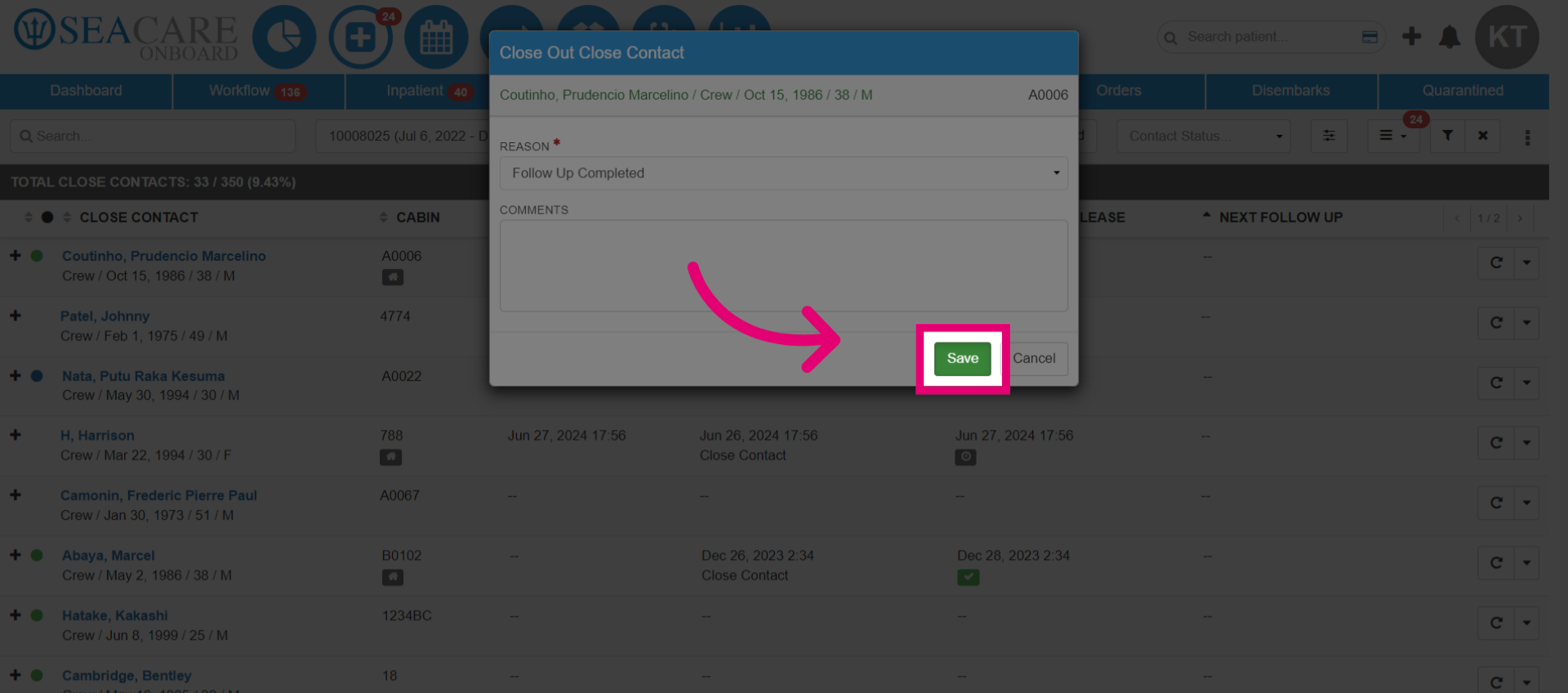
- Save the completed details to finalize the process.
- The close contact is removed from the Close Contact list.