New article
Recently updated
Enabling merge duplicate for crew/guest encounters

Who is this article for?Administrators configuring the encounter process.
No elevated permissions are required.
This guide provides step-by-step instructions for merging duplicate crew or guest records in SeaCare before initiating an encounter. By consolidating duplicate entries, users can ensure data accuracy, reduce redundancy, and streamline the workflow for clinical and administrative processes.
Enabling merge duplicate of Crew/Guest records
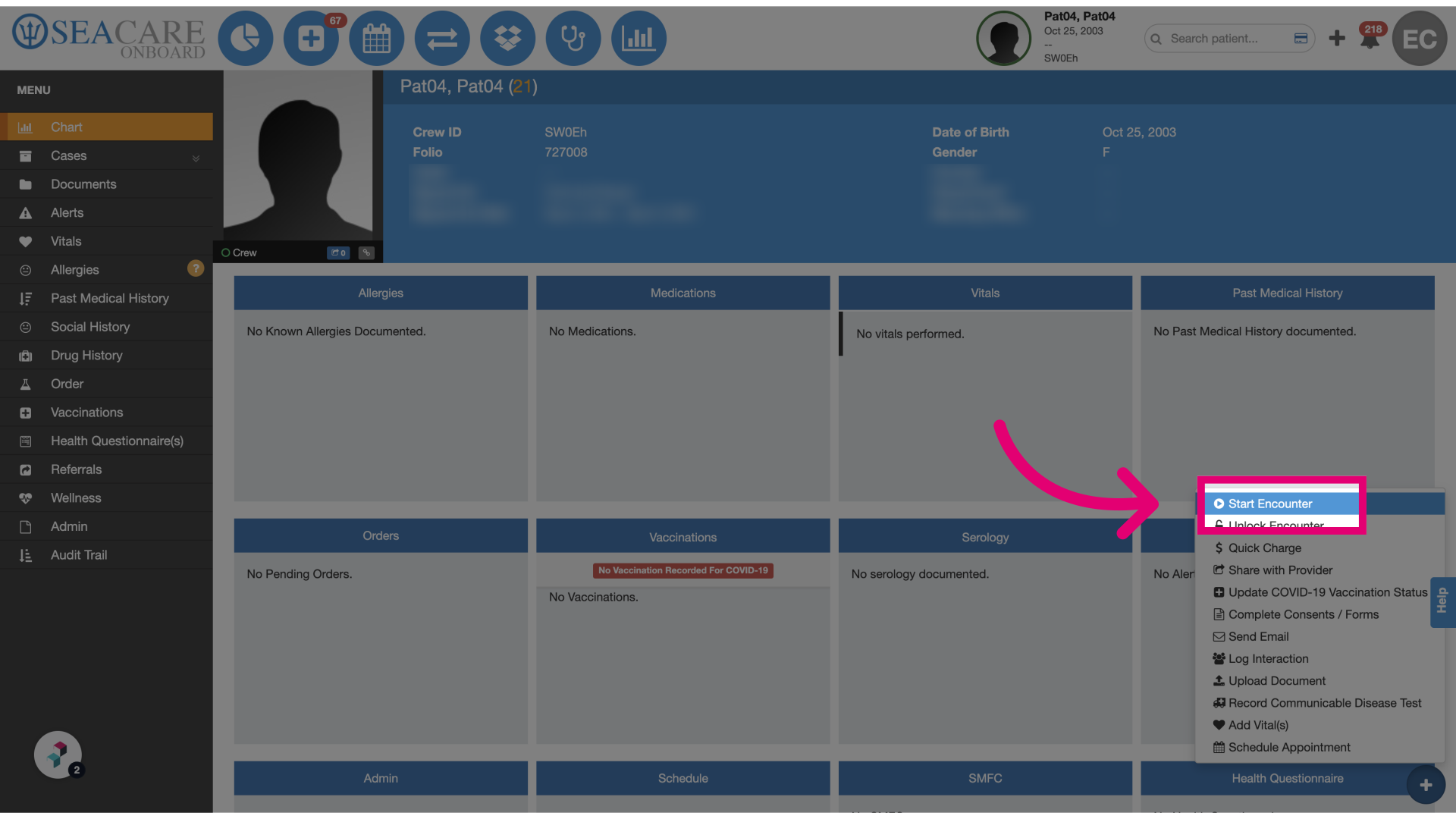
- Start the encounter: Ensure the user has permission to merge records, then click Start Encounter to begin the process.
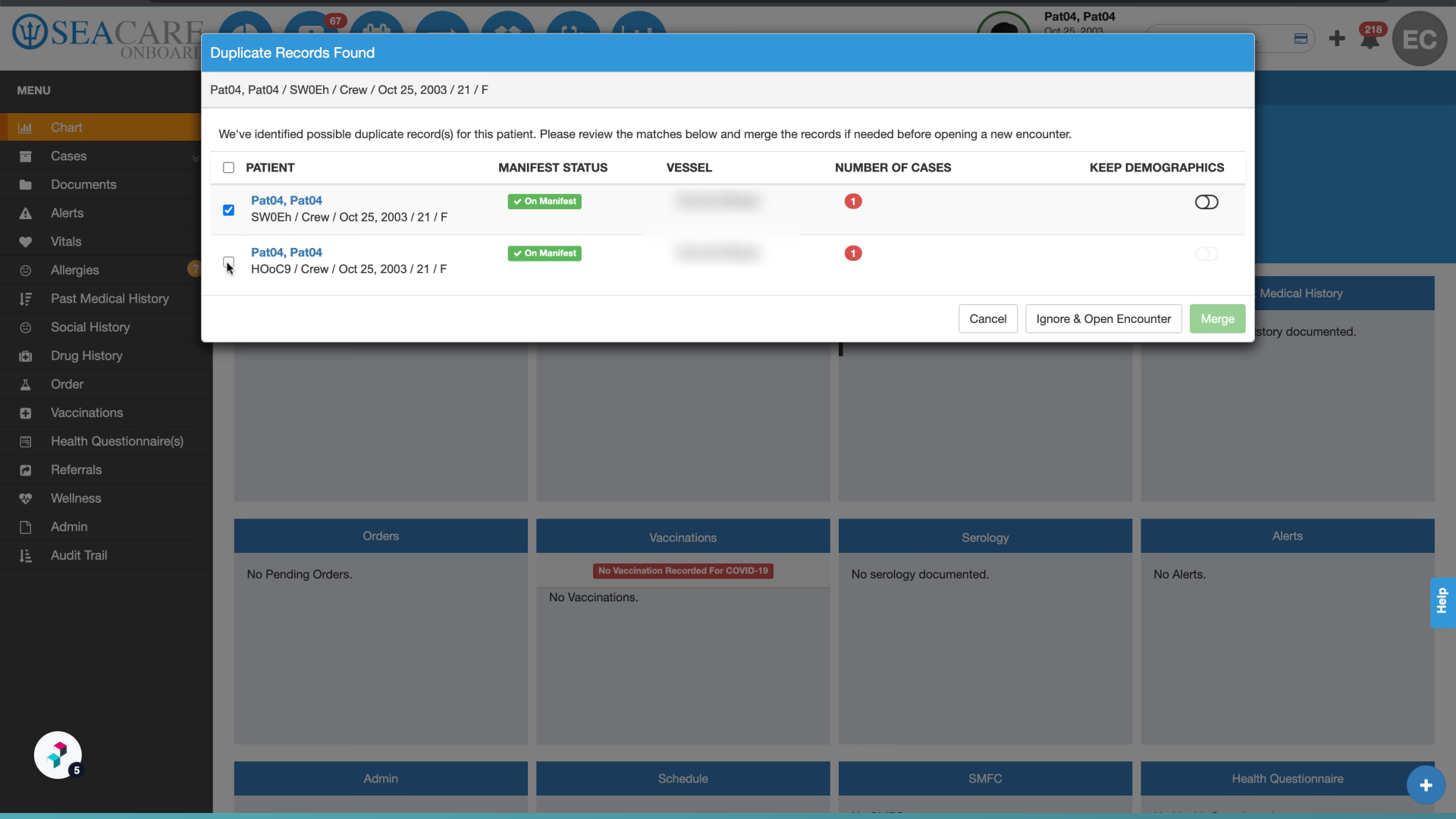
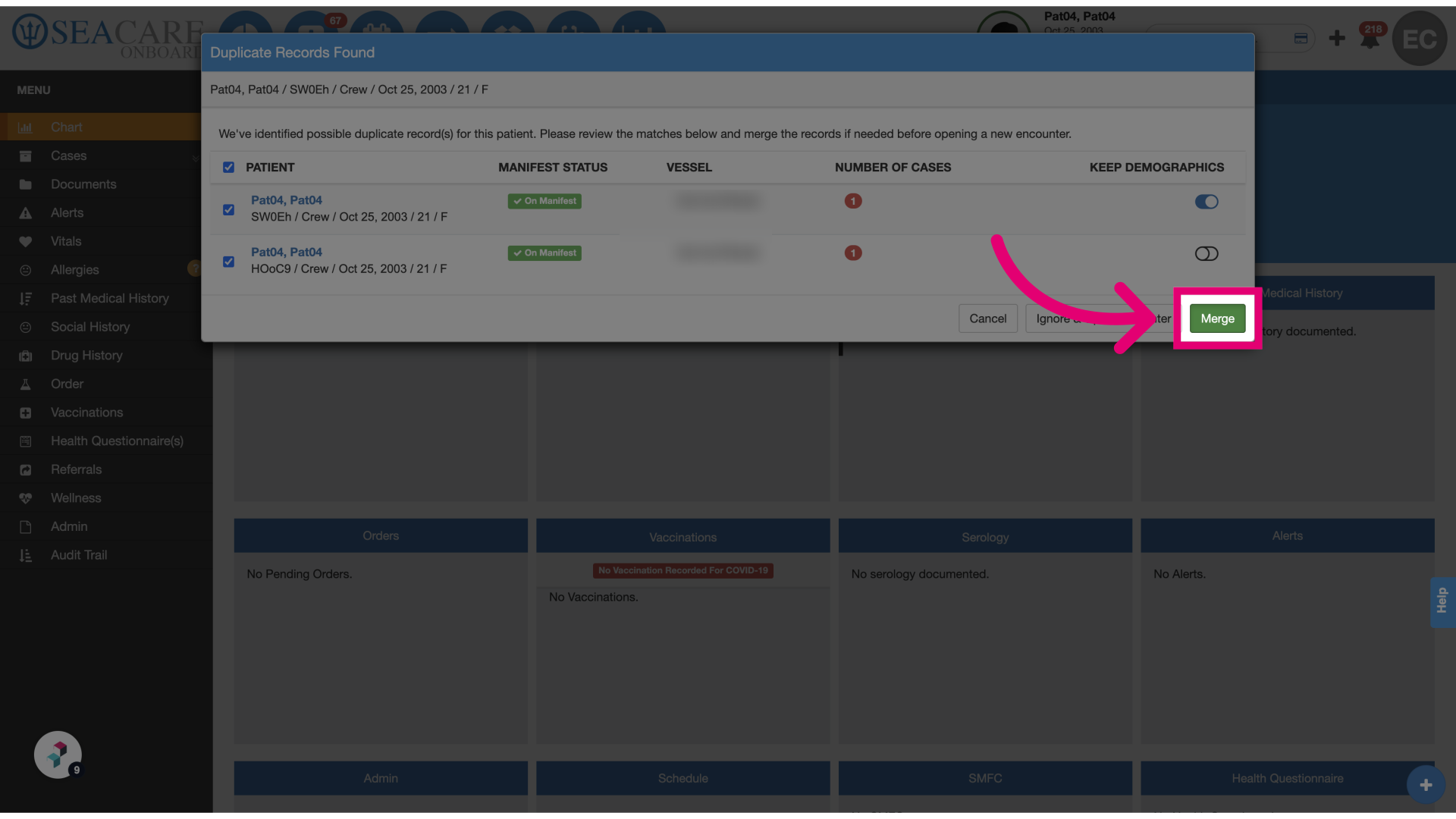
- Select the patient: Review the list of potential duplicates and select the crew member or guest to merge by checking the appropriate box.
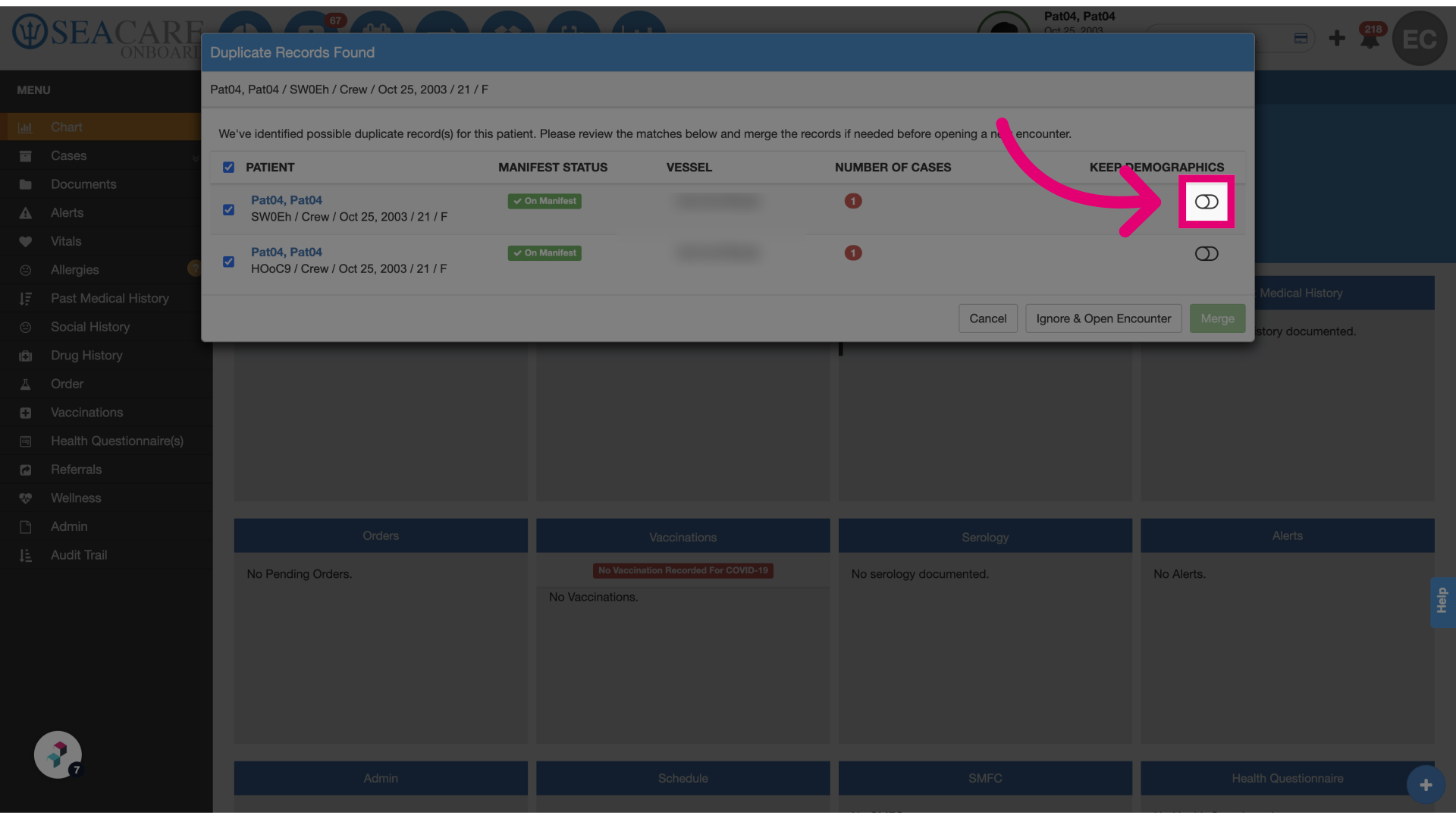
- Choose demographics: Use the toggle to select which demographic information to retain for the merged record.
- Merge records: Click Merge to combine the selected records into one.
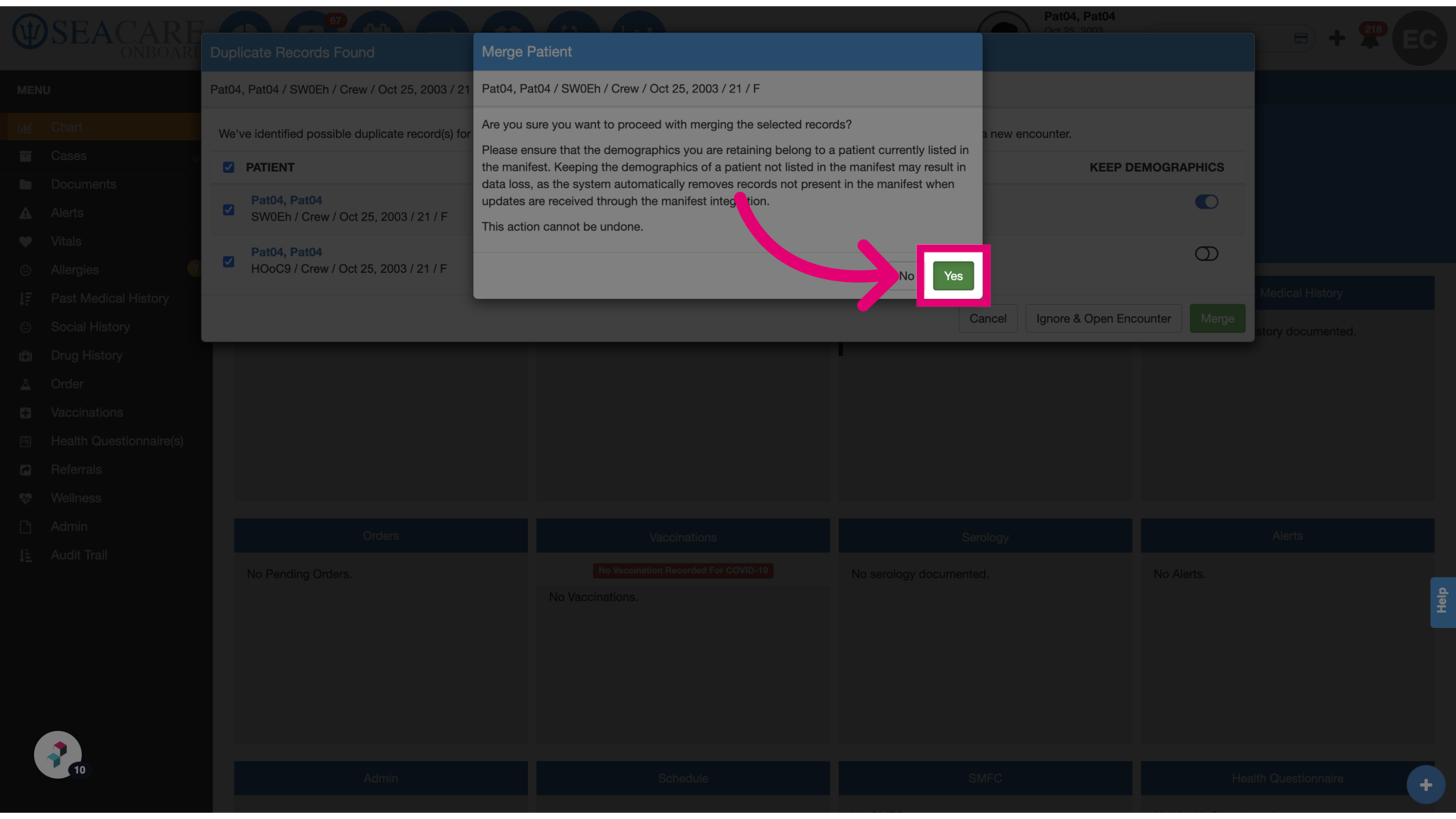
- Confirm the merge: Click Yes to confirm and complete the merge process.