New article
Recently updated
Coordinating Transportation in Ideagen Maritime Health Provider

Who is this article for?Users who want to learn to coordinate transportation for patients in Ideagen Maritime Health Provider.
No elevated permissions are required.
This quick demo will show you how to coordinate transportation for a patient within the Ideagen Maritime Health Provider application.
You will learn how to arrange a clinic pick-up and transport for your patients using the Ideagen Maritime Health Provider application.
1. Coordinating Transportation in Ideagen Maritime Health Provider
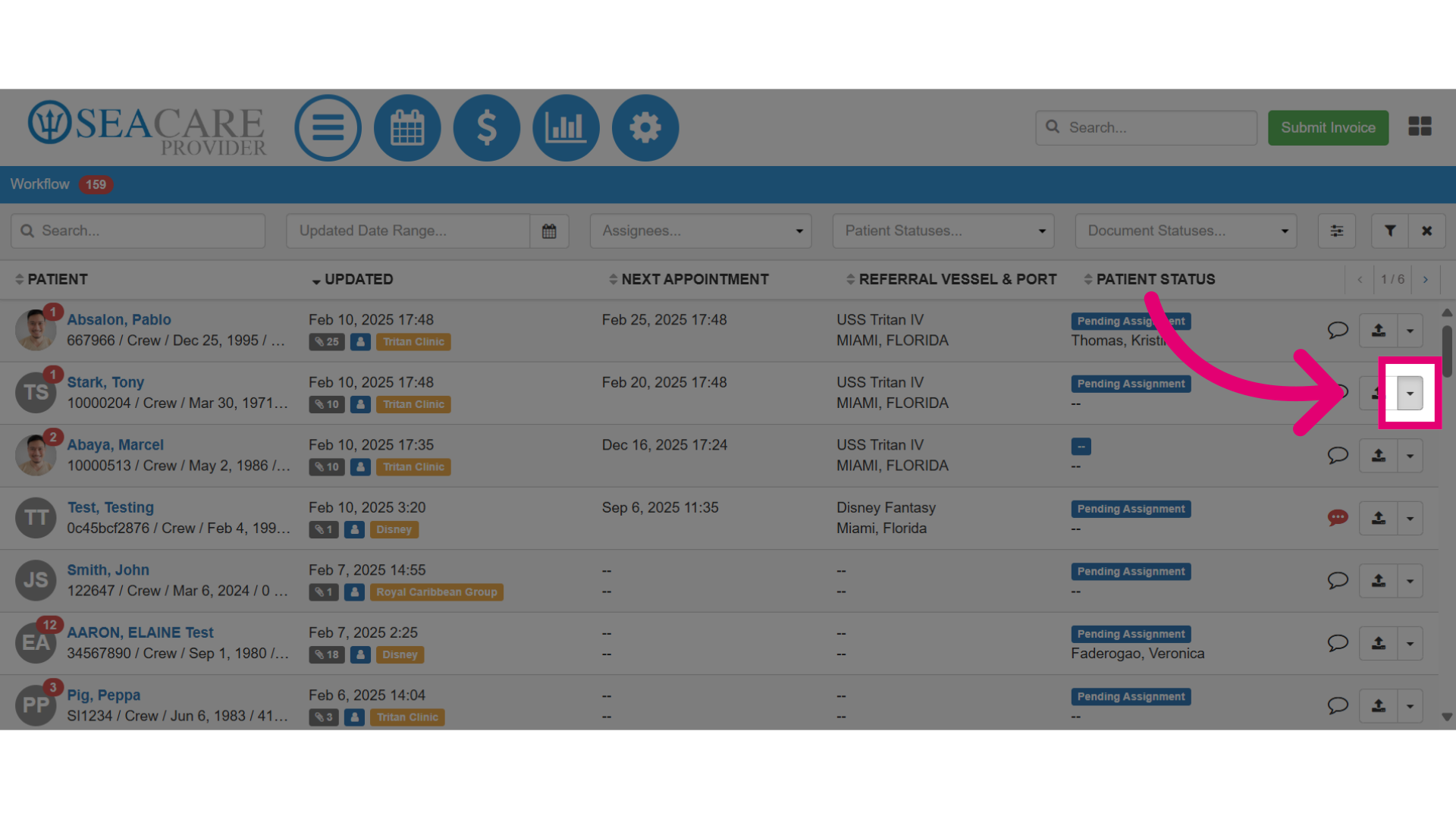
- First, locate the patient then select the Actions menu.
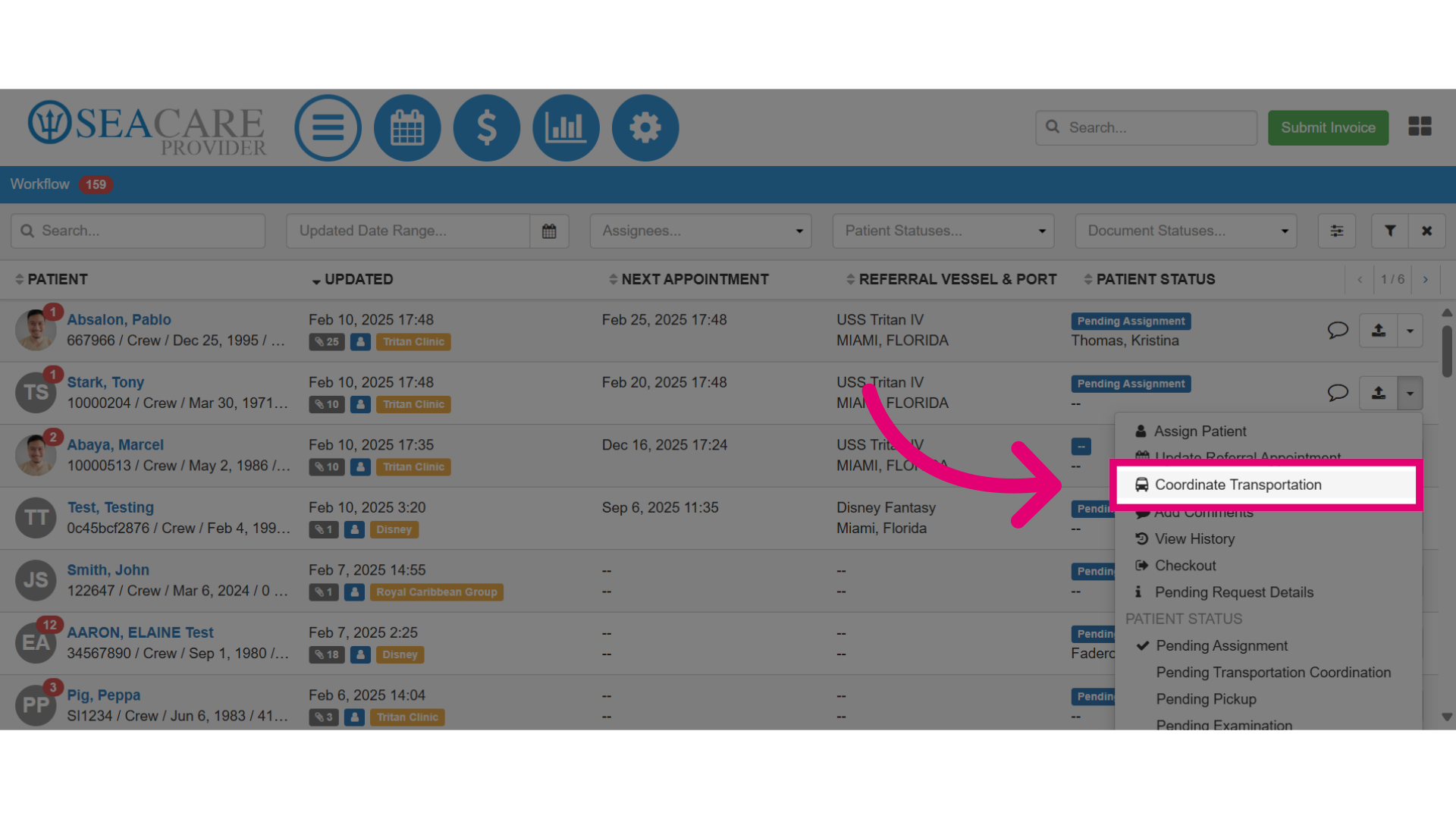
- Next, select the Coordinate Transportation option.
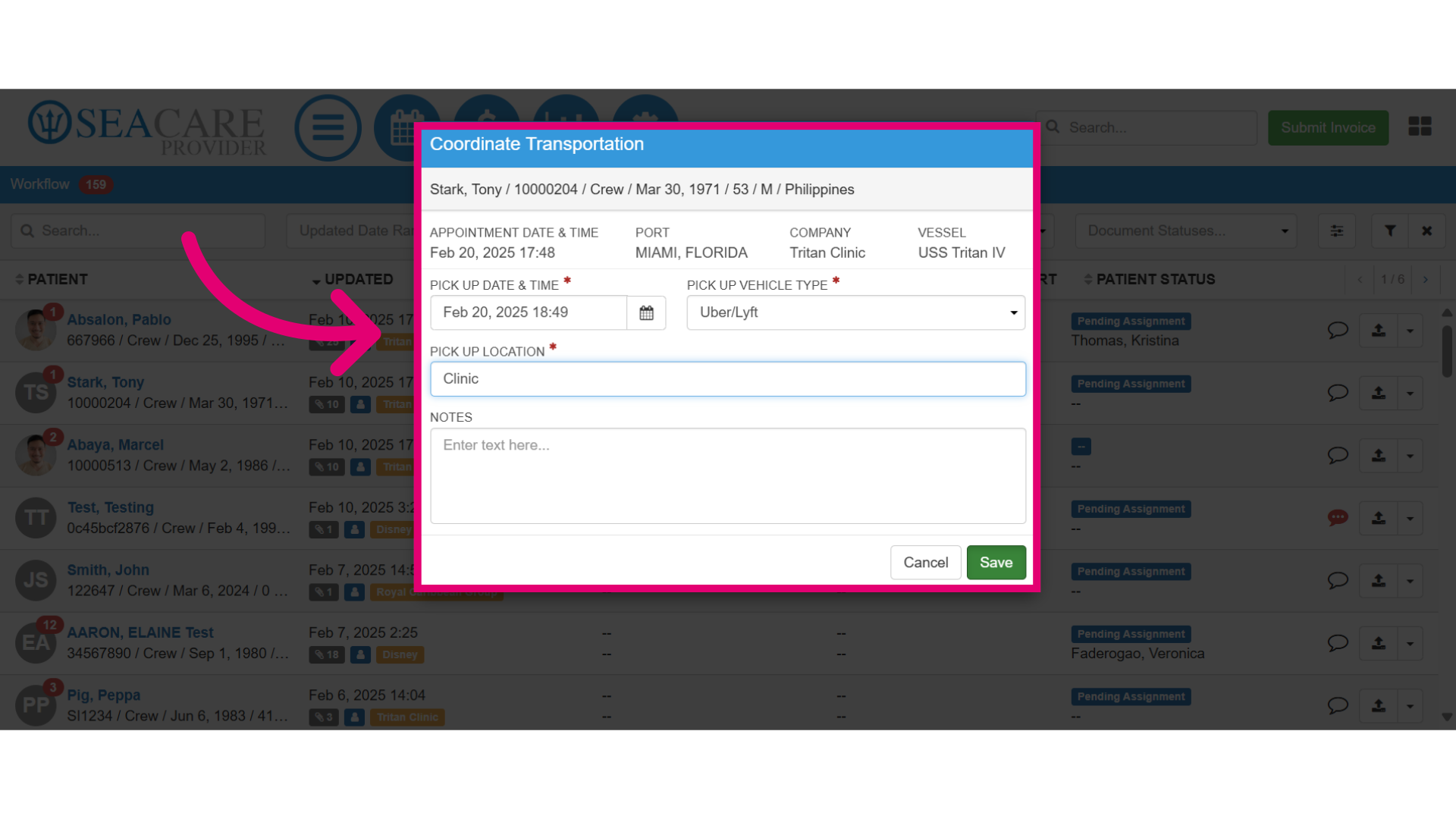
- Complete the transportation details.
- Specify the Pick up Date and Time.
- Select the Pick Up Vehicle Type based on the type of vehicle the patient will travel in, such as a bus, taxi, Uber, Lyft, etc.
- Specify the Pick up Location where the patient will be picked up.
- Include any necessary notes about the pickup.
- Save your transportation details.
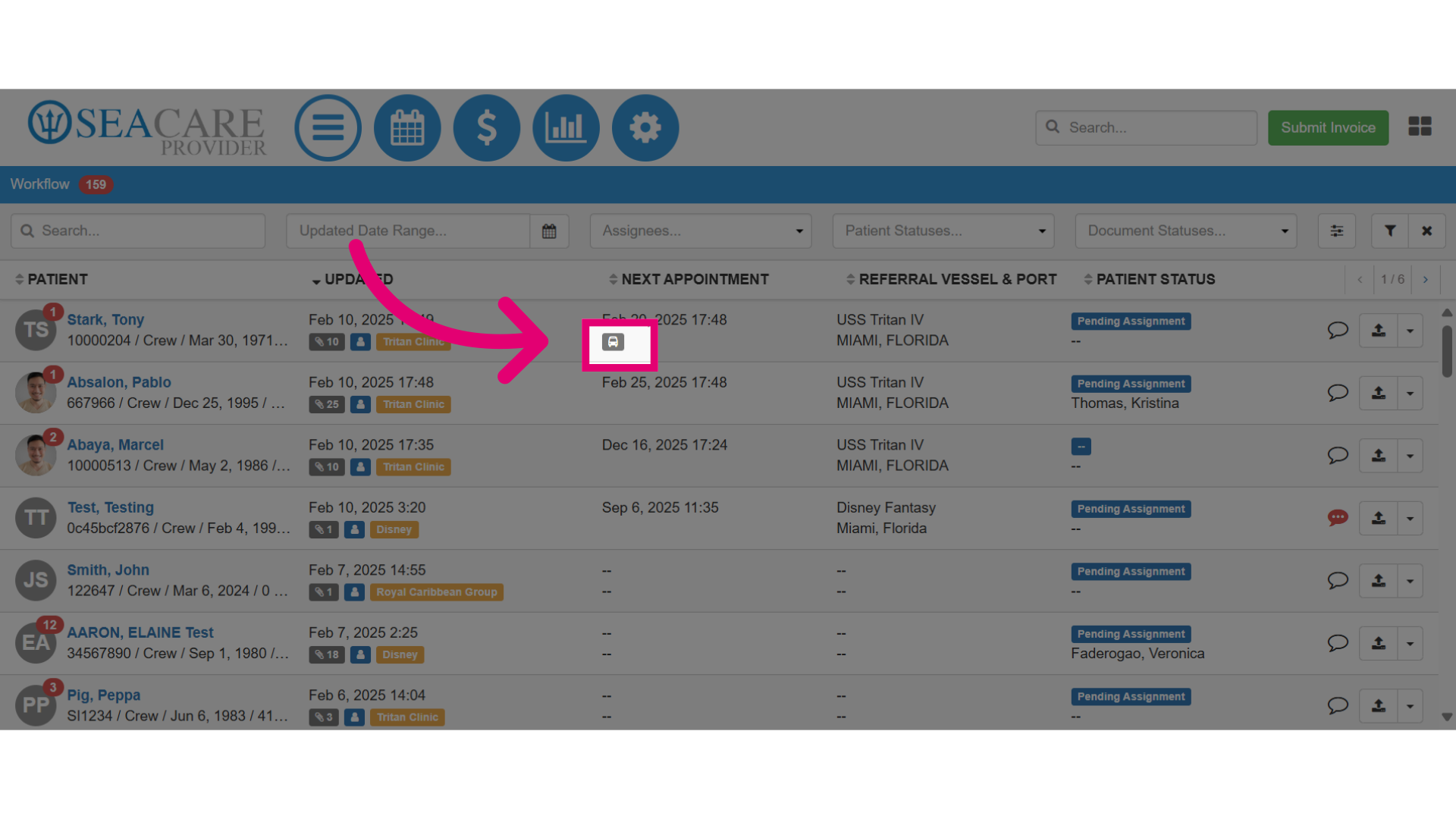
- The car icon appears under the Next Appointment column when transportation has already been coordinated for the patient. Click on the car to see the details.