New article
Recently updated
Searching for Crew Members in Ideagen Maritime Health Provider

Who is this article for?Users who want to learn to search for crew members in the Ideagen Maritime Health Provider application.
No elevated permissions are required.
This guide helps you search for crew members on the Ideagen Maritime Health Provider platform. Use the search fields and filters to customise your search. Follow the instructions to locate crew members effectively.
1. Searching for Crew Members in Ideagen Maritime Health Provider
1.1. Video
1.2. Steps
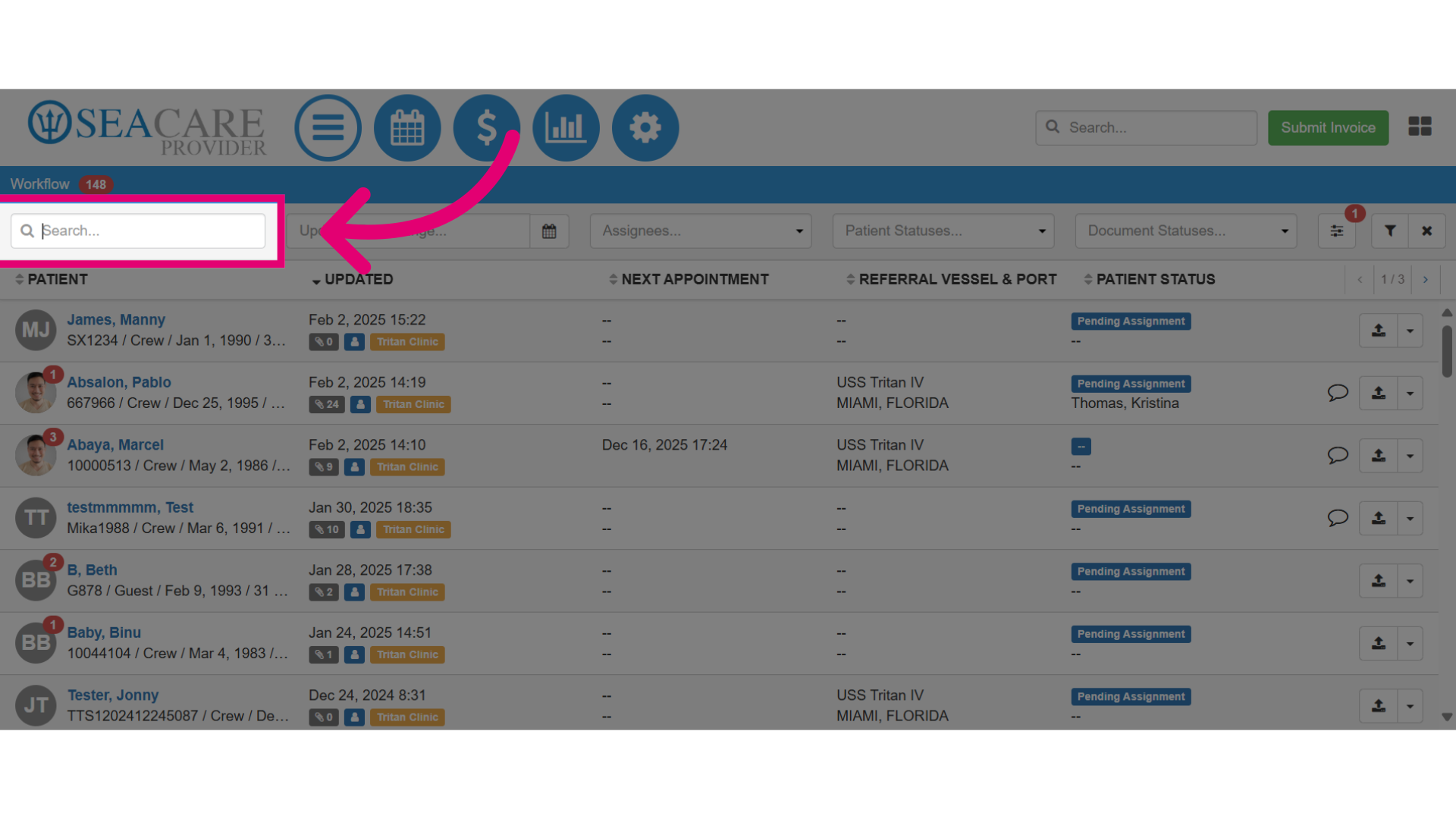
- Enter the patient name in the Search field to locate the patient.
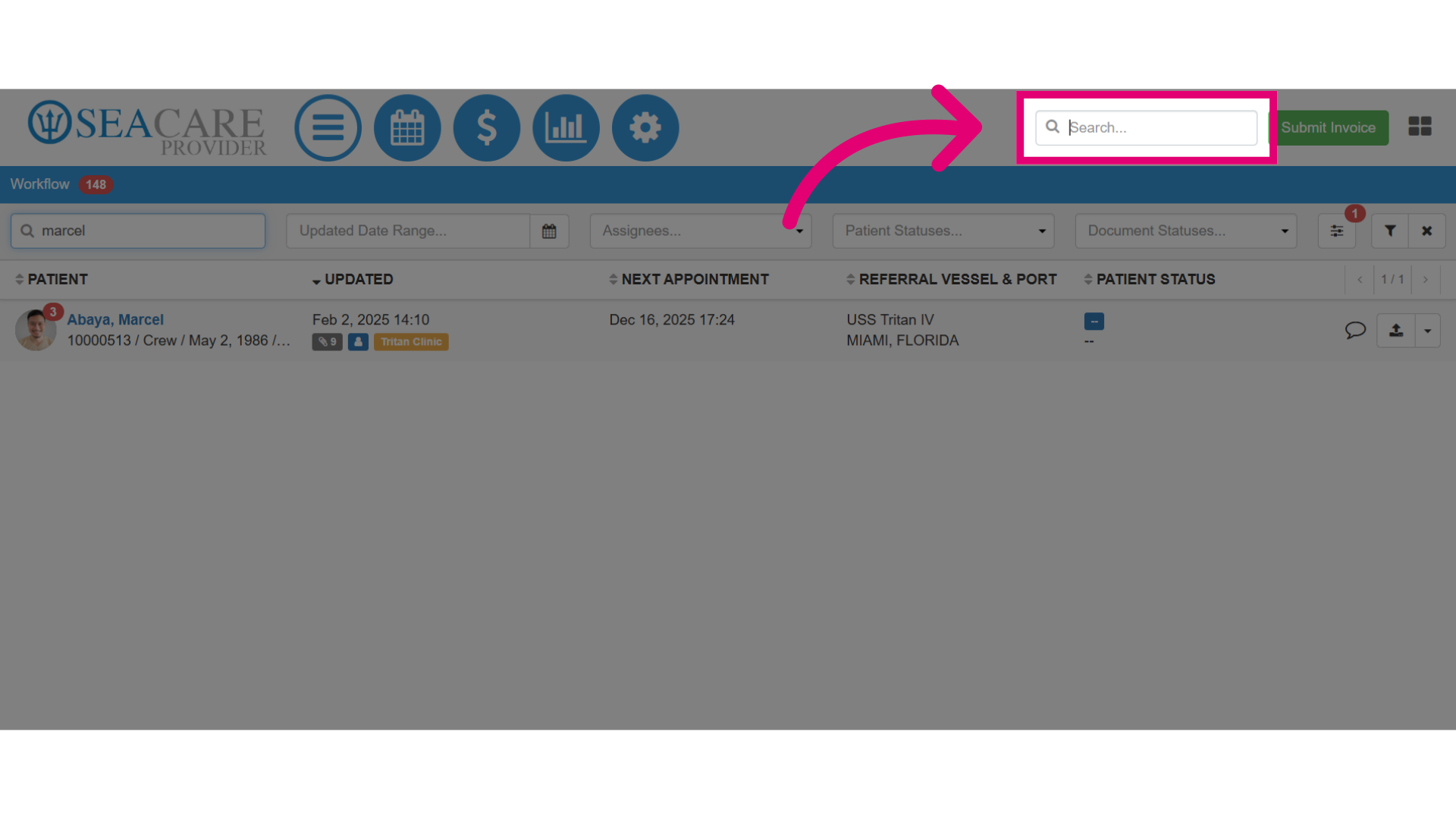
- You may also use the Global Search feature to identify a patient within the system, even if they have been checked out from the clinic.
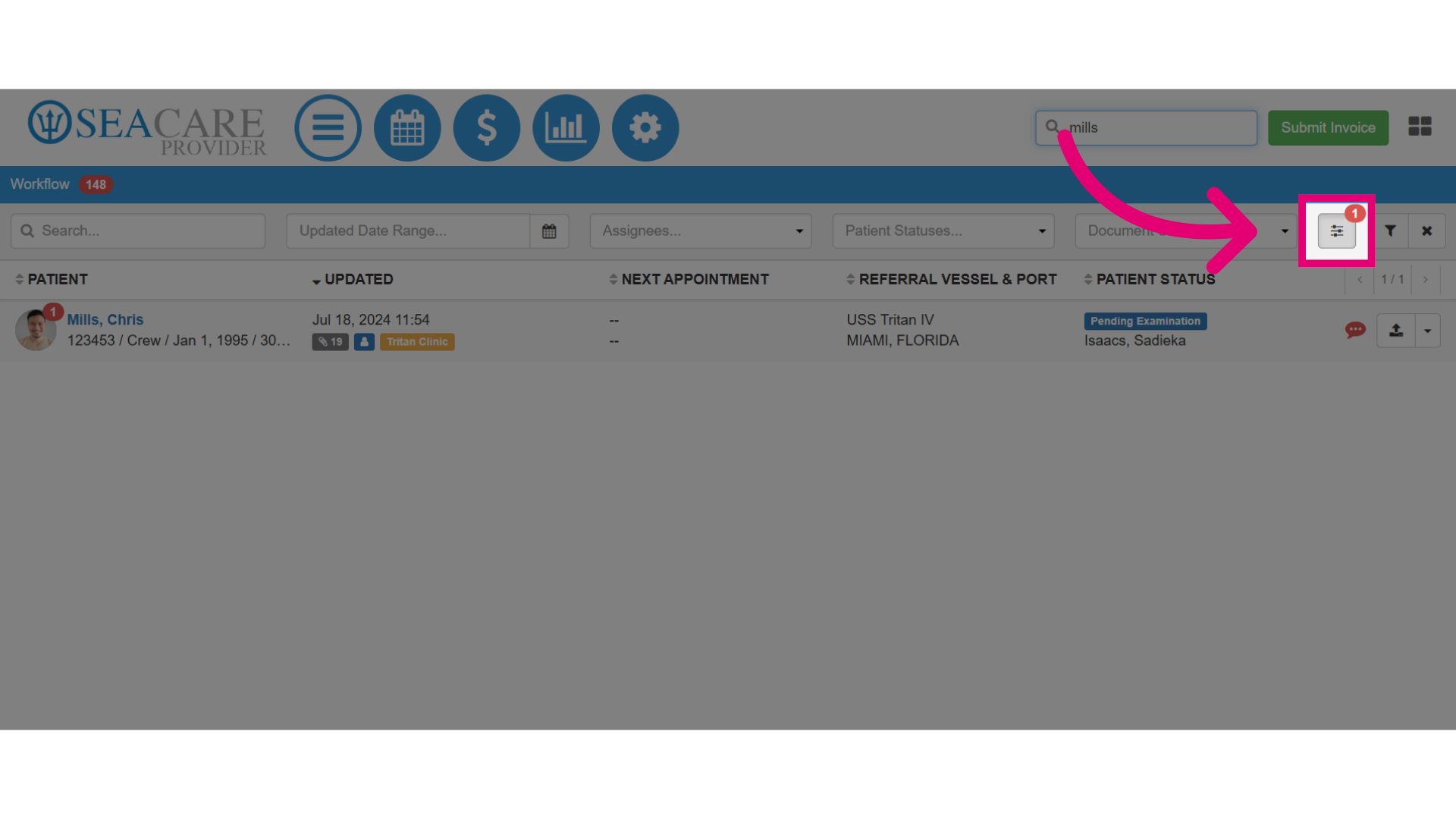
- To add more search options, select Additional Filters.
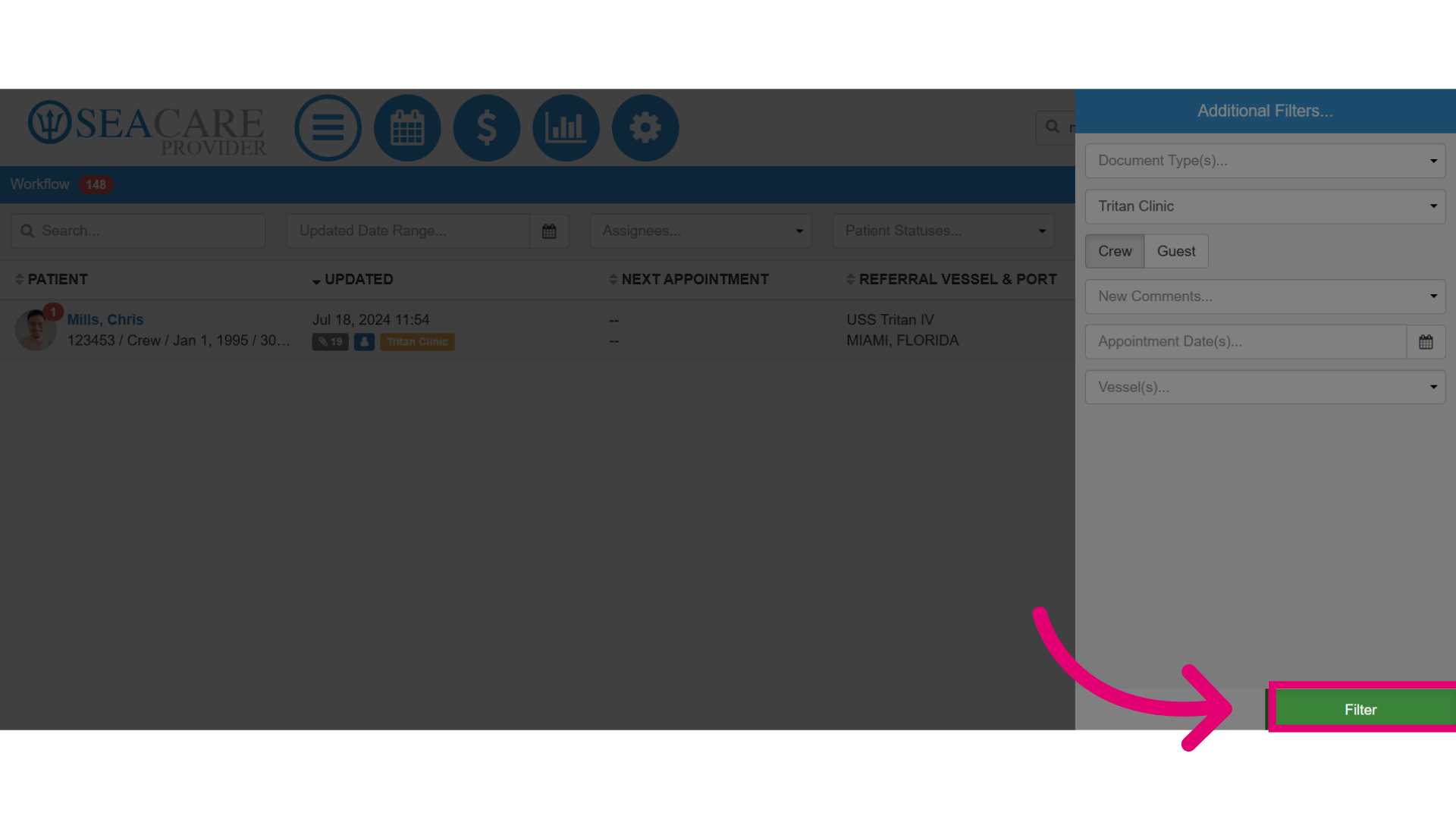
- You can refine your crew member search using filters like document type, organisation, or vessel.
- Make sure to select crew so all your criteria relate only to crew members.
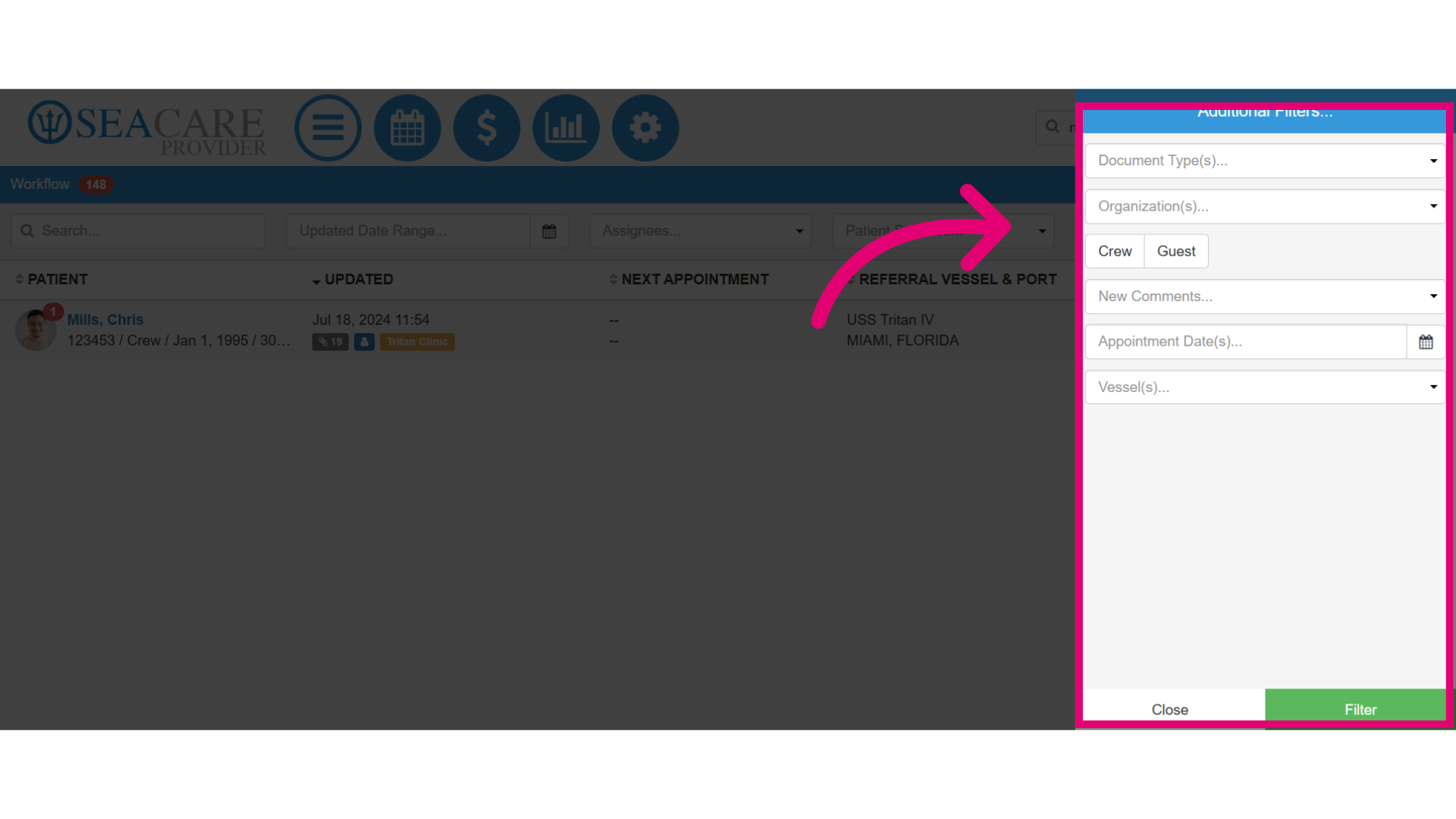
- Then, select the Filter button to generate a list of crew members who meet your search criteria.